
How to create an HR chatbot: step-by-step development guide
A complete guide on how to build an HR chatbot. Learn the HR chatbot development process, automation use cases, and how to deploy an AI HR chatbot.


TL;DR
A successful HR chatbot starts with high-volume use cases like leave, payroll, policies, and onboarding, where automation can reduce HR helpdesk load quickly.

The strongest HR chatbot development process combines structured knowledge, HRIS integrations, workflow automation, and multi-channel deployment.
Modern no-code platforms allow HR teams to build, train, and launch AI chatbots in days without heavy engineering or long implementation cycles.
Workativ simplifies HR chatbot creation through Agent Studio, RAG-based knowledge, prebuilt HR workflows, and enterprise-grade guardrails.
An HR chatbot is an AI-powered assistant that responds to employee questions about policies, benefits, leave, and HR processes automatically, without an HR team member stepping in for every query. Unlike older FAQ bots, today's HR chatbots connect directly to HR systems and pull live data: a leave balance, a payslip, a policy document or go further and execute an action, like submitting a request or booking a meeting. HR teams deploy them primarily to take repetitive, high-volume queries off their plate, cut response times, and give every employee the same reliable self-service experience regardless of when or where they ask.
In today’s AI agentic age, if you want to get a competitive edge in all-thing HR activities and you don’t own one, an HR chatbot is essential.
In this guide, you’ll learn:
What is an HR chatbot
How to create an HR chatbot
How the HR chatbot development process works
How to build HR chatbots for employee self-service
How to deploy AI HR chatbots across your HR systems
What is an HR Chatbot?
An HR chatbot is an AI-powered assistant that responds to employee questions about policies, benefits, leave, and HR processes — automatically, without an HR team member stepping in for every query. Unlike older FAQ bots, today's HR chatbots connect directly to HR systems and pull live data: a leave balance, a payslip, a policy document — or go further and execute an action, like submitting a request or booking a meeting. HR teams deploy them primarily to take repetitive, high-volume queries off their plate, cut response times, and give every employee the same reliable self-service experience regardless of when or where they ask.
Similarly, HR virtual assistant streamlines HR processes for your employees without hampering the productivity of your HR. If you want to learn about HR virtual assistants, check out our blog - HR AI Virtual Assistants: Complete 2026 Guide.
In 2026, HR chatbots have moved well beyond scripted responses. They now integrate with HRIS platforms like Workday, BambooHR, and SAP to retrieve real employee data on demand — so when someone asks about their remaining PTO or their payslip status, the chatbot pulls the actual answer, not a generic one. This shift from static FAQ bots to system-connected assistants is what makes modern HR chatbots genuinely useful at scale.
The bigger change is in what they can do, not just what they can say. Today's HR chatbots execute actions: they submit leave requests, trigger onboarding workflows, update employee records, and route complex cases to the right HR person. For HR teams managing hundreds or thousands of employees, that execution capability is the difference between a chatbot that answers questions and one that actually reduces workload.
What does an HR chatbot do?
HR chatbots support a wide range of employee self-service tasks, including:
answering HR policy questions
checking leave balances and applying for leave
accessing payroll and benefits information
guiding employees through onboarding processes
handling HR service requests
How modern HR chatbots work
Modern HR chatbots combine conversational AI with workflow automation.
They retrieve accurate information from HR knowledge sources
They integrate with HR systems like HRIS and payroll platforms
They execute workflows such as approvals, updates, and requests
This means employees don’t just get answers; they complete tasks instantly.
What HR chatbots automate
HR chatbots can automate a wide range of routine HR interactions, including:
HR helpdesk queries: Employees can ask common HR questions without submitting tickets or waiting for HR responses.
HR policy guidance: Chatbots help employees quickly find answers related to company policies, compliance guidelines, and HR procedures.
Employee onboarding support: New hires can receive step-by-step guidance for onboarding tasks, training resources, and required documentation.
Benefits and payroll questions: Employees can ask about insurance coverage, payroll schedules, benefits eligibility, and enrollment processes.
Open enrollment and life event changes: Chatbots assist employees during open enrollment periods and help them understand how life events such as marriage or relocation affect their benefits.
Leave management assistance: Employees can check leave balances, understand leave policies, and request time off directly through the chatbot.
Why organizations are building HR chatbots in 2026?
As organizations grow, HR teams must support an increasing number of employee requests related to policies, benefits, payroll, and leave management. Handling these requests manually becomes time-consuming and difficult to scale. This is one of the main reasons many companies are exploring how to create an HR chatbot to improve HR operations and employee support.
HR ticket volumes keep climbing
As organisations grow, so does the volume of employee queries landing in HR inboxes. Let’s depict a study from a clinical field, where radiologists can navigate today’s increasingly complex circumstances by automating repetitive tasks. This is in similarity with HR support too. Research shows organisations process an average of 10,675 support tickets every month, and a large share of those are routine HR queries — leave balances, policy clarifications, payroll questions — that do not need a human to answer. A study by FlairsTech stated that average ticket volume has increased by 16% since 2020, and HR teams without automation are absorbing that growth manually.
Human-handled transactional queries are expensive
Every repetitive query an HR team member answers manually comes at a cost. As per study by ThinkHDI, manually handling and resolving a single ticket costs around $22, and when hundreds of those tickets are routine, the spend adds up fast. Automating HR tasks through self-service tools can save businesses $50,000 annually for every 100 employees, making the business case for HR chatbots straightforward.
Employees expect instant answers
The bar for response speed has risen sharply. Gorgias states that 60% of employees define "immediate" as 10 minutes or less — yet the average first HR response time sits at over 7 hours. That gap creates frustration before the query is even resolved. HR chatbots close it by responding in seconds, every time, without a queue.
HR teams are stretched thin
HR capacity has not kept pace with workforce growth. 67% of employees report difficulty getting timely responses from HR, which points less to poor intent and more to an overloaded team. 85% of employees hesitate to approach HR with their concerns — partly because the experience of waiting discourages them from asking. Automating routine queries frees HR to focus on the work that genuinely needs human judgment.
Workforces operate across time zones, around the clock
98% of employees now want the option to work remotely at least part of the time, and many organisations support teams across multiple countries and time zones. An HR team based in one location cannot realistically provide responsive support to employees working different shifts or on the other side of the world. HR chatbots operate 24/7, meaning an employee in Singapore can get a policy answer at midnight without waiting for the London office to open.
Learn that organisations looking to go beyond query automation are increasingly deploying an HR AI agent — a more autonomous system that can execute multi-step HR workflows without human intervention.
BUILD YOUR HR CHATBOT IN DAYS, NOT MONTHS
Workativ's no-code platform lets HR teams upload policies, connect systems and go live - fast.
No dev team · HRIS integrations · SOC 2 compliant
Go live in days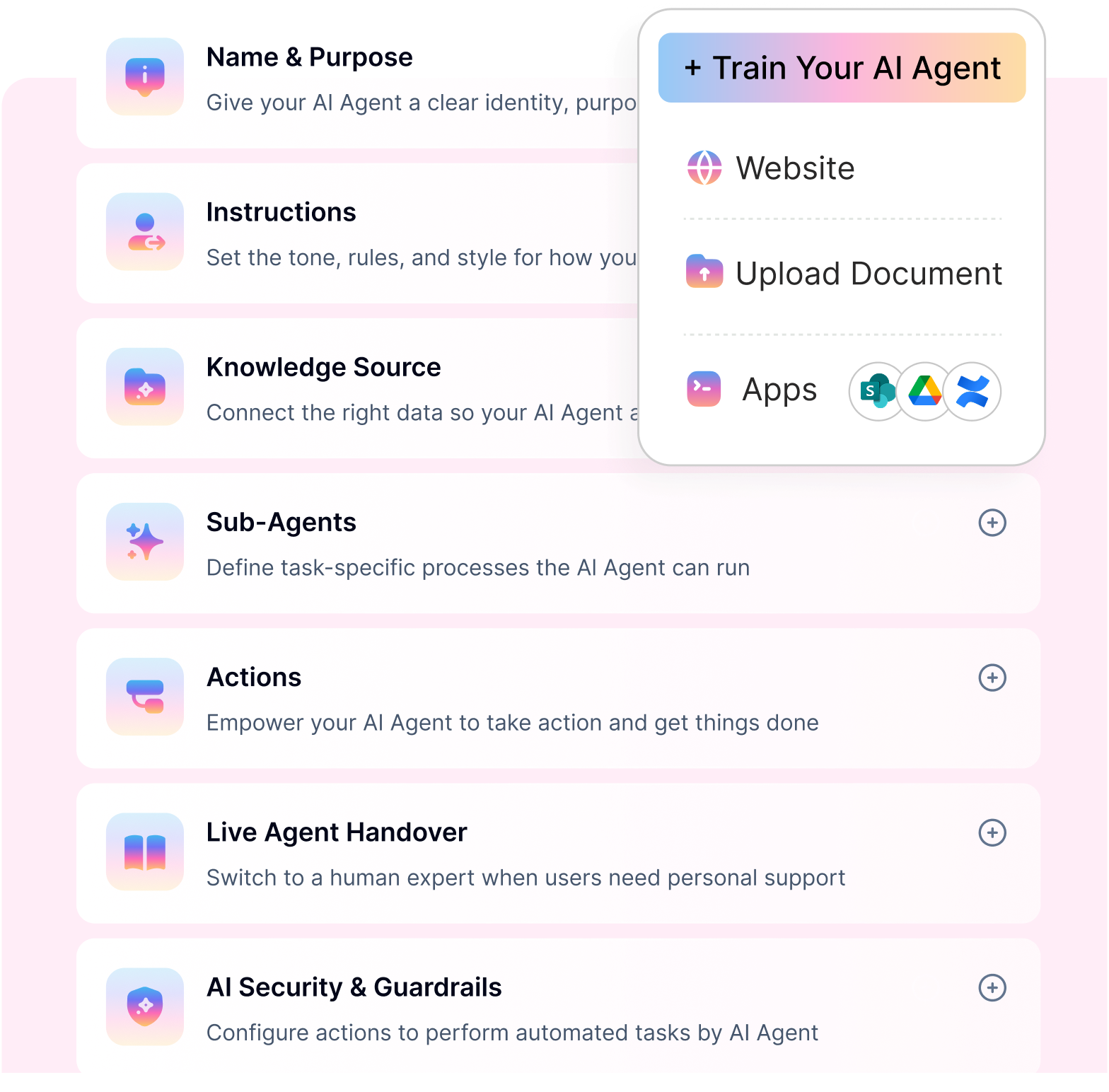
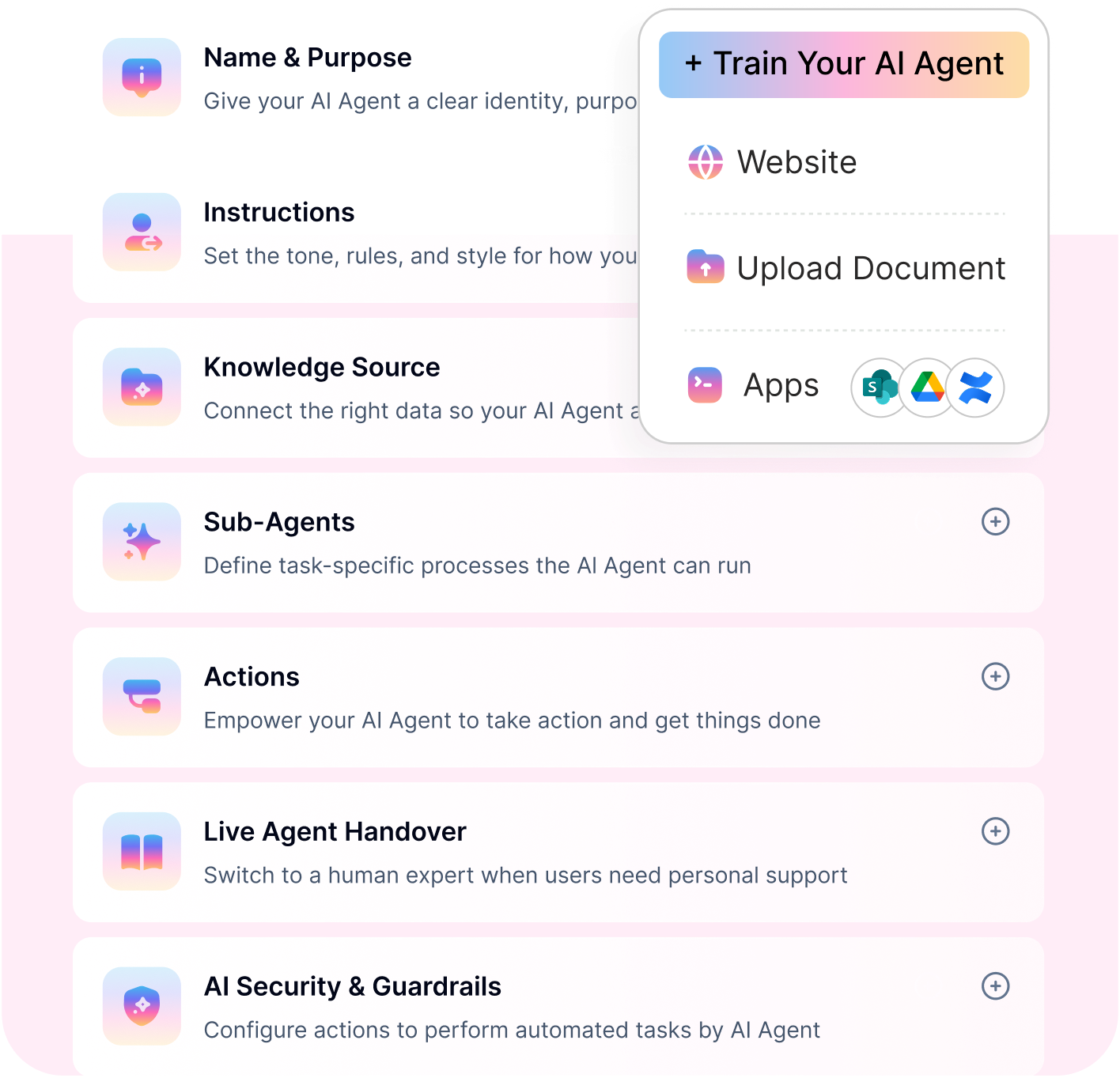
Common HR chatbot use cases
HR chatbots can automate a wide range of employee support tasks, especially those related to benefits, policies, and HR service requests. Across hr chatbot use cases, chatbots provide instant answers and guide employees through HR processes instead of employees submitting tickets or waiting for responses. These capabilities make HR chatbots a key part of the HR chatbot development process for organizations looking to improve employee self-service. Let’s take a look at the most common use cases we can automate.
Use Case | What the Chatbot Does | Expected Outcome |
|---|---|---|
Leave Requests | Checks available leave balance, explains leave policy, and submits the request directly through the HRIS | Employees apply for leave in seconds without emailing HR or raising a ticket |
Payroll Queries | Retrieves payslip details, explains deductions, and clarifies pay cycle timelines from connected payroll systems | Fewer payroll-related HR tickets and faster resolution of pay discrepancies |
Onboarding Questions | Guides new hires through onboarding checklists, answers first-day FAQs, and surfaces relevant documents and training links | Consistent onboarding experience for every new hire, with less HR hand-holding required |
Policy Lookups | Searches the HR knowledge base and returns the relevant policy section in response to natural language questions | Employees get accurate policy answers instantly, reducing back-and-forth with HR |
Benefits FAQs | Answers questions about health insurance, FSA/HSA balances, retirement plans, and open enrolment deadlines | Reduced benefits-related query volume, especially during enrolment periods |
Offboarding Tasks | Walks departing employees through exit steps, explains COBRA options, and triggers the relevant offboarding workflows | Smoother, more consistent offboarding with fewer missed steps or compliance gaps |
For a deeper look at how these play out in practice, see our full breakdown of HR chatbot use cases across industries and workforce sizes.
Platforms like Workativ support a wide range of HR benefits use cases by enabling organizations to automate employee benefit inquiries, guide employees through enrollment workflows, and provide instant access to HR benefits information. This helps HR teams manage benefits support more efficiently while improving employee self-service across the organization.
HR chatbot development process (step-by-step)
Step 1: Define Your HR Chatbot Use Cases and Scope
Before you build anything, you need to know exactly what your HR chatbot will handle — and what it will not. Trying to automate everything at once is the fastest way to end up with a chatbot that does nothing well. The better approach is to start narrow, prove value quickly, and expand from there.
How to identify what to automate first
Look at where your HR team spends the most time answering the same questions repeatedly. These are your highest-priority candidates for automation — not because they are complex, but because their volume makes them expensive to handle manually. A query that takes three minutes to answer 200 times a month costs far more than one complex case that takes two hours.
Use this decision framework to prioritise:
Priority | Question to Ask | What to Look For |
|---|---|---|
1. Volume | How often does this query come in? | Queries that arrive daily or weekly |
2. Repeatability | Is the answer always the same or rule-based? | Policy questions, balance checks, process steps |
3. Data availability | Is the answer sitting in a connected system? | HRIS data, policy documents, knowledge base |
4. Resolution speed | Can this be resolved without human judgement? | Yes/no eligibility checks, standard procedures |
5. Employee frustration | Is this a query employees complain about waiting on? | Leave requests, payslip queries, onboarding FAQs |
Start with the top 5 query types that score highest across these five criteria. These are your first automation wins — quick to build, easy to test, and fast to show ROI.
Once you have your shortlist, define the scope clearly:
What the chatbot will handle end-to-end
What it will answer but escalate for action
What it will not touch and will route to a human immediately
Defining these boundaries upfront prevents scope creep during build and sets the right employee expectations from day one.
💡 Tip: Run a 30-day HR inbox audit
Before finalising your use cases, spend 30 days logging every query that comes into your HR inbox, ticketing system, or Slack channel. Categorise each one by topic and count the frequency. By the end of the month, you will have a clear, data-backed picture of your top repeat questions — and a prioritised list that takes the guesswork out of where to start.
Step 2: Choose Between No-Code and Custom-Built
Before you pick a platform, you need to make one foundational decision: how will your HR chatbot actually be built? The answer shapes everything — how long it takes to go live, how much it costs, and whether your HR team can manage it independently going forward.
There are three routes most organisations take.
No-code platforms let HR teams build, train, and deploy a chatbot through a visual interface — no programming required. You configure conversation flows, upload policy documents, and connect HR systems through pre-built integrations, all without writing a single line of code.
Custom development means building a chatbot from scratch using developers. You get full control over every feature and behaviour, but you also take on the full cost, timeline, and technical complexity that comes with it.
Hybrid approaches sit in the middle — typically a no-code platform extended with custom development for specific integrations or workflows that fall outside the platform's standard capability.
How the three options compare:
| No-Code Platform | Custom Development | Hybrid |
|---|---|---|---|
Time to Deploy | Days to a few weeks | 3 to 6 months or longer | 1 to 3 months |
Cost | Low to medium — subscription-based | High — development, testing, and infrastructure costs | Medium to high |
Technical Resource Required | None — HR can manage independently | Dedicated developer team required | Partial — some technical support needed |
Integration Capability | Pre-built connectors for common HRIS, payroll, and ticketing tools | Fully custom — can integrate with anything given enough time | Pre-built plus custom extensions |
Maintenance Burden | Low — platform vendor manages updates | High — your team owns all maintenance and updates | Medium |
Flexibility | Works well within platform boundaries | Unlimited — build exactly what you need | Moderate — flexible within the platform, custom beyond it |
Which option is right for your HR team?
For most HR teams — especially those without a dedicated developer or IT support — no-code is the clear starting point. You do not need engineering resources to go live, you can make updates yourself without raising a ticket, and modern no-code platforms cover the vast majority of HR use cases out of the box.
Custom development makes sense only when your organisation has highly specific requirements that no existing platform can meet, and you have the budget and technical team to support a long build cycle. For most HR chatbot projects, that level of complexity is neither necessary nor practical.
The hybrid route works well for larger organisations that want the speed of a no-code platform but need a small number of deep custom integrations — for example, connecting to a legacy HRIS that has no pre-built connector available.
If you are evaluating specific options between no-code and custom built before committing, our guide to Build or Buy Virtual Agent: Comparison 2026 offers the best suggestions for you to zero down in. Check it out
💡 Tip: Not sure which to choose?
If your HR team cannot independently manage the chatbot after it goes live — updating flows, adding use cases, adjusting responses — then custom development will create a long-term dependency on IT. Start with no-code, prove the value, and extend later if you need to.
Step 3: Select Your HR Chatbot Platform
Not all HR chatbot platforms are built the same way. Some are strong on conversation design but weak on integrations. Others offer deep HRIS connectivity but require developer involvement for every change. Choosing the wrong platform means either outgrowing it quickly or becoming dependent on IT to keep it running.
Use these six criteria to evaluate any platform you shortlist — and make sure it can deliver on all of them before you commit.
HRIS Integration Library
The platform should connect natively to the HR systems you already use — without custom development. Look for pre-built integrations with common HRIS platforms like Workday, BambooHR, and SAP, as well as payroll and ticketing tools like Freshservice and ServiceNow. If the integration library is thin, your chatbot will be limited to answering static questions rather than retrieving live employee data or triggering real workflows.
How Workativ addresses this: Workativ offers a deep integration library covering leading HRIS, payroll, and IT platforms — allowing HR teams to connect their existing systems and automate workflows without writing a single line of code.
No-Code Builder
HR teams should be able to build, update, and manage the chatbot without raising a ticket to IT every time something needs to change. The platform must offer a visual, drag-and-drop interface for designing conversation flows, uploading knowledge documents, and configuring automation — all independently.
How Workativ addresses this: Workativ is built specifically for non-technical HR teams. Its no-code interface lets HR configure conversation flows, upload policy documents, and manage automations without any developer involvement — from initial setup through to ongoing updates.
Security and Compliance
HR chatbots handle sensitive employee data — payslips, leave records, personal details, benefits information. The platform must meet enterprise-grade security standards and support compliance with regulations relevant to your organisation, including SOC 2, ISO 27001, and GDPR. Role-based access controls and data encryption are non-negotiable.
How Workativ addresses this: Workativ is SOC 2 and ISO 27001 certified and includes built-in AI guardrails such as role-based access controls, PII protection, and prompt injection safeguards — ensuring employee data remains secure at every point of interaction.
Channel Support
Employees will not adopt a chatbot they have to go out of their way to find. The platform should support deployment across the channels your employees already use — Slack, Microsoft Teams, your intranet portal, or a web widget — without requiring a separate technical setup for each channel.
How Workativ addresses this: Workativ supports multi-channel deployment across Slack, Microsoft Teams, web portals, and employee intranets — so HR teams can meet employees exactly where they already work, with no additional configuration required per channel.
Analytics and Reporting
You cannot improve what you cannot measure. The platform should provide built-in analytics that track conversation volume, resolution rates, escalation rates, top queries, and unanswered questions — giving HR teams the data they need to continuously improve chatbot performance after go-live.
How Workativ addresses this: Workativ's built-in analytics dashboard gives HR teams visibility into resolution rates, query trends, response times, and common unanswered questions — making it straightforward to identify gaps and optimise the chatbot over time.
Support Model
Even the best no-code platform has a learning curve. Look for a vendor that provides structured onboarding, responsive support, and access to documentation and templates — not just a knowledge base and a chatbot. The level of support on offer often determines how quickly your team gets to go-live and how confidently they manage the platform long-term.
How Workativ addresses this: Workativ provides hands-on onboarding support, industry-ready HR automation templates, and a dedicated support model — helping HR teams go from setup to live deployment quickly, without being left to figure it out alone.
If you are comparing vendors before making a final decision, our breakdown of the leading HR chatbot platforms covers how the top options stack up across these same criteria.
Platform selection tip: When shortlisting vendors, ask each one for a live demo using your actual HR use cases — not a scripted walkthrough. How the platform handles your specific queries, systems, and edge cases will tell you far more than a feature comparison sheet ever will.
Step 4: Connect Your HR Systems and Data Sources
A well-designed HR chatbot is only as useful as the data behind it. Without live connections to your HR systems, the chatbot can only answer questions from static documents — it cannot check a leave balance, confirm a payslip, or trigger a workflow. This step is where most HR chatbot implementations stall, and getting it right early saves significant time later.
What integrations your HR chatbot needs
HRIS platforms are the foundation. Your chatbot needs to connect to your core HR system — Workday, BambooHR, or SAP SuccessFactors — to retrieve live employee data like leave balances, payslip details, and employment status. Without this connection, employees get generic answers instead of accurate, personalised ones.
Ticketing tools like Freshservice or ServiceNow allow the chatbot to log, assign, and track HR requests automatically — without anyone manually creating or routing a ticket.
Knowledge bases — SharePoint, Google Drive, Confluence — give the chatbot a live source to pull policy answers from, rather than relying on hardcoded responses that go stale.
Internal policy documents — leave policies, expense guidelines, onboarding packs — should be uploaded directly to the chatbot's knowledge layer so employees always get answers from the right, up-to-date source.
How to keep data current: real-time sync vs. manual upload
Not all data needs to update in the same way, and understanding the difference prevents a common post-launch problem — employees receiving outdated information.
Data Type | Recommended Approach | Why |
|---|---|---|
Employee records, leave balances, payslip data | Real-time sync via HRIS integration | Changes instantly — must reflect current state |
HR tickets and request status | Real-time sync via ticketing tool integration | Employees need live updates on open requests |
Policy documents and employee handbook | Scheduled refresh or manual upload on update | Changes less frequently — update when policies change |
Benefits and enrolment information | Manual upload ahead of enrolment periods | Tied to specific cycles, not daily changes |
Onboarding and offboarding checklists | Manual upload with version control | Updated when processes change, not continuously |
Common blockers at this stage — and how to address them
"We need IT sign-off before connecting any systems."
Get IT involved at the platform selection stage, not when you are ready to go live. Share the vendor's security documentation and compliance certifications upfront so IT can review in parallel rather than becoming a bottleneck at the end.
"Our HRIS does not have a pre-built connector."
Check whether the vendor offers a custom integration pathway or whether a middleware tool like Workato can bridge the gap in the interim.
"Our policy documents are scattered and inconsistent."
Before uploading, do a quick audit — consolidate duplicates, remove outdated versions, and assign a clear owner to each document. A chatbot trained on conflicting documents will produce conflicting answers.
"We are not sure who owns the data."
Identify the data owner for each system before integration begins and get their sign-off on what the chatbot is permitted to access. Resolving this early prevents delays and scope disputes mid-implementation.
Implementation tip: Map out every data source your chatbot will need before you start building. For each one, note the system name, the owner, the integration method, and how often the data changes. This single document will save hours of back-and-forth during the build phase and give your IT team exactly what they need to approve connections quickly.
Step 5: Build and Train Your HR Chatbot
With your use cases defined and systems connected, you are ready to build. This is where the chatbot takes shape — how it understands employee questions, what it says in response, and what it does when a query falls outside its scope.
Input your policy documents and knowledge sources
Upload the HR documents your chatbot will draw answers from — employee handbook, leave policy, benefits documentation, expense guidelines, and onboarding materials. Before uploading, remove outdated versions, ensure each policy has a clear title, and break large documents into logical sections where possible. Clean, well-structured documents produce more accurate answers.
Create conversation flows for each use case
For each use case, map out how the chatbot greets the query, resolves it — by retrieving data, answering from a document, or triggering a workflow — and confirms the outcome to the employee. Keep flows simple to start. Handle the most common path through each use case reliably first, then refine based on real interactions after launch.
Set escalation rules
Define which situations should be handed to a human — sensitive topics like grievances, questions the chatbot cannot answer confidently, or when an employee explicitly asks to speak to someone. A good escalation rule tells the employee what is happening, routes the query to the right person, and passes along the conversation context so nothing has to be repeated.
Test responses before going live
Test each use case with common question variations. Check that policy answers are accurate, automations trigger correctly, and escalation paths route to the right place.
Testing tip: Always test with edge cases. What happens when an employee asks something the chatbot has not been trained on? An honest "I don't have that information, let me connect you with HR" is far better than a wrong answer. Edge case testing is what catches those failure points before employees do.
Step 6: Test Your HR Chatbot Before Going Live
Building the chatbot is only half the work. Before it reaches your entire workforce, it needs to be tested properly — not just for whether it responds, but for whether it responds accurately, consistently, and gracefully under pressure.
Run an internal pilot with a small group
Start with 10 to 20 employees drawn from different departments and seniority levels. This group will interact with the chatbot the way real employees do — asking questions in their own words across different topics. Run the pilot for one to two weeks and give participants a simple way to flag when something goes wrong.
Test across different query types
Test every category the chatbot is expected to handle — leave requests, policy lookups, payroll queries, onboarding questions, benefits FAQs — and include both simple and multi-step queries within each. The goal is to stress-test the full scope, not just validate the easy wins.
Validate the accuracy of policy answers
Assign an HR team member to review policy responses during the pilot and cross-check them against source documents. An employee who receives a wrong answer about leave entitlement or benefits eligibility will lose trust in the chatbot quickly — and that trust is hard to rebuild.
Check every escalation path
Test every scenario that should trigger a handoff to a human. Confirm that sensitive queries escalate correctly, reach the right HR team member, and pass along conversation context cleanly. A broken escalation path should never be discovered by an employee in genuine need of support.
Gather feedback before full rollout
At the end of the pilot, collect structured feedback from participants — what worked, what did not, and where answers felt inaccurate. Use this to make targeted improvements before opening the chatbot to the wider organisation.
Pre-launch tip: Do not rush the pilot to hit a go-live date. One extra week of testing that catches a policy error or a broken escalation path is worth far more than launching on schedule with avoidable issues in production.
Step 7: Deploy to Slack or Microsoft Teams
Building a great HR chatbot means nothing if employees do not use it. Where you deploy directly affects how many employees engage with it after launch.
Deploy where employees already work
The simplest way to drive adoption is to put the chatbot inside the tools employees open every day — Slack or Microsoft Teams. When employees can ask an HR question in the same place they message their manager, the barrier to use drops significantly. No new tool to learn, no separate portal to remember.
Web widget vs. internal messaging platform
A web widget sits on your intranet or HR portal and works well as a fallback channel. It is easy to deploy but depends on employees actively visiting the portal to find it.
An internal messaging platform puts the chatbot directly in the employee's daily workflow. Adoption rates are consistently higher here because the chatbot comes to the employee — not the other way around.
Start focused, then expand
Launch on the channel most of your workforce uses daily, establish adoption there, and roll out to additional channels once the chatbot is stable.
Deployment tip: Announce the chatbot before launch. A short message explaining what it does and how to access it drives first-use rates significantly higher than a silent rollout.
Step 8: Monitor, Measure, and Improve
Deploying the chatbot is not the finish line — it is the starting point. The organisations that get the most value from their HR chatbot are the ones that treat post-launch monitoring as an ongoing habit, not a one-time check.
The five metrics HR teams should track
Resolution rate measures how often the chatbot fully resolves a query without escalating to a human. A low resolution rate points to gaps in the knowledge base or conversation flows that need attention.
Escalation rate shows how frequently queries are handed off to an HR team member. Some escalation is expected and healthy — but a rising escalation rate signals the chatbot is struggling with query types it should be handling.
Employee satisfaction score captures how employees feel about the chatbot experience. A simple post-conversation rating is enough to surface whether responses feel accurate and helpful or frustrating and generic.
Query volume trend tracks how overall usage changes over time. Growing volume indicates healthy adoption. A plateau or decline is worth investigating — it often means employees tried the chatbot, had a poor experience, and stopped returning.
Top unanswered questions is one of the most actionable metrics available. Every query the chatbot could not answer is a direct signal of where to expand the knowledge base or add a new conversation flow.
How to use these metrics to improve
Review these five metrics on a monthly basis and treat them as a prioritised improvement list. Low resolution rate — update the knowledge base. High escalation rate on a specific topic — build a dedicated flow for it. Unanswered questions appearing repeatedly — add them to training immediately. Small, regular improvements compound quickly and keep the chatbot useful as your organisation grows and policies change.
Optimisation tip: Share a monthly chatbot performance summary with your HR team. It keeps everyone aligned on what the chatbot is handling, where the gaps are, and what is being improved — making the chatbot a shared HR asset rather than a background tool.
HR Chatbot Deployment Checklist
Use this checklist to track every stage of your HR chatbot deployment — from initial scoping through to your first performance review. bookmark it, share it with your team, and work through it in order.
Task | Done |
|---|---|
Audit your HR inbox to identify the top repeat questions | ☐ |
Define the top 5 use cases to automate first | ☐ |
Set clear scope — what the chatbot will and will not handle | ☐ |
Choose between no-code, custom, or hybrid build approach | ☐ |
Shortlist and evaluate HR chatbot platforms against your criteria | ☐ |
Confirm security and compliance requirements with IT | ☐ |
WORKATIV HANDLES ALL 7 STEPS FOR YOU
No-code setup, RAG knowledge training, HRIS integrations and multi-channel deployment - built in.
Personalized demo · No commitment · Deploy in Mins
See a Quick DemoBuild an HR chatbot without developers
HR teams no longer need engineering support to launch and manage chatbots.
Modern platforms are designed so HR can handle everything from setup to automation without relying on IT.
No IT team required : HR can design and deploy the chatbot independently. There’s no need to raise tickets, wait for developers, or depend on engineering timelines. Updates, changes, and optimizations can be handled directly by HR teams.
Drag-and-drop HR automation : Workflows such as leave requests, approvals, onboarding steps, and HR queries can be configured using visual builders. Instead of coding logic, HR teams define processes through simple drag-and-drop interfaces.
Set up in hours, not months : Traditional chatbot implementations take months due to the complexity of development and integration. With modern tools, HR teams can go from setup to live deployment within hours by using pre-built templates and ready integrations.
Deploy without engineering support : Once configured, the chatbot can be deployed across Slack, Microsoft Teams, or internal portals without technical involvement. HR teams control rollout, updates, and scaling without external dependencies.
Key features to look for in an HR chatbot platform
When evaluating solutions during the HR chatbot development process, it is important to choose a platform that supports both conversational support and HR automation. The right HR chatbot platform should help organizations answer employee questions, automate workflows, and integrate with existing HR systems securely.
Conversational AI and natural language understanding : A modern HR chatbot should allow employees to ask questions in natural language, such as checking leave balances or understanding HR policies, without requiring predefined commands.
HR workflow automation : HR chatbots should automate common HR processes such as leave requests, onboarding steps, document submissions, and HR approvals, reducing manual HR workload.
HR system integrations : A strong HR chatbot platform should integrate with HRIS systems, payroll platforms, and benefits management tools to retrieve employee data and automate HR actions.
Multi-channel employee support : The platform should enable organizations to deploy HR chatbots across employee communication channels, including Slack, Microsoft Teams, web portals, and employee intranets.
Enterprise security and compliance : Since HR chatbots handle sensitive employee data, the platform must support enterprise-grade security, data protection, and compliance standards to safeguard HR records and employee information.
How Workativ simplifies HR chatbot development
For many organizations, the biggest challenge in the HR chatbot development process is the time and complexity involved in implementation. Traditional enterprise HR chatbot deployments can take three to six months, requiring extensive development, integrations, and configuration.
Workativ simplifies this process dramatically. Instead of long implementation cycles, organizations can build and deploy an AI HR chatbot in just a few simple steps.
Step 1: No-code set up
Workativ's no-code interface lets HR teams design conversation flows, upload policy documents, and configure automations without any developer involvement. Everything from initial build to post-launch updates is managed directly by HR — no tickets raised, no engineering timelines to wait on.

Step 2: Deep integration library
Workativ connects out of the box with the HR systems most organisations already use — Workday, BambooHR, SAP SuccessFactors, Freshservice, ServiceNow, SharePoint, and more. These pre-built integrations allow the chatbot to retrieve live employee data and trigger real workflows from day one, without custom development work.

Step 3: Deploy and go live quickly
Once the chatbot is trained and connected to HR systems, organizations can deploy it across employee communication channels in just a few clicks. Workativ supports deployment across tools such as Slack, Microsoft Teams, employee portals, and web applications.
This ensures employees can access HR support directly within the tools they already use, making HR assistance faster and more accessible.

Step 3: Fast deployment
While traditional enterprise HR chatbot implementations take three to six months, Workativ enables organisations to go from setup to live deployment in days. Industry-ready HR automation templates accelerate the build further — covering common use cases like leave management, onboarding support, and benefits queries straight out of the box.
Step 4: Multi-channel support
Workativ deploys across Slack, Microsoft Teams, web portals, and employee intranets — so employees can access HR support directly within the tools they already use, without being redirected elsewhere. Check our page on how we support multi-channel integration for ease of HR automation.
Step 5: Enterprise security built in
Workativ is SOC 2 and ISO 27001 certified, with role-based access controls, PII protection, and prompt injection safeguards included as standard to ensure enterprise grade built-in security — ensuring sensitive employee data stays protected at every interaction.
Ready to see it in action?
Step 6: Measure and optimize performance
After deployment, Workativ provides built-in analytics to help HR teams monitor chatbot performance. HR leaders can track metrics such as conversation volume, response times, and resolution rates to understand how the chatbot is supporting employees.
These insights help organizations continuously improve HR automation and refine their chatbot experience over time. Workativ also ensures that the development of HR chatbots is friction-free. Some seamless and smooth features to speed up the chatbot development include.

Industry-ready HR templates
To accelerate deployment, Workativ provides industry-ready HR automation templates designed for common HR use cases. These templates cover scenarios such as onboarding support, HR helpdesk automation, benefits assistance, and employee self-service, allowing organizations to launch HR chatbots much faster.
Enterprise security and AI guardrails
Because HR chatbots handle sensitive employee data, security and governance are critical. Workativ includes enterprise-grade AI guardrails such as role-based access controls, PII protection, and prompt injection protection. The platform also supports compliance with standards like SOC 2, ISO 27001, and GDPR, ensuring employee data and HR records remain secure.
Analytics and continuous optimization
After deployment, Workativ provides built-in analytics to help HR teams monitor chatbot performance. Organizations can track metrics such as resolution rates, common employee queries, and response times. These insights allow HR teams to continuously improve the chatbot and optimize employee support.
Faster deployment
While many enterprise HR chatbot implementations take several months, Workativ enables organizations to build and deploy HR chatbots in just a few days. This allows HR teams to quickly automate employee support, reduce HR helpdesk workload, and improve employee self-service across the organization.
book a demo with Workativ to build and deploy your HR chatbot today.
READY TO LAUNCH YOUR HR CHATBOT?
See how Workativ builds, trains and deploys your HR chatbot - live, with your own policies and systems.
No-code · Deep integrations · Deploy in minutes
See a Quick DemoBest practices for building HR chatbots
Implementing an HR chatbot successfully requires more than just deploying AI technology. Organizations should follow hr chatbot best practices to ensure the chatbot delivers accurate responses, improves employee self-service, and supports long-term HR automation goals.

Start with high-volume HR queries : Begin by automating the most common HR requests such as leave balance checks, HR policy questions, benefits inquiries, and onboarding support. Focusing on high-frequency queries helps organizations quickly reduce HR helpdesk workload and demonstrate value.
Maintain an updated HR knowledge base : An HR chatbot relies on accurate information to provide reliable answers. Organizations should regularly update HR policies, employee handbooks, benefits documentation, and onboarding guides to ensure the chatbot always delivers correct responses.
Use human escalation when needed : While HR chatbots can automate many employee interactions, some situations require human intervention. Complex or sensitive HR issues should be escalated to HR representatives to ensure employees receive the appropriate support.
Monitor chatbot performance : After deployment, organizations should track chatbot performance metrics such as resolution rates, response times, and frequently asked questions. Monitoring these insights helps HR teams improve chatbot responses and optimize the overall employee support experience.
HR automation no longer depends on IT
HR teams are no longer limited by engineering bandwidth or long implementation cycles. What once required developers, complex integrations, and months of effort can now be handled directly by HR.
With modern platforms, teams can build HR chatbots without developers, eliminating the need for IT involvement. This shift allows HR to move faster, launch automation independently, and continuously improve workflows without waiting on engineering support.
No-code tools make this possible through drag-and-drop HR automation, pre-built workflows, and seamless integrations without coding. Instead of managing technical complexity, HR teams focus on delivering better employee experiences.
As a result, organizations can set up and deploy HR chatbots in hours not months, enabling faster rollout of employee self-service across channels like Slack, Teams, and internal portals.
More importantly, these chatbots don’t just answer questions they execute workflows. From leave requests to payroll queries and onboarding tasks, employees can complete actions instantly without raising tickets or waiting for HR responses.
Organizations that adopt this approach see:
faster resolution times
reduced HR workload
higher employee adoption of self-service
more scalable HR operations
The future of HR belongs to teams that can build and deploy automation without developers.
With modern platforms like Workativ, organizations can build and deploy HR chatbots quickly without complex development. Using no-code tools, integrations, and built-in automation capabilities, HR teams can launch AI-powered employee support in a matter of days rather than months. Book a demo today.
FAQs
How do I create an HR chatbot without coding?
You can create an HR chatbot without coding by using a no-code AI chatbot platform. Start by uploading approved HR policies, FAQs, benefits documents, and employee handbooks. Then configure the chatbot’s response rules, integrations, escalation paths, and deployment channels such as Slack, Microsoft Teams, or web chat.
How long does it take to build and deploy an HR chatbot?
A basic HR chatbot for policy questions and employee FAQs can often be launched within a few days or weeks. Deployment takes longer when the chatbot needs complex HRIS integrations, approval workflows, role-based access, multilingual support, security reviews, or custom employee journeys.
What HR tasks can a chatbot handle?
An HR chatbot can handle repetitive tasks such as:
Answering policy and benefits questions
Checking leave balances
Supporting onboarding and offboarding
Creating HR tickets
Sharing payroll and payslip information
Routing approvals
Collecting employee details
Escalating sensitive requests to HR
Advanced HR chatbots can also trigger workflows across connected HR systems instead of only providing answers.
What systems does an HR chatbot need to integrate with?
The required integrations depend on the HR processes being automated. Common systems include:
HRIS and HCM platforms
Payroll and benefits software
Applicant tracking systems
ITSM and ticketing tools
Identity and access management systems
Document repositories
Slack and Microsoft Teams
Email and employee portals
Strong integrations allow the chatbot to move from answering questions to completing HR actions.
How much does it cost to build an HR chatbot?
HR chatbot pricing varies based on usage, employee count, integrations, AI capabilities, deployment channels, security requirements, and implementation support. No-code platforms usually cost less than building a custom chatbot from scratch. Buyers should also check whether pricing is based on users, conversations, sessions, workflows, or enterprise licensing.
What is the best platform for building an HR chatbot?
The best HR chatbot platform depends on your use case. Look for approved knowledge-based answers, no-code setup, HR system integrations, workflow automation, Slack and Microsoft Teams support, permissions, audit logs, guardrails, and human handoff.
Workativ is a strong option for teams that want to build an HR chatbot without coding while also connecting employee questions to workflows across the existing HR tech stack.
Can an HR chatbot work inside Slack or Microsoft Teams?
Yes. Modern HR chatbots can be deployed inside Slack or Microsoft Teams, allowing employees to ask questions and start HR requests without opening another portal. The chatbot can answer from approved HR knowledge, create tickets, trigger workflows, route approvals, and escalate requests to HR when needed.
How do I train an HR chatbot on company policies?
Start by connecting the chatbot to approved and current HR knowledge sources, such as employee handbooks, leave policies, benefits guides, payroll documents, onboarding materials, and internal FAQs.
Organize the content by topic, remove outdated or conflicting documents, define access permissions, and test common employee questions before launch. The chatbot should use grounded retrieval from approved sources rather than generate unsupported policy answers.
'%3e%3cpath%20d='M11.5732%2031.7068L19.2977%2022.7433L11.5732%2011.5366H17.4664L22.6245%2018.942L29.0522%2011.5366H30.7788L23.4029%2020.0985L31.4127%2031.7086H25.4997L20.1231%2023.9069L13.3197%2031.7068H11.5732ZM16.6519%2012.8366H13.9536L26.354%2030.4462H28.9926L28.8265%2030.1576L16.6519%2012.8366Z'%20fill='%230C0C0C'/%3e%3c/g%3e%3cdefs%3e%3cclipPath%20id='clip0_505_14364'%3e%3crect%20width='19.7681'%20height='20.2432'%20fill='white'%20transform='translate(11.573%2011.5365)'/%3e%3c/clipPath%3e%3c/defs%3e%3c/svg%3e)

'%3e%3cpath%20d='M25.2175%2011.7557L26.9132%2011.911V15.0496C26.0135%2015.1444%2024.1746%2014.7452%2023.5821%2015.5947C23.4908%2015.726%2023.3291%2016.1592%2023.3291%2016.3091V19.002H26.7392L26.3346%2022.5281H23.3291V31.5952H19.707V22.5863L19.649%2022.5281H16.6628V19.002H19.707C19.7813%2017.4024%2019.4664%2015.7042%2020.1132%2014.1986C20.6748%2012.8902%2021.7857%2012.0974%2023.1666%2011.8435L23.7151%2011.7557H25.2183H25.2175Z'%20fill='%230C0C0C'/%3e%3c/g%3e%3cdefs%3e%3cclipPath%20id='clip0_505_14375'%3e%3crect%20width='10.2695'%20height='19.8027'%20fill='white'%20transform='translate(16.658%2011.7567)'/%3e%3c/clipPath%3e%3c/defs%3e%3c/svg%3e)
About the Author
Deepa Majumder

Senior content writer
Deepa Majumder is a writer who nails the art of crafting bespoke thought leadership articles to help business leaders tap into rich insights in their journey of organization-wide digital transformation. Over the years, she has dedicatedly engaged herself in the process of continuous learning and development across business continuity management and organizational resilience.
Her pieces intricately highlight the best ways to transform employee and customer experience. When not writing, she spends time on leisure activities.
Auto-resolve 60% of Your Employee
Queries With AI Agents & Automation
- No credit card required
- Setup in minutes
- Cancel Anytime
