


Password reset automation that executes the reset not just deflects the ticket.
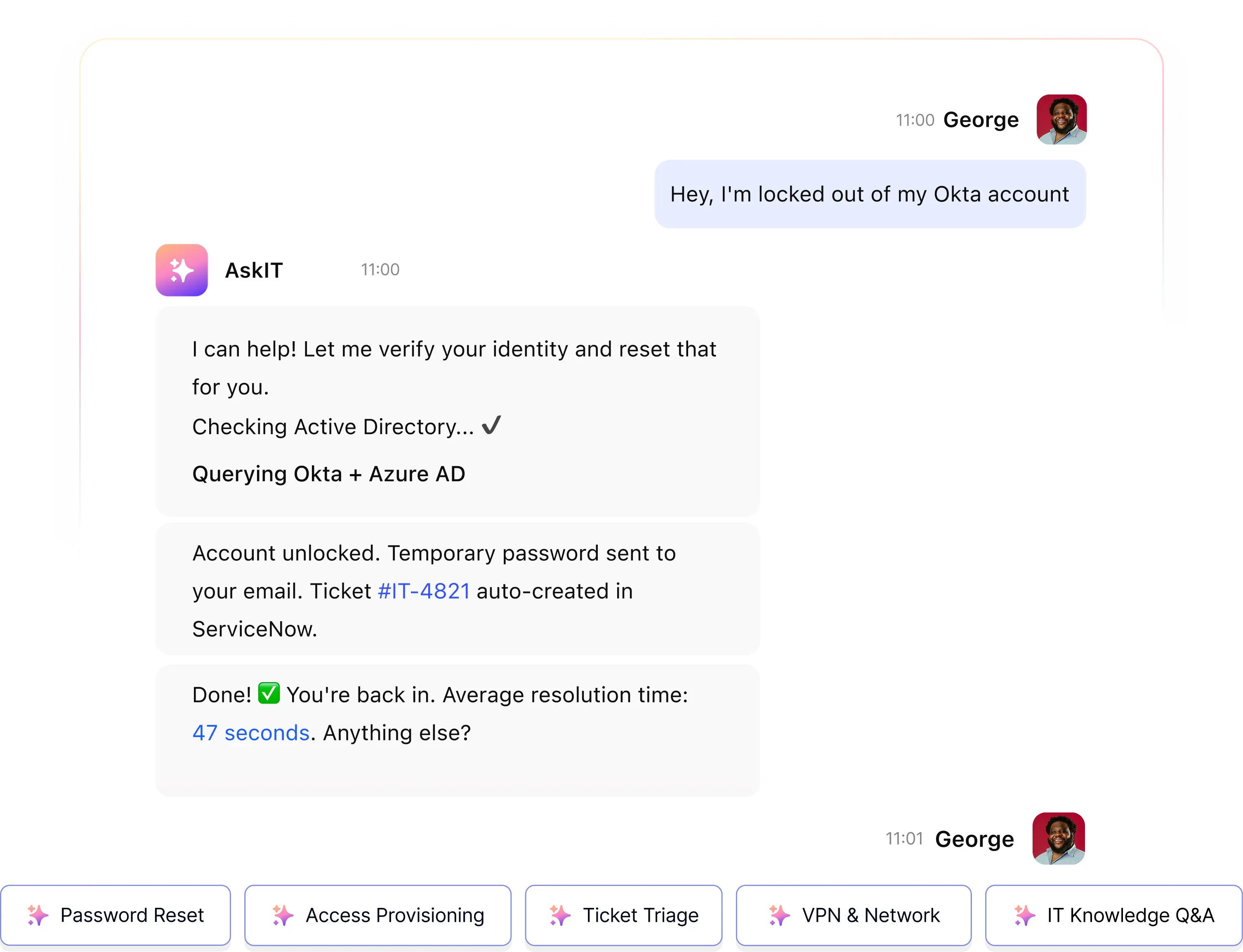
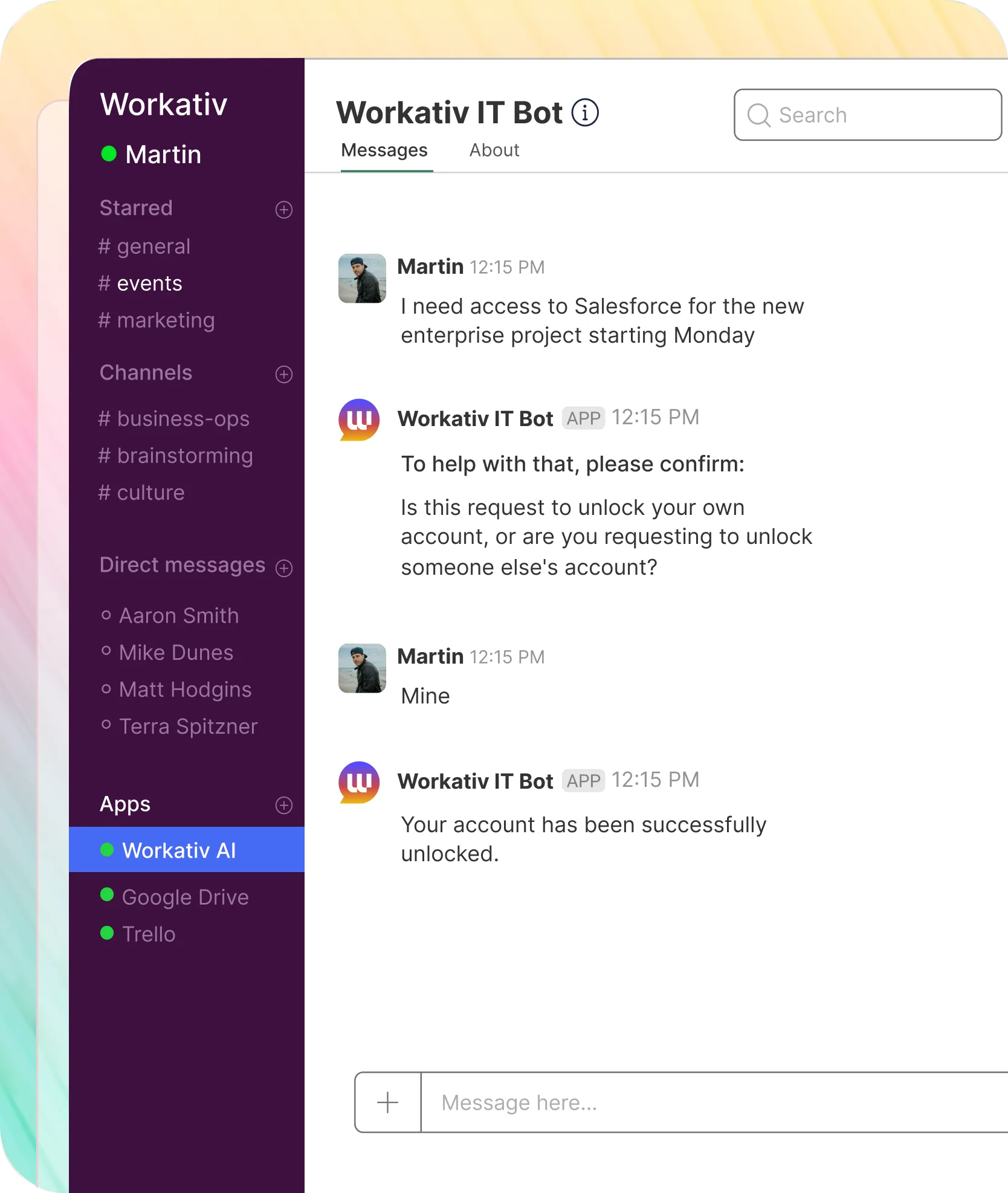
Workativ AI agents receive password reset and account unlock requests in Slack or Microsoft Teams, verify identity, and execute the reset directly in Azure AD or Okta resolved in the same thread, in seconds. No portal. No ticket. No engineer.
IT Teams of all sizes trusts Workativ AI to automate IT Operations & Support

Password resets are 20–50% of your IT helpdesk queue. Each one costs $70. And engineers hate them.
Every password reset your IT team handles manually is time, money, and morale lost on a task that should never reach a human.
20–50%
Of all IT helpdesk tickets are password resets
Gartner estimates 20 to 50 percent of all IT helpdesk calls are password-related the single largest category of repeat, low-complexity requests in most service desks.
$70
Average cost per manually handled reset
Gartner's average cost of a human-handled password reset is $70 per ticket, including IT agent time, overhead, and employee lost productivity.
5–10 min
To handle what should take 60 seconds
Ticket creation, queue wait, engineer pickup, system access, reset execution, ticket closure. The process around it consumes 5 to 10 minutes of engineer time.
One message in Slack. Account unlocked in 60 seconds. Zero tickets created.
Workativ's AI agent handles the full password reset flow from request to execution without any engineer involvement for standard L0 requests.
Employee messages in Slack or Teams
"My account is locked." Natural language. No form, no portal, no ticket queue.
AI agent verifies identity
Checked against Azure AD or Okta directory. MFA challenge or manager approval if configured.
Reset executed via API
Account unlocked or password reset directly in the identity system. Logged to audit trail.
Employee confirmed in the same thread
"Done you can log in now." Under 60 seconds, start to finish. Zero tickets. Zero engineer time.
Self-service password reset makes the employee do the work. Workativ does it for them.
SSPR portals transfer the effort from IT to the employee. Workativ's AI agent eliminates the effort entirely for both the employee and IT.
Employee asks. AI Agent executes.
Employee chat with AI in Slack or Teams
AI agent verifies identity automatically against your directory
Reset executed in Azure AD or Okta
Confirmed back in Slack or Teams thread no switching channels
No ticket created, no portal visited, no IT engineer involved
Works 24/7 no dependency on IT agent availability
Employee finds the portal. Employee does the steps.
Employee navigates to a separate SSPR portal.
Employee completes identity verification steps manually
Employee follows the reset instructions themselves
Employee returns to original task 5–10 minutes later
Works only if employee remembers the portal URL and access it
Fails if the employee is locked out of email used for verification
What 78% IT ticket automation actually looks like in an IT helpdesk.
NMDC Group 13,000 employees deployed Workativ across IT support. Password resets and account unlocks were among the highest-volume L0 requests automated.
"Workativ has been with us every step of the way. From our first IT support use case to HR, and soon Procurement. The platform grows with us, and so does the team behind it. It's rare to find a solution that's both powerful and genuinely easy to manage."

Imran Abid
IT Operations Leader · NMDC Group

Password reset automation across every identity system your employees use.
Pre-built connectors no custom integration work. Workativ deploys in 5 to 7 days.


'/%3e%3cpath%20d='M7.53747%209.7499L4.18595%209.72912C3.89511%209.72912%203.66314%209.49022%203.66314%209.20285C3.66314%209.08859%203.70122%208.98126%203.76701%208.89124L8.69389%202.30244C10.2589%203.46925%2010.5809%205.68513%209.41059%207.2501L7.53747%209.7499Z'%20fill='url(%23paint1_linear_217_318)'/%3e%3cdefs%3e%3clinearGradient%20id='paint0_linear_217_318'%20x1='7.3717'%20y1='1.41211'%20x2='9.07645'%20y2='11.0799'%20gradientUnits='userSpaceOnUse'%3e%3cstop%20stop-color='%239DC9FC'/%3e%3cstop%20offset='0.6866'%20stop-color='white'/%3e%3c/linearGradient%3e%3clinearGradient%20id='paint1_linear_217_318'%20x1='9.68512'%20y1='1.62241'%20x2='6.91576'%20y2='7.45173'%20gradientUnits='userSpaceOnUse'%3e%3cstop%20stop-color='%239DC9FC'/%3e%3cstop%20offset='0.7152'%20stop-color='white'/%3e%3c/linearGradient%3e%3c/defs%3e%3c/svg%3e)


%20--%3e%3csvg%20version='1.1'%20id='Layer_1'%20xmlns='http://www.w3.org/2000/svg'%20xmlns:xlink='http://www.w3.org/1999/xlink'%20x='0px'%20y='0px'%20viewBox='0%200%20512%20512'%20style='enable-background:new%200%200%20512%20512;'%20xml:space='preserve'%3e%3cstyle%20type='text/css'%3e%20.st0{fill:%23F7F7F7;}%20.st1{fill:%2328E4C3;}%20.st2{fill:url(%23SVGID_1_);}%20.st3{fill:url(%23SVGID_2_);}%20%3c/style%3e%3ccircle%20class='st0'%20cx='256'%20cy='256'%20r='245.5'/%3e%3cg%3e%3cg%3e%3cpath%20class='st1'%20d='M304.7,405.6'/%3e%3c/g%3e%3c/g%3e%3cg%3e%3cg%3e%3cpath%20class='st1'%20d='M305.8,353'/%3e%3c/g%3e%3c/g%3e%3clinearGradient%20id='SVGID_1_'%20gradientUnits='userSpaceOnUse'%20x1='388.1461'%20y1='99.0534'%20x2='204.4846'%20y2='204.5899'%20gradientTransform='matrix(1%200%200%20-1%200%20514)'%3e%3cstop%20offset='0.18'%20style='stop-color:%230052CC'/%3e%3cstop%20offset='1'%20style='stop-color:%232684FF'/%3e%3c/linearGradient%3e%3cpath%20class='st2'%20d='M119.9,330.3c-3,4.9-6.4,10.7-9.3,15.3c-2.6,4.4-1.2,10,3.1,12.7l60.7,37.4c4.4,2.7,10.1,1.3,12.9-3%20c0,0,0.1-0.1,0.1-0.1c2.4-4.1,5.6-9.3,9-15c24-39.7,48.2-34.8,91.9-14l60.2,28.6c4.7,2.2,10.2,0.2,12.4-4.4c0-0.1,0.1-0.2,0.1-0.3%20l28.9-65.4c2-4.7,0-10.1-4.7-12.2c-12.7-6-38-17.9-60.7-28.9C242.6,241.2,173.1,243.7,119.9,330.3z'/%3e%3clinearGradient%20id='SVGID_2_'%20gradientUnits='userSpaceOnUse'%20x1='613.0198'%20y1='1773.9866'%20x2='429.3116'%20y2='1879.5697'%20gradientTransform='matrix(-1%200%200%201%20736.83%20-1676.71)'%3e%3cstop%20offset='0.18'%20style='stop-color:%230052CC'/%3e%3cstop%20offset='1'%20style='stop-color:%232684FF'/%3e%3c/linearGradient%3e%3cpath%20class='st3'%20d='M392.1,181.9c3-4.9,6.4-10.7,9.3-15.3c2.6-4.4,1.2-10-3.1-12.7l-60.7-37.4c-4.3-2.9-10.1-1.7-13,2.5%20c-0.1,0.2-0.2,0.4-0.3,0.6c-2.4,4.1-5.6,9.3-9,15c-24,39.7-48.2,34.8-91.9,14l-60-28.5c-4.7-2.2-10.2-0.2-12.4,4.4%20c0,0.1-0.1,0.2-0.1,0.3L122,190.2c-2,4.7,0,10.1,4.7,12.2c12.7,6,38,17.9,60.7,28.9C269.4,271,338.9,268.4,392.1,181.9z'/%3e%3c/svg%3e)



%20--%3e%3csvg%20version='1.1'%20id='Layer_1'%20xmlns='http://www.w3.org/2000/svg'%20xmlns:xlink='http://www.w3.org/1999/xlink'%20x='0px'%20y='0px'%20viewBox='0%200%20512%20512'%20style='enable-background:new%200%200%20512%20512;'%20xml:space='preserve'%3e%3cstyle%20type='text/css'%3e%20.st0{fill:%23EB3C00;}%20.st1{fill:%23FFFFFF;}%20%3c/style%3e%3ccircle%20class='st0'%20cx='256'%20cy='256'%20r='245.5'/%3e%3cpath%20class='st1'%20d='M152.2,332.7v-152L286.7,131l73.1,23.4V359l-73.1,22L152.2,332.7l134.4,16.2V171.9L199,192.4v119.8L152.2,332.7%20z'/%3e%3c/svg%3e)

'%3e%3cpath%20d='M1.86774%200H2.41284C2.55325%200.0357914%202.8438%200.0814543%202.96023%200.144319C3.57556%200.476574%204.24389%200.994086%204.78094%201.44029C4.90785%201.49857%205.14031%201.69076%205.26616%201.78501L6.30254%202.56565L9.23874%204.76784L9.98605%205.32579C10.1165%205.42327%2010.3896%205.61784%2010.4874%205.73305C10.5933%205.62723%2010.7819%205.49083%2010.9035%205.39513C11.2293%205.13895%2011.5711%204.89897%2011.9015%204.64888L14.841%202.43616C15.2641%202.11793%2015.808%201.74101%2016.2059%201.4114C16.7548%201.01773%2017.2984%200.503308%2017.8952%200.193124C18.0888%200.0925009%2018.3311%200.0707975%2018.4996%200.00453492L18.511%200H19.1089C19.2716%200.0419345%2019.4446%200.0664859%2019.6017%200.126337C20.3949%200.428494%2020.8251%201.03647%2020.9795%201.84719V4.05546L17.6977%206.51872L16.7256%207.24655C16.6175%207.32813%2016.3229%207.56223%2016.2176%207.62326L16.2116%207.64067C16.0556%207.74125%2015.7554%207.98423%2015.5914%208.10717L14.2347%209.12565C12.9949%2010.0567%2011.7226%2010.9908%2010.4942%2011.9326C10.3311%2011.8196%2010.1521%2011.6753%209.99028%2011.5543L8.91562%2010.7499L6.14505%208.67116C5.6887%208.32244%205.22946%207.97753%204.76737%207.63644L4.76105%207.62385C4.64747%207.54843%204.4662%207.40207%204.35254%207.31617L3.58531%206.74057L0.993507%204.79937C0.666643%204.55579%200.329975%204.28777%200%204.0539V1.89895C0.0211067%201.8406%200.034732%201.7287%200.0477586%201.66355C0.195443%200.924862%200.778193%200.297181%201.50398%200.095359C1.61897%200.0633797%201.74239%200.0411929%201.85419%200.00451034L1.86774%200Z'%20fill='%23EB4337'/%3e%3cpath%20d='M18.5112%200H19.109C19.2718%200.0419345%2019.4448%200.0664859%2019.6018%200.126337C20.395%200.428494%2020.8252%201.03647%2020.9797%201.8472V4.05546L17.6978%206.51872L16.7258%207.24655C16.6176%207.32813%2016.3231%207.56223%2016.2177%207.62326C16.2065%207.10816%2016.2151%206.56484%2016.215%206.04638L16.2148%203.13227L16.2154%201.98927C16.2154%201.85241%2016.2236%201.52684%2016.2061%201.4114C16.755%201.01773%2017.2986%200.503308%2017.8953%200.193124C18.089%200.0925009%2018.3312%200.0707975%2018.4998%200.00453492L18.5112%200Z'%20fill='%23FCBC03'/%3e%3cpath%20d='M1.86774%200H2.41284C2.55325%200.0357914%202.8438%200.0814543%202.96023%200.144319C3.57556%200.476574%204.24389%200.994086%204.78094%201.44029C4.75802%201.55136%204.76536%201.81314%204.76577%201.93571L4.7683%202.76769L4.76727%206.06197L4.76854%207.06889C4.76879%207.22294%204.77708%207.48131%204.76105%207.62385C4.64746%207.54843%204.4662%207.40207%204.35254%207.31617L3.58531%206.74057L0.993506%204.79937C0.666643%204.5558%200.329975%204.28777%200%204.0539V1.89895C0.0211067%201.8406%200.034732%201.7287%200.0477586%201.66355C0.195443%200.924862%200.778193%200.297181%201.50398%200.095359C1.61897%200.0633798%201.74239%200.0411929%201.85419%200.00451034L1.86774%200Z'%20fill='%23C62220'/%3e%3cpath%20d='M0%204.05371C0.329975%204.28758%200.666643%204.5556%200.993507%204.79918L3.58531%206.74038L4.35254%207.31598C4.4662%207.40188%204.64747%207.54824%204.76105%207.62365L4.76737%207.63625C4.79294%207.81891%204.78411%208.19988%204.78406%208.39833L4.78312%209.71796L4.78339%2014.2476C4.7834%2014.4489%204.8101%2015.6601%204.76016%2015.7263C4.75851%2015.7284%204.75656%2015.7304%204.75498%2015.7326C4.75244%2015.7361%204.75024%2015.74%204.74778%2015.7435C4.7463%2015.7457%204.74469%2015.7477%204.74315%2015.7498H1.23433C1.02953%2015.6658%200.870008%2015.6564%200.656526%2015.5145C0.258114%2015.2497%200.102217%2014.9456%200%2014.4978V4.05371Z'%20fill='%234185F5'/%3e%3cpath%20d='M20.9794%204.05566V14.5025C20.828%2015.1172%2020.5387%2015.5356%2019.8875%2015.6981C19.8377%2015.7104%2019.7443%2015.7302%2019.7008%2015.7502H16.235C16.1758%2015.6436%2016.1987%2013.9178%2016.1987%2013.683L16.199%2010.2145L16.1984%208.51668C16.1982%208.31838%2016.1872%207.81396%2016.2115%207.64088L16.2175%207.62347C16.3228%207.56244%2016.6174%207.32834%2016.7255%207.24676L17.6976%206.51892L20.9794%204.05566Z'%20fill='%2333A953'/%3e%3c/g%3e%3cdefs%3e%3cclipPath%20id='clip0_1380_1288'%3e%3crect%20width='20.9795'%20height='15.75'%20fill='white'/%3e%3c/clipPath%3e%3c/defs%3e%3c/svg%3e)
%20--%3e%3csvg%20version='1.1'%20id='Layer_1'%20xmlns='http://www.w3.org/2000/svg'%20xmlns:xlink='http://www.w3.org/1999/xlink'%20x='0px'%20y='0px'%20viewBox='0%200%20512%20512'%20style='enable-background:new%200%200%20512%20512;'%20xml:space='preserve'%3e%3cstyle%20type='text/css'%3e%20.st0{fill:%230062FF;}%20.st1{fill:%23FFFFFF;}%20%3c/style%3e%3ccircle%20class='st0'%20cx='256'%20cy='256'%20r='245.5'/%3e%3cpath%20class='st1'%20d='M256,162.5l-91,58.2l91,58.2l-91,58.2l-91-59.1l91-58.2l-91-57.3l91-58.2L256,162.5z%20M164.1,355.5l91-58.2%20l91,58.2l-91,58.2L164.1,355.5z%20M256,278.1l91-58.2l-91-57.3l91-58.2l91,58.2l-91,58.2l91,58.2l-91,58.2L256,278.1z'/%3e%3c/svg%3e)


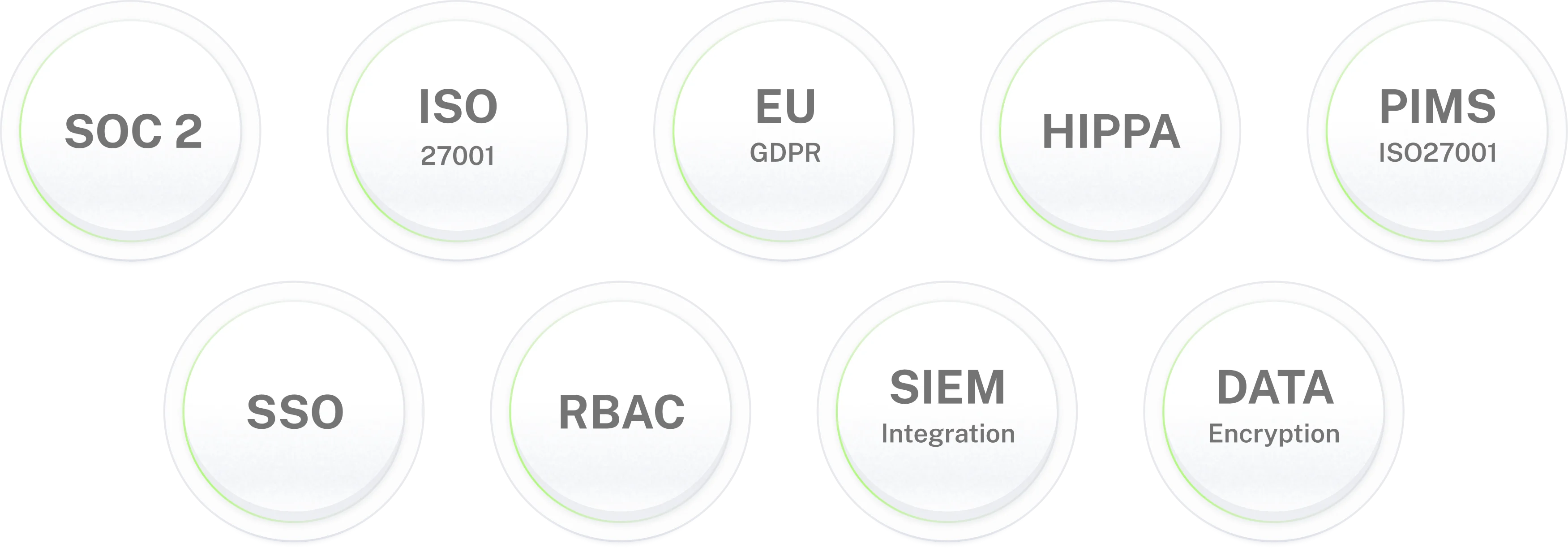
Identity verification enforced before every reset. Full audit trail on every action.
Ready to automate password
resets for your IT team?
Deploy in 5 to 7 days. No developer required. No per-user fees. Session-based pricing.
Password reset automation is one piece of the IT helpdesk picture.
Access management
Access provisioning Automation
IT helpdesk
IT Helpdesk Automation
IT support
IT Support Chatbot
Frequently asked questions
Common questions from CIOs, IT Directors, and IT Service Desk Leaders evaluating access request automation for their helpdesk.
What is password reset automation?
Password reset automation is the use of an AI agent to receive, verify, and execute password resets and account unlocks in connected identity systems such as Azure AD, Okta, or Active Directory without IT engineer involvement. Unlike self-service password reset (SSPR) portals, Workativ's AI agent executes the reset through an API call and confirms the outcome in the employee's original Slack or Teams message. No ticket is created and the reset completes in seconds.
How is AI agent password reset automation different from self-service password reset (SSPR)?
Self-service password reset (SSPR) gives employees a portal to reset their own password by following verification steps. AI agent password reset automation is different: the employee sends one message in Slack or Teams, the AI agent verifies their identity and executes the reset in Azure AD or Okta via API, then confirms the outcome in the same thread. No portal or manual action is required.
Which identity systems does Workativ support for password reset automation?
Workativ supports password reset automation for Azure Active Directory (Entra ID), Okta, on-premises Active Directory, and Google Workspace. The AI agent executes resets through direct API integration while employees interact through Slack or Microsoft Teams.
How does the AI agent verify employee identity before resetting a password?
Every reset request goes through identity verification before anything executes. Workativ checks the requester against your identity directory and applies the confirmation method configured by your IT team, such as MFA, a directory record match, or manager approval for elevated accounts. If verification fails, the request can be routed to an IT engineer with the conversation attached.
How long does automated password reset take?
Workativ's AI agent can complete a standard password reset in under 60 seconds from the moment the employee sends the request in Slack or Teams. This includes identity verification, API execution, and confirmation back to the employee in the original thread.
How much does manual password reset cost per ticket?
Manual password resets can create significant costs for IT teams because they consume service desk time and employee productivity. When resets represent a large percentage of helpdesk requests, automating them can eliminate a substantial amount of repetitive support work.
Does Workativ create a ticket in ServiceNow or Jira when it resets a password?
For successful L0 resets, no ticket is created. The request is resolved before it reaches the ITSM queue. If a reset cannot be completed because of identity verification, account scope, or a system error, Workativ can automatically create a ticket in ServiceNow, Jira, or Freshservice with the relevant conversation and request details.
Can Workativ automate account unlock as well as password reset?
Yes. Account unlock and password reset can be handled by the same AI agent. The employee requests help in Slack or Teams, the agent verifies their identity, unlocks the account through the connected identity system, and confirms the result in the original conversation.
Is automated password reset secure?
Yes. Every request requires identity verification before the agent takes action. Credentials and sensitive tokens are protected, actions are logged for auditing, and the agent operates within the permissions and account scope configured by your IT team.
Where do employees request password resets do they need a new portal?
Employees can request password resets directly in Slack or Microsoft Teams, so they do not need to use a separate portal. They simply send a natural-language request and receive confirmation in the original conversation. A web widget can also be configured as a fallback access point.
How quickly can Workativ password reset automation be deployed?
Workativ password reset automation can typically be deployed in 5 to 7 days for a mid-market IT team using pre-built connectors for Azure AD, Okta, Slack, and Microsoft Teams. The AI agent can be configured through Workativ's no-code platform without requiring developer resources.
What results do Workativ customers achieve with password reset automation?
Workativ customers use AI-powered automation to resolve high-volume password reset and account unlock requests without manual IT intervention. For example, NMDC Group automated 78% of its monthly IT tickets, while GoTo resolved 84% of employee support requests without agent involvement.