
AI agents that classify, resolve, and route IT requests , password resets executed in Azure AD, access provisioned in Okta, software updates, L2+ tickets routed to ServiceNow or Jira with full context pre-filled.
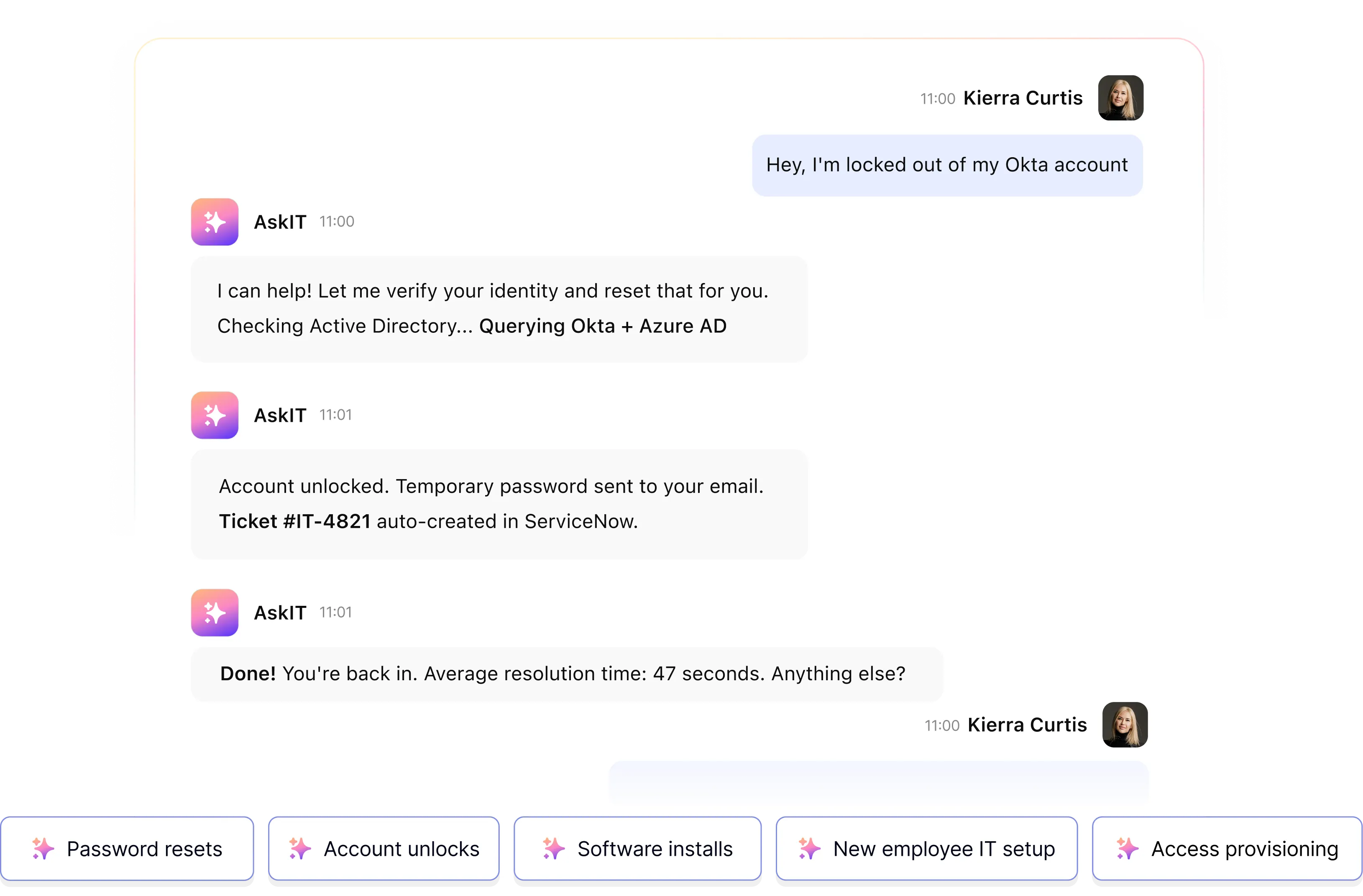

Resolve password resets, access requests, IT policy questions, and ticket status checks inside Slack and Teams. Actions executed directly in Azure AD, Okta, and your ITSM no helpdesk involvement for standard requests.
 Password resetsAccount unlocksVPN & access requestsSoftware installsPolicy Q&A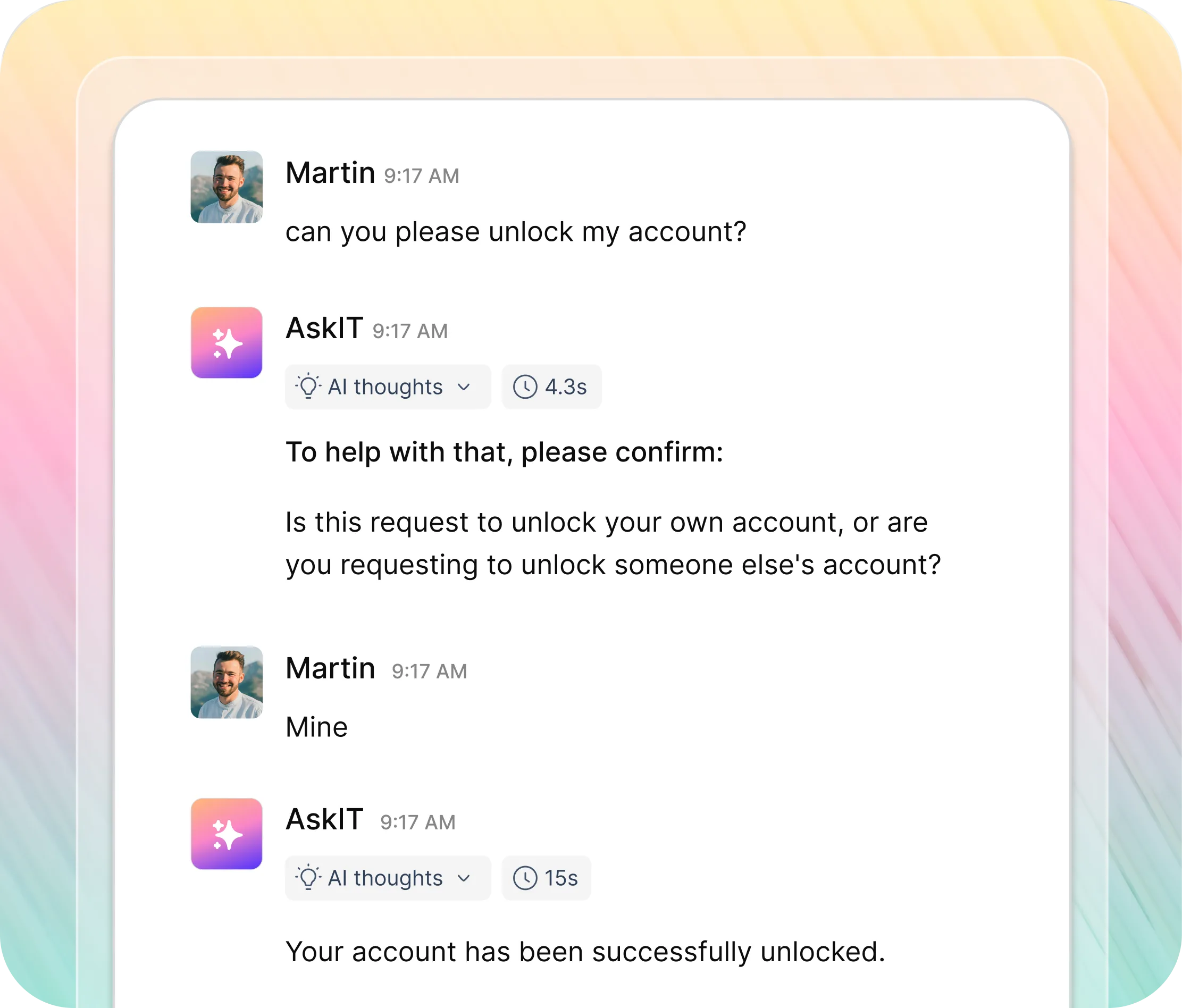
Run new hire IT setup, access provisioning, offboarding revocation, licence management, and ticket triage end to end. Triggered by system events. Tracked to completion. No manual coordination.
Access provisioningNew employee IT setupOffboarding ITTicket triage & routingIT knowledge base Q&A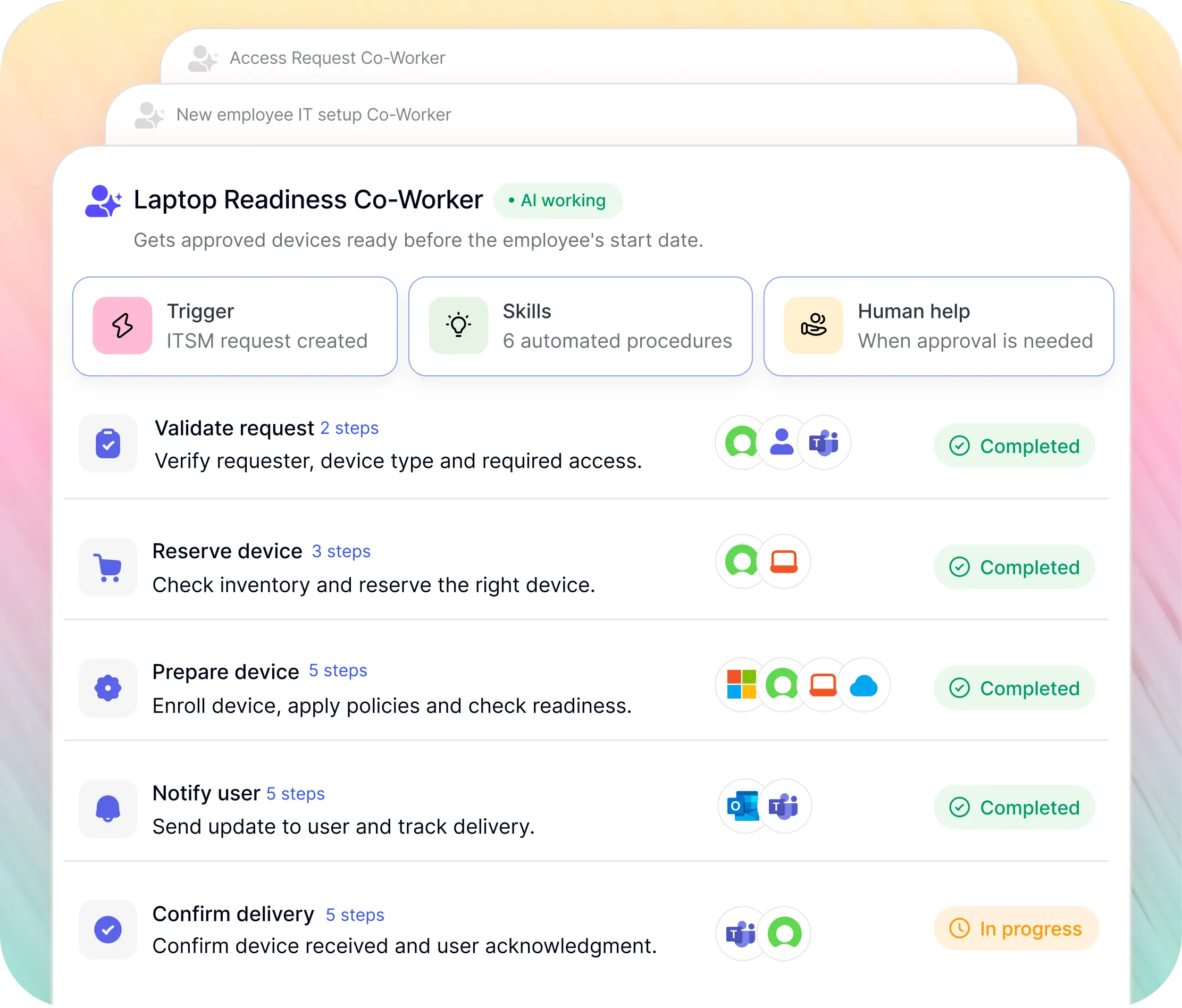
Select a category to see what Workativ automates for IT teams.

Employee locked out → agent authenticates the request, executes the reset in Azure AD or Okta, confirms in Teams. Under 60 seconds. Zero tickets.

Employees request software in Slack. Manager approves in one tap. Workativ assigns the licence and confirms. No IT coordination, no spreadsheet tracking.

L0 and L1 resolved instantly. L2 and above routed to ServiceNow, Jira SM, or Freshservice with full context, correct priority, and the right team pre-assigned.

Request, approve, and provision VPN, hardware, and system access triggered automatically at the right step, following your existing approval chain.

VPN setup, BYOD configuration, Wi-Fi troubleshooting, IT policy answered instantly from your actual documentation in Confluence, SharePoint, or Notion.

Employees check ticket status, add notes, and receive updates in Slack or Teams without logging into the ITSM portal. Real-time, bidirectional sync.
"Workativ has been with us every step of the way. From our first IT support use case to HR, and soon Procurement. The platform grows with us, and so does the team behind it. It's rare to find a solution that's both powerful and genuinely easy to manage."

Based on NMDC's 6,000 monthly ticket volume and industry benchmarks of $6–$13 per L1 ticket resolved by a human.
Monthly L1
4,680/mo
78% of 6,000 monthly tickets resolved by Workativ AI password resets, access requests, policy questions, ticket triage without a helpdesk engineer touching them.
Monthly L1 handling
$37K+/mo
At $8 average cost per L1 ticket resolved by a human, 4,680 automated resolutions per month removes over $37,000 in monthly L1 handling cost before engineer time recaptured from repetitive work.
Engineer hours
~390hrs
At 5 minutes average handle time per L1 ticket, 4,680 automated resolutions recaptures roughly 390 engineer-hours per month returned to infrastructure, security, and strategic IT work.
Most IT automation platforms are built for Fortune 500 budgets and 6-month implementation timelines. Workativ gives same automation depth live in days, priced for your size.
Deploy yourself using pre-built connectors and agent templates. Or work with Workativ's implementation team for a guided setup. Either way, you're live before your next sprint ends.
Industry average for year-one AI IT deflection is 25 to 45%. NMDC reached 78% using Workativ because the agent executes real actions, not just documentation links.
Session and execution-based pricing. You pay for what the AI does not for how many employees you have. No headcount tax as your team scales.
No rip and replace. Connect your HRIS, ITSM, access management, and communication tools in one afternoon.
Deploy AI agents in Slack and Teams in days. Your team or ours.
The questions CIOs, IT Directors, and IT Operations leaders ask before deploying Workativ.
AI agents for IT support are autonomous software agents deployed inside Slack or Microsoft Teams that resolve employee IT requests without helpdesk involvement. They classify each request by tier L0, L1, or L2 then act accordingly. L0 and L1 requests like password resets and access provisioning are executed automatically in Azure AD, Okta, and ServiceNow. L2 and above are routed to the right team with full conversation context and correct priority pre-filled.
Agentic AI for IT support is an AI system that interprets employee IT requests, reasons across connected IT systems, and autonomously executes actions from resetting a password in Azure AD to completing a full new hire IT provisioning sequence. Unlike an IT chatbot that answers questions, agentic AI for IT takes real action inside your ITSM and identity systems without IT team involvement.
An IT support chatbot tells an employee how to reset their password. An AI agent for IT support resets it. Workativ AI agents execute actions inside connected IT systems they unlock accounts in Azure AD, provision access in Okta, create tickets in ServiceNow or Jira, and assign software licences all inside Slack or Teams without the helpdesk touching a ticket.
NMDC resolved 78% of 6,000 monthly IT support tickets automatically using Workativ without helpdesk involvement. The industry average for AI-assisted IT deflection in year one is 25 to 45%. Workativ customers consistently exceed this because the agent executes real actions in connected systems rather than deflecting to documentation employees have to follow manually.
No. Workativ sits in front of your ITSM, not instead of it. Your ServiceNow, Jira, or Freshservice instance remains the system of record. Workativ intercepts employee requests in Slack or Teams, resolves the ones it can autonomously, and routes the rest to your ITSM with context pre-filled. Your existing workflows, SLAs, and approval chains continue to operate unchanged.
Workativ AI agents resolve password resets and account unlocks via Azure AD or Okta, software and VPN access requests, hardware requests, ticket creation and status updates in ServiceNow, Freshservice, or Jira Service Management, IT policy questions from Confluence or SharePoint, new hire IT provisioning, and licence assignment and revocation.
Following ServiceNow's acquisition of Moveworks, organisations running Jira, Freshservice, or any non-ServiceNow ITSM face uncertainty about integration roadmap and pricing. Workativ uses session and execution-based pricing with no per-user fees, deploys in 5 to 7 days rather than 6 months, and integrates equally with Jira Service Management, Freshservice, and ServiceNow — no vendor lock-in. Moveworks alternatives
Workativ connects to Jira Service Management via API. When an IT request reaches L2 threshold, Workativ creates a Jira issue with full conversation context, assigns it to the correct queue, sets priority, and notifies the employee in the original Slack thread. Engineers receive a pre-classified, pre-described ticket rather than an empty form.
Workativ integrates bidirectionally with Freshservice. L0 and L1 requests are resolved without a ticket being created. L2 requests trigger automatic ticket creation in Freshservice with full context, correct category, priority, and assignee group. Employees check status and add notes via Slack. All Freshservice updates sync back to the employee in their original thread.
Workativ deploys in 5 to 7 days for a typical mid-market IT team. No developer resources, no IT build project, and no implementation consultant required. Deploy using pre-built connectors and agent templates, or work with Workativ's implementation team for a guided setup. Pre-built connectors for Azure AD, Okta, ServiceNow, Jira Service Management, and Freshservice mean there is no custom integration work.
Workativ follows your existing approval chain it does not bypass it. The agent checks your role-permission matrix, routes the approval to the correct manager in Slack, and provisions access in Okta or Azure AD only upon explicit approval. Every action is logged with a full audit trail. On offboarding, access revocation fires automatically across all connected systems no manual checklist required.
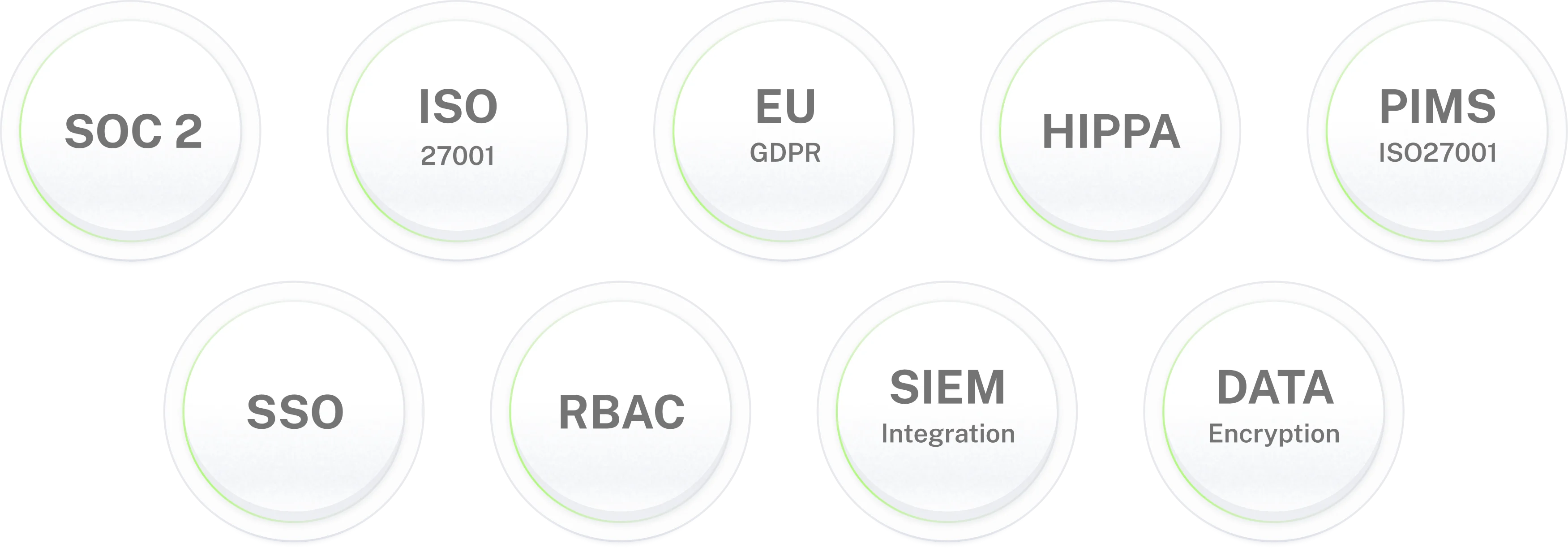
Yes. Workativ is SOC 2 Type II, ISO 27001, GDPR, and HIPAA compliant. The AI agent operates strictly within your defined permission boundaries, cannot provision access beyond what your approval rules allow, and maintains a full immutable audit trail of every action taken. Role-based access controls, secrets and token masking, prompt injection protection, MFA, SSO, and SIEM integration are included across all plans.





'/%3e%3cpath%20d='M7.53747%209.7499L4.18595%209.72912C3.89511%209.72912%203.66314%209.49022%203.66314%209.20285C3.66314%209.08859%203.70122%208.98126%203.76701%208.89124L8.69389%202.30244C10.2589%203.46925%2010.5809%205.68513%209.41059%207.2501L7.53747%209.7499Z'%20fill='url(%23paint1_linear_217_318)'/%3e%3cdefs%3e%3clinearGradient%20id='paint0_linear_217_318'%20x1='7.3717'%20y1='1.41211'%20x2='9.07645'%20y2='11.0799'%20gradientUnits='userSpaceOnUse'%3e%3cstop%20stop-color='%239DC9FC'/%3e%3cstop%20offset='0.6866'%20stop-color='white'/%3e%3c/linearGradient%3e%3clinearGradient%20id='paint1_linear_217_318'%20x1='9.68512'%20y1='1.62241'%20x2='6.91576'%20y2='7.45173'%20gradientUnits='userSpaceOnUse'%3e%3cstop%20stop-color='%239DC9FC'/%3e%3cstop%20offset='0.7152'%20stop-color='white'/%3e%3c/linearGradient%3e%3c/defs%3e%3c/svg%3e)


%20--%3e%3csvg%20version='1.1'%20id='Layer_1'%20xmlns='http://www.w3.org/2000/svg'%20xmlns:xlink='http://www.w3.org/1999/xlink'%20x='0px'%20y='0px'%20viewBox='0%200%20512%20512'%20style='enable-background:new%200%200%20512%20512;'%20xml:space='preserve'%3e%3cstyle%20type='text/css'%3e%20.st0{fill:%23F7F7F7;}%20.st1{fill:%2328E4C3;}%20.st2{fill:url(%23SVGID_1_);}%20.st3{fill:url(%23SVGID_2_);}%20%3c/style%3e%3ccircle%20class='st0'%20cx='256'%20cy='256'%20r='245.5'/%3e%3cg%3e%3cg%3e%3cpath%20class='st1'%20d='M304.7,405.6'/%3e%3c/g%3e%3c/g%3e%3cg%3e%3cg%3e%3cpath%20class='st1'%20d='M305.8,353'/%3e%3c/g%3e%3c/g%3e%3clinearGradient%20id='SVGID_1_'%20gradientUnits='userSpaceOnUse'%20x1='388.1461'%20y1='99.0534'%20x2='204.4846'%20y2='204.5899'%20gradientTransform='matrix(1%200%200%20-1%200%20514)'%3e%3cstop%20offset='0.18'%20style='stop-color:%230052CC'/%3e%3cstop%20offset='1'%20style='stop-color:%232684FF'/%3e%3c/linearGradient%3e%3cpath%20class='st2'%20d='M119.9,330.3c-3,4.9-6.4,10.7-9.3,15.3c-2.6,4.4-1.2,10,3.1,12.7l60.7,37.4c4.4,2.7,10.1,1.3,12.9-3%20c0,0,0.1-0.1,0.1-0.1c2.4-4.1,5.6-9.3,9-15c24-39.7,48.2-34.8,91.9-14l60.2,28.6c4.7,2.2,10.2,0.2,12.4-4.4c0-0.1,0.1-0.2,0.1-0.3%20l28.9-65.4c2-4.7,0-10.1-4.7-12.2c-12.7-6-38-17.9-60.7-28.9C242.6,241.2,173.1,243.7,119.9,330.3z'/%3e%3clinearGradient%20id='SVGID_2_'%20gradientUnits='userSpaceOnUse'%20x1='613.0198'%20y1='1773.9866'%20x2='429.3116'%20y2='1879.5697'%20gradientTransform='matrix(-1%200%200%201%20736.83%20-1676.71)'%3e%3cstop%20offset='0.18'%20style='stop-color:%230052CC'/%3e%3cstop%20offset='1'%20style='stop-color:%232684FF'/%3e%3c/linearGradient%3e%3cpath%20class='st3'%20d='M392.1,181.9c3-4.9,6.4-10.7,9.3-15.3c2.6-4.4,1.2-10-3.1-12.7l-60.7-37.4c-4.3-2.9-10.1-1.7-13,2.5%20c-0.1,0.2-0.2,0.4-0.3,0.6c-2.4,4.1-5.6,9.3-9,15c-24,39.7-48.2,34.8-91.9,14l-60-28.5c-4.7-2.2-10.2-0.2-12.4,4.4%20c0,0.1-0.1,0.2-0.1,0.3L122,190.2c-2,4.7,0,10.1,4.7,12.2c12.7,6,38,17.9,60.7,28.9C269.4,271,338.9,268.4,392.1,181.9z'/%3e%3c/svg%3e)



%20--%3e%3csvg%20version='1.1'%20id='Layer_1'%20xmlns='http://www.w3.org/2000/svg'%20xmlns:xlink='http://www.w3.org/1999/xlink'%20x='0px'%20y='0px'%20viewBox='0%200%20512%20512'%20style='enable-background:new%200%200%20512%20512;'%20xml:space='preserve'%3e%3cstyle%20type='text/css'%3e%20.st0{fill:%23EB3C00;}%20.st1{fill:%23FFFFFF;}%20%3c/style%3e%3ccircle%20class='st0'%20cx='256'%20cy='256'%20r='245.5'/%3e%3cpath%20class='st1'%20d='M152.2,332.7v-152L286.7,131l73.1,23.4V359l-73.1,22L152.2,332.7l134.4,16.2V171.9L199,192.4v119.8L152.2,332.7%20z'/%3e%3c/svg%3e)

'%3e%3cpath%20d='M1.86774%200H2.41284C2.55325%200.0357914%202.8438%200.0814543%202.96023%200.144319C3.57556%200.476574%204.24389%200.994086%204.78094%201.44029C4.90785%201.49857%205.14031%201.69076%205.26616%201.78501L6.30254%202.56565L9.23874%204.76784L9.98605%205.32579C10.1165%205.42327%2010.3896%205.61784%2010.4874%205.73305C10.5933%205.62723%2010.7819%205.49083%2010.9035%205.39513C11.2293%205.13895%2011.5711%204.89897%2011.9015%204.64888L14.841%202.43616C15.2641%202.11793%2015.808%201.74101%2016.2059%201.4114C16.7548%201.01773%2017.2984%200.503308%2017.8952%200.193124C18.0888%200.0925009%2018.3311%200.0707975%2018.4996%200.00453492L18.511%200H19.1089C19.2716%200.0419345%2019.4446%200.0664859%2019.6017%200.126337C20.3949%200.428494%2020.8251%201.03647%2020.9795%201.84719V4.05546L17.6977%206.51872L16.7256%207.24655C16.6175%207.32813%2016.3229%207.56223%2016.2176%207.62326L16.2116%207.64067C16.0556%207.74125%2015.7554%207.98423%2015.5914%208.10717L14.2347%209.12565C12.9949%2010.0567%2011.7226%2010.9908%2010.4942%2011.9326C10.3311%2011.8196%2010.1521%2011.6753%209.99028%2011.5543L8.91562%2010.7499L6.14505%208.67116C5.6887%208.32244%205.22946%207.97753%204.76737%207.63644L4.76105%207.62385C4.64747%207.54843%204.4662%207.40207%204.35254%207.31617L3.58531%206.74057L0.993507%204.79937C0.666643%204.55579%200.329975%204.28777%200%204.0539V1.89895C0.0211067%201.8406%200.034732%201.7287%200.0477586%201.66355C0.195443%200.924862%200.778193%200.297181%201.50398%200.095359C1.61897%200.0633797%201.74239%200.0411929%201.85419%200.00451034L1.86774%200Z'%20fill='%23EB4337'/%3e%3cpath%20d='M18.5112%200H19.109C19.2718%200.0419345%2019.4448%200.0664859%2019.6018%200.126337C20.395%200.428494%2020.8252%201.03647%2020.9797%201.8472V4.05546L17.6978%206.51872L16.7258%207.24655C16.6176%207.32813%2016.3231%207.56223%2016.2177%207.62326C16.2065%207.10816%2016.2151%206.56484%2016.215%206.04638L16.2148%203.13227L16.2154%201.98927C16.2154%201.85241%2016.2236%201.52684%2016.2061%201.4114C16.755%201.01773%2017.2986%200.503308%2017.8953%200.193124C18.089%200.0925009%2018.3312%200.0707975%2018.4998%200.00453492L18.5112%200Z'%20fill='%23FCBC03'/%3e%3cpath%20d='M1.86774%200H2.41284C2.55325%200.0357914%202.8438%200.0814543%202.96023%200.144319C3.57556%200.476574%204.24389%200.994086%204.78094%201.44029C4.75802%201.55136%204.76536%201.81314%204.76577%201.93571L4.7683%202.76769L4.76727%206.06197L4.76854%207.06889C4.76879%207.22294%204.77708%207.48131%204.76105%207.62385C4.64746%207.54843%204.4662%207.40207%204.35254%207.31617L3.58531%206.74057L0.993506%204.79937C0.666643%204.5558%200.329975%204.28777%200%204.0539V1.89895C0.0211067%201.8406%200.034732%201.7287%200.0477586%201.66355C0.195443%200.924862%200.778193%200.297181%201.50398%200.095359C1.61897%200.0633798%201.74239%200.0411929%201.85419%200.00451034L1.86774%200Z'%20fill='%23C62220'/%3e%3cpath%20d='M0%204.05371C0.329975%204.28758%200.666643%204.5556%200.993507%204.79918L3.58531%206.74038L4.35254%207.31598C4.4662%207.40188%204.64747%207.54824%204.76105%207.62365L4.76737%207.63625C4.79294%207.81891%204.78411%208.19988%204.78406%208.39833L4.78312%209.71796L4.78339%2014.2476C4.7834%2014.4489%204.8101%2015.6601%204.76016%2015.7263C4.75851%2015.7284%204.75656%2015.7304%204.75498%2015.7326C4.75244%2015.7361%204.75024%2015.74%204.74778%2015.7435C4.7463%2015.7457%204.74469%2015.7477%204.74315%2015.7498H1.23433C1.02953%2015.6658%200.870008%2015.6564%200.656526%2015.5145C0.258114%2015.2497%200.102217%2014.9456%200%2014.4978V4.05371Z'%20fill='%234185F5'/%3e%3cpath%20d='M20.9794%204.05566V14.5025C20.828%2015.1172%2020.5387%2015.5356%2019.8875%2015.6981C19.8377%2015.7104%2019.7443%2015.7302%2019.7008%2015.7502H16.235C16.1758%2015.6436%2016.1987%2013.9178%2016.1987%2013.683L16.199%2010.2145L16.1984%208.51668C16.1982%208.31838%2016.1872%207.81396%2016.2115%207.64088L16.2175%207.62347C16.3228%207.56244%2016.6174%207.32834%2016.7255%207.24676L17.6976%206.51892L20.9794%204.05566Z'%20fill='%2333A953'/%3e%3c/g%3e%3cdefs%3e%3cclipPath%20id='clip0_1380_1288'%3e%3crect%20width='20.9795'%20height='15.75'%20fill='white'/%3e%3c/clipPath%3e%3c/defs%3e%3c/svg%3e)
%20--%3e%3csvg%20version='1.1'%20id='Layer_1'%20xmlns='http://www.w3.org/2000/svg'%20xmlns:xlink='http://www.w3.org/1999/xlink'%20x='0px'%20y='0px'%20viewBox='0%200%20512%20512'%20style='enable-background:new%200%200%20512%20512;'%20xml:space='preserve'%3e%3cstyle%20type='text/css'%3e%20.st0{fill:%230062FF;}%20.st1{fill:%23FFFFFF;}%20%3c/style%3e%3ccircle%20class='st0'%20cx='256'%20cy='256'%20r='245.5'/%3e%3cpath%20class='st1'%20d='M256,162.5l-91,58.2l91,58.2l-91,58.2l-91-59.1l91-58.2l-91-57.3l91-58.2L256,162.5z%20M164.1,355.5l91-58.2%20l91,58.2l-91,58.2L164.1,355.5z%20M256,278.1l91-58.2l-91-57.3l91-58.2l91,58.2l-91,58.2l91,58.2l-91,58.2L256,278.1z'/%3e%3c/svg%3e)

