


Microsoft Teams AI agent for the IT and HR questions your people already send in chat.
Staff message IT and HR in Teams all day. Workativ answers in the same chat, asks the manager to approve on a card when a decision is needed, and makes the change in Entra ID, Workday or ServiceNow.
HR and IT teams trust Workativ to automate employee support.

A lot of what lands with IT and HR in Teams has been asked and answered many times before.

Same questions, every week
Expired passwords, leave balances, where the policy is. A person in IT or HR types it out again.

Approvals get lost in chat
A manager scrolls past one message and the request waits days. No one notices until the employee asks.

One outage, many tickets
Mail goes down and each affected person raises their own. IT merges the lot by hand.
Five requests that get finished inside a Teams chat.
The first two are work for a Microsoft Teams AI agent for IT. The other three are for a Microsoft Teams AI agent for HR. Replies come from your own systems, and a named person is asked whenever someone has to say yes.
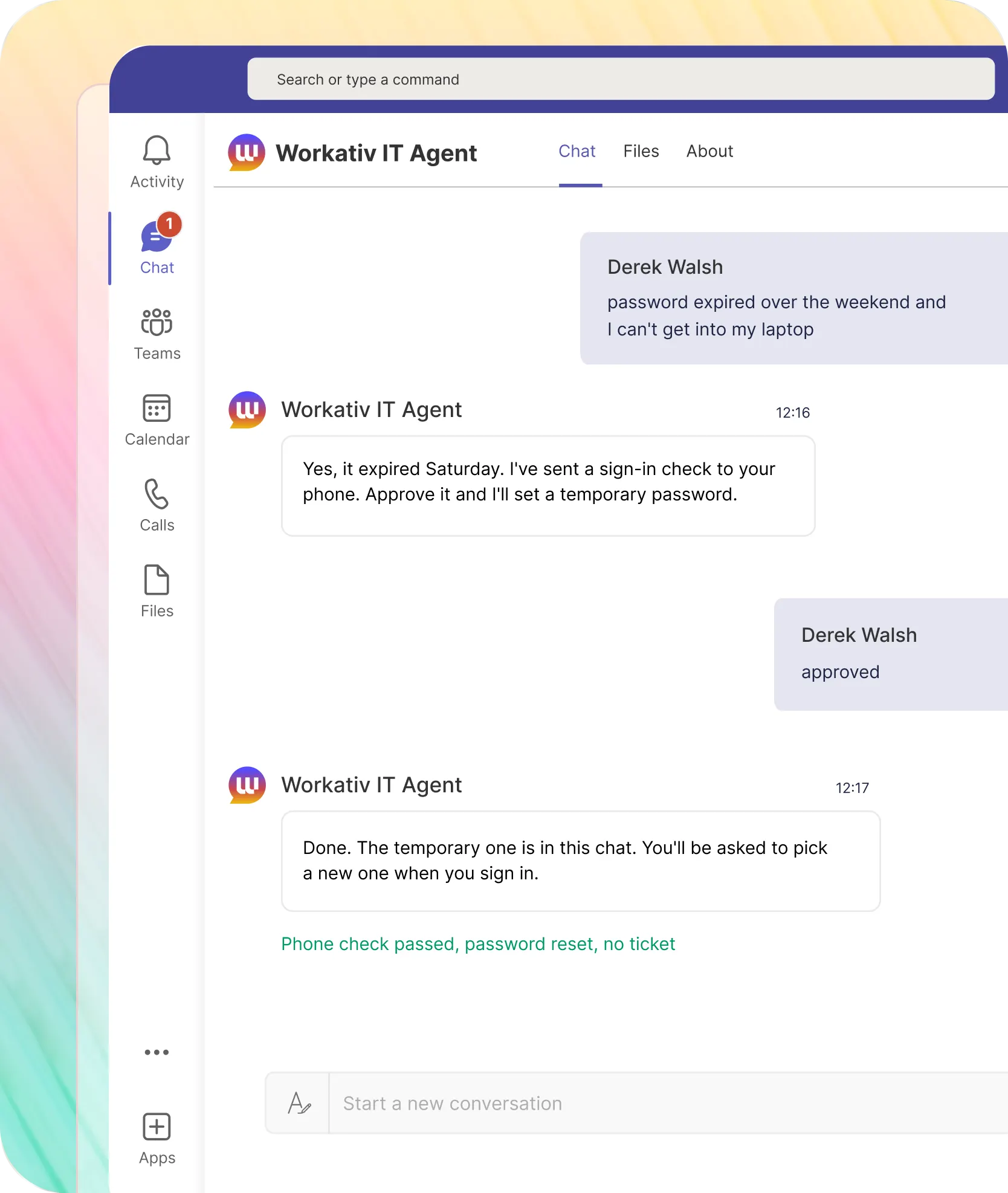
An expired password gets reset after one prompt on the employee's phone. No ticket is raised.

Asks for a phone approval before touching the account
Puts the temporary password in the same chat
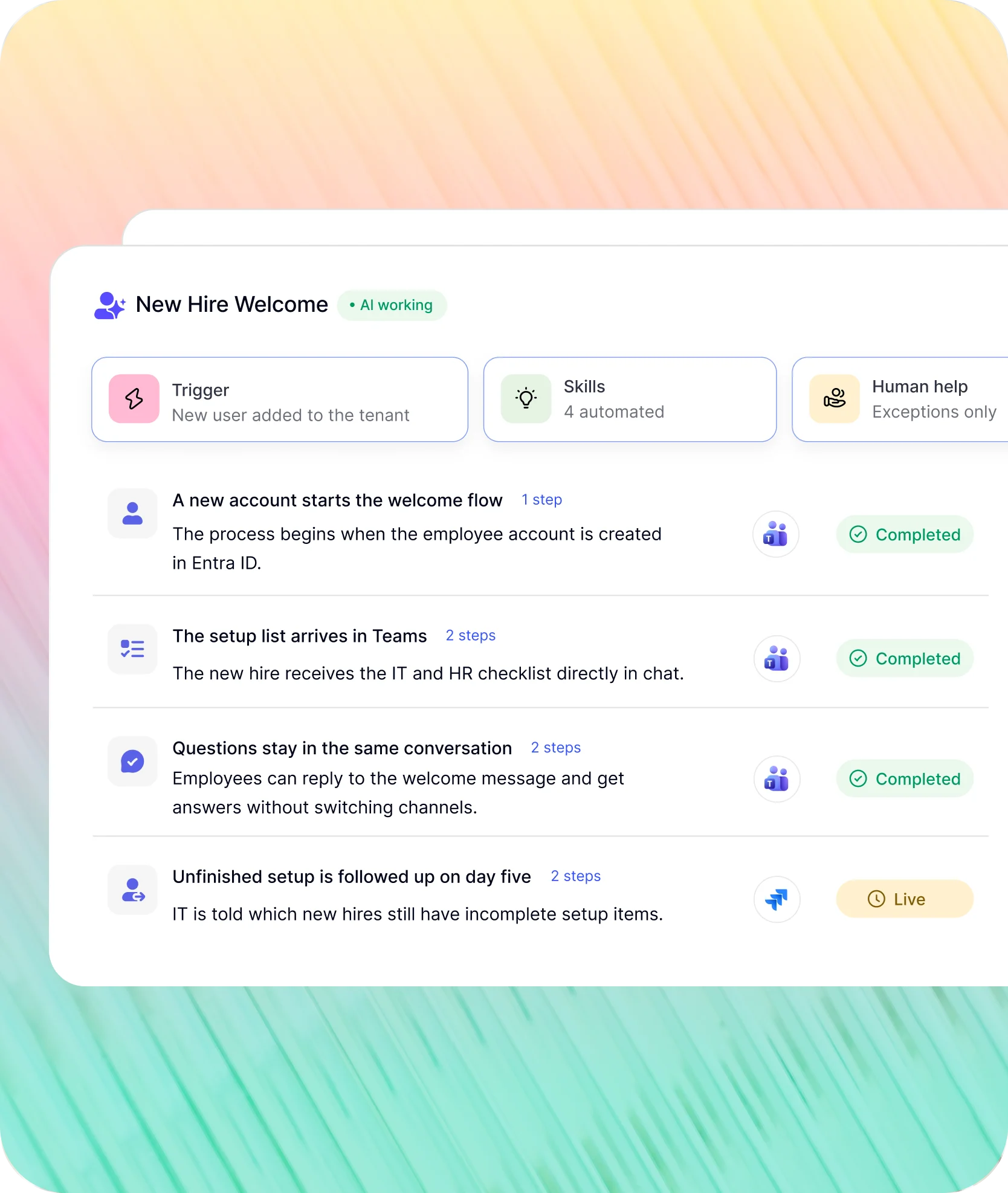
Some tasks start the moment something changes in the HR system.
Teams approvals and the reminders that follow them are built into each task, so nobody has to chase.
A new account in the tenant gets a welcome message with the IT and HR setup list.
Each item links to the right guide
Replies are answered in the same chat
NMDC closes 78% of its IT tickets without an engineer, and the agent runs in Microsoft Teams.
"Workativ has been with us every step of the way. From our first IT support use case to HR, and soon Procurement. The platform grows with us, and so does the team behind it. It's rare to find a solution that's both powerful and genuinely easy to manage."

Imran Abid
IT Operations Leader · NMDC Group

Roll out a Microsoft Teams AI agent in three steps.
People ask in Teams.Your systems keep the answer and the record.
Sources, actions and approvers are set through the Microsoft Teams integration, and every run is logged.
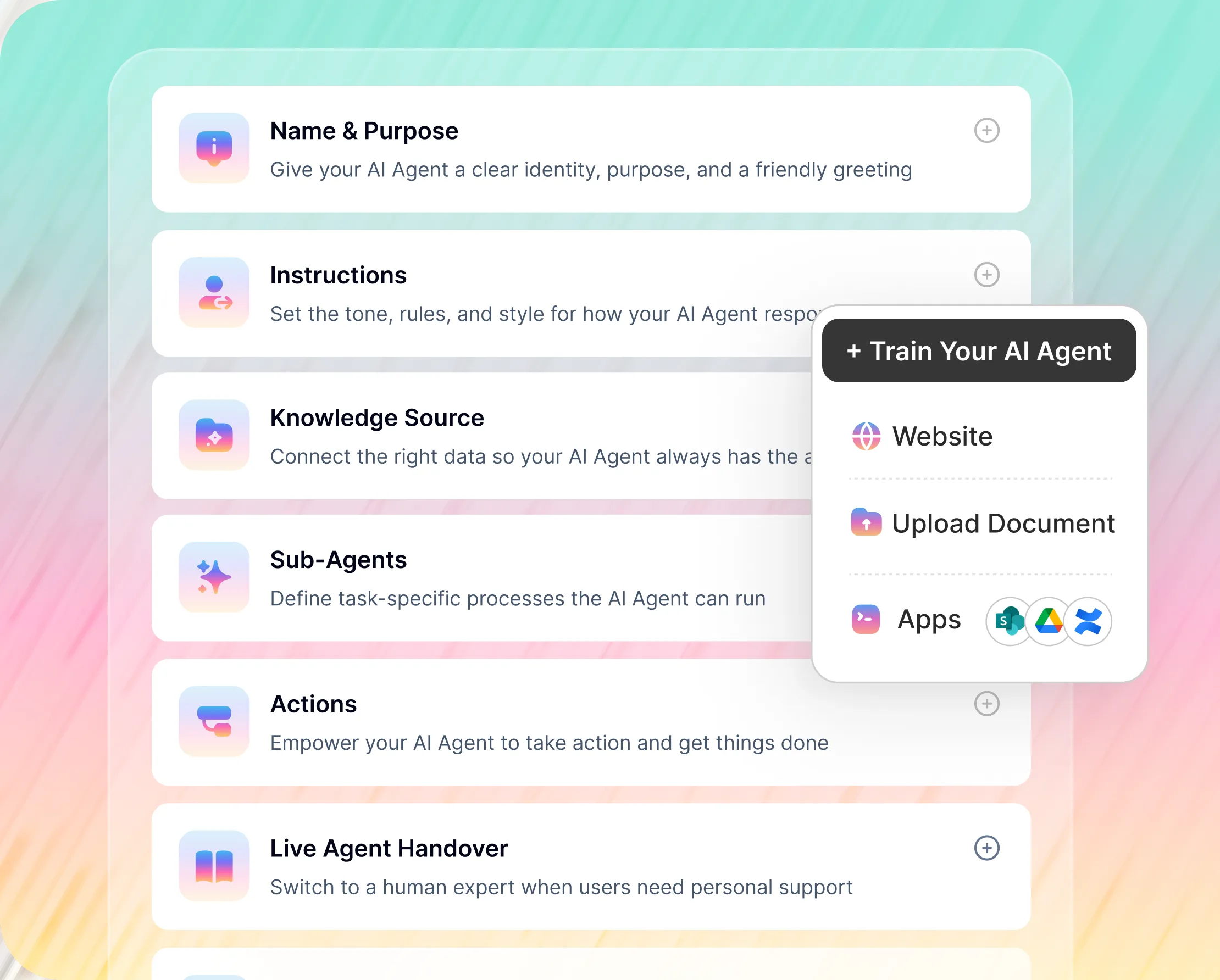
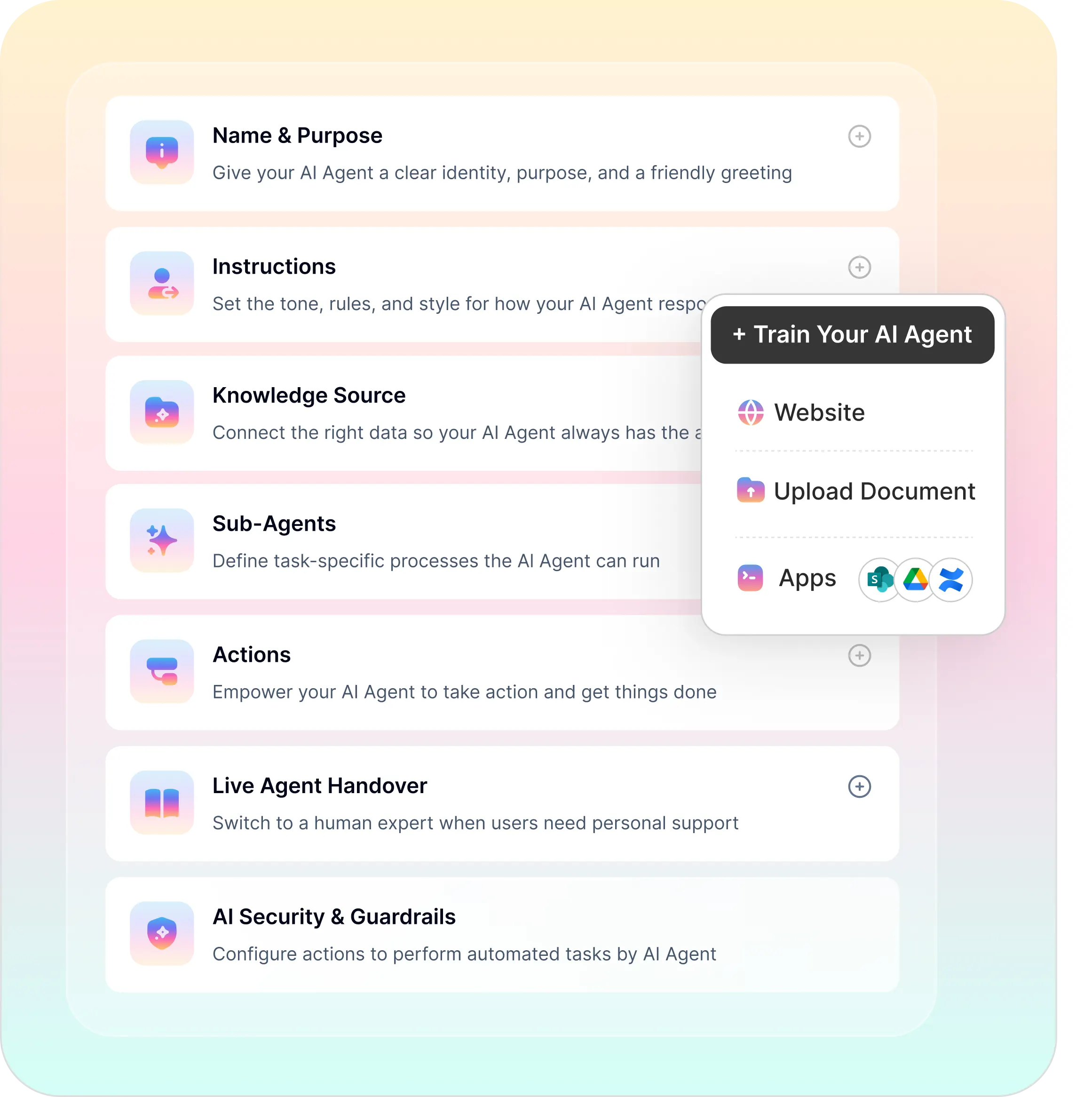
No-Code AI Agent Builder
Connect your tools, choose the actions the agent may take, and set escalation rules. IT or HR configures the agent with no developer and no professional services
Password reset, leave request, access request and ticket creation, all configured point-and-click
Live agent handover to IT or HR when the AI reaches its limit
Microsoft's Employee Self-Service agent and a Microsoft Teams AI assistant from Workativ.
Microsoft's agent is built on Copilot Studio and ships with connectors for Workday, SAP SuccessFactors and ServiceNow. Workativ is a no-code route that reaches more tools, set up by IT or HR directly.
What matters to IT |  |  |
|---|---|---|
Built for |  | Employee HR and IT requests, built in Copilot Studio |
Setting it up | | Copilot Studio and Power Platform admin center, with Power Platform roles involved |
Systems it reaches | | Workday, SAP SuccessFactors and ServiceNow connectors included; others are built |
What you need first | | Copilot Studio capacity and the licences Microsoft lists |
Taking action | | Reads and creates tickets in ServiceNow, reads and writes employee profile data |
Handing over | | Configurable handoff to other agents or human operators |

If your team already builds in Copilot Studio and your systems are Workday, SuccessFactors and ServiceNow, Microsoft's agent fits well. If you want IT and HR running without Power Platform work, or need other systems, Workativ is the shorter path. Some organizations run both.
Teams takes the question. Entra ID, Workday, ServiceNow and the rest do the work.
If you run a Teams IT helpdesk or a Teams HR helpdesk, the tools behind it are probably in place already. One request might read a policy, check an account and update a ticket from the same chat.


%20--%3e%3csvg%20version='1.1'%20id='Layer_1'%20xmlns='http://www.w3.org/2000/svg'%20xmlns:xlink='http://www.w3.org/1999/xlink'%20x='0px'%20y='0px'%20viewBox='0%200%20512%20512'%20style='enable-background:new%200%200%20512%20512;'%20xml:space='preserve'%3e%3cstyle%20type='text/css'%3e%20.st0{fill:%23F7F7F7;}%20.st1{fill:%2328E4C3;}%20.st2{fill:url(%23SVGID_1_);}%20.st3{fill:url(%23SVGID_2_);}%20%3c/style%3e%3ccircle%20class='st0'%20cx='256'%20cy='256'%20r='245.5'/%3e%3cg%3e%3cg%3e%3cpath%20class='st1'%20d='M304.7,405.6'/%3e%3c/g%3e%3c/g%3e%3cg%3e%3cg%3e%3cpath%20class='st1'%20d='M305.8,353'/%3e%3c/g%3e%3c/g%3e%3clinearGradient%20id='SVGID_1_'%20gradientUnits='userSpaceOnUse'%20x1='388.1461'%20y1='99.0534'%20x2='204.4846'%20y2='204.5899'%20gradientTransform='matrix(1%200%200%20-1%200%20514)'%3e%3cstop%20offset='0.18'%20style='stop-color:%230052CC'/%3e%3cstop%20offset='1'%20style='stop-color:%232684FF'/%3e%3c/linearGradient%3e%3cpath%20class='st2'%20d='M119.9,330.3c-3,4.9-6.4,10.7-9.3,15.3c-2.6,4.4-1.2,10,3.1,12.7l60.7,37.4c4.4,2.7,10.1,1.3,12.9-3%20c0,0,0.1-0.1,0.1-0.1c2.4-4.1,5.6-9.3,9-15c24-39.7,48.2-34.8,91.9-14l60.2,28.6c4.7,2.2,10.2,0.2,12.4-4.4c0-0.1,0.1-0.2,0.1-0.3%20l28.9-65.4c2-4.7,0-10.1-4.7-12.2c-12.7-6-38-17.9-60.7-28.9C242.6,241.2,173.1,243.7,119.9,330.3z'/%3e%3clinearGradient%20id='SVGID_2_'%20gradientUnits='userSpaceOnUse'%20x1='613.0198'%20y1='1773.9866'%20x2='429.3116'%20y2='1879.5697'%20gradientTransform='matrix(-1%200%200%201%20736.83%20-1676.71)'%3e%3cstop%20offset='0.18'%20style='stop-color:%230052CC'/%3e%3cstop%20offset='1'%20style='stop-color:%232684FF'/%3e%3c/linearGradient%3e%3cpath%20class='st3'%20d='M392.1,181.9c3-4.9,6.4-10.7,9.3-15.3c2.6-4.4,1.2-10-3.1-12.7l-60.7-37.4c-4.3-2.9-10.1-1.7-13,2.5%20c-0.1,0.2-0.2,0.4-0.3,0.6c-2.4,4.1-5.6,9.3-9,15c-24,39.7-48.2,34.8-91.9,14l-60-28.5c-4.7-2.2-10.2-0.2-12.4,4.4%20c0,0.1-0.1,0.2-0.1,0.3L122,190.2c-2,4.7,0,10.1,4.7,12.2c12.7,6,38,17.9,60.7,28.9C269.4,271,338.9,268.4,392.1,181.9z'/%3e%3c/svg%3e)


%20--%3e%3csvg%20version='1.1'%20id='Layer_1'%20xmlns='http://www.w3.org/2000/svg'%20xmlns:xlink='http://www.w3.org/1999/xlink'%20x='0px'%20y='0px'%20viewBox='0%200%20512%20512'%20style='enable-background:new%200%200%20512%20512;'%20xml:space='preserve'%3e%3cstyle%20type='text/css'%3e%20.st0{fill:%23EB3C00;}%20.st1{fill:%23FFFFFF;}%20%3c/style%3e%3ccircle%20class='st0'%20cx='256'%20cy='256'%20r='245.5'/%3e%3cpath%20class='st1'%20d='M152.2,332.7v-152L286.7,131l73.1,23.4V359l-73.1,22L152.2,332.7l134.4,16.2V171.9L199,192.4v119.8L152.2,332.7%20z'/%3e%3c/svg%3e)


%20--%3e%3csvg%20version='1.1'%20id='Layer_1'%20xmlns='http://www.w3.org/2000/svg'%20xmlns:xlink='http://www.w3.org/1999/xlink'%20x='0px'%20y='0px'%20viewBox='0%200%20512%20512'%20style='enable-background:new%200%200%20512%20512;'%20xml:space='preserve'%3e%3cstyle%20type='text/css'%3e%20.st0{fill:%230062FF;}%20.st1{fill:%23FFFFFF;}%20%3c/style%3e%3ccircle%20class='st0'%20cx='256'%20cy='256'%20r='245.5'/%3e%3cpath%20class='st1'%20d='M256,162.5l-91,58.2l91,58.2l-91,58.2l-91-59.1l91-58.2l-91-57.3l91-58.2L256,162.5z%20M164.1,355.5l91-58.2%20l91,58.2l-91,58.2L164.1,355.5z%20M256,278.1l91-58.2l-91-57.3l91-58.2l91,58.2l-91,58.2l91,58.2l-91,58.2L256,278.1z'/%3e%3c/svg%3e)


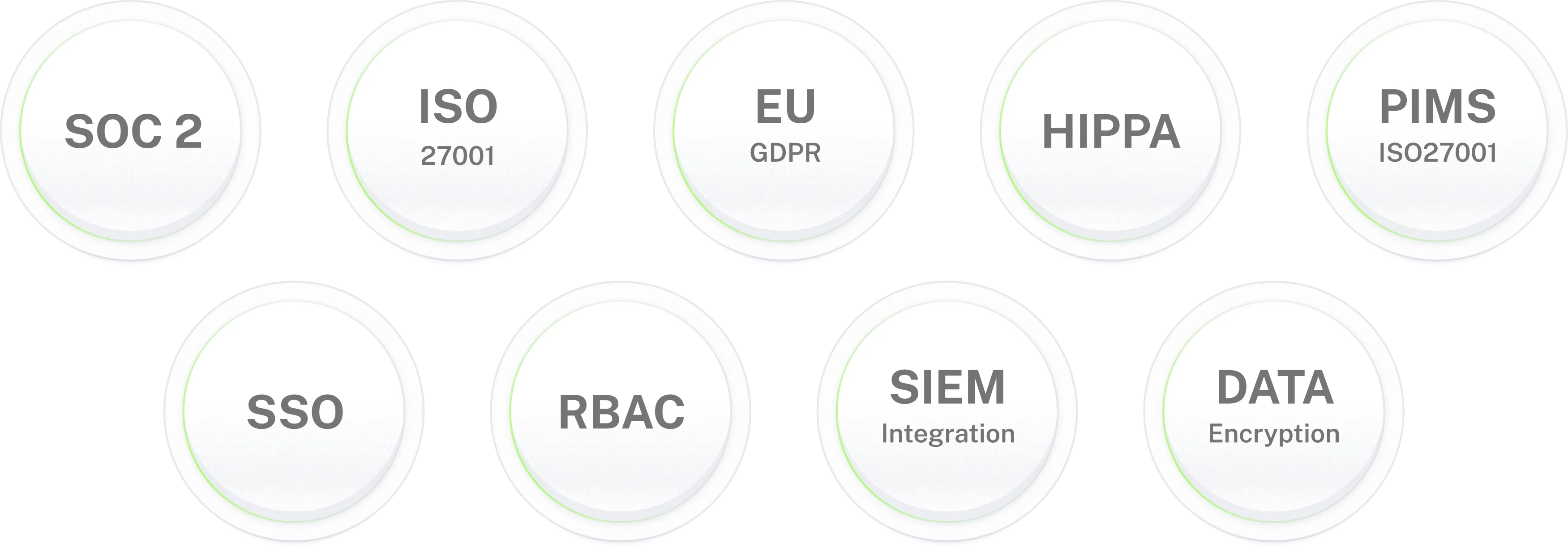
Enterprise-grade security for IT environments where data protection is non-negotiable.
Bring a Microsoft Teams
AI agent to IT and HR.
Answers in chat, approvals on cards, requests finished in your systems. Live in 3–5 days.
Frequently asked questions
Frequently asked questions about the Microsoft Teams AI agent
What is a Microsoft Teams AI agent?
A Microsoft Teams AI agent takes a question from an employee in chat, looks up the answer in your documents and systems, and when the request is something concrete, it carries it out: unlocking an account, booking leave, raising a ticket. Workativ's Microsoft Teams AI assistant handles IT and HR from the same app. Whenever a decision is needed, a named person gets asked first, and each step is logged.
How does this differ from the Employee Self-Service agent from Microsoft?
Microsoft's Employee Self-Service agent is built on Copilot Studio and comes with Workday, SAP SuccessFactors and ServiceNow connectors included. People with Power Platform roles configure it. Workativ's Microsoft Teams AI assistant is no-code, reaches a wider list of tools, and is set up by IT or HR directly. If you already run Copilot Studio at volume, the two can sit side by side.
What does a Microsoft Teams AI agent for HR handle?
A Microsoft Teams AI agent for HR deals with leave balances and requests, payroll and payslip questions, benefits, policy lookups and onboarding reminders. Answers come from your handbook and HR system. Anything sensitive, like a grievance or a legal question, is passed to a person in HR with the conversation attached.
What does a Microsoft Teams AI agent for IT handle?
Password resets, account unlocks, software requests, questions about a known outage, and new-starter setup. A Microsoft Teams AI agent for IT checks the account or incident in your identity or ITSM tool, answers in the chat, and raises a ticket only when it can't settle the request.
Can one agent work as a Teams IT helpdesk and a Teams HR helpdesk together?
Yes. Employees message one app. The agent works out whether a question is IT or HR and uses that team's sources and approvers. HR content stays with HR, and IT actions stay with IT unless you choose otherwise.
How do Teams approvals work?
The approver gets a card in Teams with Approve and Deny buttons. One click and the agent either carries out the request or tells the employee it was refused. The decision is stored with a name and a time. If nobody responds, a reminder goes out, and after that the card goes to a backup approver.
Does the Microsoft Teams AI agent work in channels as well as one-to-one chat?
Yes. Employees can message the agent directly, or mention the agent in a channel you've enabled, like an IT help channel. Only those channels and the chats people start are read.
Which Microsoft 365 plans does the Microsoft Teams AI assistant need?
Any plan that includes Microsoft Teams. A Teams admin approves the app in the admin center and sets who can use it. You don't need Microsoft 365 Copilot licences for the Workativ agent to work.
Is this a Teams chatbot or a Teams bot with more features?
A Teams chatbot answers a question and the chat ends. This AI agent goes on to do the work: it unlocks the account, files the leave, sends the approval and updates the ticket. Our Teams bot page covers the question-answering side.
What does the agent connect to besides Microsoft Teams?
Entra ID and Okta for identity, ServiceNow and Jira Service Management for tickets, Workday for HR, SharePoint and Confluence for documents. A single Microsoft Teams integration reaches all of them, and each action is off until you turn it on.
How long does a rollout take?
Three to five days for most teams. Adding the app to Teams is quick. The time goes on picking which questions the agent covers, who approves what, and trying it with a small group first. Plenty of teams begin with a Microsoft Teams AI agent for IT or HR, whichever queue is longer, and add the other afterwards.
What do we see once the Microsoft Teams AI agent is live?
You can see the most common questions, the share closed without a person, how approvals went, and the questions nobody could answer. Those tend to show where documentation is missing. IT and HR leads see only their own area, and logs can be sent to a SIEM.