


Slack AI agent that handles IT and HR requests,from the question to the finished task.
Employees already ask IT and HR for things in Slack. Workativ replies in the same DM or thread, sends approvals to the manager as buttons, and makes the change in Okta, Workday, ServiceNow or whichever tool owns it.
IT Teams of all sizes trusts Workativ AI to automate IT Operations & Support

Most IT and HR requests in Slack are ones somebody has already answered fifty times.

The same twenty questions
Locked accounts, leave balances, where the handbook lives. Someone in IT or HR types the answer again.

Approvals die in DMs
A manager misses one message and the request sits for a week. Nobody notices until the employee asks.

Ten people, ten tickets
An outage hits and everyone reports it separately. IT closes nine of them as duplicates.
Five requests that can close inside Slack.
Two are everyday asks for a Slack AI agent for IT, and three belong to a Slack AI agent for HR. It answers from your own systems and sends anything that needs a yes to a named person.
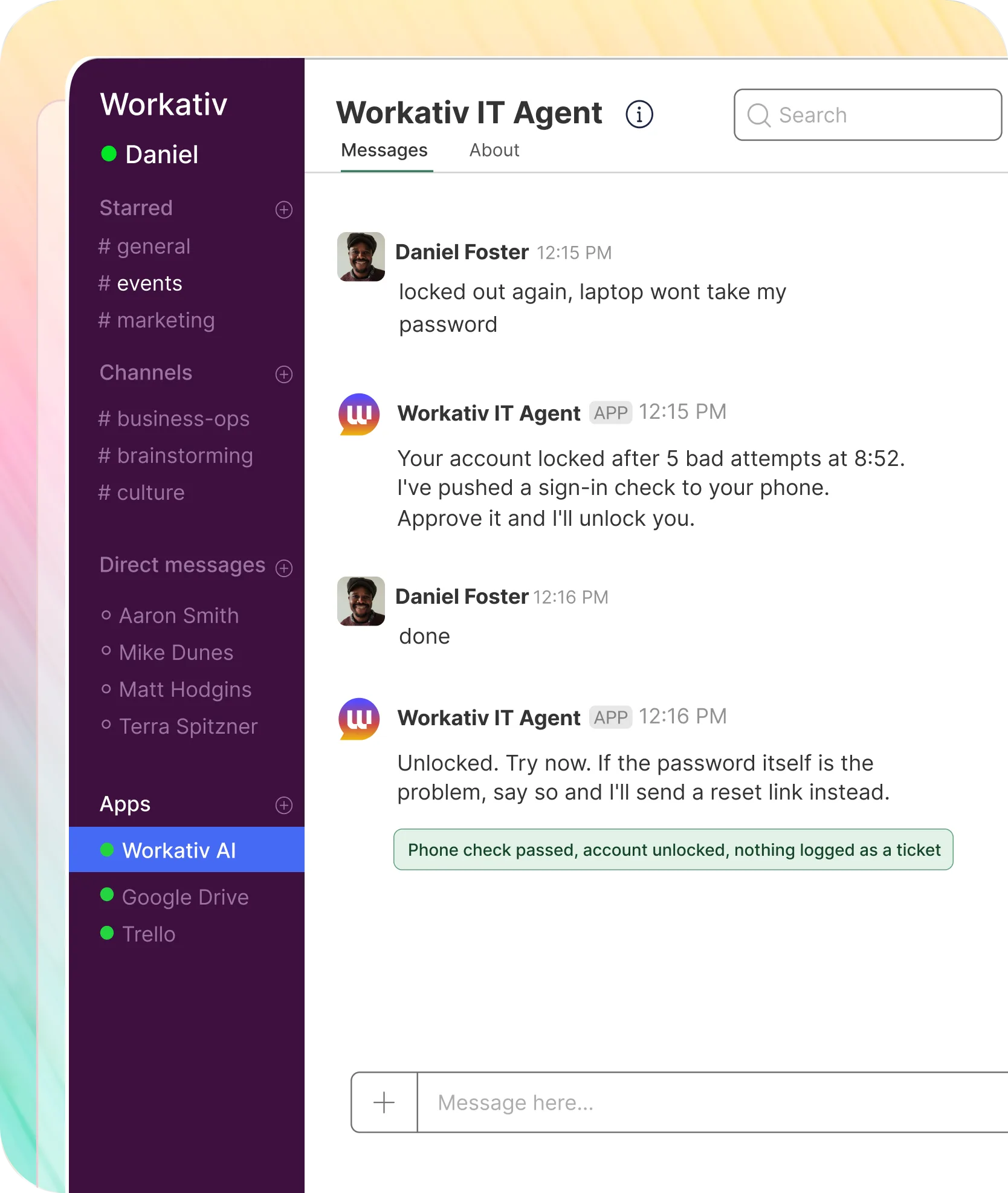
A locked-out employee is back in after one phone approval, and no ticket is created.

The agent confirms who is asking before it touches the account
It tells the employee what it did
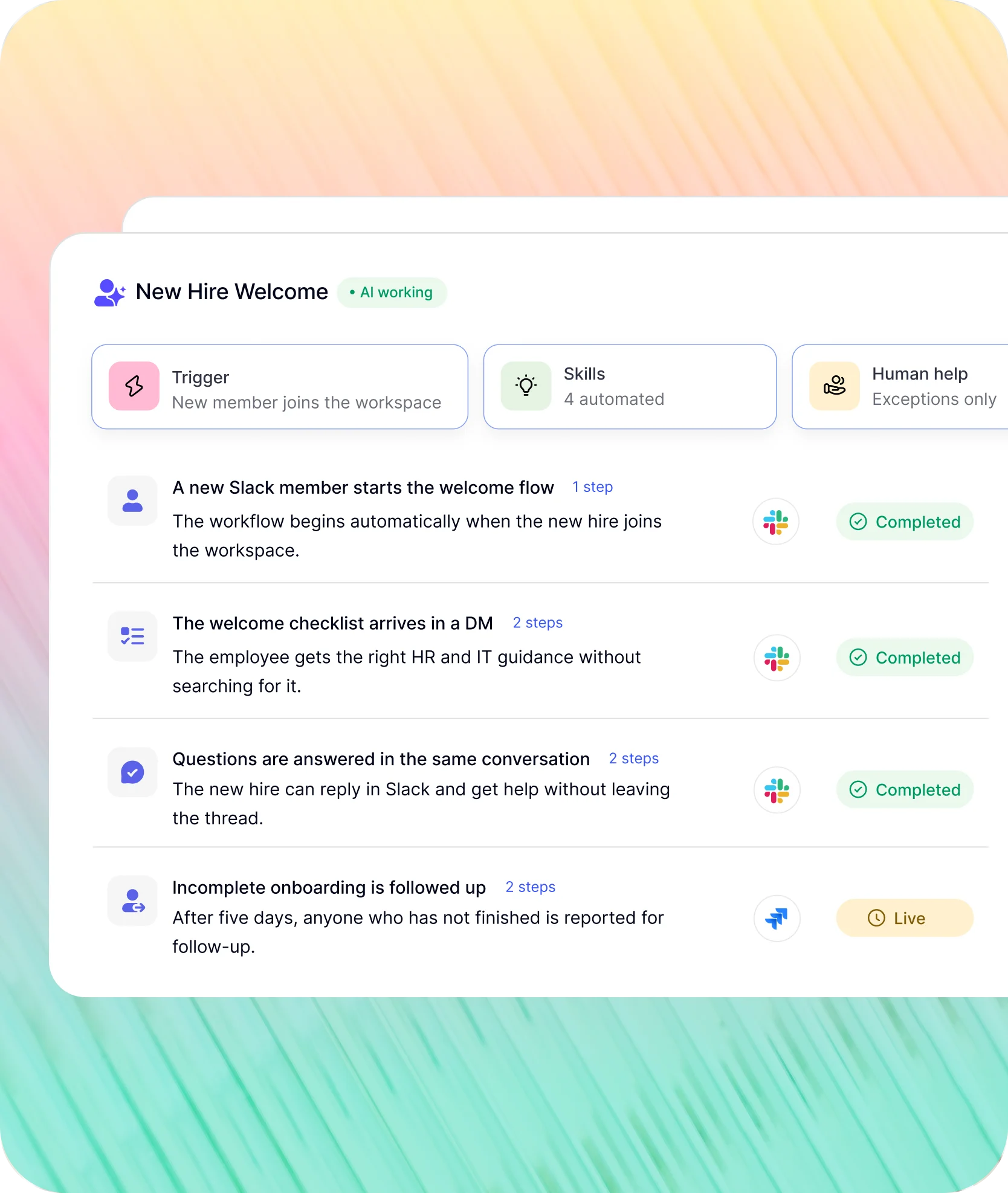
These start on their own when something changes in your HR system.
Slack approvals and reminders come with them, so nobody has to chase.
A new account in the workspace gets a welcome message with an IT and HR checklist.
The message links to each guide, so nobody hunts for them
Questions in reply are answered in the same DM
"Workativ has been with us every step of the way. From our first IT support use case to HR, and soon Procurement. The platform grows with us, and so does the team behind it. It's rare to find a solution that's both powerful and genuinely easy to manage."

Imran Abid
IT Operations Leader · NMDC Group

Deploy a Slack AI agent in three steps.
Slack is where people ask. The answer and the record stay in your own systems.
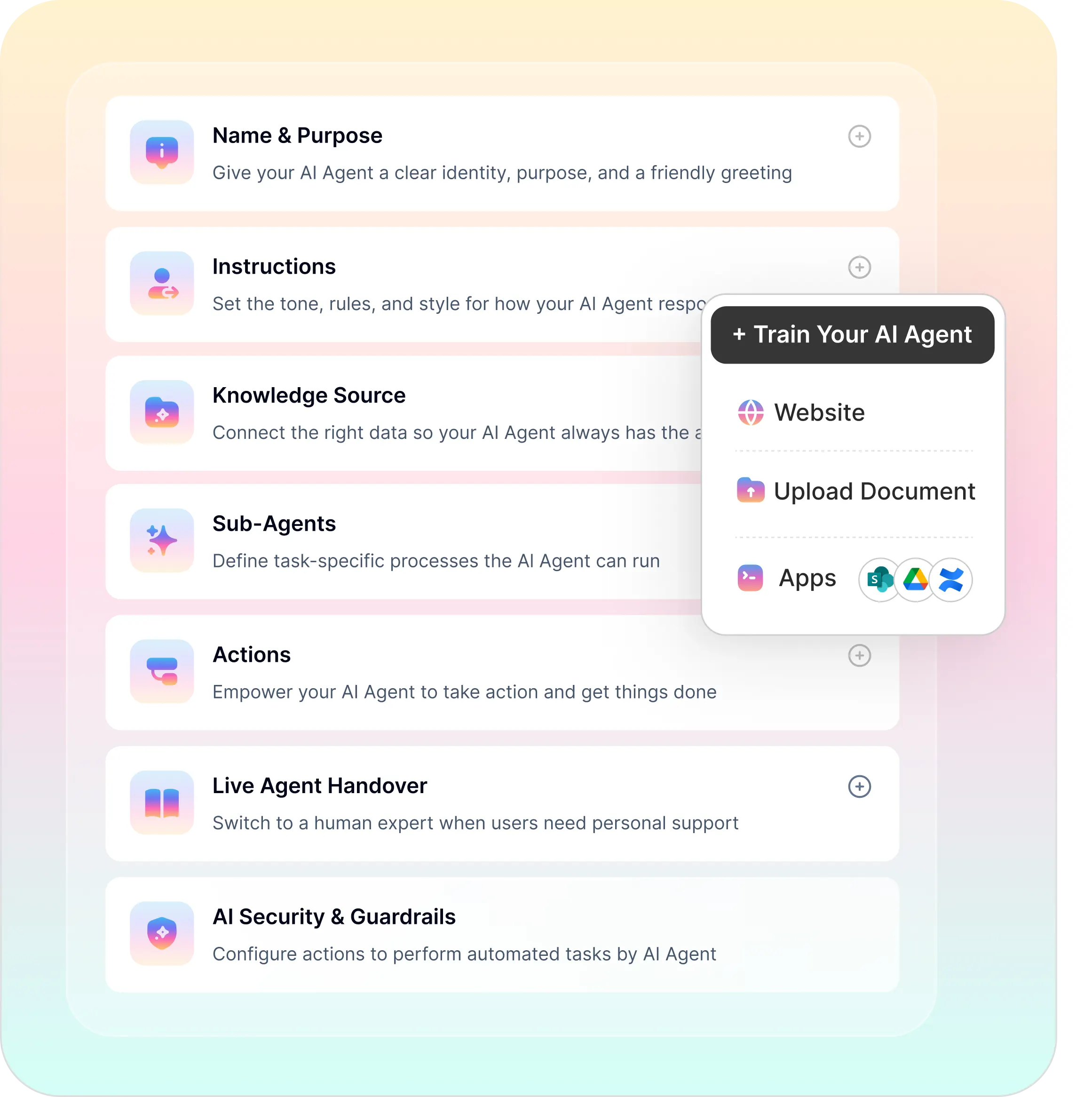
Behind the Slack integration you set the sources, the actions and the approvers. Every run is logged.
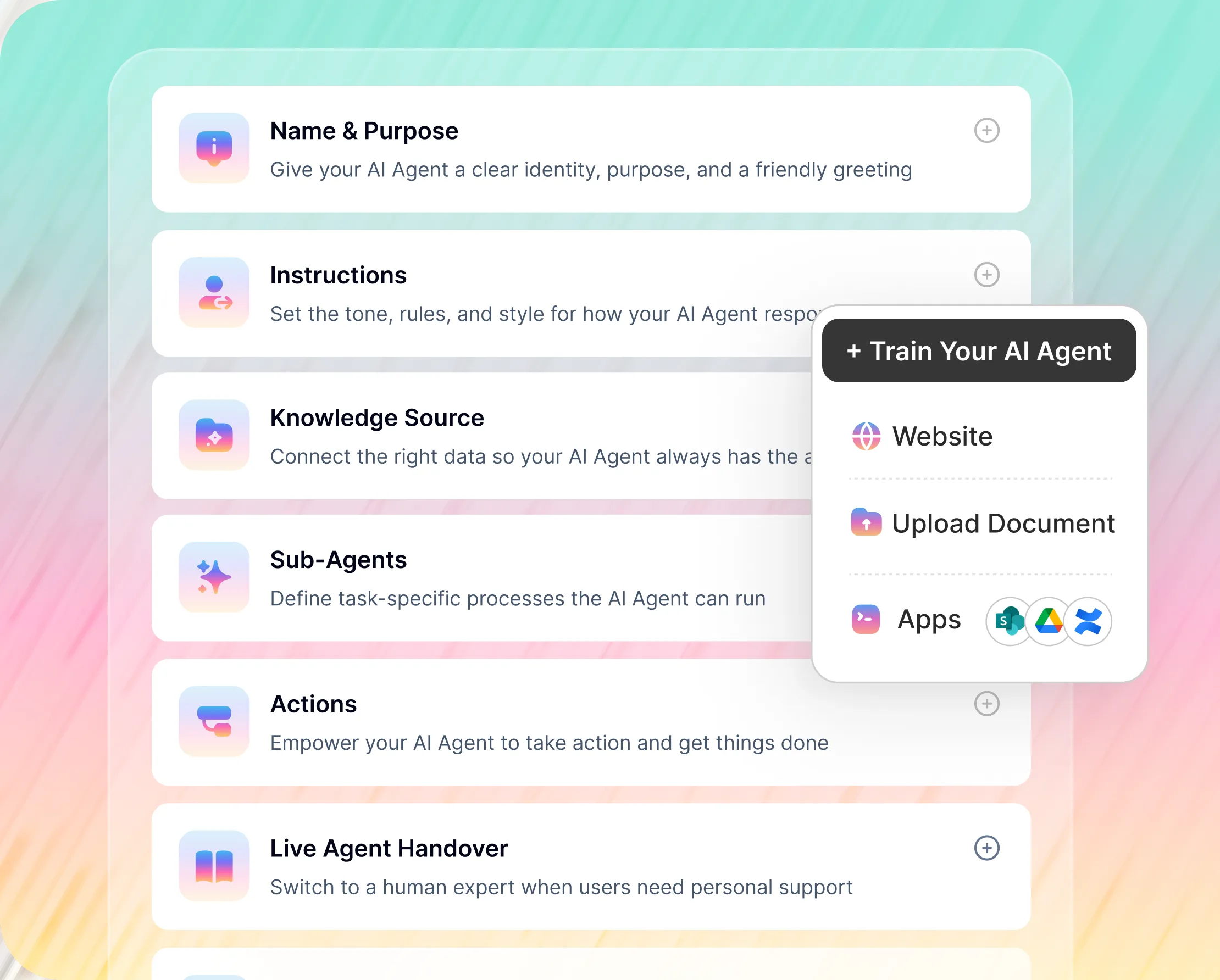
No-Code AI Agent Builder
Connect your tools, choose the actions the agent may take, and set escalation rules. IT or HR configures the agent with no developer and no professional services
Password reset, leave request, access request and ticket creation, all configured point-and-click
Live agent handover to IT or HR when the AI reaches its limit
Slackbot and a Slack AI agent for employee support, side by side.
Slackbot is Slack's own agent and it does a good job across Slack and Salesforce. Workativ is narrower: it takes an IT or HR request from the first message to a closed task.
What matters to IT |  |  |
|---|---|---|
Built for |  | Work across Slack, with CRM tasks in Salesforce |
What it answers | | Slack conversations, channels and search results |
Taking action | | Summaries, search and Salesforce actions |
Approvals | | |
Connected systems | | Slack data and Salesforce, plus apps added from the Marketplace |
IT and HR knowledge | | Content already in Slack and linked apps |

If you need search across old conversations, thread summaries or Salesforce tasks, Slackbot does that well. If employees need a password unlocked or leave booked in Workday, that is where Workativ fits. Plenty of workspaces will run both.
Slack takes the question. Okta, Workday, ServiceNow and the rest do the work.
If you run a Slack IT helpdesk or a Slack HR helpdesk, the tools behind it are probably already in place. One request might read a policy, check an account and update a ticket from the same thread.


%20--%3e%3csvg%20version='1.1'%20id='Layer_1'%20xmlns='http://www.w3.org/2000/svg'%20xmlns:xlink='http://www.w3.org/1999/xlink'%20x='0px'%20y='0px'%20viewBox='0%200%20512%20512'%20style='enable-background:new%200%200%20512%20512;'%20xml:space='preserve'%3e%3cstyle%20type='text/css'%3e%20.st0{fill:%23F7F7F7;}%20.st1{fill:%2328E4C3;}%20.st2{fill:url(%23SVGID_1_);}%20.st3{fill:url(%23SVGID_2_);}%20%3c/style%3e%3ccircle%20class='st0'%20cx='256'%20cy='256'%20r='245.5'/%3e%3cg%3e%3cg%3e%3cpath%20class='st1'%20d='M304.7,405.6'/%3e%3c/g%3e%3c/g%3e%3cg%3e%3cg%3e%3cpath%20class='st1'%20d='M305.8,353'/%3e%3c/g%3e%3c/g%3e%3clinearGradient%20id='SVGID_1_'%20gradientUnits='userSpaceOnUse'%20x1='388.1461'%20y1='99.0534'%20x2='204.4846'%20y2='204.5899'%20gradientTransform='matrix(1%200%200%20-1%200%20514)'%3e%3cstop%20offset='0.18'%20style='stop-color:%230052CC'/%3e%3cstop%20offset='1'%20style='stop-color:%232684FF'/%3e%3c/linearGradient%3e%3cpath%20class='st2'%20d='M119.9,330.3c-3,4.9-6.4,10.7-9.3,15.3c-2.6,4.4-1.2,10,3.1,12.7l60.7,37.4c4.4,2.7,10.1,1.3,12.9-3%20c0,0,0.1-0.1,0.1-0.1c2.4-4.1,5.6-9.3,9-15c24-39.7,48.2-34.8,91.9-14l60.2,28.6c4.7,2.2,10.2,0.2,12.4-4.4c0-0.1,0.1-0.2,0.1-0.3%20l28.9-65.4c2-4.7,0-10.1-4.7-12.2c-12.7-6-38-17.9-60.7-28.9C242.6,241.2,173.1,243.7,119.9,330.3z'/%3e%3clinearGradient%20id='SVGID_2_'%20gradientUnits='userSpaceOnUse'%20x1='613.0198'%20y1='1773.9866'%20x2='429.3116'%20y2='1879.5697'%20gradientTransform='matrix(-1%200%200%201%20736.83%20-1676.71)'%3e%3cstop%20offset='0.18'%20style='stop-color:%230052CC'/%3e%3cstop%20offset='1'%20style='stop-color:%232684FF'/%3e%3c/linearGradient%3e%3cpath%20class='st3'%20d='M392.1,181.9c3-4.9,6.4-10.7,9.3-15.3c2.6-4.4,1.2-10-3.1-12.7l-60.7-37.4c-4.3-2.9-10.1-1.7-13,2.5%20c-0.1,0.2-0.2,0.4-0.3,0.6c-2.4,4.1-5.6,9.3-9,15c-24,39.7-48.2,34.8-91.9,14l-60-28.5c-4.7-2.2-10.2-0.2-12.4,4.4%20c0,0.1-0.1,0.2-0.1,0.3L122,190.2c-2,4.7,0,10.1,4.7,12.2c12.7,6,38,17.9,60.7,28.9C269.4,271,338.9,268.4,392.1,181.9z'/%3e%3c/svg%3e)


%20--%3e%3csvg%20version='1.1'%20id='Layer_1'%20xmlns='http://www.w3.org/2000/svg'%20xmlns:xlink='http://www.w3.org/1999/xlink'%20x='0px'%20y='0px'%20viewBox='0%200%20512%20512'%20style='enable-background:new%200%200%20512%20512;'%20xml:space='preserve'%3e%3cstyle%20type='text/css'%3e%20.st0{fill:%23EB3C00;}%20.st1{fill:%23FFFFFF;}%20%3c/style%3e%3ccircle%20class='st0'%20cx='256'%20cy='256'%20r='245.5'/%3e%3cpath%20class='st1'%20d='M152.2,332.7v-152L286.7,131l73.1,23.4V359l-73.1,22L152.2,332.7l134.4,16.2V171.9L199,192.4v119.8L152.2,332.7%20z'/%3e%3c/svg%3e)


%20--%3e%3csvg%20version='1.1'%20id='Layer_1'%20xmlns='http://www.w3.org/2000/svg'%20xmlns:xlink='http://www.w3.org/1999/xlink'%20x='0px'%20y='0px'%20viewBox='0%200%20512%20512'%20style='enable-background:new%200%200%20512%20512;'%20xml:space='preserve'%3e%3cstyle%20type='text/css'%3e%20.st0{fill:%230062FF;}%20.st1{fill:%23FFFFFF;}%20%3c/style%3e%3ccircle%20class='st0'%20cx='256'%20cy='256'%20r='245.5'/%3e%3cpath%20class='st1'%20d='M256,162.5l-91,58.2l91,58.2l-91,58.2l-91-59.1l91-58.2l-91-57.3l91-58.2L256,162.5z%20M164.1,355.5l91-58.2%20l91,58.2l-91,58.2L164.1,355.5z%20M256,278.1l91-58.2l-91-57.3l91-58.2l91,58.2l-91,58.2l91,58.2l-91,58.2L256,278.1z'/%3e%3c/svg%3e)


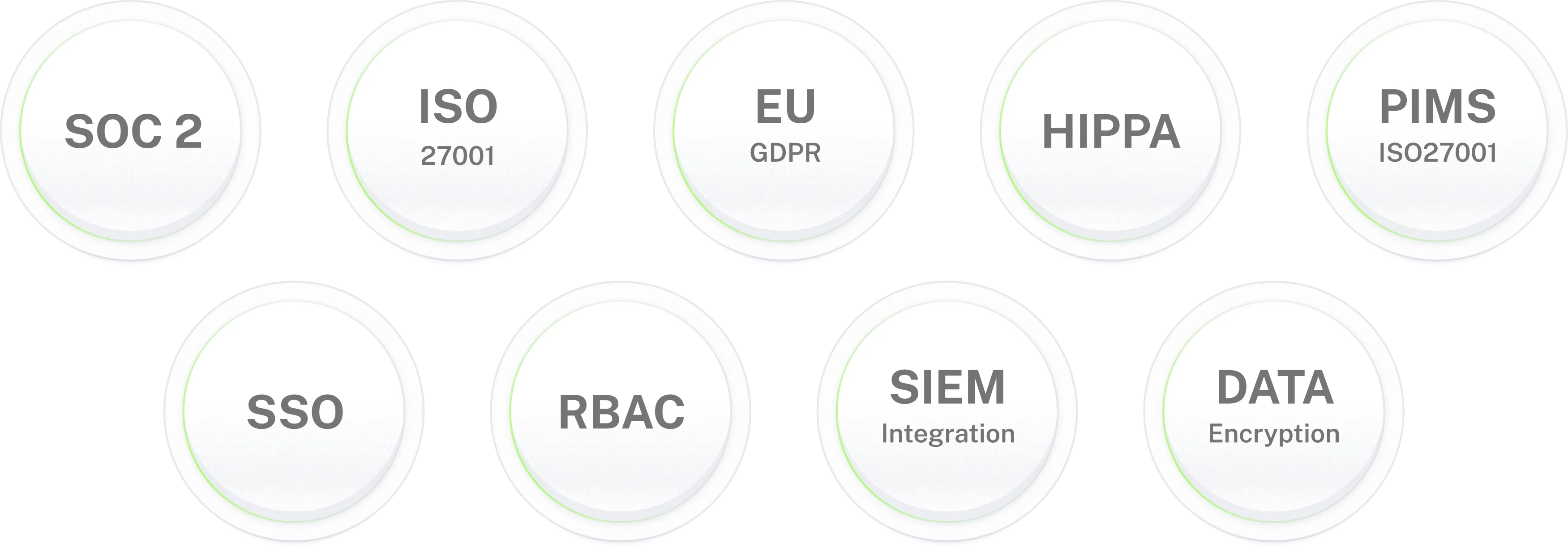
Enterprise-grade security for IT environments where data protection is non-negotiable.
Bring a Slack
AI agent to IT and HR.
Answers in the thread, approvals with buttons, requests finished in your systems. Live in 3–5 days.
Frequently asked questions
Frequently asked questions about the Slack AI agent
What is a Slack AI agent?
A Slack AI agent reads a question in a DM or channel, finds the answer in your own documents and systems, and where it makes sense does the task itself: unlocks an account, books leave, opens a ticket. Workativ's Slack AI assistant covers IT and HR in one install. Anything that needs a decision goes to a named person first, and each step is logged.
Is a Slack AI assistant from Workativ the same as Slackbot?
No. Slackbot is Slack's own agent, built on Agentforce. It is good at searching Slack, summarizing threads and working with Salesforce data. Workativ is a Slack AI assistant for employee support: it connects to your identity, ITSM and HR systems and finishes requests there. A lot of teams will want both.
What does a Slack AI agent for HR handle?
Benefits questions, leave balances and requests, policy lookups, onboarding reminders. It answers from your handbook and HR system. Anything sensitive, like a life event or a complaint, goes to a person in HR with the thread attached.
What does a Slack AI agent for IT handle?
Password resets, account unlocks, questions about a known outage, software requests, device problems. A Slack AI agent for IT checks the account or incident in your identity or ITSM tool, replies in the thread, and opens a ticket only if it can't settle the request.
Can one agent act as a Slack IT helpdesk and a Slack HR helpdesk?
Yes. Staff message one agent, which works out whether it's an IT or an HR question and uses that team's sources and approvers. HR documents stay with HR and IT actions stay with IT, unless you decide otherwise.
How do Slack approvals work?
The agent sends the approver a message with Approve and Deny buttons. One click, and the agent either carries out the request or tells the employee it was declined. The decision is logged with a name and a time. If nobody answers, a reminder goes out, and after that the request moves to a backup approver.
Does it watch channels like #it-help?
Yes, the ones you pick. It replies in the thread when it can answer, and an emoji reaction on a message can turn that message into a ticket. It reads those channels and the DMs people send it, nothing else.
Which Slack plans does the Slack AI assistant work with?
Every paid plan, Pro included. A workspace admin installs the app and approves its permissions. Slack's own AI features differ by plan, but the Workativ agent doesn't depend on them.
Is it a Slack chatbot or something more?
A Slack chatbot answers and stops. This one also acts: it unlocks the account, books the leave, posts the approval, updates the ticket. The question-answering side is covered in our Slack chatbot guide.
What does it connect to besides Slack?
Okta and Entra ID for identity, ServiceNow and Jira Service Management for tickets, Workday for HR, SharePoint and Confluence for documents. One Slack integration reaches all of them, and each action stays off until you turn it on.
How long does deployment take?
Three to five days for most teams. Installing the app takes minutes. Most of the time goes on deciding which questions the agent takes, who approves what, and testing with a small group of real employees. Some teams begin with a Slack AI agent for HR and some with IT, whichever queue is longer, then add the other.
What can we measure afterwards?
What people ask most, how many questions closed without a person, how approvals went, and what nobody could answer. That last list usually points at missing documentation. IT and HR leads each see their own area, and logs can go to a SIEM.