
Glean vs Moveworks: Which Resolves Issues Faster 2026?
Glean vs Moveworks comparison: features, pricing, resolution speed & ROI. Discover which AI platform resolves employee issues faster for your IT service desk.


TL;DR: Glean vs Moveworks — which is better?
Glean is better for enterprises that need powerful AI search across workplace knowledge, documents, apps, and conversations. Moveworks is better for companies that want to automate IT and HR support requests, especially inside Slack or Microsoft Teams. Since Moveworks became part of ServiceNow in 2025, it may become even stronger for ServiceNow-heavy enterprises, but buyers should also expect roadmap, packaging, and pricing decisions to align more closely with the broader ServiceNow ecosystem. For teams that want both accurate enterprise search and workflow automation without the complexity or cost of a large enterprise rollout, Workativ is the alternative worth evaluating.
And along the way, we’ll also explore why many organizations are now evaluating modern alternatives like Workativ — platforms designed to combine strong search with real action in one place.
Glean vs Moveworks The best alternative at a glance
If you want the short answer before we go deeper, here’s how Glean, Moveworks, and Workativ compare when it comes to search, automation, and real issue resolution.
Attributes | Glean | Moveworks | Workativ |
Semantic search accuracy | Strong cross-tool search, but sometimes shows too many results that need manual filtering | AI-powered search with reasoning, focused on IT and HR | Advanced RAG search with contextual understanding and fewer irrelevant responses |
AI agents | AI assistants mainly help surface information | Enterprise AI agents designed for IT and HR automation | Fully customizable AI agents for IT, HR, Finance, and more with workflow execution |
Workflow automation | Limited built-in automation | Strong ITSM-based workflow automation | AI app workflow automation across 100+ integrations |
Ticket resolution | Suggests answers, but doesn’t fully resolve most tickets | Automatically resolves supported IT and HR requests | End-to-end resolution, including ticket creation, updates, approvals, and closure |
Customization | Limited control over deep behavior | Enterprise configuration, often vendor-assisted | No-code + low-code AI agent builder for faster customization |
What is Glean?
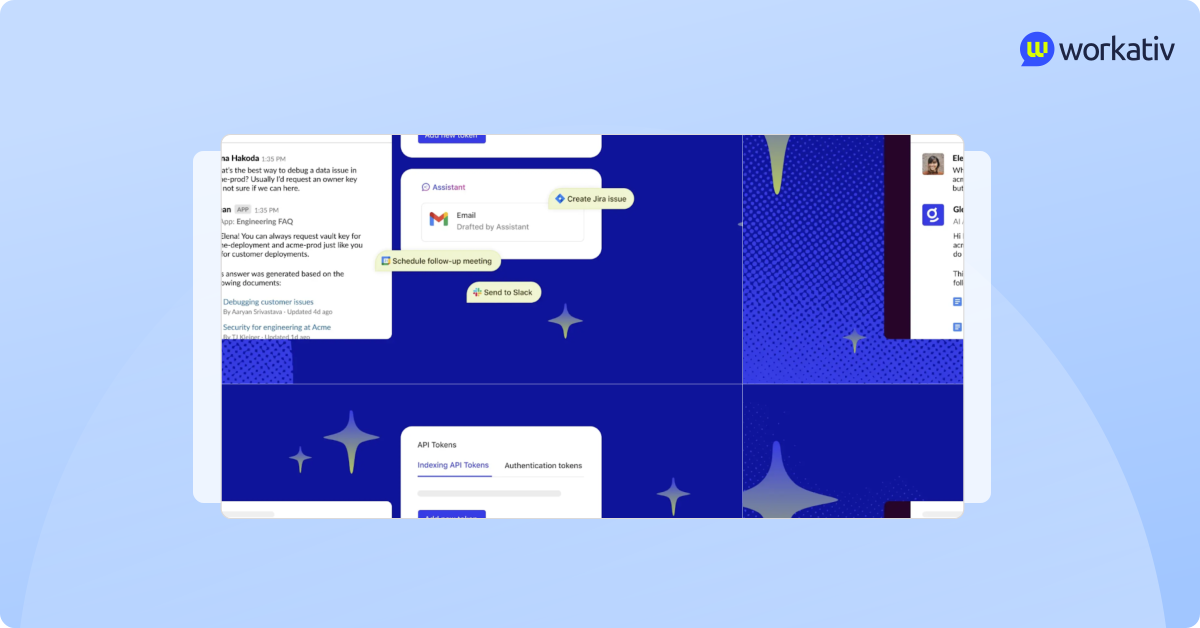
Glean is an AI-powered enterprise search platform designed to help employees quickly find information across all the tools they use at work.
Instead of searching separately in Slack, Google Drive, Confluence, Jira, or email, Glean brings everything into one unified search experience. It connects to your SaaS tools and uses AI to understand what you’re looking for even if you don’t type the exact keywords.
At its core, Glean focuses on:
Unifying knowledge across business tools
Improving internal search accuracy
Delivering contextual answers instead of just links
Helping employees discover documents, conversations, and people faster
In recent years, Glean has also positioned itself as more than just a search engine. It is evolving into an AI productivity assistant that can summarize documents, answer questions, and provide quick insights based on company knowledge.
However, its primary strength remains in information discovery, not in executing actions or completing end-to-end workflows.
Glean features
Glean is designed to solve one major problem inside modern organizations: information overload. Instead of employees jumping between tools to find what they need, Glean brings everything together into one AI-powered layer.
Here’s a deeper look at its core capabilities.
AI agents
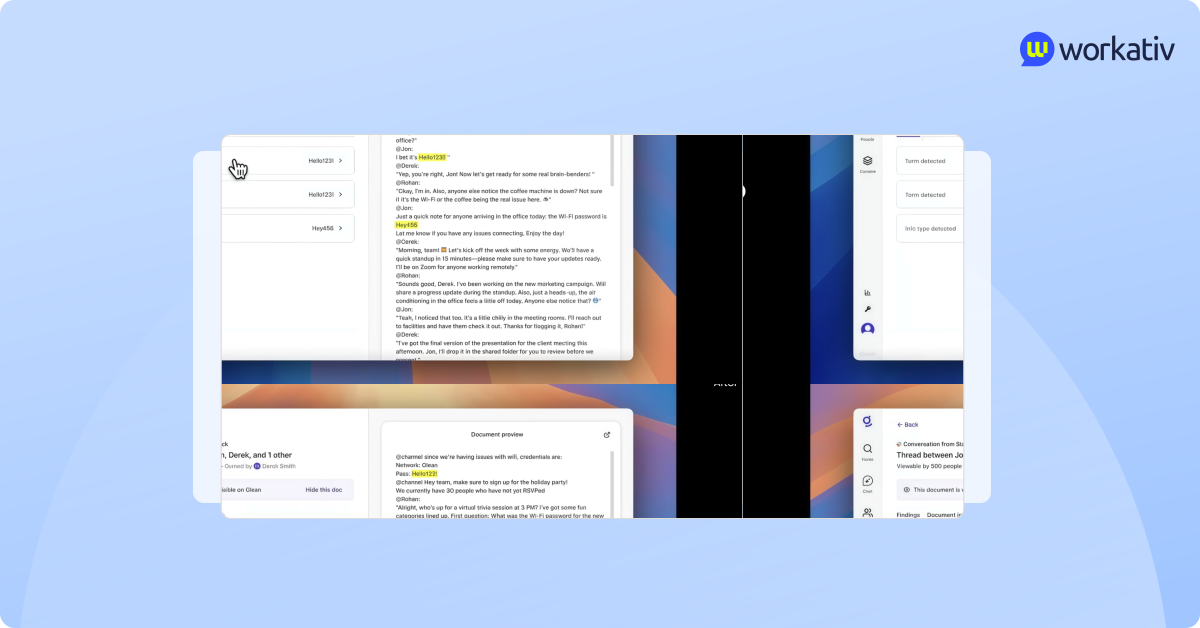
Glean has introduced AI agents to move beyond simple search. These agents are designed to understand employee intent and provide helpful responses based on company knowledge.
For example, an employee can ask:
“What is our remote work policy?”
“Summarize the Q4 strategy doc.”
“What did we decide in the last product meeting?”
The AI agent pulls information from connected systems and generates a contextual answer.
However, these agents primarily focus on knowledge assistance—finding, summarizing, and drafting—rather than on executing complex workflows, such as approving requests or resolving tickets end-to-end. Their strength lies in intelligent assistance, not full automation.
Enterprise search
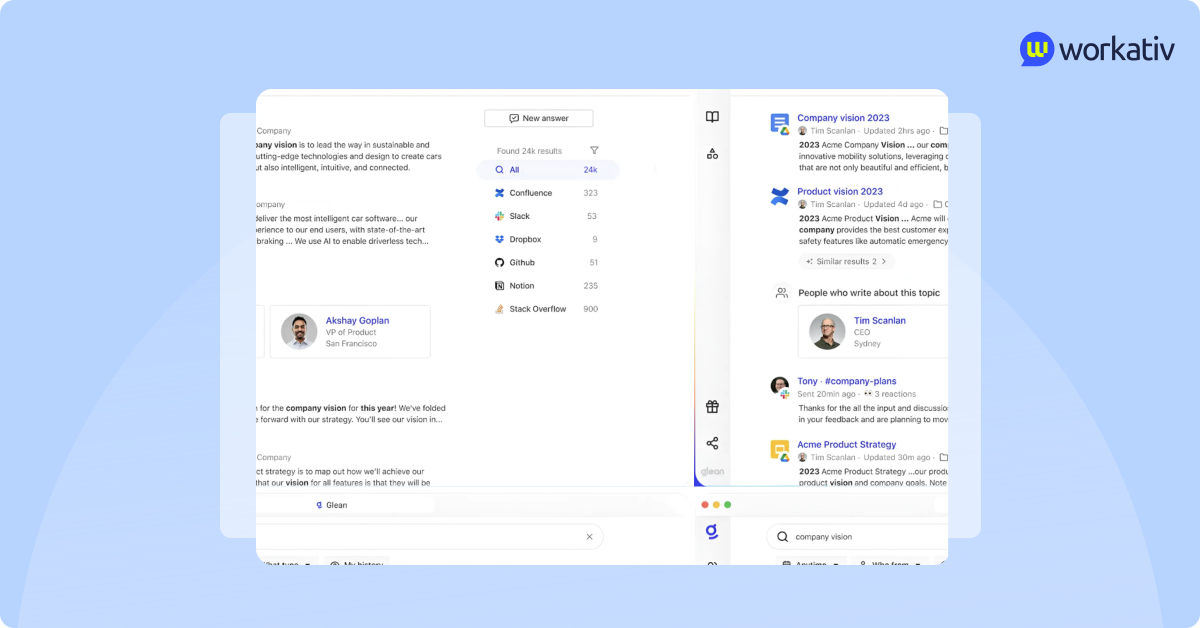
Enterprise search is Glean’s core strength.
It integrates with tools such as Slack, Google Drive, Jira, Confluence, Salesforce, and more, creating a unified search layer across them.
Instead of relying only on keywords, Glean uses semantic understanding. That means it tries to understand what you mean, not just what you type. If you search for ‘expense reimbursement policy,’ it can surface related documents even if those exact words are not in the title.
It also personalizes results based on your role, team, and access permissions. An HR manager and an engineer may see different results for the same query, depending on their respective access levels.
This makes search faster and more relevant, especially in large enterprises with thousands of documents.
AI assistant
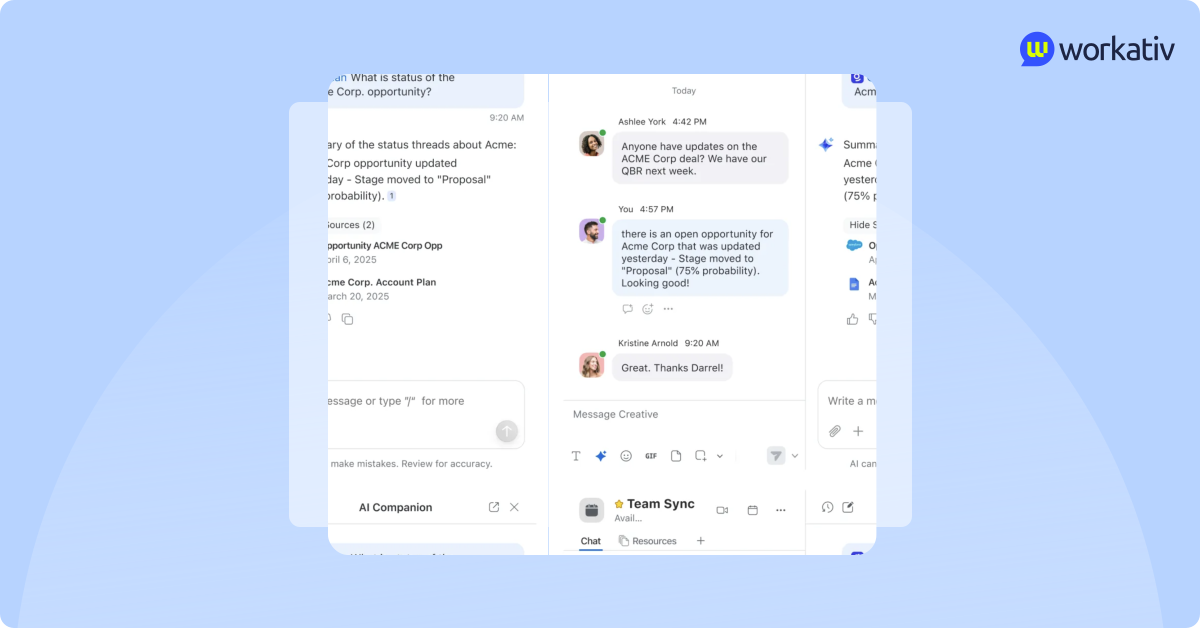
On top of search, Glean offers an AI assistant experience.
Instead of just showing links, it can generate direct answers using internal knowledge. It can:
Summarize long documents into short insights
Pull key decisions from meeting notes
Draft responses using the company context
Combine information from multiple systems into one clear answer
This helps employees avoid reading multiple documents just to find one answer.
For teams that spend significant time searching for information, this assistant can significantly reduce search time.
Knowledge management
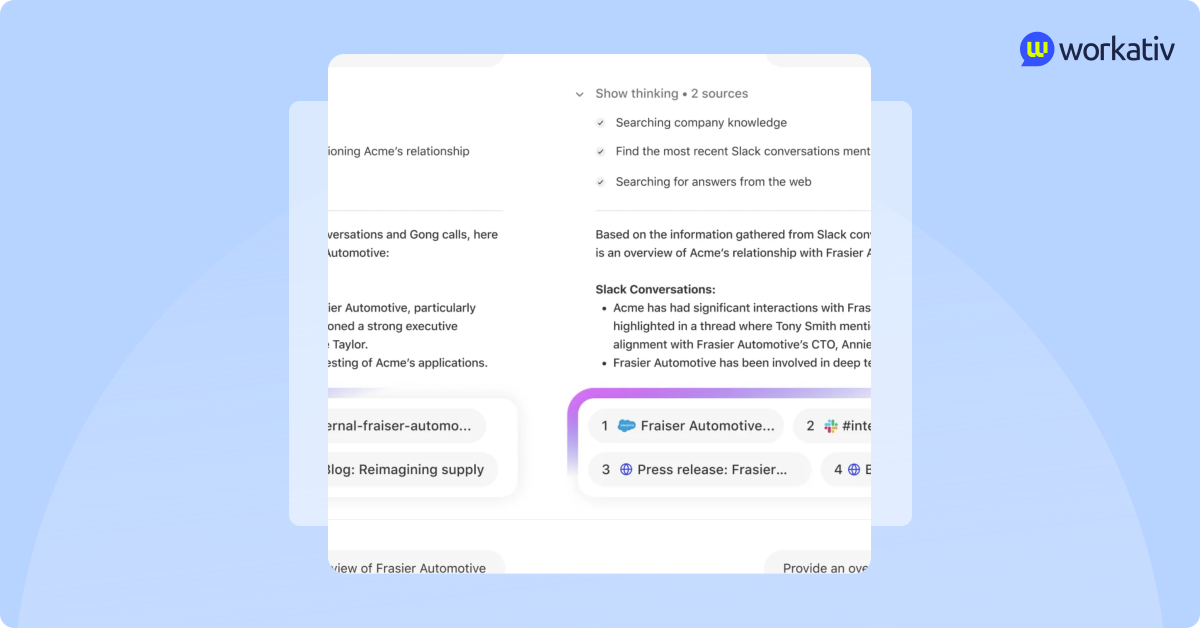
Beyond search, Glean positions itself as a centralized knowledge layer for the entire organization.
It doesn’t just index documents — it organizes and structures knowledge so employees can navigate company information more effectively.
This includes:
Connecting structured and unstructured knowledge sources
Identifying duplicate or outdated content
Highlighting authoritative sources
Making knowledge easier to discover and maintain
Instead of relying on employees to “know where things live,” Glean creates a single intelligent knowledge system across all tools.
This reduces confusion, especially in large enterprises where documentation is spread across multiple platforms.
Integrations
Glean’s value depends heavily on its integration ecosystem.
It connects with a wide range of business tools across communication, collaboration, engineering, CRM, and HR systems. Once connected, it indexes content and keeps it updated so search results reflect the latest information.
The more tools it connects to, the more complete the knowledge layer becomes.
However, its role remains focused on surfacing and organizing information rather than triggering actions across those systems.
Security
Security is a key focus for enterprise buyers, and Glean is built with that in mind.
It supports:
SOC 2 compliance
Single Sign-On (SSO)
Role-Based Access Control (RBAC)
Permission-aware indexing
This means employees only see what they are already allowed to see in the original system. Glean mirrors existing permissions rather than creating new access risks.
For large organizations dealing with sensitive HR, legal, or financial data, this permission-aware model is critical.
Glean excels at making company knowledge searchable, contextual, and easier to consume. Its biggest strength lies in helping employees find and understand information quickly.
Where Glean falls short
Glean is strong at organizing and surfacing company knowledge. But when companies start measuring real resolution speed — not just search experience — certain limitations become clearer.
Stops at surfacing information
Glean is very good at bringing the right document, chat, or policy to the surface. It can even summarize content and provide contextual answers. But in most cases, it stops at information delivery.
If an employee needs to reset a password, request tool access, update a support ticket, or complete an approval, Glean may guide them to the right place — but it usually does not execute the action itself. Employees still have to move into other systems or wait for support teams.
Limited workflow automation
Although Glean integrates with many business applications, its focus remains search and knowledge discovery. It does not deeply automate multi-step workflows like onboarding tasks, hardware provisioning, leave approvals, or ticket lifecycle management.
For organizations looking to reduce manual IT and HR workload, this limitation becomes important.
No deep IT ticket lifecycle execution
Glean can help employees find answers related to IT policies or past tickets. However, it is not designed to manage the entire service process — from ticket creation to updates, escalations, and final closure.
This means more complex or action-driven issues still depend on human teams.
Pricing not aligned to outcomes
Glean typically follows enterprise, quote-based pricing. Costs are often tied to user access rather than actual resolution outcomes such as tickets deflected or workflows automated.
For companies focused on measurable ROI, pricing that scales with headcount instead of performance can make cost justification more challenging over time.
Glean pricing
Glean follows a traditional enterprise pricing model.
What is Moveworks?
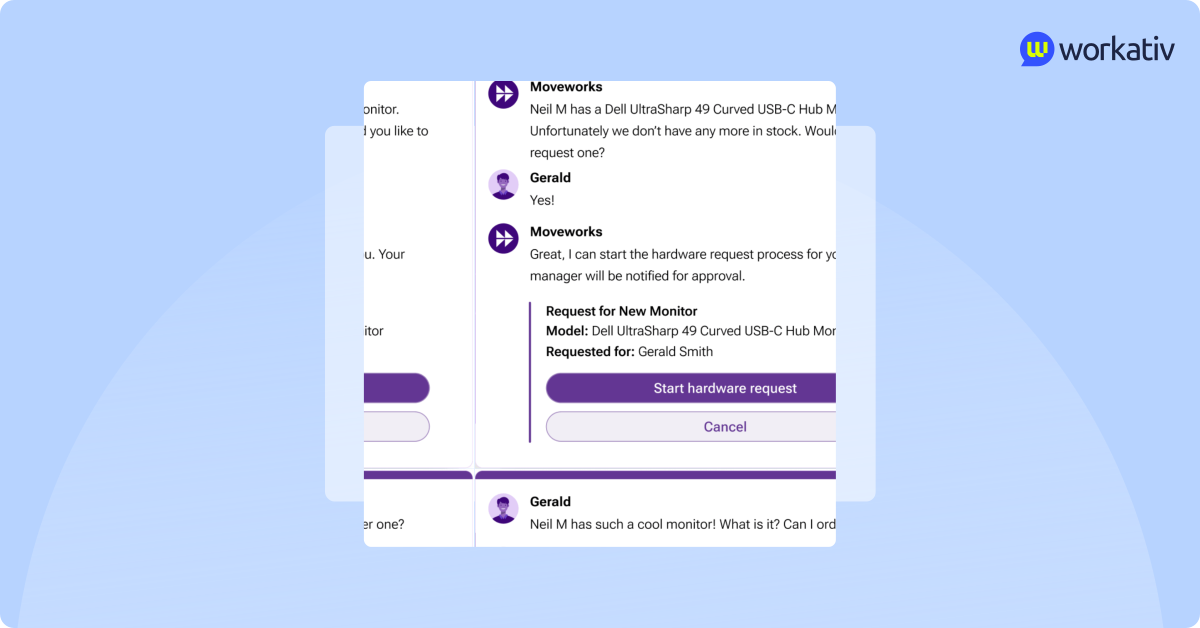
Moveworks is an enterprise AI automation platform designed to resolve employee issues automatically — especially in IT and HR.
Unlike tools that focus mainly on search, Moveworks is built around action. Its goal is simple: reduce ticket volume and solve common employee requests without human intervention.
Employees can interact with Moveworks directly inside tools like Slack or Microsoft Teams and ask questions such as:
“Reset my password”
“I need access to Salesforce”
“What’s the status of my ticket?”
“How many vacation days do I have left?”
Behind the scenes, Moveworks uses conversational AI and a reasoning engine to understand intent and trigger workflows in connected systems like ServiceNow or Jira.
It is best known for IT support automation—helping companies deflect repetitive tickets and resolve structured requests faster.
Moveworks focuses less on information retrieval and more on executing supported workflows to resolve employee issues quickly.
How Moveworks’ acquisition by ServiceNow makes a difference for buyers?
In March 2025, ServiceNow announced a definitive agreement to acquire Moveworks, combining ServiceNow's agentic AI and automation strengths with Moveworks' front-end AI assistant and enterprise search technology. The deal, valued at roughly $2.85 billion, closed in December 2025, when ServiceNow folded Moveworks' front-end AI assistant, enterprise search, and agentic Reasoning Engine into the broader ServiceNow AI platform.
What this means for buyers evaluating Moveworks today
The road map is now tied to ServiceNow. Moveworks is no longer developing as an independent company. Its front-end assistant, search layer, and reasoning engine are being positioned as the conversational "front door" to the ServiceNow platform rather than a standalone product line. Buyers should expect feature development to prioritize ServiceNow ecosystem integration over standalone roadmap requests.
The Moveworks pricing structure
Pricing will likely shift toward ServiceNow bundling. Moveworks previously sold on its own quote-based, per-employee contracts. Post-acquisition, expect pricing to move toward ServiceNow's existing enterprise licensing structure, which historically bundles modules into broader platform contracts. Buyers already paying for ServiceNow ITSM may see bundling incentives; buyers without ServiceNow should clarify whether Moveworks remains purchasable as a standalone product going forward.
The new dimension of enterprise support for Moveworks buyers
Support, SLAs, and account management are transitioning to ServiceNow's enterprise support structure. This can be a plus for existing ServiceNow customers (one vendor relationship) but a consideration for companies that chose Moveworks specifically because it worked independently of any single ITSM vendor — that independence is effectively gone.
Best fit narrows toward ServiceNow shops
Given the acquisition, Moveworks is increasingly the natural choice for organizations already standardized on ServiceNow for ITSM, and a less obvious choice for companies on Jira Service Management, Zendesk, or other ITSM platforms who want vendor-neutral automation.
Moveworks features
Moveworks is not just a chatbot or a search tool. It is designed as a virtual support agent that resides within Slack or Microsoft Teams and automatically handles employee requests.
Its main focus is IT and HR automation. Instead of employees submitting tickets and waiting hours (or days) for a response, Moveworks aims to understand requests instantly and either resolve them on the spot or trigger the right workflow in connected systems.
The platform combines conversational AI, a reasoning engine, and deep integrations with service management tools to reduce repetitive workload for support teams.
Moveworks tries to move companies from “ticket-based support” to “AI-based resolution.”
Key features:
AI agents for IT and HR
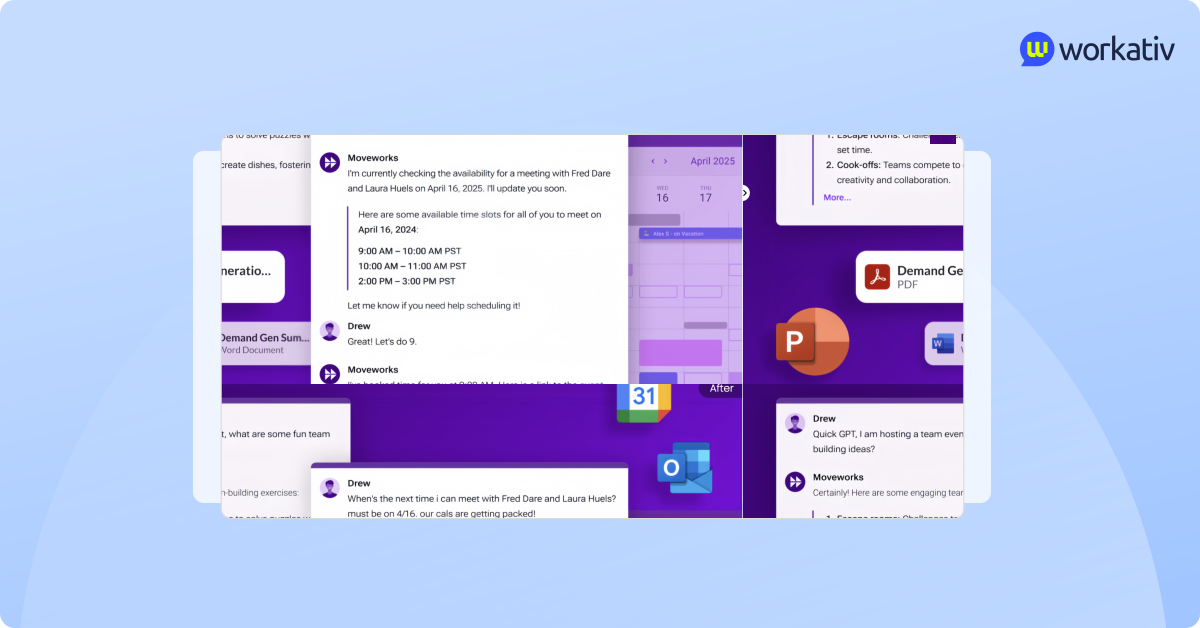
Moveworks deploys conversational AI agents that interact directly with employees inside chat platforms. These agents are trained to handle common workplace requests, including password resets, access requests, software issues, and HR policy questions.
Instead of routing every issue to a support team, the AI agent attempts to resolve structured and repeatable requests automatically. When fully supported, it can complete tasks without human involvement, helping reduce ticket volume and response time.
Knowledge management and understanding
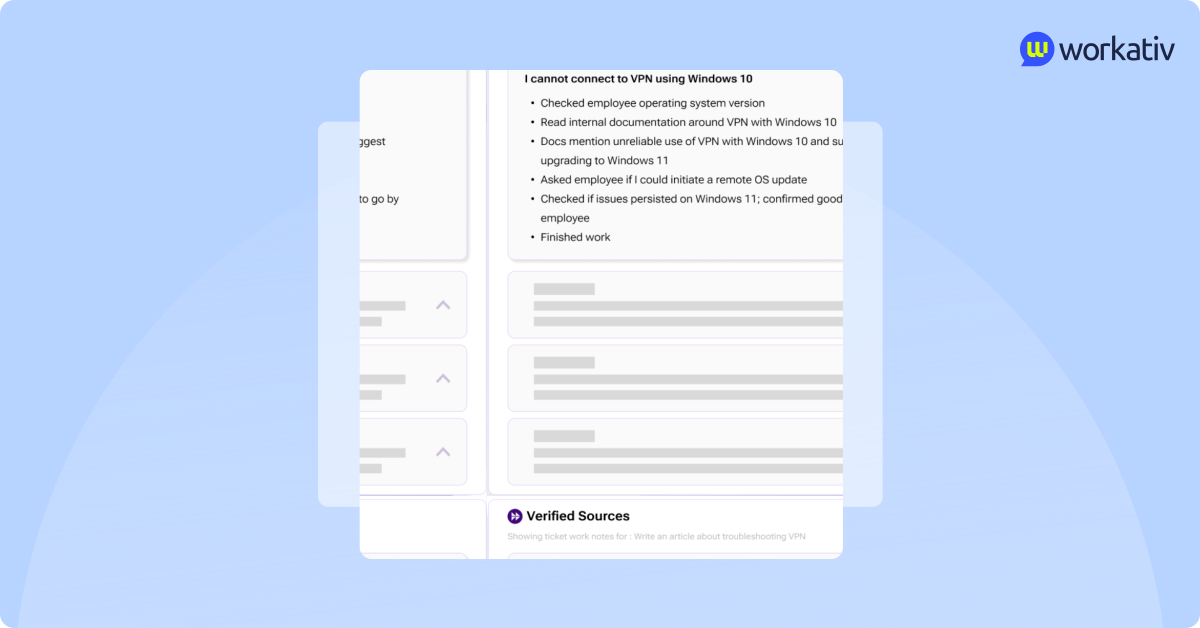
Moveworks connects to enterprise knowledge bases, helpdesk articles, and internal documentation. It uses this knowledge to provide contextual answers or guide workflows.
Rather than simply surfacing documents, it tries to match user intent with the most relevant solution. If the issue can’t be automated, it can still provide knowledge-based guidance before escalating.
AI assistant with reasoning
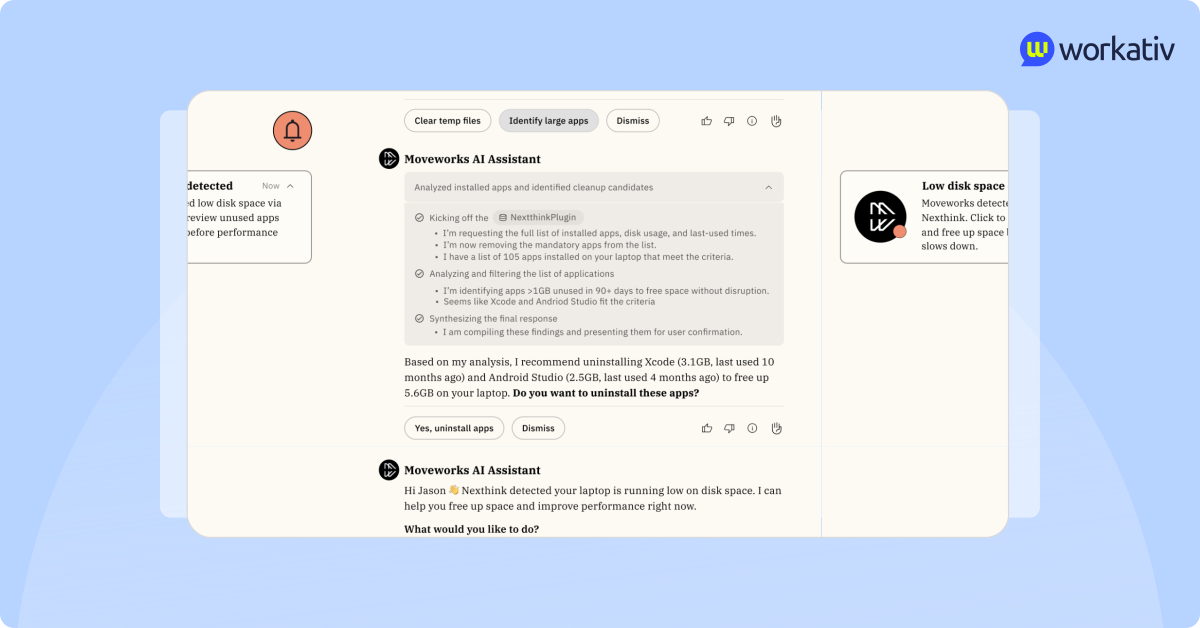
A major strength of Moveworks is its reasoning layer.
The platform interprets employee intent from natural language questions and determines the appropriate next step. For example, if an employee says, “I can’t log into my laptop,” the system analyzes whether it’s a password issue, account lockout, or device problem — then triggers the correct supported workflow.
This reasoning capability improves automation accuracy, especially in structured IT and HR scenarios.
Real-time service management integration
Moveworks integrates deeply with IT service management systems like ServiceNow and Jira Service Management.
This allows it to:
Create and update tickets
Check ticket status
Trigger workflow actions
Sync resolution data in real time
Because of these integrations, Moveworks can function as a virtual service desk agent inside chat platforms.
Cross-platform integration
Moveworks works within collaboration tools employees already use, such as Slack and Microsoft Teams.
Instead of asking employees to log in to a separate portal, it automates their daily workflow. This improves adoption and reduces friction, since employees can request help without switching systems.
Enterprise-grade security and governance
Moveworks is built for large enterprises and supports security standards, including SSO, access controls, and compliance frameworks.
It is designed to operate within existing permission structures, ensuring that automation actions align with enterprise governance policies.
Moveworks is focused on structured automation and ticket resolution. Its strength lies in handling repeatable IT and HR workflows through conversational AI and deep service management integrations.
Where Moveworks falls short
Moveworks is strong at structured IT and HR automation. But when companies evaluate long-term flexibility, cost, and cross-department scalability, a few limitations often come up.
Heavy enterprise rollout
Moveworks is typically deployed in large enterprises with complex IT environments. Implementation can require structured setup, workflow configuration, and alignment with ITSM systems. This makes it powerful — but not always fast to deploy.
For mid-sized companies or fast-moving teams, rollout cycles can feel long.
Best suited for structured use cases
Moveworks performs well for repeatable, predefined workflows such as password resets and access requests. But when requests fall outside supported scenarios, automation may break or require manual intervention.
Edge cases can still depend heavily on support teams.
Limited flexibility beyond IT and HR
Moveworks is strongest in IT service automation. Expanding into finance, facilities, legal, or custom internal workflows may require additional configuration and structured setup.
It is not always as flexible across departments as companies expect.
Per-user enterprise pricing model
Moveworks pricing typically scales based on the number of employees. This means that as your company grows, your cost grows, regardless of how many tickets are actually resolved by AI.
For companies focused on cost-to-outcome efficiency, per-user pricing can become expensive over time.
Moveworks pricing
Moveworks does not publicly list its pricing on its website. Like many enterprise platforms, it follows a custom, quote-based pricing model
Glean vs Moveworks: Feature comparison for faster resolutions
Feature | Glean | Moveworks (ServiceNow) | Workativ |
|---|---|---|---|
AI search accuracy | Yes — strong semantic search across 100+ connectors | Partial — search exists but is secondary to automation | Yes — RAG-based contextual search with source grounding |
Workflow automation | No — limited to surfacing info, not executing it | Yes — strong for structured IT/HR workflows | Yes — across 100+ integrations, IT/HR/Finance/Ops |
HR integrations | Partial — indexes HR docs/policies, no execution | Yes — native HR ticketing and request automation | Yes — leave, onboarding, policy Q&A, approvals |
IT integrations | Partial — search-only across ITSM content | Yes — deep ServiceNow/Jira Service Management integration | Yes — ticket creation, updates, status checks, resolution |
Implementation time | Moderate (weeks, permission mapping required) | Long (enterprise rollout, often months) | Fast (weeks) |
Pricing model | Per-user, quote-based, ~100-seat minimum | Per-employee, quote-based, now ServiceNow-bundled | Usage-aligned, scales with actual automation volume |
Why are enterprises searching for a Glean vs Moveworks alternative?
If you look at what buyers are searching today, one thing is clear: companies are no longer just comparing Glean and Moveworks.
They are actively seeking better alternatives because, once these platforms are implemented, real-world use often reveals gaps between expectations and outcomes.
Here are the most common evaluation triggers.
Slower resolution than expected
Both platforms promise faster employee support. But actual resolution speed depends on how many workflows are fully automated and how well the system handles real-world scenarios.
If automation coverage is limited, employees still get routed to support teams. Resolution time does not improve as much as expected.
Manual intervention for edge cases
AI works well for structured and repeatable tasks. But when employee requests fall outside predefined flows, manual intervention is required.
Edge cases, department-specific requests, or exceptions often expose automation limits.
High per-user pricing
Moveworks typically follows a per-user enterprise pricing model. As headcount grows, cost grows. This happens even if ticket volume stays the same.
For companies seeking pricing aligned with performance and outcomes, this model can become costly over time.
Opaque enterprise contracts
Both platforms operate on a custom, quote-based pricing model. Buyers must go through sales discussions to understand the total cost.
For organizations that prefer transparent pricing, this slows the evaluation process.
Long deployment cycles
Enterprise-grade platforms often require structured implementation, integration setup, and workflow configuration.
While powerful after launch, deployment can take months in complex environments.
Limited flexibility beyond IT
Moveworks is strongest in IT and HR automation. Glean is strongest in enterprise search.
But when companies want to expand automation into finance, procurement, facilities, or operations, flexibility becomes a key factor.
This is why many enterprises are no longer asking only, “Glean or Moveworks?”
They want to know if there is a platform that combines accurate search, real automation, faster deployment, and better cost alignment.
Introducing Workativ: A faster, more flexible alternative
If you are evaluating a Moveworks alternative or a Glean alternative, the goal is simple: faster resolutions without adding complexity.
This is where Workativ positions itself differently.
Instead of choosing between strong search and structured IT automation, Workativ combines both in one AI enterprise automation platform. It is built to help organizations not only find answers but also complete actions—all within the tools employees already use.
What is Workativ?
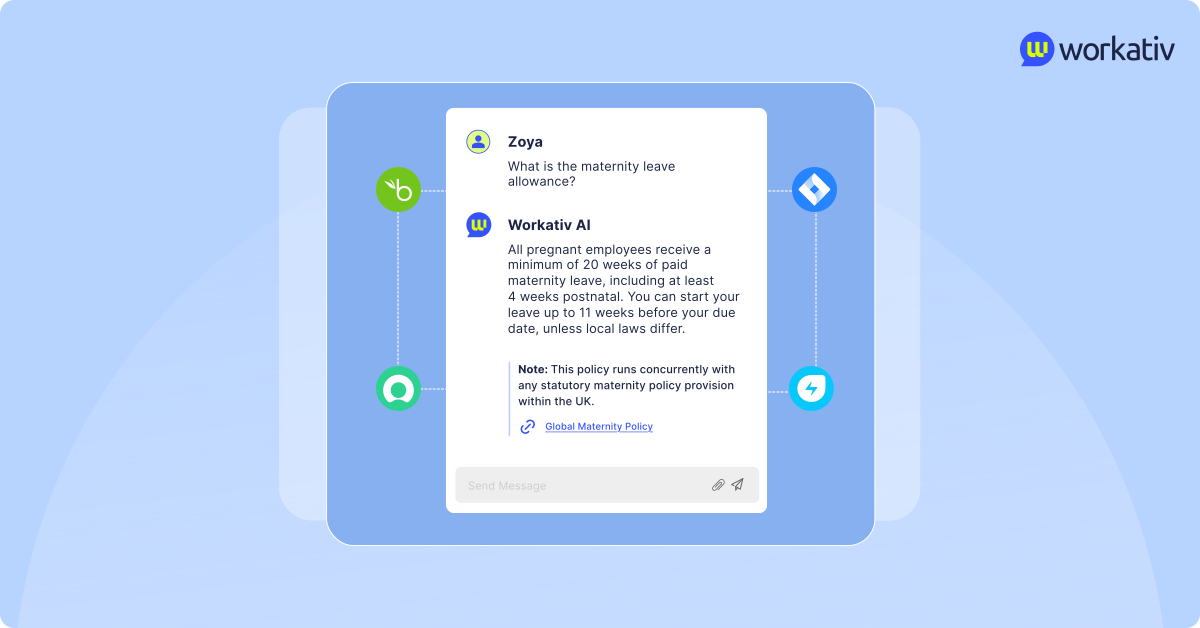
Workativ is an AI-powered enterprise automation platform designed to improve employee productivity and reduce support workload across departments.
It combines:
Enterprise search for accurate knowledge access
Advanced RAG-based Knowledge AI for contextual answers
AI workflow execution that completes real tasks
Cross-department automation beyond just IT
Unlike platforms that focus only on search or only on ticket automation, Workativ connects knowledge and action in a single system.
It is designed for:
IT
Automate password resets, access requests, ticket creation, status checks, and troubleshooting workflows.
HR
Answer policy questions, manage leave queries, handle onboarding tasks, and trigger approvals.
Finance
Support expense queries, procurement requests, and finance-related workflows.
Operations and other departments
Build custom AI agents for internal processes without heavy engineering effort.
Workativ is built for companies that want both accurate answers and real execution without long enterprise rollout cycles or rigid pricing models.
Where Workativ outperforms Glean and Moveworks
When companies compare Workativ with Glean and Moveworks, the difference becomes clear in one area: combining accurate knowledge with real execution.
Here is where Workativ stands out.
AI enterprise search with advanced RAG
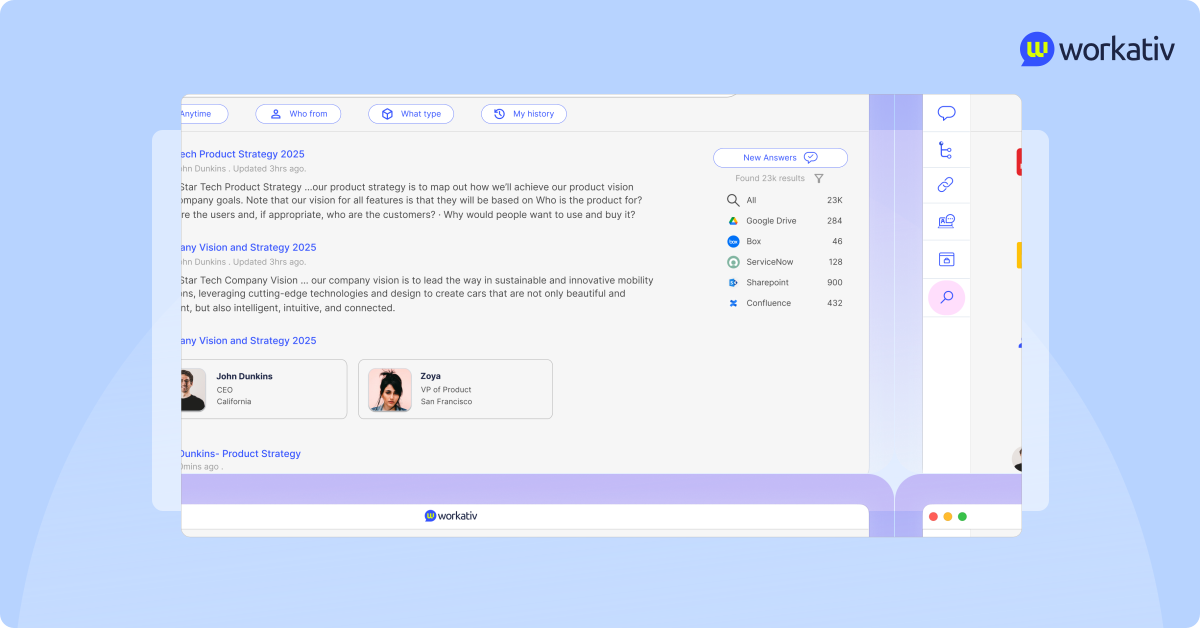
Workativ uses advanced RAG-based retrieval to deliver context-aware answers. Instead of simply indexing content, it understands the domain and prioritizes authoritative sources.
This leads to:
Fewer irrelevant search results compared to traditional enterprise search
Reduced hallucinations through controlled knowledge grounding
Better accuracy when answering department-specific questions
Unlike search-first platforms, the goal is not just to find documents but to provide precise, reliable answers.
Knowledge AI with smarter retrieval
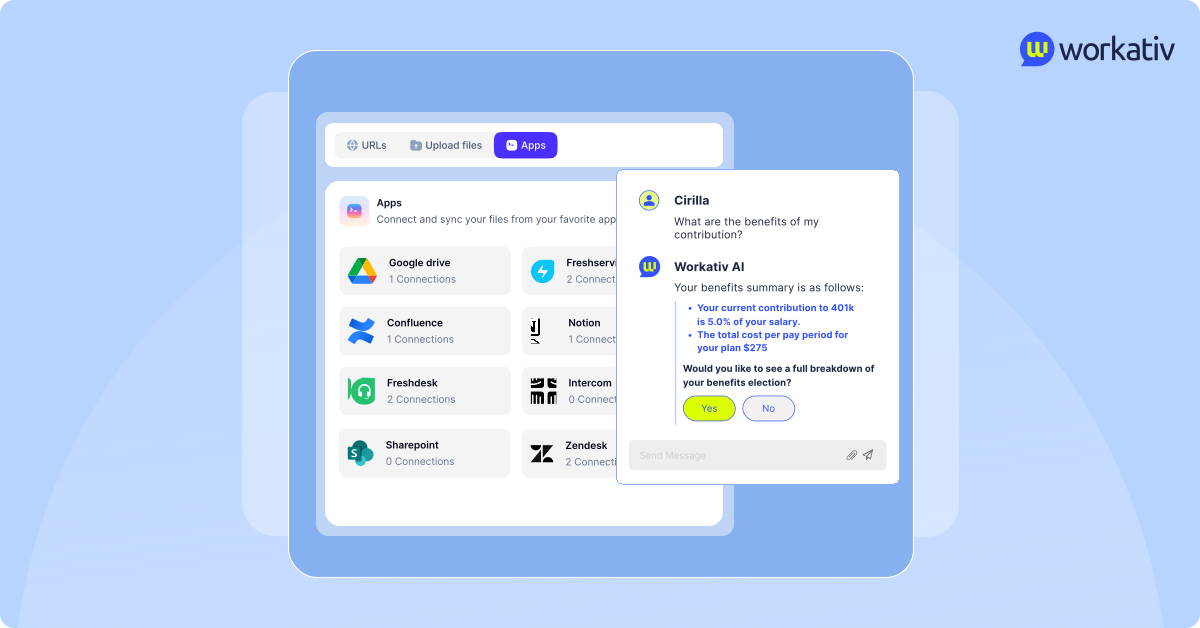
Workativ supports multi-source ingestion across structured and unstructured data. It can connect to policy documents, ticket systems, databases, and collaboration tools.
It also supports date-aware retrieval, ensuring responses are based on the most recent and valid information.
This reduces confusion caused by outdated policies or duplicate documents.
AI app workflow automation
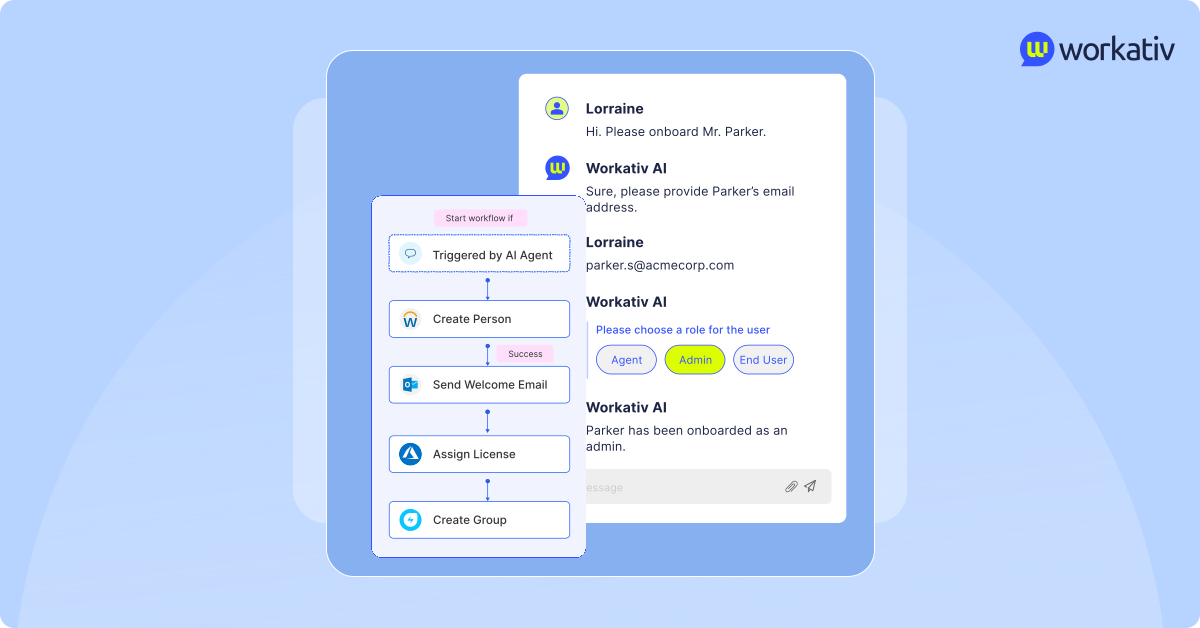
This is where Workativ moves beyond search.
It executes workflows across 100+ integrations. That means it can:
Create, update, and close tickets
Trigger approvals
Provision access
Check ticket status
Complete multi-step internal processes
Instead of redirecting employees to other systems, it completes the action inside the conversation.
AI agent builder with no-code and low-code flexibility
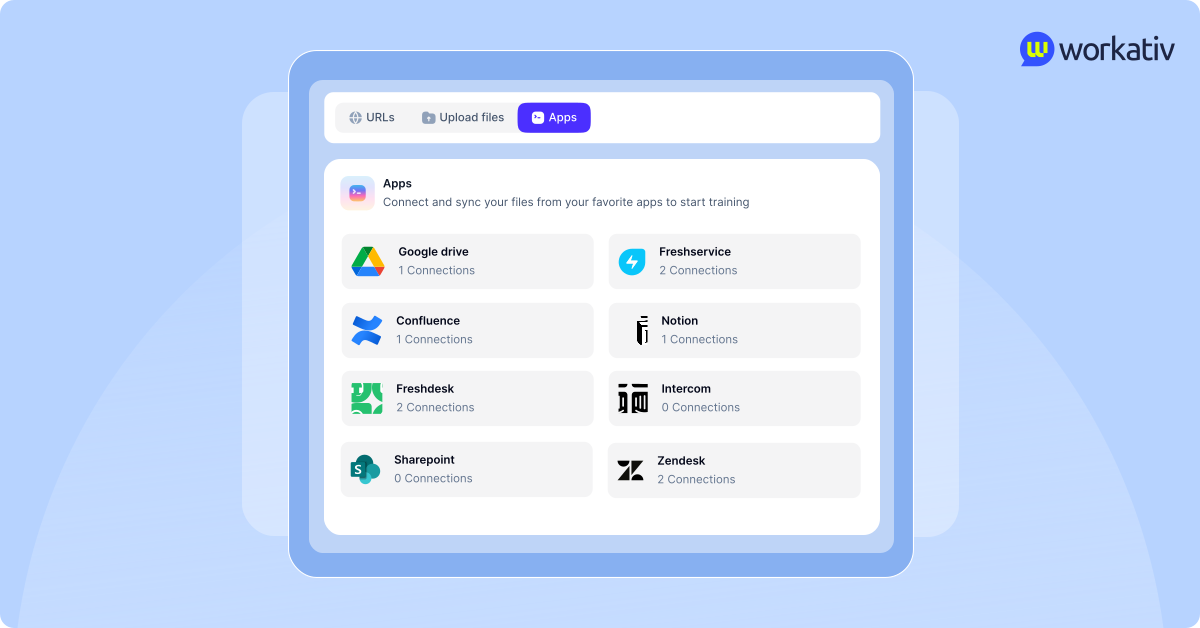
Workativ provides an AI agent builder that allows teams to create custom agents without heavy engineering dependency.
Teams can:
Configure workflows for different departments
Adjust logic and automation rules
Deploy new use cases quickly
Compared to enterprise-heavy rollout cycles, this enables faster iteration and broader adoption across departments.
Shared live chat inbox
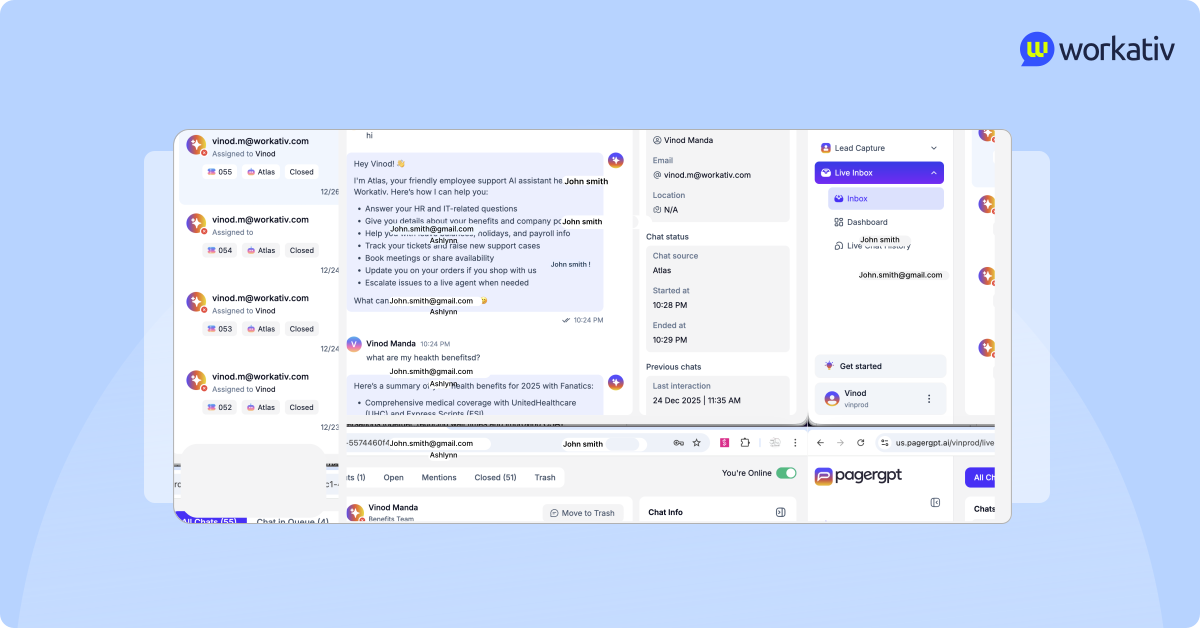
Workativ includes a shared live chat inbox that allows seamless AI and human collaboration.
If the AI cannot resolve a request, it can escalate the conversation to a human agent. Support teams can view conversations in one unified interface, respond directly, and maintain full context.
This creates a consistent employee experience without fragmented communication.
Multi-lingual support
Workativ supports multi-language interactions, making it suitable for global organizations with distributed teams.
Employees can interact in their preferred language, improving adoption and accessibility.
Security and governance
Workativ is built with enterprise-grade security and governance controls, including:
Role-Based Access Control
Single Sign-On
Audit logs and compliance standards
It aligns with enterprise data protection requirements while maintaining flexibility.
Transparent, usage-aligned pricing
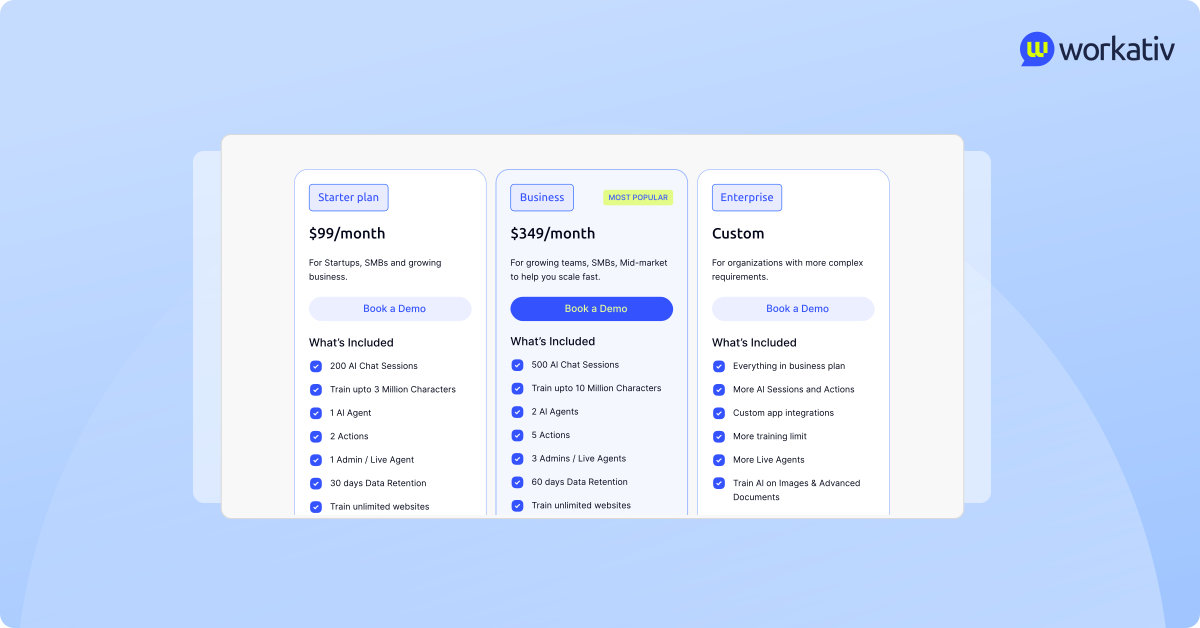
Unlike per-employee pricing models, Workativ offers usage-aligned pricing, costs scale based on actual usage rather than headcount.
This makes ROI easier to measure and budgeting more predictable, especially for growing organizations.
Workativ combines accurate enterprise search, flexible automation, faster deployment, and predictable pricing, bridging the gap between knowledge discovery and real issue resolution.
Glean vs Moveworks vs Workativ — Resolution speed compared
When companies evaluate platforms, the real question is not just features. It is the resolution speed.
How fast does an employee get an answer?
How often is a ticket fully resolved without human involvement?
How long does it take to deploy and see value?
Let’s take a look.
Here is a clear comparison between Glean, Moveworks, and Workativ based on real-world resolution factors.
Resolution speed comparison matrix
When comparing Glean and Moveworks, it is important to separate response speed from resolution speed.
Glean is faster when the employee problem is knowledge-based: finding a policy, locating a document, summarizing internal information, or reducing time spent searching across apps. Moveworks is faster when the employee problem is action-based: resetting a password, checking ticket status, provisioning access, or resolving a repeatable IT or HR request.
The difference matters because a fast answer is not always the same as a resolved issue.
Published resolution and productivity benchmarks
Benchmark | Glean | Moveworks | What it means |
|---|---|---|---|
Search/productivity time saved | A Forrester TEI study commissioned by Glean reported up to 110 hours of productivity gain per employee per year from search and generative AI improvements. | Not the primary benchmark Moveworks emphasizes. | Glean is strong when the issue is “I need to find the right information quickly.” |
Onboarding speed | The same Forrester TEI study reported 36 hours faster onboarding per new hire. | Moveworks can support onboarding-related service requests, but public benchmarks are more focused on ticket deflection and IT/HR support automation. | Glean helps new employees find company knowledge faster. |
Search time saved | Super.com reported that Glean saved employees an average of 20 minutes per day, adding up to more than 1,500 hours saved each month, and reduced new-hire onboarding time by 20%. | Not directly comparable. | Glean improves knowledge discovery speed, especially in remote or tool-heavy organizations. |
IT ticket resolution speed | Glean can help employees find IT knowledge, but it is not primarily built to close IT tickets end-to-end. | Moveworks says West Monroe cut IT resolution time from days to minutes, resolving 8,000 tickets, accelerating 4,000 more, and saving $1.4M annually. | Moveworks has stronger proof for automated IT issue resolution. |
Ticket volume reduction | Glean may reduce repetitive questions by improving search access, but public benchmarks are more productivity-focused than ticket-closure-focused. | BambooHR reported an approximately 30% reduction in helpdesk tickets, with many tier-one tasks resolved autonomously within minutes. | Moveworks performs better when the goal is reducing support queue volume for repeatable requests. |
User review signals | G2 reviewers commonly praise Glean for making information easier to find across tools and saving time, though some mention that results can sometimes feel broad and require extra filtering. | G2 reviewers praise Moveworks for faster IT/HR support and quicker resolution of common requests, but also note that complex or uncommon issues may still require human escalation. | Both improve speed, but in different ways: Glean speeds up search; Moveworks speeds up structured support workflows. |
So, which resolves issues faster?
Moveworks has the strongest public proof for ticket resolution speed because its benchmarks focus on IT and HR automation, ticket deflection, and autonomous resolution. For repeatable requests such as password resets, access provisioning, ticket updates, and tier-one support, Moveworks is more likely to reduce resolution time from hours or days to minutes.
Glean has the strongest public proof for knowledge discovery speed. Its value shows up when employees need to find the right document, understand a policy, summarize internal information, or reduce time wasted searching across Slack, Google Drive, Jira, Confluence, and other workplace tools.
Glean vs Moveworks: Which One Is Right for You?
Here in this section, we will discover a detailed description on which platform is right for you.
Choose Glean if your core problem is that employees can't find information
Glean is the right choice when knowledge fragmentation — not ticket volume — is your biggest pain point. If your employees are spending significant time hunting through Slack, Google Drive, Confluence, Jira, SharePoint, and email just to find a policy document, a past decision, or an answer that already exists somewhere, Glean solves that problem better than anything else in this category.
Choose Glean specifically if:
Your organization uses ten or more SaaS tools and employees regularly complain that they don't know where to look for information. Glean's cross-tool semantic search is built exactly for this environment — it pulls from all connected sources and returns contextual answers rather than a list of links to click through.
You have a large, distributed workforce where onboarding new employees takes too long because institutional knowledge lives in too many places. Glean claims up to 36 hours saved per new hire during onboarding by centralizing knowledge access, and G2 reviewers consistently confirm that "becoming a homepage for work" is the most praised real-world outcome.
Your IT and legal teams have strict permission requirements and you cannot risk employees surfacing content they shouldn't see. Glean mirrors existing access controls across every connected system — it does not create new permissions, it enforces the ones already in place.
You're a large enterprise (typically 1,000+ employees) with the budget for per-user enterprise licensing. Glean's pricing starts at roughly $50 per user per month with a 100-seat minimum, which means it is not practical for smaller teams and is priced as a strategic infrastructure investment rather than a departmental tool.
Your primary ROI metric is time saved searching and reduced knowledge duplication — not ticket deflection rates or automation coverage.
Do not choose Glean if your employees are not just struggling to find answers but need the system to actually do something after finding them — reset a password, raise a ticket, approve a request, provision access. Glean will surface the right information, but the action still happens somewhere else.
Choose Moveworks if you're a ServiceNow shop that needs IT ticket automation at scale
Moveworks — now part of ServiceNow following the completion of the acquisition in December 2025 — is the right choice when ticket volume, not knowledge discovery, is the problem. If your IT and HR teams are drowning in repetitive, structured requests that could be resolved without human intervention, and if you are already using ServiceNow as your ITSM backbone, Moveworks delivers the highest automation depth of any platform in this comparison.
Choose Moveworks specifically if:
You are standardized on ServiceNow for IT service management. Post-acquisition, Moveworks is being positioned as the conversational front door to the ServiceNow platform. If ServiceNow is already your system of record for IT, adding Moveworks is a natural extension rather than a new vendor relationship. The deep native integration between the two products is now the clearest competitive advantage Moveworks holds.
Your IT help desk handles high volumes of the same types of requests repeatedly — password resets, access requests, software provisioning, account unlocks. These are the scenarios Moveworks handles best. G2 reviewers from enterprise deployments report up to 50% reduction in ticket volume over multi-year deployments, with IT service desk savings covering the full cost of the contract.
You have a large enterprise budget and a structured IT organization capable of handling a multi-month rollout. Moveworks is not a fast-deploy tool. Implementation requires workflow configuration, knowledge base alignment, and ITSM integration setup. Teams that invest in this upfront see strong outcomes. Teams that expect quick time-to-value often find the ramp frustrating.
Your primary success metric is ticket deflection rate and resolution time for IT and HR requests specifically. If you need to show a reduction in Level 1 support volume as a measurable KPI, Moveworks has the most published data in this category to support that business case.
Do not choose Moveworks if you are not on ServiceNow or do not plan to be — the acquisition meaningfully narrows the independence of the platform and future roadmap investment will increasingly reflect ServiceNow priorities rather than standalone Moveworks development. Also avoid if you need automation to extend easily into Finance, Facilities, or custom internal workflows beyond IT and HR without heavy vendor-assisted configuration.
Choose Workativ if you need both search and execution without enterprise-scale lock-in
Workativ is the right choice when the real problem is that Glean stops at surfacing an answer and Moveworks only automates a predefined list of IT and HR tasks — and you need a platform that closes the loop on both in one system, faster, and at a pricing model that scales with actual usage rather than headcount.
Choose Workativ specifically if:
You want accurate, contextual answers and completed workflows in the same conversation, without the employee needing to leave the chat and go trigger an action in another system. Workativ combines RAG-based knowledge retrieval with end-to-end workflow execution across 100+ integrations — the answer and the action happen in the same interaction.
You need automation across departments beyond IT and HR. Workativ is built for IT, HR, Finance, and custom operational workflows, with a no-code and low-code AI agent builder that lets your team configure new use cases without engineering dependency or a vendor implementation cycle.
You are not yet on ServiceNow — or you are on it but do not want your employee support layer to be locked into a single ITSM vendor's roadmap. Workativ integrates with major ITSM tools without requiring ServiceNow as the underlying engine.
Your team needs to go live in weeks, not months. Workativ is designed for faster deployment than either Glean or Moveworks, making it more practical for companies with immediate productivity targets or limited implementation runway.
Your procurement team is frustrated by headcount-based pricing that grows regardless of whether automation outcomes scale with it. Workativ's usage-aligned pricing means your cost is closer to a function of what the platform actually resolves, which makes ROI easier to measure and predict.
Do not choose Workativ if your organization's primary need is purely deep enterprise knowledge search at the scale of Glean — if you have 5,000 employees and hundreds of documentation sources and the only problem is discoverability with no action layer needed, Glean's depth of indexing and permission architecture is more mature for that specific use case.
Quick reference:
Your situation | Best fit |
|---|---|
Employees can't find information across tools | Glean |
High IT/HR ticket volume, already on ServiceNow | Moveworks |
Need both search and workflow execution, faster go-live, usage-based pricing | Workativ |
Not yet on ServiceNow, want vendor-neutral automation | Workativ |
Large enterprise, strict permission controls, knowledge-only use case | Glean |
Repeatable IT requests at scale, proven deflection data needed | Moveworks |
Glean vs Moveworks vs Workativ: Pricing Compared
Pricing is consistently the most searched topic on comparison pages — and it's the most frequently left unanswered. All three platforms operate differently when it comes to how they charge, what's included, and how costs scale over time. Here's what buyers can reasonably expect before entering a sales conversation.
Overview: How Each Platform Prices
| Glean | Moveworks (ServiceNow) | Workativ |
|---|---|---|---|
Pricing model | Per user, per month | Per employee, per year | Per session (usage-based) |
Public pricing | No | No | Yes |
Starting cost | ~$50/user/month (estimated) | ~$100–200/employee/year (estimated) | $99/month (Starter) |
Minimum contract | ~100 seats (~$60,000/year minimum) | Enterprise contract, typically six figures annually | No seat minimum |
Free trial | No | No | No — book a demo to start |
Annual billing discount | Not publicly stated | Not publicly stated | 15% discount on annual billing |
Glean Pricing
Glean does not publish pricing on its website. Based on buyer-reported data aggregated from G2, TrustRadius, and enterprise procurement reviews, the typical cost structure is as follows.
Estimated costs:
Glean's enterprise search license starts at roughly $50 per user per month, with some buyers reporting figures closer to $75 per user per month depending on contract scope. A Work AI add-on for advanced generative AI capabilities is available at approximately $15 per user per month on top of the base license.
The minimum contract typically requires around 100 seats, putting the floor at roughly $60,000 per year just for licensing. Large enterprise deployments regularly exceed $240,000 annually, and when cloud infrastructure, onboarding, permission mapping, and ongoing administration are factored in, total cost of ownership for mid-to-large deployments can run between $350,000 and $480,000 per year.
Glean also requires a paid proof of concept for organizations that want to test the platform with real company data before committing — this can cost up to $70,000 before a full contract is signed. There is no self-serve or free trial option.
Renewal price increases of 7–12% are reported by buyers, which makes long-term budgeting unpredictable without a negotiated renewal cap in the initial contract.
What's typically included at the base tier:
Enterprise search across connected tools
Permission-aware indexing (mirrors existing access controls)
AI assistant for summarization and Q&A
SSO and RBAC
Standard integrations (Slack, Google Drive, Confluence, Jira, and others)
Support fees are reported as mandatory at approximately 10% of annual contract value
What requires additional budget:
Work AI / generative AI features (~$15/user/month add-on)
Paid proof of concept for pre-contract testing
Infrastructure and cloud hosting costs (mid-sized deployments reported at $10,000+ per month)
Onboarding, configuration, and relevance tuning
Bottom line for buyers: Glean is priced as a strategic enterprise infrastructure investment. It is not practical for teams under 100 people and is expensive to evaluate before committing.
Moveworks Pricing
Moveworks does not publish pricing on its website and has never offered a self-serve or free trial option. Following the completion of its acquisition by ServiceNow in December 2025, pricing is increasingly expected to shift toward ServiceNow's enterprise bundling model, though Moveworks has historically operated on its own contract structure.
Based on aggregated third-party reviews and customer disclosures, Moveworks has typically charged in the range of $100 to $200 per employee per year. While this sounds modest in isolation, the total cost of ownership climbs quickly once implementation support, workflow setup, integration work, knowledge tuning, and ongoing administration are included. Mid-sized organizations regularly report six-figure annual contracts as the effective spend.
Buyers evaluating Moveworks post-acquisition should specifically clarify: whether Moveworks is still purchasable as a standalone product outside a ServiceNow bundle, how pricing will be structured for existing ServiceNow customers versus non-ServiceNow shops, and what implementation and support costs look like under the new ownership structure.
What's typically included:
Conversational AI agent (Slack and Teams)
IT and HR workflow automation for supported use cases
ServiceNow and Jira Service Management integration
Enterprise search with reasoning engine
SSO, access controls, compliance frameworks
Implementation and onboarding support (often required and included in contract negotiation)
What requires additional budget or effort:
Custom workflow configuration beyond predefined IT/HR use cases
Vendor-assisted setup for each new automation scenario
Integration work for non-ServiceNow environments
Ongoing administration and fine-tuning (multiple G2 reviewers note this is time-consuming)
Bottom line for buyers: Moveworks is priced for large enterprise budgets. Post-acquisition, the clearest value case is for organizations already on ServiceNow who want IT automation tightly integrated into that ecosystem. For everyone else, clarify standalone pricing before engaging the sales process.
Workativ Pricing
Workativ is the only platform in this comparison that publishes its pricing publicly. It uses a session-based model — costs scale with actual usage, not headcount — which makes it structurally different from both Glean and Moveworks.
Published plans (as of 2026):
Starter — $99/month Best for small teams, pilots, and proof-of-concept deployments.
200 AI chat sessions per month
Train up to 3 million characters of knowledge
1 AI agent
2 workflow actions
1 admin / live agent seat
30 days data retention
Business — $349/month (most popular) Best for growing teams, SMBs, and mid-market organizations.
500 AI chat sessions per month
Train up to 10 million characters of knowledge
2 AI agents
5 workflow actions
3 admin / live agent seats
60 days data retention
Enterprise — Custom pricing Best for large enterprises with complex, multi-department workflows.
Everything in the Business plan
More AI sessions and integrations
Custom app integrations
Higher training limits
More live agent seats
Train AI on images and advanced documents
A 15% discount applies to annual billing across all plans. There is no free trial, but a free demo is available with no credit card required.
Key takeaways:
Workativ is the only platform here where you can understand what you'll pay before speaking to sales. The session-based model is a meaningful structural difference for organizations frustrated by headcount-based pricing that grows regardless of how much automation is actually delivered. The Starter plan at $99/month also makes it the only option in this comparison that a mid-sized team can realistically evaluate without a six-figure budget conversation.
Side-by-Side: What You Get at Each Price Point
| Glean | Moveworks (ServiceNow) | Workativ |
|---|---|---|---|
Entry price | ~$60,000/year (100-seat minimum) | Custom — typically six figures | $99/month (Starter) |
Scales with | Number of employees | Number of employees | Number of sessions used |
Workflow execution included | No | Yes (structured IT/HR only) | Yes (100+ integrations, all tiers) |
Knowledge AI / search included | Yes | Yes | Yes |
Free trial available | No | No | No |
Pricing publicly listed | No | No | Yes |
Glean vs Moveworks: What Real Users Say
What users praise about Glean:
It cuts search time dramatically. Preetam J., a Senior Software Engineer at a mid-market company, rated Glean 5/5 and noted it cuts search time by more than 90% compared to individually searching every document line by line. The ability to access multiple resources across Jira, Google Drive, and internal documentation simultaneously is consistently cited as the platform's clearest productivity win.
Aggregates scattered knowledge into one picture. A G., a Senior Implementation Consultant at a mid-market company, rated Glean 5/5 and highlighted its ability to aggregate business knowledge scattered across Jira, Zendesk, and Slack — allowing support teams to form a complete picture of an issue without jumping between tools.
Easy integrations that support onboarding. Zainul A., a Program Manager at an enterprise of over 1,000 employees, rated Glean 4.5/5, noting that connecting enterprise apps like Slack and Google Sheets is straightforward. In his experience, Glean helped his team support new employee onboarding and manage tooling access requests more smoothly.
Chrome extension brings search into every workflow. Ana G., an Inside Sales Manager at a mid-market company, praised Glean's Chrome extension for letting her query it on any tab, toggle between internal and external data depending on what she needs, and get context-aware answers without having to copy-paste internal information the way she would with a standalone AI tool.
What users complain about
Slow and inconsistent response quality. Ana G. rated Glean 3/5 and described response speed as very slow. She also flagged a consistency problem: running the same prompt on different occasions produces different approaches to the answer — her specific example was Salesforce opportunity queries returning different field logic each time despite explicit instructions.
Agent accuracy breaks down even with complete prompts. Zainul A. noted that even when a prompt is fully instructed, the agent sometimes fails to deliver the correct result. He cited hyperlink handling as a specific failure — the agent frequently returns bare URLs instead of properly embedded hyperlinks, requiring manual cleanup.
Permission boundaries limit what individuals can access. Preetam J. pointed out that Glean is constrained by individual login permissions — teammates with GitHub access get better answers than those without, because Glean mirrors existing access controls rather than surfacing knowledge more broadly. For teams where knowledge should flow even when direct tool access isn't uniform, this creates a real gap.
Conflicting information from multiple sources. A G. noted that when pulling from multiple connected sources, Glean can surface conflicting or superseded information. His workaround was building an agent with guardrails to pull only from a single validated source — a workaround that most users should not need as standard practice.
What users praise for Moveworks
Chat-based support that removes ticket friction. Ankit S., an SME reviewer who rated Moveworks 3.5/5, captured the core value clearly: instead of raising tickets and waiting, employees can type their issue in chat and get quick help. The platform understands natural language without requiring technical phrasing, reducing workload for support teams and improving response time for common requests.
Resolves IT requests without manual intervention. Himanshu M., a software engineer at an enterprise of over 1,000 employees, rated Moveworks 4.5/5 and highlighted how seamlessly it integrates with Slack and Microsoft Teams — resolving issues without requiring a manual ticket. He specifically cited password resets, access requests, and ticket status checks as areas where it feels almost instant and cuts back-and-forth with support teams significantly.
Automates HR and IT workload accurately. Tharani K., an Associate Manager in Talent Acquisition at an enterprise of over 1,000 employees, rated Moveworks 4/5, noting it stands out for its ability to automate employee support requests quickly and accurately, reducing manual workload by resolving common HR and IT queries instantly through a conversational platform.
Frees up IT teams for higher-value work. Harsh S., a junior engineer at a mid-market company, rated it 4/5 and noted that automating repetitive IT tickets — routine user management and basic desktop troubleshooting — freed up bandwidth to focus on larger infrastructure projects and complex system implementations. That shift in where IT time goes is the measurable ROI most enterprise buyers are looking for.
What users complain about
Complex and edge-case queries still fail. This is the most consistent complaint across all four reviewers. Ankit S. noted that Moveworks sometimes doesn't fully understand complex or uncommon issues and responses can feel generic, especially when the query is not very clear. Himanshu M. echoed this: while it excels at common, repetitive requests, less frequent or more nuanced issues still require escalation to a human agent.
Initial setup takes longer than expected. Tharani K. noted that initial setup and customization can take time, especially for organizations with complex workflows or multiple systems, and that advanced features may require additional configuration and training. This mirrors the broader pattern in enterprise reviews: Moveworks performs well post-setup, but the path to that point is not lightweight.
Limited out-of-the-box support for customized environments. Harsh S. called out a specific limitation: handling highly specialized technical routing in custom enterprise environments or specific ERP systems still occasionally requires manual intervention. For standard IT workflows it performs well — for anything outside that scope, depth of integration becomes an issue.
Glean vs Moveworks: Integration Ecosystem Compared
Before choosing between Glean and Moveworks, buyers need to answer one practical question: does the platform connect to the tools our employees already use every day?
Both platforms offer strong enterprise integrations, but they use those integrations differently. Glean connects to workplace tools mainly to index, search, and summarize information. Moveworks connects to enterprise systems mainly to execute actions, automate requests, and resolve tickets.
That distinction matters because connector count alone does not tell the full story. A platform may connect to ServiceNow, Workday, or Slack, but the real question is whether it can only read information from those systems or also complete tasks inside them.
Integration comparison by category
Integration Category | Glean | Moveworks | What buyers should know |
|---|---|---|---|
Communication tools | Connects with Slack, Microsoft Teams, Google Chat, Gmail, Outlook, and other communication tools to make conversations and shared knowledge searchable. | Works inside Slack and Microsoft Teams as a conversational support agent where employees can ask for help and trigger supported workflows. | Glean is better for finding information across workplace conversations. Moveworks is stronger when Slack or Teams needs to become the front door for IT and HR support. |
ITSM platforms | Integrates with systems such as ServiceNow, Jira Service Management, Zendesk, and Freshservice mainly to index tickets, knowledge articles, and support content. | Offers deeper ITSM integrations, especially with ServiceNow and Jira Service Management, to create tickets, update ticket status, trigger workflows, and support automated resolution. | This is one of the biggest differences. Glean helps employees search IT support content. Moveworks helps resolve structured IT requests. |
HRIS systems | Connects with HR systems and HR knowledge sources to make policies, documents, and employee support content easier to find. | Supports HR service automation for use cases such as policy questions, onboarding support, leave-related queries, and employee request routing. | Glean is useful when HR content is scattered. Moveworks is more useful when HR teams want to automate repeatable employee service requests. |
Knowledge bases and documentation | Strong coverage across tools such as Confluence, SharePoint, Google Drive, Notion, ServiceNow Knowledge Base, and other documentation sources. | Ingests knowledge base content to support AI answers and guide employees through support workflows. | This is Glean’s strongest area. It is built for deep enterprise knowledge discovery. Moveworks uses knowledge content to support resolution, but search depth is not its main value proposition. |
Identity and access management | Uses identity integrations such as Okta and Microsoft Entra ID to enforce permission-aware search, so employees only see content they are allowed to access. | Uses identity integrations to support action-based workflows such as access requests, account updates, provisioning, and deprovisioning. | Glean uses identity mainly for secure search. Moveworks uses identity to support IT automation. |
Business and developer tools | Connects with tools such as Salesforce, Jira, GitHub, GitLab, Google Workspace, and other business applications to make related content searchable. | Supports business and developer tool integrations where they are tied to employee support workflows. | Glean has broader value for cross-tool discovery. Moveworks is stronger when the integration is part of a service request or workflow. |
What this means in practical terms
Glean is the stronger choice when your main challenge is knowledge discovery. If employees waste time searching across Confluence, SharePoint, Google Drive, Slack, Jira, Salesforce, or internal documentation, Glean’s integration ecosystem is designed to bring that information into one searchable layer.
Moveworks is the stronger choice when your main challenge is request resolution. If employees frequently ask for password resets, software access, ticket updates, onboarding help, or HR support inside Slack or Microsoft Teams, Moveworks is built to connect with back-end systems and automate those requests.
The difference can be summarized simply:
Buyer Need | Better Fit |
|---|---|
“Employees cannot find the right document or policy.” | Glean |
“Employees keep raising repetitive IT tickets.” | Moveworks |
“We need Slack or Teams to become the employee support front door.” | Moveworks |
“We need one search layer across all company knowledge.” | Glean |
“We need ticket creation, status updates, and workflow execution.” | Moveworks |
“We need both knowledge retrieval and action automation across departments.” | Workativ |
Key takeaway
Glean connects to help employees find information faster. Moveworks connects to help employees complete support requests faster.
For companies with a documentation problem, Glean’s integration depth across knowledge sources is valuable. For companies with an IT or HR ticket volume problem, Moveworks’ workflow-oriented integrations are more relevant.
However, many enterprises need both: accurate answers from company knowledge and the ability to take action across IT, HR, finance, and operations systems. In that case, a flexible AI automation platform like Workativ becomes worth evaluating because it combines knowledge retrieval, workflow execution, ticket automation, approvals, and human handoff in one employee support experience.
The smarter choice for employee productivity in 2026
Enterprise productivity is clearly shifting from search to action.
Finding information is important. But resolving issues is what truly improves employee experience and reduces support workload.
Faster resolutions today require:
Accurate, context-aware knowledge
Real workflow automation across systems
Customizable AI agents for multiple departments
Pricing that aligns with measurable outcomes
Glean is strong at helping employees find information. Moveworks is strong at structured IT automation.
But if you want both, accurate knowledge and flexible execution — in one unified platform, Workativ stands out as the smarter choice.
It is built for faster go-live, broader automation beyond IT, reduced manual intervention, and predictable ROI. Instead of choosing between search and service desk automation, Workativ connects both into a single AI-driven resolution engine.
If you are evaluating a Glean alternative or a Moveworks alternative, the next step is simple:
Try the Glean and Moveworks alternative — Workativ.
Book a demo. See how much faster your employee issues can be resolved.
FAQs
What is the main difference between Glean and Moveworks?
Glean focuses on enterprise search and knowledge discovery. It helps employees find documents, conversations, and answers across company tools.
Moveworks focuses on IT and HR automation. It aims to resolve structured service requests like password resets and access provisioning.
In simple terms, Glean helps you find information, while Moveworks helps automate certain support workflows.
Which platform resolves employee issues faster?
It depends on the type of issue.
For knowledge-based questions, Glean can deliver fast answers through search. For structured IT and HR workflows, Moveworks can resolve supported requests automatically.
Platforms like Workativ combine contextual search with workflow execution, which can reduce both response time and total resolution time.
Is Glean only a search tool?
Glean has evolved beyond basic search. It includes AI assistance and knowledge management capabilities. However, its primary strength remains enterprise search and information discovery rather than deep workflow automation.
Is Moveworks suitable for mid-sized companies?
Moveworks is typically positioned for large enterprises with mature IT systems and high ticket volumes. Its enterprise pricing and rollout model may be better suited for organizations with significant support infrastructure.
Mid-sized companies often evaluate alternatives that offer faster deployment and more flexible pricing.
What should companies look for when choosing between Glean and Moveworks?
Companies should evaluate search accuracy, automation depth, workflow flexibility, deployment speed, pricing model, and the ability to expand across departments.
The right choice depends on whether your primary need is knowledge discovery, structured automation, or both.
What is a good alternative to Glean and Moveworks?
If you are looking for a platform that combines enterprise search with flexible workflow automation, Workativ is a strong alternative.
It offers advanced knowledge retrieval, AI-driven workflow execution, cross-department automation, and usage-aligned pricing, making it suitable for organizations focused on faster resolution and measurable ROI.
'%3e%3cpath%20d='M11.5732%2031.7068L19.2977%2022.7433L11.5732%2011.5366H17.4664L22.6245%2018.942L29.0522%2011.5366H30.7788L23.4029%2020.0985L31.4127%2031.7086H25.4997L20.1231%2023.9069L13.3197%2031.7068H11.5732ZM16.6519%2012.8366H13.9536L26.354%2030.4462H28.9926L28.8265%2030.1576L16.6519%2012.8366Z'%20fill='%230C0C0C'/%3e%3c/g%3e%3cdefs%3e%3cclipPath%20id='clip0_505_14364'%3e%3crect%20width='19.7681'%20height='20.2432'%20fill='white'%20transform='translate(11.573%2011.5365)'/%3e%3c/clipPath%3e%3c/defs%3e%3c/svg%3e)

'%3e%3cpath%20d='M25.2175%2011.7557L26.9132%2011.911V15.0496C26.0135%2015.1444%2024.1746%2014.7452%2023.5821%2015.5947C23.4908%2015.726%2023.3291%2016.1592%2023.3291%2016.3091V19.002H26.7392L26.3346%2022.5281H23.3291V31.5952H19.707V22.5863L19.649%2022.5281H16.6628V19.002H19.707C19.7813%2017.4024%2019.4664%2015.7042%2020.1132%2014.1986C20.6748%2012.8902%2021.7857%2012.0974%2023.1666%2011.8435L23.7151%2011.7557H25.2183H25.2175Z'%20fill='%230C0C0C'/%3e%3c/g%3e%3cdefs%3e%3cclipPath%20id='clip0_505_14375'%3e%3crect%20width='10.2695'%20height='19.8027'%20fill='white'%20transform='translate(16.658%2011.7567)'/%3e%3c/clipPath%3e%3c/defs%3e%3c/svg%3e)
About the Author
Deepa Majumder

Senior content writer
Deepa Majumder is a writer who nails the art of crafting bespoke thought leadership articles to help business leaders tap into rich insights in their journey of organization-wide digital transformation. Over the years, she has dedicatedly engaged herself in the process of continuous learning and development across business continuity management and organizational resilience.
Her pieces intricately highlight the best ways to transform employee and customer experience. When not writing, she spends time on leisure activities.
Auto-resolve 60% of Your Employee
Queries With AI Agents & Automation
- No credit card required
- Setup in minutes
- Cancel Anytime