
AI agent for employee self-service: A complete guide
Learn how an AI agent for employee self-service automates HR and IT support, improves employee experience, and scales operations with intelligent workflows.


TL;DR
An AI agent for employee self-service goes beyond chatbots by understanding intent, executing workflows, and resolving HR and IT requests in real time.

The highest-value use cases include leave management, payroll support, onboarding, IT access requests, benefits guidance, and internal knowledge search.
Successful implementation depends on structured knowledge, deep system integrations, workflow automation, and deployment in channels employees already use.
Platforms like Workativ accelerate adoption through no-code AI agents, prebuilt workflows, agentic RAG, and enterprise-grade security.
TL;DR
AI agent employee self-service helps employees get HR and IT support through a conversational interface instead of searching portals, knowledge bases, or raising tickets for every request.
Unlike basic self-service chatbots that mainly answer questions, AI agents can retrieve employee-specific information, take actions, trigger workflows, manage approvals, and escalate requests when human help is needed.
Common use cases include HR policy questions, leave and payroll support, benefits, onboarding and offboarding, password resets, access requests, ticket management, and internal knowledge search.
Employee self-service AI works best when it connects trusted knowledge with HRIS, ITSM, identity, and other business systems, while applying the right permissions and guardrails.
Workativ brings these capabilities together through no-code AI agents, enterprise integrations, workflow automation, agentic RAG, and employee support across channels such as Microsoft Teams, Slack, and web.
Employees have become used to getting information and completing everyday tasks quickly. Yet workplace support can still mean searching an HR portal, checking a knowledge base, opening a service desk, or contacting HR or IT for help.
Those expectations are changing. According to SHRM's 2026 State of the Workplace research, 72% of HR professionals believe workers have higher expectations of employers today, and employee experience remains one of the areas workers want HR teams to prioritize.
Employee self-service AI can help close that gap. Instead of making employees understand where information lives or which system they need to use, an AI agent can understand the request, find relevant information, retrieve permitted employee data, and take action across connected HR and IT systems.
An employee might want to check a leave balance, understand their benefits, request software access, find an IT policy, or complete an onboarding task. The experience should feel simple even when several systems and workflows are working behind the scenes.
This is where an AI agent for employee self-service goes beyond traditional self-service. It combines enterprise knowledge, employee context, integrations, and workflow automation so that a conversation can lead to an answer, an action, an approval, or the right human support.
This guide explains how employee self-service AI works, what HR and IT requests it can automate, how to implement it, and what to consider when evaluating a platform.
What is AI agent employee self-service?
AI agent employee self-service uses AI agents to help employees find information, access permitted personal data, and complete HR or IT requests through a conversational experience. Instead of navigating multiple portals or figuring out which team owns a request, employees can simply ask for what they need.
What makes an AI agent different is its ability to reason about the request and decide what to do next. It can understand intent, retrieve approved knowledge, use relevant context and memory from the interaction, connect with business applications, and use workflow automation to take permitted actions.
For example, an employee could ask to take leave next Friday. The AI agent can interpret the request, check the employee's leave balance and applicable policy, determine whether approval is required, initiate the request, and return the outcome. For a different request, it might answer immediately, execute an action, start a multi-step workflow, or involve a person when human judgment is required.
This makes AI agent employees self-service outcome-oriented. Employees are not just given information or another place to go. The agent can use context, make decisions within defined rules and permissions, and work across systems to move the request toward resolution.
Employee self-service chatbot vs AI agent
An employee self-service chatbot makes support conversational. Employees can ask questions, find policies, and get guidance without searching through portals or knowledge bases. An AI agent extends that experience into action by connecting the conversation with employee data, business applications, workflows, and approvals.
Capability | Employee self-service chatbot | AI agent |
|---|---|---|
Answer FAQs and policy questions | Yes | Yes |
Retrieve contextual knowledge | Varies | Yes |
Access employee-specific data | Limited or integration-dependent | Yes, with permissions |
Take actions in connected systems | Limited | Yes |
Run multi-step workflows | Limited | Yes |
Handle approvals and escalation | Limited | Yes |
For example, when an employee says, “I need access to Salesforce,” a chatbot may explain the process or point them to a request form. An AI agent can check the relevant policy, initiate the access request, route it for approval, trigger the connected workflow, and keep the employee updated.
The employee starts with a simple conversation, while the systems and workflows required to fulfil the request operate behind the scenes. This makes self-service useful for completing everyday HR and IT work, not only finding information.
How does employee self-service AI work?
Employee self-service AI connects a simple employee conversation with the knowledge, data, applications, and workflows needed to complete the request. Employees can ask for help in Teams, Slack, or web without knowing which system sits behind the task.
The AI agent first understands the request and gathers the right context. It may retrieve an approved policy through Knowledge AI, access permitted employee information, or check data in a connected HR or IT system. Based on what it finds, the agent can provide an answer, take an action, start a workflow, or bring in a person when approval or judgment is required.
A leave request in practice
An employee asks, “Can I take next Friday off?”
Instead of sending the employee to an HR portal, the AI agent can check their leave balance and applicable policy, submit the request to the connected HR system, and send it to the manager when approval is required. Once the request is approved or updated, the employee receives the status in the same conversation.
The same approach can work across HR and IT, from benefits and onboarding to software access and support requests.
What happens behind an employee request
Employee experience | AI agent | Connected systems | Outcome |
|---|---|---|---|
Ask naturally in Teams, Slack, or web | Understands intent, retrieves context, decides the next step, and acts | HRIS, ITSM, identity, knowledge, and business apps | Answer, completed action, approval, status update, or human support |
This creates a much simpler self-service experience for employees, even when completing the request requires several systems or people behind the scenes.
What can employee self-service AI automate?
AI agents transform everyday employee interactions into instant, action-driven experiences. Instead of navigating systems or raising tickets, employees can simply ask—and get things resolved in seconds.
HR query automation : Employees often have frequent questions around policies, leave balances, or payroll timelines. Instead of raising hr requests automation tickets through portals, they can ask and get instant, accurate responses. The AI agent can also guide them through applying for leave or accessing relevant documents making HR support effortless.
Leave and payroll management : Beyond answering questions, AI agents can handle transactions. For example, an employee can say, “Apply leave for next Monday,” and the agent can check balances, submit the request, and confirm approval workflows. Similarly, payroll-related queries like “Why is my salary different this month?” can be explained instantly with contextual insights.
IT support automation : IT issues like password resets or access requests are highly repetitive. An employee can simply type, “I forgot my password” or “Give me access to Jira,” and the AI agent can trigger workflows to reset credentials or initiate approval processes—without involving the IT team manually.
Onboarding and offboarding workflows : New employees can rely on AI agents to guide them through employee onboarding automation completing documentation, setting up accounts, and understanding company policies. During offboarding, the agent ensures smooth transitions by automating exit processes, access revocation, and asset returns.
Benefits and compensation support : Employees often have questions about insurance, reimbursements, or compensation structures. Instead of waiting for HR, they can ask, “What does my health insurance cover?” or “How do I claim reimbursement?” and the AI agent can provide answers, share documents, or even initiate the process.
Ticket creation and routing : For issues that require human intervention, employees don’t need to fill long forms. They can describe the problem, and the AI agent will automatically create a ticket, add relevant context, and route it to the right team—reducing delays and improving resolution time.
Internal knowledge search : Finding information across multiple systems can be frustrating. With an AI agent, employees can simply ask, “What’s the travel policy?” or “How do I request equipment?” and get precise answers instantly, without having to navigate multiple tools.
These use cases show how an AI agent for employee self-service moves beyond answering questions—it actively resolves requests, reduces friction, and creates a truly seamless employee experience.
Benefits of an AI agent for employee self-service
An AI agent for employee self-service can reduce repetitive HR and IT work while giving employees faster access to answers, actions, and support. By connecting knowledge, employee data, and business applications, AI agents can handle everyday requests without making employees navigate multiple systems.
Reduces repetitive HR and IT work
Policy questions, payroll queries, password issues, access requests, and status checks can take up significant support time. An AI agent can handle many of these repeatable interactions while routing exceptions to the right HR or IT team.
This matters as internal teams manage increasing workloads. SHRM’s State of the Workplace research highlights workload and workforce pressures as continuing challenges for HR teams.
Creates a simpler employee experience
Employees can ask for what they need instead of finding the right portal, form, knowledge article, or support team first. An employee self-service AI agent can bring these resources together in one conversational experience and guide the request toward an outcome.
Provides support around the clock
AI agent self-service can make routine support available beyond normal HR and IT hours. Employees can get grounded answers, check information, or initiate eligible requests at any time, while exceptions and sensitive cases can still be passed to a person.
Speeds up everyday requests
Many employee requests involve several small steps: finding information, opening an application, completing a form, and waiting for an update. An AI agent can connect these steps by retrieving the right context and triggering the appropriate workflow from the initial request.
Scales employee support
As the workforce grows, HR and IT teams have more employees and requests to support. AI agents can absorb more repeatable work without every increase in demand becoming another manual task.
McKinsey’s HR Monitor research shows organizations applying AI and automation to administrative HR processes, including routine-task automation and employee data management. This creates more room for HR teams to focus on exceptions, complex cases, and work that needs human judgment.
ALL 5 BENEFITS. ONE PLATFORM.
Workativ reduces workload, enables 24/7 support, speeds resolution and scales without adding headcount.
No-code setup · Enterprise security · Live in days
Go live in days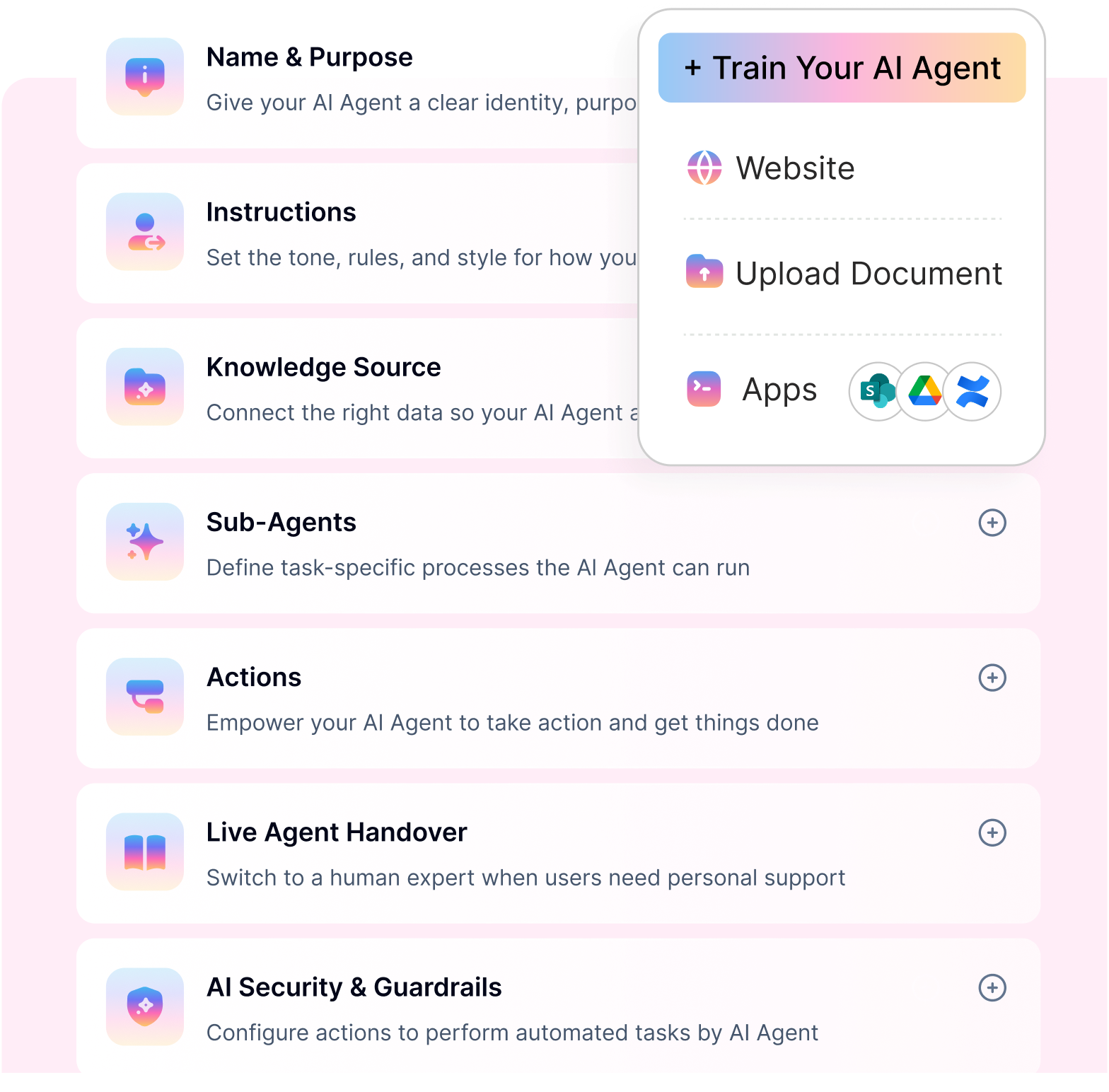
Technology behind an employee self-service AI agent
An employee self-service AI agent brings together reasoning, trusted company knowledge, workflow automation, and enterprise integrations. These capabilities allow the agent to understand what an employee needs, determine the appropriate next step, and work toward an outcome across HR and IT systems.
Agentic AI for understanding and decisions
Agentic AI gives an AI agent the ability to interpret employee intent, use context, and determine what should happen next. Depending on the request, it can retrieve information, take an approved action, start a workflow, or involve a person when human judgment is required.
With Workativ's AI Agent Studio, organizations can configure AI agents with company knowledge, actions, applications, and channels. Workativ
RAG for grounded employee answers
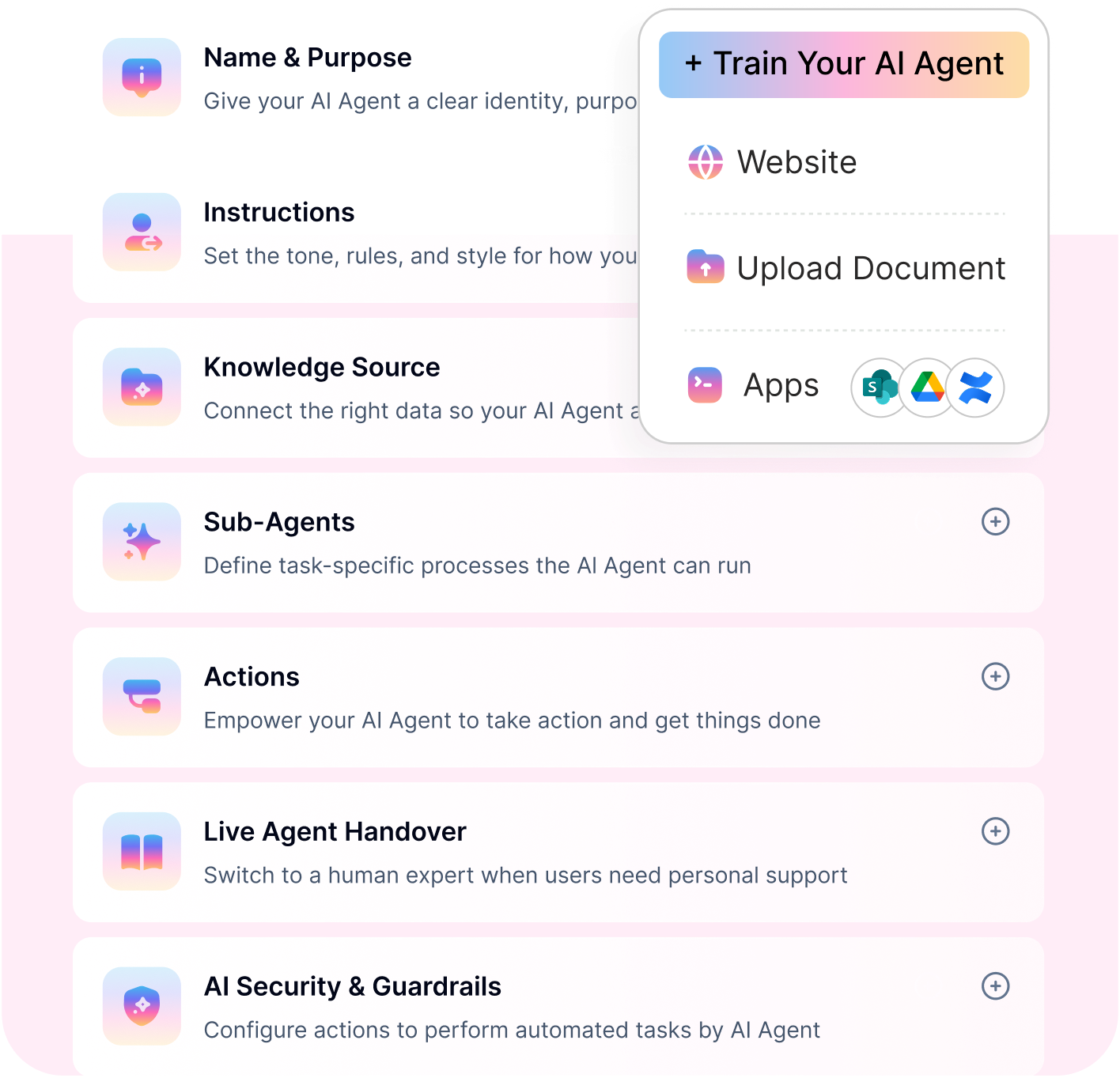
RAG helps keep employee answers grounded in approved organizational information. Workativ's Knowledge AI can connect sources such as SharePoint, Confluence, Google Drive, websites, and policy documents so the agent can retrieve relevant information before responding. Workativ
This is especially important for HR policies, benefits, IT procedures, and other information where employees need answers based on company-specific sources rather than generic AI knowledge.
Workflow automation across HR and IT
Many employee requests need an action after the conversation. AI App Workflows can connect AI agents with HRIS, ITSM, and other business applications to automate tasks and multi-step processes. Workativ
This can support workflows such as leave requests, onboarding, software access, ticket creation, approvals, and other repeatable HR and IT processes.
Enterprise system integrations
An AI agent becomes more useful when it can securely work with the systems where employee data and business processes already live. Workativ provides integrations with 100+ applications, allowing AI agents to connect with HR, IT, identity, knowledge, and other enterprise applications. Workativ
These integrations allow AI agent employee self-service to extend beyond answering questions into retrieving permitted data, performing actions, checking status, and coordinating work across connected systems.
How to implement an AI agent for employee self-service
Implementing an AI agent for employee self-service doesn’t require a complete overhaul of your systems. With the right approach, organizations can quickly move from manual support to automated, intelligent workflows that improve both efficiency and employee experience.
Identify high-impact employee queries : Start by analyzing the most common employee requests using employee self service software across HR and IT such as leave queries, password resets, or access requests. Focusing on high-volume, repetitive use cases ensures faster adoption and immediate impact.
Build and structure a knowledge base : Organize your HR policies, IT documentation, and internal knowledge into a structured format. A well-prepared knowledge base ensures the AI agent delivers accurate, context-aware responses.
Integrate HR, IT, and identity systems : Connect the AI agent to systems such as HRIS, ITSM, and identity platforms. This allows it to fetch employee data, trigger workflows, and execute actions, rather than just providing answers.
Configure workflows and automations : Set up workflows for common tasks such as leave applications, ticket creation, or access provisioning. This enables the AI agent to handle end-to-end requests without manual intervention.
Deploy across Slack, Teams, and the intranet : Make the AI agent accessible where employees already work—whether in Slack, Microsoft Teams, or internal portals—to ensure higher adoption and seamless use.
Monitor performance and optimize : Track key metrics such as resolution time, query volume, and employee satisfaction. For a deeper breakdown of tracking financial and operational impact, explore our guide on measuring AI ROI in HR to continuously refine responses and justify ROI over time
Platforms like Workativ simplify this entire process by enabling organizations to build, deploy, and scale AI agents without complexity.
I’ve now verified the Workativ URLs. I’d embed the links directly into the section like this, using only clean canonical URLs and avoiding links we already used heavily in the technology section. Workativ
What to look for in an employee self-service AI platform
An AI agent for employee self-service should do more than answer questions. It should securely understand employee context, work across HR and IT systems, take actions, automate workflows, and involve people when human judgment is required.
Grounded enterprise knowledge
The AI agent should retrieve answers from approved policies, documents, and knowledge sources rather than relying on generic model knowledge. Teams should also be able to control the sources the agent can access and keep information current.
HRIS, ITSM, and IAM integrations
Employee requests frequently cross several applications. Look for broad enterprise integrations across HRIS, ITSM, identity, payroll, benefits, and other business systems so requests can move between applications with fewer manual handoffs. Workativ
Employee-specific data retrieval
An AI agent should securely handle personalized requests such as “What is my leave balance?” or “What is the status of my ticket?” The information returned should respect the employee's identity, role, and permissions.
Ability to take actions
Look beyond platforms that only generate answers. A capable AI Agent Studio should enable agents to perform permitted actions such as creating tickets, retrieving PTO information, requesting access, or initiating onboarding and offboarding tasks. Workativ
Workflow automation
Employee requests can involve multiple steps, systems, and teams. The platform should be able to coordinate these workflows, maintain context as the request progresses, and continue working toward an outcome.
Approvals and human-in-the-loop
Not every decision should be autonomous. Look for human handoff, approvals, and exception handling so managers, HR, or IT can step in when authorization or judgment is needed.
Omnichannel deployment
Employees should be able to access the AI agent where they already work. For example, organizations using AI agents in Microsoft Teams can bring HR and IT self-service directly into Teams while connecting the experience with underlying enterprise applications. Workativ
Security and access controls
Employee self-service can involve sensitive personal and business information. Review the platform's security and data protection controls, including authentication, role-based access, privacy, compliance, and safeguards around what an agent can access and do. Workativ
Analytics and resolution visibility
Analytics should show more than conversation volume. HR and IT teams need visibility into resolution rates, escalations, common requests, workflow performance, and knowledge gaps so they can see where AI agent self-service is working and where improvement is needed.
Together, these capabilities help determine whether a platform simply makes employee support conversational or can securely take requests from conversation to outcome.
Common employee self-service AI implementation challenges
While AI agents bring significant improvements to employee self-service, organizations often face a few practical challenges during implementation. Addressing these early is key to ensuring long-term success and adoption.
Knowledge quality and structuring : AI agents rely heavily on the quality of underlying data. If HR policies, IT documentation, or internal knowledge are outdated or unstructured, it can lead to inaccurate or incomplete responses.
Integration complexity : Connecting multiple systems such as HRIS, ITSM, and identity platforms can be complex, especially in enterprises with legacy infrastructure. Without proper integration, the AI agent’s ability to take action is limited.
Employee adoption : Even the most advanced AI agent can fail if employees don’t use it. Poor onboarding, lack of awareness, or subpar user experience can impact adoption and reduce overall effectiveness.
Missing escalation and human oversight: Not every employee request should be completed autonomously. Sensitive issues, policy exceptions, ambiguous requests, or actions requiring approval should be routed to the right HR, IT, or manager with the relevant context, keeping human judgment where it matters.
Security and compliance : Handling employee data requires strict adherence to security and compliance standards. Organizations must ensure data privacy, access control, and regulatory compliance while deploying AI agents.
These challenges require a platform built for enterprise-grade automation—one that simplifies integration, ensures data accuracy, and delivers a secure, scalable experience.
Built to handle implementation challenges
No-code setup, pre-built workflows, and agentic RAG, so you can launch faster without complexity.
How Workativ enables an AI agent for employee self-service
Workativ brings knowledge, enterprise applications, and automation together so an AI agent for employee self-servicecan help employees move from a question or request to an actual outcome across HR and IT.
Build and manage AI agents without heavy development
Workativ's AI Agent Studio gives teams a no-code environment to configure AI agents, knowledge, actions, and business rules. This helps HR and IT teams introduce self-service without building and maintaining a custom AI stack.
Deliver answers grounded in company knowledge
With Knowledge AI, agents can retrieve information from approved policies, documents, and enterprise knowledge sources. Employees receive answers grounded in company information, while teams maintain control over the knowledge available to the agent.
Automate HR and IT requests beyond the conversation
Workativ's AI App Workflows allow employee requests to trigger actions and multi-step processes. Leave requests, onboarding tasks, software access, ticket management, and approvals can move forward without employees manually navigating each underlying system.
Connect self-service with existing enterprise systems
Workativ supports 100+ integrations across HR, IT, identity, knowledge, and business applications. This allows the AI agent to retrieve permitted information, perform actions, and coordinate requests across the systems an organization already uses.
Make self-service available where employees work
The same employee self-service experience can be delivered across workplace channels, including Microsoft Teams, Slack, and web. Employees can ask for help and follow requests without adopting another support portal.
Keep automation within enterprise controls
Employee self-service often involves sensitive information and actions. Workativ combines security controls, permissions, AI guardrails, and human involvement so organizations can automate routine work while keeping approvals, exceptions, and sensitive requests within defined boundaries.
Together, these capabilities allow an AI agent for employee self-service to do more than answer FAQs. Employees can find information, initiate actions, and follow requests through one experience, while HR and IT teams reduce the repetitive work happening behind the scenes.
AI agent for employee self-service in practice
A real-world deployment shows how an AI agent for employee self-service can support a large workforce while connecting employees with the HR systems and information they need.
NMDC Group
13,000 employees | Microsoft Teams | Oracle HCM | 81% automation
NMDC Group uses Workativ to provide employee self-service through Microsoft Teams. Employees can ask HR questions and access information related to areas such as leave and payroll without navigating Oracle HCM or contacting HR for every routine request.
Workativ connects the conversational experience with Oracle HCM and relevant enterprise knowledge, helping automate eligible HR requests and responses. NMDC has achieved an 81% automation rate, while requests that need additional assistance can still be passed to the appropriate team.
For NMDC's 13,000 employees, this brings everyday HR support into a familiar channel. It also demonstrates how an AI agent for employee self-service can combine conversation, enterprise data, and automation at scale.
READY TO MOVE FROM CHATBOTS ?
See how Workativ deploys an AI agent for employee self-service live, with your own HR and IT systems.
Making employee self-service actually work for employees
Employees come to HR or IT because they need something done. They want to take leave, understand a benefit, get application access, resolve an IT issue, or find out what is happening with an existing request.
An AI agent for employee self-service can make those everyday interactions easier by connecting the conversation with trusted knowledge, employee data, and the systems where the work happens. Routine requests can be handled through automation, while approvals, exceptions, and sensitive situations stay with the appropriate people.
As AI agents become more capable, employee self-service can cover a larger part of the request lifecycle without adding another portal for employees to learn. The useful measure is not how many conversations the AI handles, but how many employee needs are resolved accurately and with the right controls.
Workativ's AI Agent Studio helps organizations build this experience across HR and IT, with enterprise knowledge, integrations, actions, and workflows working behind the conversation.
Have employee self-service use cases you want to automate? Book a Workativ demo and see how they can work with your existing HR and IT systems.
FAQs
What is an AI agent for employee self-service?
An AI agent for employee self-service is an intelligent system that provides employees with instant support and helps them complete tasks through conversational interactions. It not only answers queries but also automates tasks such as leave requests, ticket creation, and access provisioning by integrating with HR and IT systems.
How is an employee self-service AI agent different from HR chatbots?
HR chatbots typically handle predefined questions and provide static responses. In contrast, an employee self-service AI agent understands intent, retrieves relevant information, and executes workflows—delivering complete resolution instead of just answers.
What are the main use cases of AI agents in employee support?
Common use cases include HR query automation, IT support (like password resets and access requests), onboarding workflows, benefits support, ticket creation and routing, and internal knowledge search. These use cases focus on resolving requests quickly and efficiently.
How secure are employee self-service AI agents?
Employee self-service AI agents are built with enterprise-grade security, including data encryption, access controls, and compliance with standards like GDPR and SOC 2. They ensure sensitive employee data is handled securely while enabling seamless automation.
Can AI agents integrate with HR and IT systems?
Yes, AI agents are designed to integrate with systems like HRIS, ITSM, identity providers, and internal tools. These integrations allow them to fetch data, update records, and automate workflows, making employee self-service truly end-to-end.
How long does it take to implement an AI agent for employee self-service?
Implementation timelines vary by complexity, but with no-code platforms and prebuilt workflows, organizations can deploy AI agents within days or weeks rather than months. Faster deployment is possible when systems and knowledge sources are readily available.
'%3e%3cpath%20d='M11.5732%2031.7068L19.2977%2022.7433L11.5732%2011.5366H17.4664L22.6245%2018.942L29.0522%2011.5366H30.7788L23.4029%2020.0985L31.4127%2031.7086H25.4997L20.1231%2023.9069L13.3197%2031.7068H11.5732ZM16.6519%2012.8366H13.9536L26.354%2030.4462H28.9926L28.8265%2030.1576L16.6519%2012.8366Z'%20fill='%230C0C0C'/%3e%3c/g%3e%3cdefs%3e%3cclipPath%20id='clip0_505_14364'%3e%3crect%20width='19.7681'%20height='20.2432'%20fill='white'%20transform='translate(11.573%2011.5365)'/%3e%3c/clipPath%3e%3c/defs%3e%3c/svg%3e)

'%3e%3cpath%20d='M25.2175%2011.7557L26.9132%2011.911V15.0496C26.0135%2015.1444%2024.1746%2014.7452%2023.5821%2015.5947C23.4908%2015.726%2023.3291%2016.1592%2023.3291%2016.3091V19.002H26.7392L26.3346%2022.5281H23.3291V31.5952H19.707V22.5863L19.649%2022.5281H16.6628V19.002H19.707C19.7813%2017.4024%2019.4664%2015.7042%2020.1132%2014.1986C20.6748%2012.8902%2021.7857%2012.0974%2023.1666%2011.8435L23.7151%2011.7557H25.2183H25.2175Z'%20fill='%230C0C0C'/%3e%3c/g%3e%3cdefs%3e%3cclipPath%20id='clip0_505_14375'%3e%3crect%20width='10.2695'%20height='19.8027'%20fill='white'%20transform='translate(16.658%2011.7567)'/%3e%3c/clipPath%3e%3c/defs%3e%3c/svg%3e)
About the Author
Deepa Majumder

Senior content writer
Deepa Majumder is a writer who nails the art of crafting bespoke thought leadership articles to help business leaders tap into rich insights in their journey of organization-wide digital transformation. Over the years, she has dedicatedly engaged herself in the process of continuous learning and development across business continuity management and organizational resilience.
Her pieces intricately highlight the best ways to transform employee and customer experience. When not writing, she spends time on leisure activities.
Auto-resolve 60% of Your Employee
Queries With AI Agents & Automation
- No credit card required
- Setup in minutes
- Cancel Anytime