
Top 10 Employee Self-Service Chatbot Tools (2026)
Compare the best employee self-service chatbot tools for 2026 to automate HR queries, workflows, and employee support across Slack, Teams, and HR systems.


TL;DR
The best employee self-service chatbot tools go beyond FAQs by combining AI-powered knowledge retrieval with workflow automation and task execution.

Modern platforms help HR teams reduce repetitive tickets, improve response times, and deliver 24/7 employee support across Slack, Teams, and portals.
Key evaluation factors include integration depth, deployment speed, multilingual support, shared inbox capabilities, and predictable ROI-focused pricing.
Platforms like Workativ stand out by turning employee support into end-to-end resolution through agentic workflows, omni-channel deployment, and AI guardrails.
Employee self-service chatbot platforms are evolving from simple HR FAQ tools into systems that can retrieve employee information, connect with HR applications, automate requests, and coordinate workflows across multiple systems. The important difference between platforms is no longer simply how well they answer a question. It is how much of an employee request they can actually resolve before HR needs to step in.
That distinction matters as HR teams become more deliberate about where AI delivers measurable value. According to SHRM’s State of AI in HR 2026, 39% of organizations are already using AI within HR. Among HR professionals using AI, 87% report improved efficiency. The opportunity is growing, but so is the need to distinguish conversational tools from platforms that can securely connect knowledge, employee data, workflows, and human support.
So, what are the best employee self-service chatbot platforms in 2026, and how do you choose the right one for your HR team? This guide compares 10 leading platforms based on HR self-service capabilities, workflow automation, integrations, employee channels, deployment, pricing approach, and overall use-case fit.
If your goal extends beyond chatbot-based support into multi-step HR automation, our guide to AI agents for HR self-service explains how AI agents can coordinate actions and workflows across HR systems.
TL;DR: best employee self-service chatbot platforms in 2026
Employee self-service chatbot platforms now vary widely in what they can do. Some focus mainly on HR knowledge and FAQs, while others support employee-specific data, workflow automation, approvals, and cross-system actions.
The best employee self-service chatbot for your organization depends on the type of support you want to automate, the HR and IT systems already in place, and whether employees primarily work in Microsoft Teams, Slack, web portals, or other channels.
The most important capabilities to compare are HRIS and ITSM integrations, workflow execution, employee channels, multilingual support, human handoff, security controls, deployment effort, and pricing model.
Buyers should also distinguish between a traditional chatbot and an AI agent for HR self-service. A chatbot may answer and route requests, while an AI agent can coordinate actions and multi-step workflows across systems.
What are the best employee self-service chatbot platforms in 2026? This guide compares 10 options across HR self-service depth, automation, integrations, employee experience, pricing approach, and best-fit use cases so you can build a more informed shortlist.
Best employee self-service chatbot platforms at a glance
What are the best employee self-service chatbot platforms in 2026? The answer depends on whether your priority is HR knowledge, employee-specific self-service, workflow automation, IT and HR support, recruiting, or broader enterprise service delivery.
The table below gives a quick comparison of 10 platforms based on their primary fit, depth of HR self-service, workflow capabilities, employee channels, and pricing approach.
Platform | Best for | HR depth | Workflow automation | Key channels | Pricing approach |
|---|---|---|---|---|---|
Workativ | HR and IT teams that want conversational self-service plus cross-system automation | High — HR knowledge, employee-specific information, leave, benefits, payroll, onboarding and support requests | Strong — supports actions, approvals and workflows across connected HR, IT and business apps | Microsoft Teams, Slack, web and other supported channels | Session-based pricing; Business plan from $349/month and custom Enterprise pricing |
Moveworks / ServiceNow | Large enterprises already investing in enterprise service management | High — HR knowledge, tickets, policies, employee service and broader HR service delivery | Strong — integrates conversational support with ServiceNow workflows, HR cases and AI agents | Microsoft Teams, Slack, web and ServiceNow Employee Center | Custom enterprise pricing |
Aisera | Enterprises looking for AI service automation across HR, IT and other internal functions | High — supports HR and employee-service use cases alongside IT and customer service | Strong — designed for service automation, request handling and cross-domain workflows | Web, collaboration platforms and enterprise service channels | Custom enterprise pricing |
Rezolve AI | Organizations with 2,000+ employees, especially Microsoft-centric IT and employee-service environments | Moderate to high — supports HRIS, ITSM and employee-service scenarios | Strong — includes autonomous agents, request resolution and governed workflow execution | Microsoft Teams, email, web, voice and frontline apps | Primarily per employee/per fulfiller; autonomous agents can use fixed annual or per-run pricing |
Espressive | Organizations prioritizing conversational employee support and service-desk automation | Moderate to high — HR and IT employee-service use cases | Moderate to strong— supports automated resolutions, routing and enterprise integrations | Collaboration tools, web and enterprise service channels | Custom enterprise pricing |
Leena AI | Enterprises seeking an HR-focused virtual assistant with broad employee-experience coverage | High — HR queries, onboarding, employee services, tickets and policy support | Strong — HR workflows plus autonomous AI colleague capabilities | Web, Microsoft Teams, Slack, Google Chat, WhatsApp, Workvivo, SMS and voice | Universal Assistant priced per employee/year; AI Colleagues adds platform fee plus usage |
A useful way to read this comparison
Not every platform in this list solves the same problem.
Workativ, ServiceNow, Aisera and Rezolve AI are stronger fits when employee requests need to trigger actions across multiple enterprise systems.
Leena AI is more HR-centric and combines employee support with HR workflow automation across a broad range of employee channels.
XOR and Paradox are better understood as recruiting-focused conversational platforms rather than full employee self-service layers.
peopleHum combines employee self-service with a broader HR management platform, which may appeal to teams looking for HR software and self-service together.
Moveworks is now part of ServiceNow, so enterprise buyers evaluating Moveworks in 2026 should consider how its conversational AI capabilities fit within ServiceNow's broader HR Service Delivery portfolio.
If your requirement is specifically to connect employee conversations with HRIS, ITSM, identity, and collaboration systems, see how HR workflow automation can extend self-service beyond answers into completed employee requests.
How we evaluated employee self-service chatbot platforms
We evaluated these employee self-service chatbot platforms by looking at how far they can take an employee request from question to resolution, not by simply counting features.
Our comparison focused on:
Self-service coverage: Support for policies, benefits, payroll, leave, onboarding, and employee requests.
Knowledge retrieval: Ability to provide answers grounded in approved HR content.
Employee-specific data: Secure access to information such as leave balances, payroll details, and request status.
Workflow execution: Ability to move beyond answers and complete actions, approvals, or HR workflows.
Integrations: Connectivity with HRIS, ITSM, identity, payroll, and other employee systems.
Employee channels: Availability across Microsoft Teams, Slack, web, and other workplace channels.
Human handoff: Clear escalation when a request requires HR judgment or an exception.
Security and AI governance: Controls around access, sensitive employee data, auditability, and AI responses.
Deployment effort: The technical work and ongoing administration required to launch and maintain the platform.
Pricing model: Whether costs scale with employees, usage, workflows, or platform complexity.
Not every platform solves employee self-service in the same way. Some primarily answer HR questions, while others combine conversational support with broader automation. For teams evaluating that next step, our guide to AI agents for employee self-service explains how agent-based systems extend self-service into multi-step actions.
The more useful buyer question is therefore not “Which platform has the most features?” but “Which platform can resolve the employee requests we actually receive using the systems we already have?”
What is an employee self-service chatbot?
An employee self-service chatbot is a conversational interface that helps employees access HR information, retrieve personal data, submit requests, and complete common HR tasks without navigating multiple HR systems.
A modern HR self-service chatbot can typically help employees:
Find answers from approved HR policies, benefits documents, and internal knowledge.
Retrieve employee-specific information such as leave balances, payroll details, or request status.
Submit and track requests such as leave, HR cases, access requests, or onboarding tasks.
Trigger HR workflow automation when a request needs approvals, system updates, or follow-up actions.
In simple terms, what does an employee self-service chatbot do? It gives employees one conversational place to ask, check, submit, and complete routine HR requests without having to know which system sits behind the process.
For more complex scenarios that involve multi-step execution across several systems, see how an AI agent for employee self-service extends the same experience beyond chatbot-based support.
Employee self-service is moving from conversation to action
Employee self-service chatbots are evolving beyond conversational support. In the age of AI agents, the real value is no longer just giving employees a faster way to ask questions. It is what happens after they ask.
An employee may say:
“How much PTO do I have left?”
“Apply leave for next Friday.”
“Why is my paycheck different this month?”
“I need access to Salesforce.”
“What do I need to complete before my first day?”
A basic chatbot can answer or redirect. A stronger employee self-service AI experience can retrieve the right information, connect to the appropriate system, trigger an action, route an approval, and confirm the outcome.
Conversation is still the front door
Employees should not need to know whether a request belongs in the HRIS, payroll platform, ITSM system, knowledge base, or identity application.
The conversational layer gives them one simple place to express what they need in natural language. The systems and workflows behind that experience should handle the complexity.
This is especially useful when self-service is available inside everyday channels such as Microsoft Teams or Slack. For organizations taking a Teams-first approach, see how an AI agent for HR in Microsoft Teams can bring HR answers and actions into the employee’s existing workspace.
AI agents make self-service more action-oriented
The bigger shift is happening behind the conversation.
AI agents can combine knowledge, employee context, business rules, application integrations, and workflow execution. Instead of simply explaining how to complete a task, they can help move that task toward completion.
For example, a leave request may involve checking the employee’s balance, validating the request, sending it for manager approval, updating the HRIS, and confirming the result. HR workflow automation connects those individual steps into a process that can run across multiple systems.
HR teams are looking for outcomes, not more AI interfaces
This shift also reflects how HR teams are approaching AI more broadly. SHRM’s State of AI in HR 2026, based on responses from 1,908 HR professionals, emphasizes that AI creates the most value when technology is combined with human judgment, appropriate governance, and clear organizational use cases.
That is particularly relevant for employee self-service. Routine requests can be automated, while exceptions, sensitive issues, or decisions requiring judgment can still be routed to HR.
What does the future of employee self-service look like?
The stronger model is not simply a better chatbot.
It is a conversational front door backed by AI agents and connected workflows that can answer, act, escalate, and complete employee requests.
For buyers evaluating employee self-service chatbot platforms, that changes the question from:
“Can this platform understand employee questions?”
to:
“How much of the employee request can this platform actually resolve?”
Which type of employee self-service chatbot platform should you choose?
The right employee self-service chatbot platform depends on the kind of employee requests you want to resolve, the systems already in place, and how much automation you expect the chatbot to handle.
For HR FAQs and policy questions
If most employee requests are about policies, benefits, leave rules, or internal procedures, a knowledge-focused HR chatbot may be enough.
These platforms are designed to retrieve answers from approved HR content and reduce repetitive questions reaching the HR team.
For leave, payroll, benefits, and HR actions
If employees need to do more than ask questions, look for a platform with strong HR workflow automation.
This is useful for requests such as:
Applying for leave.
Checking payroll information.
Updating employee details.
Submitting HR requests.
Triggering approvals.
The key difference is that the chatbot does not stop at the answer. It helps move the request forward.
For combined HR and IT employee support
Some organizations want one employee-facing experience for both HR and IT.
In that case, an enterprise employee service platform is usually a better fit. It can support HR requests alongside access issues, software requests, service tickets, onboarding tasks, and other shared employee services.
For Microsoft Teams-based self-service
If Microsoft Teams is already the main place employees work, a Teams-based HR chatbot or employee assistant can reduce friction by bringing support into the existing workflow.
Instead of asking employees to open another portal, the chatbot can become the conversational entry point for common HR requests.
For a deeper look at this model, see our guide to AI agents for HR in Microsoft Teams.
For companies centered around one HRIS
If most HR processes already live inside a single HRIS, an HRIS-native AI assistant can be a practical option.
It works well when the goal is to make existing employee data and workflows easier to access through conversation, without introducing another major automation layer.
For requests that cross multiple systems
If employee requests regularly involve HRIS, ITSM, identity, payroll, knowledge, and collaboration tools, a cross-system AI automation platform is a stronger fit.
This matters for requests where several actions must happen before the employee gets an outcome, such as onboarding, access provisioning, role changes, or offboarding.
For recruiting and candidate interactions
If your main requirement is candidate engagement, interview scheduling, or recruiting communication, a recruiting conversational AI platform is usually more relevant than a broad employee self-service chatbot.
These platforms are optimized around hiring workflows rather than day-to-day employee support.
Start with the request, not the feature list
So, how do you choose the right employee self-service chatbot?
Start with the employee requests that occur most often. Then look at the systems involved, the number of steps required to resolve them, and whether human approval is needed.
The best-fit platform is the one that can handle those journeys with the least friction for employees and the least manual follow-up for HR.
Top 10 employee self-service chatbot tools
Choosing the right employee self-service chatbot is key to improving HR efficiency and employee experience. Below are some of the top tools available today, each offering unique capabilities for building a powerful chatbot for employee self-service.
Workativ - Best employee self-service chatbot for AI-driven HR automation
Best suited for: HR and People Operations teams that want one employee self-service experience for HR questions, employee-specific information, requests, approvals, and workflows across multiple business systems.
Workativ has evolved beyond the traditional employee self-service chatbot model. Its AI Agents for HR combine conversational employee support with knowledge retrieval, live application data, workflow execution, and human handoff.
That distinction matters for employee self-service. An employee can ask a policy question and receive an answer, but they can also check a live PTO balance, submit leave, access payroll or benefits information, raise a request, or initiate a workflow from the same conversational experience.
Workativ sits on top of the HR and IT systems an organization already uses rather than replacing them. Employees interact through channels such as Microsoft Teams, Slack, web, or other supported workplace channels, while Workativ connects the request to the applications and workflows behind the scenes.
Key employee self-service capabilities
Answers grounded in company knowledge
Workativ can connect HR policies, handbooks, SharePoint, Google Drive, Confluence, and other knowledge sources so employees can ask questions in natural language instead of searching across documents and portals.
This is useful for high-volume questions around leave policies, benefits, payroll procedures, workplace policies, onboarding, and other HR topics.
Access to live employee information
Employee self-service becomes more useful when answers depend on the person asking.
Through connected HR applications, Workativ can retrieve permitted employee-specific information such as PTO balances, request status, and other HR data rather than providing only generic policy responses.
Actions inside the conversation
Workativ's main difference from a knowledge-only HR chatbot is its ability to take action.
Depending on the connected application and configured permissions, an employee request can trigger actions such as:
Submitting a leave request.
Creating an HR or IT service request.
Updating permitted employee information.
Routing an approval.
Requesting application access.
Checking the status of an existing request.
Starting onboarding or other employee workflows.
This means the employee does not necessarily need to leave the conversation simply because the request requires another system.
Goes beyond chatbot interactions with HR workflow automation
Some employee requests cannot be resolved with one answer or one API action.
Onboarding, offboarding, benefits enrollment, employee check-ins, compliance processes, and access provisioning can involve several systems, people, decisions, and follow-ups.
Workativ's HR automation is designed for these longer processes. Workflows can coordinate activities across HRIS, ITSM, identity, knowledge, and communication applications rather than requiring HR to manually move the process from one system to another.
For example, onboarding may involve employee data from an HRIS, account creation in an identity system, equipment or application requests in ITSM, manager notifications, and employee communications. The employee still sees a simple self-service experience while the workflow coordinates the work behind it.
Broad integration coverage
Workativ currently lists 100+ integrations across HR, IT, identity, knowledge, and productivity applications.
Examples include:
Workday, ADP, UKG, BambooHR, Oracle HR, and other HR systems.
ServiceNow, Freshservice, Jira Service Management, and ManageEngine ServiceDesk Plus.
Okta and Microsoft Entra ID/Azure AD.
SharePoint, Confluence, Google Drive, and Notion.
Microsoft Teams, Slack, Office 365, Outlook, and other workplace applications.
Importantly, Workativ supports bidirectional read and write actions for supported integrations. That allows the AI to retrieve information and perform permitted actions rather than using integrations only for search.
Employee self-service where people already work
Workativ can deploy AI Agents across Microsoft Teams, Slack, web, SharePoint, portals, WhatsApp, and other supported channels.
For HR teams, this makes the conversational interface the employee's front door while the HRIS, service desk, identity tools, and other applications continue to operate behind it.
Workativ also supports 95+ languages, which can make the same employee self-service experience available across a distributed workforce without creating separate chatbot experiences for every language.
Human help remains part of the experience
Not every HR issue should be automated.
Sensitive employee matters, exceptions, ambiguous questions, and scenarios requiring human judgment can be handed to HR through Workativ's shared live inbox. Conversation context is preserved during the handoff so employees do not have to start the request again.
This balance between automation and escalation is particularly important for HR, where the goal should not be to automate every interaction simply because AI can participate in it.
Security and AI governance
Employee self-service can expose sensitive employee and HR data, so governance matters as much as automation.
Workativ lists controls including:
Role-based access control.
PII data redaction.
Prompt-injection protection.
SSO and MFA.
Configurable data-retention controls.
AI guardrails.
Audit trails.
SIEM integration.
Workativ also lists SOC 2 Type II, ISO 27001, GDPR, and HIPAA compliance among its current security and compliance capabilities.
Where Workativ stands out
Workativ is strongest when an organization wants employee self-service to cover both information and execution.
A knowledge-only chatbot may answer:
“How many days of parental leave do I receive?”
Workativ can support that type of policy question, but its broader value appears when the employee asks:
“How much PTO do I have left, and can you book next Friday off?”
That request may require employee identification, live HRIS data, an action, an approval, and confirmation. Workativ is designed to connect those steps rather than treating the conversation as the end of the experience.
The same approach can extend across HR and IT, which is useful for employee journeys such as onboarding and offboarding where HR, identity, access, applications, equipment, and communications often overlap.
Real-world employee self-service result
Workativ reports that GoTo resolved more than 80% of HR issues without escalation to HR Operations using the platform.
That is a more meaningful employee self-service metric than chatbot usage alone because it measures how many employee requests reached a resolution without requiring HR intervention.
What to consider
Workativ is not an HRIS replacement. Organizations still need systems such as Workday, BambooHR, Oracle HCM, ADP, or other applications to remain the systems of record.
It is better viewed as the conversational and automation layer sitting across those systems.
Organizations looking only for a simple FAQ bot may also not need the full workflow and integration capabilities available in the platform. Workativ becomes more differentiated when employee requests involve live data, actions, approvals, multiple applications, or HR and IT processes working together.
Pricing
Workativ uses session-based pricing rather than charging per employee, which can be useful for organizations that do not want chatbot costs to rise directly with workforce size.
Current published pricing includes:
Business: $349/month for 500 AI chat sessions, two AI Agents, five actions, three admins/live agents, and 60 days of data retention.
Enterprise: Custom pricing with additional sessions, applications, custom integrations, larger training limits, and other enterprise capabilities.
You can review the latest inclusions on the Workativ pricing page.
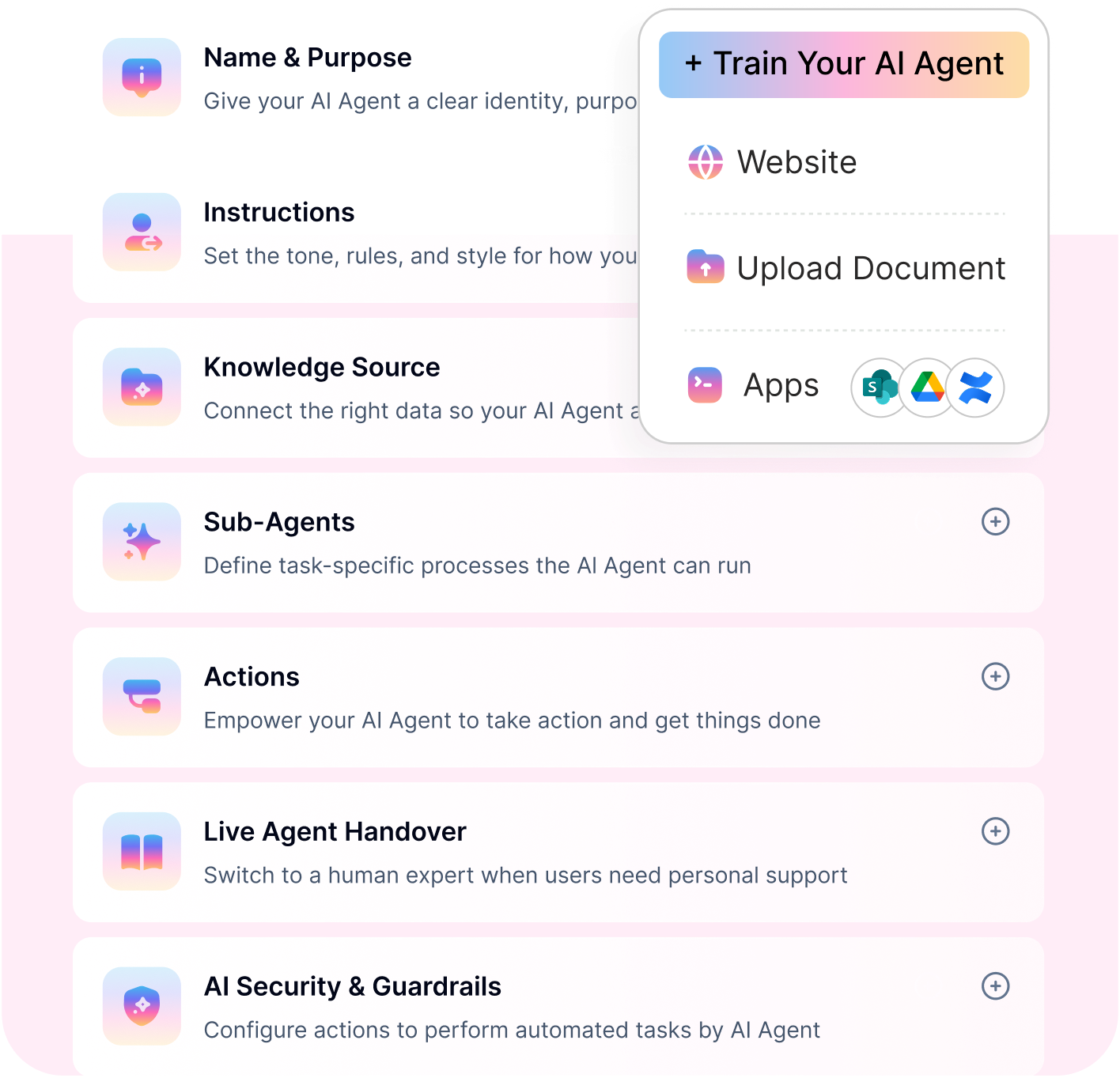
THE ONLY CHATBOT THAT EXECUTES, NOT JUST RESPONDS.
Workativ automates leave, benefits, IT requests and onboarding end-to-end, inside Slack or Teams.
No-code setup · AI guardrails · Live in days
See a Quick Demo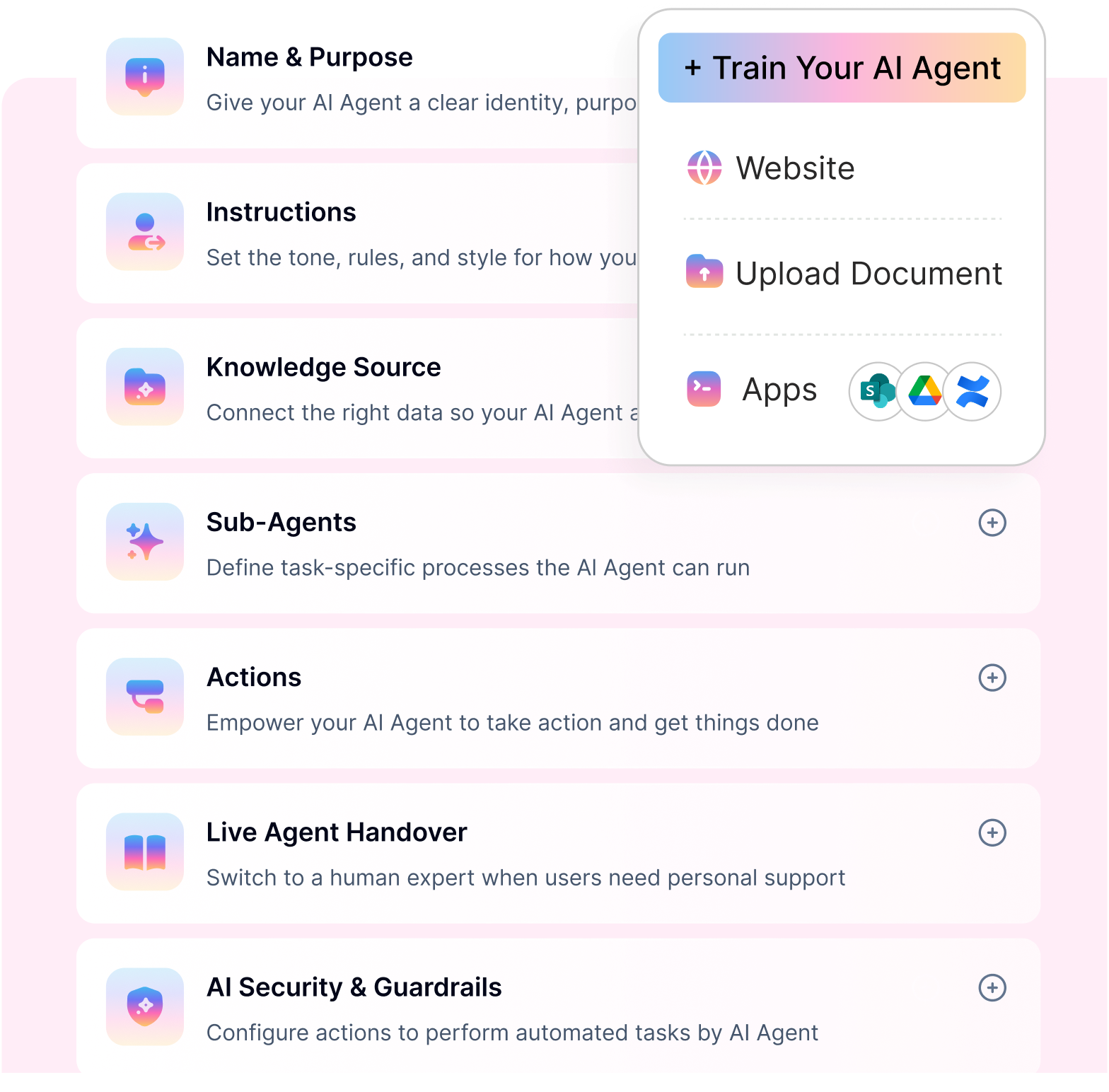
Moveworks by ServiceNow
Best suited for: Large enterprises looking for an AI-powered front door to employee services, enterprise knowledge, and workflows.
Moveworks has traditionally focused on conversational employee support, enterprise search, and natural-language access to services across business systems. In December 2025, ServiceNow completed its acquisition of Moveworks, bringing its conversational AI and reasoning capabilities into the broader ServiceNow platform.
For buyers evaluating Moveworks in 2026, that relationship is important. ServiceNow now positions Moveworks for HRas part of its HR Service Delivery offering, supporting natural-language policy search, answers, and ticket submission through Teams, Slack, and web.
Key capabilities
Conversational enterprise search.
HR and employee knowledge retrieval.
Natural-language employee service requests.
Microsoft Teams, Slack, and web access.
Integration with ServiceNow workflows and AI capabilities.
Where it stands out: Strong fit for enterprises already considering or using ServiceNow and looking for a conversational front door across employee services.
Considerations: Buyers should now evaluate Moveworks within the wider ServiceNow product and licensing strategy rather than treating it purely as a standalone chatbot vendor. If you are comparing other options in this category, see our guide to Moveworks alternatives.
Pricing: Custom enterprise pricing through ServiceNow.
Aisera
Best suited for: Large organizations looking to automate employee support across HR, IT, and other enterprise service functions.
Aisera approaches employee self-service as part of a broader AI service management strategy. Its platform combines conversational AI, enterprise knowledge, service automation, and integrations to help employees resolve routine requests without relying entirely on HR or service desk teams.
This makes it more relevant to organizations seeking cross-functional employee service than to buyers looking only for a lightweight HR FAQ chatbot.
Key capabilities
AI-powered employee service.
Enterprise knowledge search.
HR and IT service automation.
Request and workflow execution.
Multi-domain employee support.
Integrations with enterprise service applications.
Where it stands out: Aisera's broader service automation positioning can suit enterprises that want to use one AI layer across several internal service functions.
Considerations: The breadth of the platform may introduce more implementation and configuration than a narrower knowledge-only HR chatbot.
Pricing: Custom enterprise pricing.
Rezolve AI
Best suited for: Organizations with larger employee populations that want AI-powered employee support, particularly across Microsoft-centric environments.
Rezolve AI combines employee self-service with service management and autonomous agents. Its employee-facing product supports employees through Teams, email, web, voice, and frontline applications, while autonomous agents can execute governed work across business systems.
The platform currently states that it is primarily scoped for organizations with 2,000 or more employees, making its positioning particularly relevant to larger deployments.
Key capabilities
Employee self-service across multiple channels.
Knowledge and conversational support.
HRIS, ITSM, identity, and Microsoft integrations.
Autonomous agents for cross-system work.
IT service management capabilities.
Employee and technician experiences.
Where it stands out: Rezolve AI is particularly interesting for companies looking to combine employee-facing AI with IT service management and autonomous execution.
Considerations: Its enterprise scope may be more than smaller HR teams require if their primary need is straightforward HR knowledge self-service.
Pricing: Employee-facing capabilities are priced per employee, while technician products use fulfiller-based pricing. Autonomous agents can use fixed annual or per-run pricing.
Espressive
Best suited for: Enterprises looking to reduce repetitive employee support across IT and HR through conversational self-service.
Espressive is centered around an AI-based employee service experience designed to resolve common employee requests before they reach service teams. Its positioning has historically been particularly strong around IT support, while also supporting HR and broader employee service scenarios.
For HR buyers, the main consideration is whether the required use cases fit the platform's broader employee-service model rather than requiring a deeply HR-specific product.
Key capabilities
Conversational employee support.
HR and IT self-service.
Enterprise knowledge retrieval.
Automated request resolution.
Service management integrations.
Human escalation for unresolved requests.
Where it stands out: Espressive is a natural fit where HR self-service sits alongside an established IT or enterprise service desk strategy.
Considerations: Organizations focused exclusively on complex HR lifecycle automation should evaluate how deeply their required HR workflows can be configured and executed.
Pricing: Custom enterprise pricing.
Leena AI
Best suited for: Enterprises looking for an HR-focused employee assistant with broad employee-service coverage.
Leena AI has a stronger HR orientation than many cross-functional employee-support platforms. Its virtual assistant can provide employee answers, support HR requests, and connect employees with HR services through several communication channels.
It currently supports its own web experience as well as Microsoft Teams, Slack, Google Chat, WhatsApp, Workvivo, SMS, and phone interactions.
Key capabilities
HR-focused conversational assistance.
HR knowledge and policy support.
Employee request automation.
Employee lifecycle use cases.
Multiple workplace and frontline channels.
Analytics and employee service insights.
Where it stands out: The HR-first positioning makes Leena AI worth considering when employee self-service is primarily owned by HR rather than a shared HR and IT service organization.
Considerations: Buyers looking for a single automation layer across a wider IT and enterprise application stack should compare the breadth of integrations and cross-functional workflow requirements carefully.
Pricing: Commercial pricing depends on the selected products and deployment; buyers should request a current quote.
Stop responding. Start resolving.
Most employee self-service chatbots respond. Workativ resolves workflows completed end-to-end.
XOR
Best suited for: Talent acquisition teams whose primary conversational AI requirement is recruiting rather than broad employee self-service.
XOR has historically focused on conversational recruiting automation, including candidate communication, screening, interview coordination, and hiring workflows.
That makes it different from most platforms in this comparison. It can support parts of the employee journey, particularly around hiring and onboarding communication, but it should not automatically be treated as a substitute for a broad HR employee-service platform.
Key capabilities
Conversational recruiting.
Candidate screening.
Interview scheduling.
Recruiting communication.
Hiring workflow automation.
Candidate and onboarding interactions.
Where it stands out: Recruiting automation is the clearer fit, particularly when candidate communication and high-volume hiring are the main priorities.
Considerations: Organizations looking to automate everyday employee needs such as payroll, benefits, HR cases, leave, or IT requests should compare broader employee self-service platforms as well.
Pricing: Custom pricing based on deployment requirements.
Paradox
Best suited for: Organizations that want conversational AI primarily for recruiting and high-volume hiring.
Paradox's AI assistant, Olivia, is built around the hiring journey. It supports conversational job search, applications, candidate screening, interview scheduling, candidate communication, and recruiting events. Paradox also integrates with HR and recruiting platforms such as Workday and SAP SuccessFactors.
For this comparison, Paradox is best viewed as a specialist rather than a general-purpose employee self-service chatbot.
Key capabilities
Conversational job search and applications.
Automated candidate screening.
Interview scheduling and rescheduling.
Candidate communication.
Recruiting events.
ATS and HR technology integrations.
Where it stands out: Paradox is well aligned to high-volume recruiting environments where reducing administrative work for recruiters and candidates is the priority.
Considerations: Its core focus is talent acquisition. Companies seeking ongoing employee support across policies, payroll, benefits, HR cases, or IT services will typically need broader employee-service capabilities.
Pricing: Custom enterprise pricing.
PeopleHum
Best suited for: Small and mid-sized organizations that prefer employee self-service as part of a broader HR management platform.
peopleHum differs from dedicated employee AI platforms because self-service sits within a wider HR suite covering areas such as HRIS, leave, attendance, onboarding, performance, engagement, and recruiting.
Its employee and manager self-service capabilities are available through web, mobile web, and native mobile applications.
Key capabilities
Employee and manager self-service.
Core HRIS functionality.
Leave and attendance.
Onboarding.
HR workflows and approvals.
Employee engagement and performance tools.
Where it stands out: It can be attractive to organizations that want broader HR software and self-service capabilities from the same vendor rather than introducing a separate AI automation layer.
Considerations: Buyers needing deep conversational automation across several external HR, ITSM, identity, and enterprise applications should compare dedicated employee-service platforms as well.
Pricing: peopleHum currently advertises pricing starting at $2 per employee per month.
ServiceNow HR Service Delivery
Best suited for: Large enterprises with complex HR service operations, employee journeys, HR cases, and cross-department workflows.
ServiceNow HR Service Delivery takes a broader approach than a standalone HR chatbot. It combines employee self-service, case and knowledge management, AI agents, workflow automation, employee journeys, and the Employee Center within the ServiceNow platform.
Its 2026 HRSD packages also incorporate Moveworks for HR. Higher tiers add capabilities such as agentic workflows, employee journey management, voice agents, autonomous service desk functionality, and custom AI workflows.
Key capabilities
HR case and knowledge management.
Employee Center self-service.
Virtual Agent and Moveworks for HR.
HR AI agents.
Employee journey management.
Cross-system and cross-department workflows.
Human HR agent workspace.
Where it stands out: ServiceNow is particularly strong when HR self-service is part of a larger enterprise service management strategy involving complex workflows, cases, employee journeys, and multiple departments.
Considerations: Its breadth can also mean greater platform, implementation, and administration requirements than a lighter employee self-service chatbot. For a deeper look at how its AI agent model works across HR and IT, see our ServiceNow AI Agent Guide.
Pricing: ServiceNow provides custom quotes based on the selected HR Service Delivery package and requirements.
Employee self-service portal vs chatbot: where each fits
Is an employee self-service chatbot better than an HR portal? Not always. They usually play different roles.
An HR self-service portal works well for detailed records, formal transactions, and system-of-record tasks. An employee self-service chatbot gives employees a faster way to ask questions, retrieve information, and start routine HR requests without navigating multiple menus.
Where HR portals still fit
HR portals remain useful for:
Payroll and employment records.
Benefits administration.
Complex forms and transactions.
Formal HR documents.
HRIS-based employee updates.
Where chatbots add value
A chatbot for employee self-service reduces the effort required to reach those services.
Employees can simply ask:
“How much leave do I have?”
“Show me my payslip.”
“What is the parental leave policy?”
“Update my address.”
For Teams-first organizations, an AI agent for HR in Microsoft Teams can bring that experience directly into the employee’s daily workspace.
The real difference is action
The biggest advantage appears when the chatbot can move beyond answers.
With HR workflow automation, a request can trigger approvals, update connected systems, and confirm the outcome without forcing the employee into another application.
So, can an employee self-service chatbot replace an HR portal? For many routine questions and requests, it can reduce how often employees need to visit one. But the HRIS or portal still remains important as the system of record.
The better model is often simple:
The portal stores the record. The chatbot becomes the front door.
Employee self-service chatbot vs AI agent
The difference between an employee self-service chatbot and an AI agent comes down to how far the system can take a request after the employee asks for help.
A chatbot is primarily the conversational layer. An AI agent can use that conversation as the starting point for actions, decisions, and multi-step work across connected systems.
Area | Employee self-service chatbot | AI agent |
Primary role | Answers questions and guides employees | Helps complete tasks and coordinate outcomes |
Typical use | Policies, benefits, payroll questions, request status | Leave requests, onboarding, approvals, access, multi-step HR processes |
Data access | Often retrieves knowledge and basic employee information | Can combine knowledge with live employee and system context |
Actions | May trigger simple requests or predefined workflows | Can execute actions across multiple connected applications |
Process depth | Best for straightforward interactions | Better suited for multi-step or cross-system work |
For example, a chatbot may answer “What is our parental leave policy?” An AI agent can take the next step when the employee says, “Start my parental leave request for next month.”
For a deeper look at this shift, see our guide to AI agents in HR.
The practical takeaway is simple: chatbots make employee self-service easier to access, while AI agents make more of that self-service actionable.
What can employee self-service chatbots actually automate?
What can an employee self-service chatbot automate? The strongest platforms can do more than answer HR questions. When connected to HRIS, ITSM, identity, payroll, benefits, and knowledge systems, they can help employees complete common requests end to end.
Onboarding
An employee self-service chatbot can guide new hires through tasks, documents, access requests, training, and Day 1 preparation.
For more complex journeys, employee onboarding automation can coordinate work across HR, IT, identity, and collaboration systems.
Offboarding
Chatbots can help initiate exit tasks, collect required information, notify teams, and keep employees informed about next steps.
With employee offboarding automation, organizations can also coordinate access revocation, asset return, final communications, and other cross-system activities.
Benefits enrollment
Employees can ask about eligibility, coverage, enrollment deadlines, plan options, and required next steps.
For open enrollment workflows, employee benefits automation can support reminders, completion tracking, and follow-up without relying on HR to chase every employee manually.
Leave management
Employees can check balances, understand leave policies, submit requests, and track approval status in one conversation.
With leave management automation, the process can extend into approvals and HRIS updates.
Performance reviews
Employee self-service can also support review cycles by sending reminders, collecting responses, and helping managers or employees complete required steps.
Broader HR automation can help coordinate review workflows across multiple participants and systems.
Compliance training
Employees can receive training reminders, check completion status, and get guidance on required actions.
Using HR automation, organizations can also assign training, track completion, escalate overdue items, and maintain a clearer audit trail.
HR questions, payroll, and employee data
Chatbots can also handle everyday requests such as:
“What is our parental leave policy?”
“Show me my latest payslip.”
“How much PTO do I have left?”
“Update my address.”
“What is the status of my HR request?”
So, can employee self-service chatbots automate HR workflows? Yes, but the depth depends on the platform. A basic chatbot may answer and redirect. A stronger platform can connect the conversation to live data, approvals, and actions across systems.
The key difference is simple: good self-service should help employees complete the request, not just explain what to do next.
Employee self-service chatbot evaluation checklist
What should you look for in an employee self-service chatbot? Focus on whether it can resolve real employee requests, not just answer questions.
Use this shortlist:
Knowledge accuracy: Can it answer from approved HR policies and internal content?
Employee-specific data: Can it securely retrieve leave, payroll, benefits, or request information?
Action capability: Can it submit requests, update records, trigger approvals, and create tickets?
Integrations: Does it connect deeply with HRIS, ITSM, payroll, identity, and knowledge systems?
Workflow depth: Can it support multi-step HR automation, not just simple requests?
Human handoff: Can complex or sensitive cases move to HR with context preserved?
Security and governance: Look for RBAC, audit logs, PII controls, AI guardrails, SSO, and retention controls.
Employee channels: Can employees use it in Teams, Slack, web, or other channels they already use?
Deployment effort: How much integration, configuration, and ongoing administration is required?
Pricing model: Does cost scale by employees, sessions, actions, workflows, or usage?
Success metrics: Can you measure resolution rate, escalation rate, completion rate, adoption, and cost per request?
So, how do you choose the right employee self-service chatbot platform? Choose the one that fits your real employee requests, existing systems, governance needs, and automation goals.
Choosing the right employee self-service chatbot
Choosing an employee self-service chatbot comes down to one question: how much of the employee request do you want the platform to actually resolve?
For some teams, the priority is simple. Employees need faster access to HR policies, benefits information, payroll answers, or request status. In that case, a knowledge-focused chatbot may be enough.
For others, self-service needs to go further. Employees may need to check live data, submit requests, trigger approvals, or complete tasks that involve several systems. That is where workflow automation and AI-agent capabilities start to matter.
The best fit is usually the platform that matches the way your HR team already operates, the systems you already use, and the level of automation you actually need.
Workativ is built for organizations that want employee self-service to go beyond answers. It combines conversational support with connected HR and IT workflows, helping employees move from a question to an outcome without forcing them to navigate multiple systems.
If you’re looking to modernize employee support, Workativ helps you automate HR and IT workflows seamlessly. Book a demo to see it in action.
FAQs
What is an employee self-service chatbot?
An employee self-service chatbot is an AI-powered assistant that helps employees access HR services, information, and workflows through conversational interactions. It enables employees to get answers and complete tasks without manual HR involvement.
How is a chatbot for employee self-service different from an HR portal?
HR portals require employees to search and navigate multiple pages, while a chatbot for employee self-service allows employees to ask questions directly and get instant answers or complete actions in one place.
What are the key benefits of an employee self-service chatbot?
It reduces HR workload, improves response time, enhances employee experience, and enables scalable support by automating repetitive queries and workflows.
Can employee self-service chatbots integrate with HR and IT systems?
Yes, modern chatbots integrate with HRIS, ITSM, and other enterprise systems to retrieve data and automate workflows like leave requests, ticketing, and access management.
Are employee self-service chatbots secure?
Most enterprise-grade solutions include AI guardrails, role-based access, and compliance features to ensure secure handling of sensitive employee data.
How do I choose the best employee self-service chatbot?
Focus on automation capabilities, integrations, ease of deployment, scalability, and pricing model to ensure the solution delivers long-term value and ROI.
Which teams benefit the most from employee self-service chatbots?
HR, IT, payroll, and employee shared services teams benefit the most because these functions handle repetitive, process-heavy queries. Chatbots reduce ticket volume and improve resolution speed across departments.
What workflows should organizations automate first with employee self-service chatbots?
Start with high-volume workflows such as leave requests, payroll queries, benefits FAQs, onboarding checklists, and IT access requests. These create quick wins and improve employee adoption.
'%3e%3cpath%20d='M11.5732%2031.7068L19.2977%2022.7433L11.5732%2011.5366H17.4664L22.6245%2018.942L29.0522%2011.5366H30.7788L23.4029%2020.0985L31.4127%2031.7086H25.4997L20.1231%2023.9069L13.3197%2031.7068H11.5732ZM16.6519%2012.8366H13.9536L26.354%2030.4462H28.9926L28.8265%2030.1576L16.6519%2012.8366Z'%20fill='%230C0C0C'/%3e%3c/g%3e%3cdefs%3e%3cclipPath%20id='clip0_505_14364'%3e%3crect%20width='19.7681'%20height='20.2432'%20fill='white'%20transform='translate(11.573%2011.5365)'/%3e%3c/clipPath%3e%3c/defs%3e%3c/svg%3e)

'%3e%3cpath%20d='M25.2175%2011.7557L26.9132%2011.911V15.0496C26.0135%2015.1444%2024.1746%2014.7452%2023.5821%2015.5947C23.4908%2015.726%2023.3291%2016.1592%2023.3291%2016.3091V19.002H26.7392L26.3346%2022.5281H23.3291V31.5952H19.707V22.5863L19.649%2022.5281H16.6628V19.002H19.707C19.7813%2017.4024%2019.4664%2015.7042%2020.1132%2014.1986C20.6748%2012.8902%2021.7857%2012.0974%2023.1666%2011.8435L23.7151%2011.7557H25.2183H25.2175Z'%20fill='%230C0C0C'/%3e%3c/g%3e%3cdefs%3e%3cclipPath%20id='clip0_505_14375'%3e%3crect%20width='10.2695'%20height='19.8027'%20fill='white'%20transform='translate(16.658%2011.7567)'/%3e%3c/clipPath%3e%3c/defs%3e%3c/svg%3e)
About the Author
Deepa Majumder

Senior content writer
Deepa Majumder is a writer who nails the art of crafting bespoke thought leadership articles to help business leaders tap into rich insights in their journey of organization-wide digital transformation. Over the years, she has dedicatedly engaged herself in the process of continuous learning and development across business continuity management and organizational resilience.
Her pieces intricately highlight the best ways to transform employee and customer experience. When not writing, she spends time on leisure activities.
Auto-resolve 60% of Your Employee
Queries With AI Agents & Automation
- No credit card required
- Setup in minutes
- Cancel Anytime