
10 Best Enterprise AI HR Chatbots in 2026 for HR Automation
Discover the best enterprise AI HR chatbots in 2026 for employee self-service, HR automation, HR support, and enterprise workforce operations.


TL;DR
The best enterprise AI HR chatbots combine conversational intelligence, HR workflow automation, and deep enterprise integrations for scalable employee support.

Modern enterprises use these platforms to reduce HR ticket overload, automate onboarding and benefits queries, and improve global employee self-service.
Key evaluation factors include HRIS integrations, ticket deflection, compliance controls, omnichannel deployment, and enterprise-scale governance.
Workativ stands out with no-code AI agent deployment, agentic RAG, benefits integrations, and advanced HR analytics for large organizations.
Enterprises today face growing HR service desk workloads, as employees frequently submit requests about payroll, benefits, leave policies, onboarding, and compliance. As organizations scale, these requests can quickly overwhelm HR teams.
Many of these inquiries are repetitive, requiring HR professionals to spend significant time answering the same questions about policies, documents, and processes. This limits their ability to focus on more strategic initiatives such as employee engagement and workforce planning.
At the same time, employees expect instant, convenient support, similar to the digital experiences they receive from modern consumer applications. Traditional HR ticketing systems often fail to meet these expectations due to delayed response times.
Enterprise AI HR chatbots help organizations address this challenge by automating employee support, enabling HR self-service, and reducing HR helpdesk workload. In this guide, we explore the best enterprise AI HR chatbot platforms that help enterprises automate HR support, improve employee experience, and scale internal support operations.
TL;DR: best enterprise AI HR chatbot platforms
Platform | Best for | Key capability |
Workativ | Enterprise HR + IT support automation | No-code AI HR chatbot |
Moveworks | Large enterprise support | AI employee assistant |
Leena AI | HR experience automation | HR service desk automation |
Aisera | Service automation | AI ticket resolution |
Yellow.ai | Conversational automation | Omnichannel support |
What is an enterprise AI HR assistant?
An enterprise AI HR assistant is an AI-powered system that helps employees get HR answers, access employee-specific information, and complete HR tasks through natural-language conversations.
Unlike a basic HR chatbot, it can connect with HRIS, payroll, benefits, knowledge, and service platforms to retrieve context, take permitted actions, and move requests forward. This can include checking leave balances, submitting requests, answering benefits questions, creating HR cases, or routing approvals.
At enterprise scale, the value comes from combining conversational support with HR automation, so employees can move from asking a question to completing the underlying HR task without navigating multiple systems.
This is also why a modern HR AI assistant is increasingly positioned around outcomes, not just answers.
Enterprise AI HR assistant vs HR chatbot
An HR chatbot is mainly designed to answer employee questions. An enterprise AI HR assistant goes further by using employee context, connected systems, and workflows to help complete the request.
Capability | HR chatbot | Enterprise AI HR assistant |
|---|---|---|
Answer HR FAQs | Yes | Yes |
Retrieve employee-specific information | Limited | Yes |
Connect with HR systems | Sometimes | Yes |
Take permitted actions | Limited | Yes |
Automate multi-step HR workflows | Rarely | Yes |
Route approvals and exceptions | Limited | Yes |
For example, a chatbot may explain the company’s leave policy. An AI HR assistant can potentially check the employee’s balance, apply the relevant policy, submit the request, route it for approval, and confirm the outcome.
The distinction is therefore less about the conversation itself and more about what the AI can do after understanding the employee’s request. This is also where AI agents for HR extend employee support into actions, workflows, and human-assisted decisions.
Why enterprises are adopting AI HR assistants
Enterprise HR teams are under pressure to support more employees without adding more manual work. Questions about leave, payroll, benefits, policies, onboarding, and employee records still need fast answers, while HR teams also need time for work that requires judgment and human interaction.
That is pushing organizations toward AI HR assistants that can resolve routine work, not simply respond to it.
1. AI adoption in HR is moving beyond experimentation
SHRM’s State of AI in HR 2026 found that 39% of organizations already use AI within HR. Adoption rises to 60% among organizations with 5,000 or more employees, showing that larger enterprises are moving faster as they look for ways to operate HR at scale.
The shift is also moving from isolated AI tools toward redesigning how work gets done. Mercer’s Global Talent Trends 2026, based on nearly 12,000 executives, HR leaders, investors, and employees worldwide, found that 63% of C-suite leaders see redesigning work around AI and automation as their top people priority for ROI. It also found that 82% believe the future of HR will involve managing human talent and digital agents side by side.
For HR, that creates a practical opportunity. An AI assistant can take repetitive employee requests out of queues while keeping HR involved when judgment, sensitivity, or approval is required.
2. Employees need outcomes, not another HR destination
An employee asking about PTO does not necessarily want another policy link or portal. They may want to know their balance, understand the applicable rule, submit the request, and receive confirmation.
An enterprise AI HR assistant can bring those steps into one interaction by combining HR knowledge, employee context, integrations, and workflows.
This is particularly valuable for organizations trying to expand employee self-service without simply shifting more work onto employees.
3. AI is starting to change the HR operating model
The direction is likely to extend beyond employee Q&A. Gartner reports that 82% of HR leaders plan to deploy agentic AI within the next 12 months and projects that AI could augment all current HR activities while performing up to half of today’s HR tasks.
That does not mean removing people from HR. It changes where their time is spent.
Routine retrieval, repetitive requests, status checks, and permitted transactions can increasingly be handled by AI, while HR remains responsible for exceptions, sensitive situations, decisions, and employee conversations that require human judgment.
For enterprises, that is the larger reason to adopt an AI HR assistant: not to add another chatbot, but to make everyday HR support easier to access, resolve, and scale.
BUILT FOR ENTERPRISE HR SELF-SERVICE
Workativ's no-code AI HR chatbot handles leave, policies, onboarding and benefits - at enterprise scale.
HRIS integrations · SOC 2 · Live in days
See a Quick Demo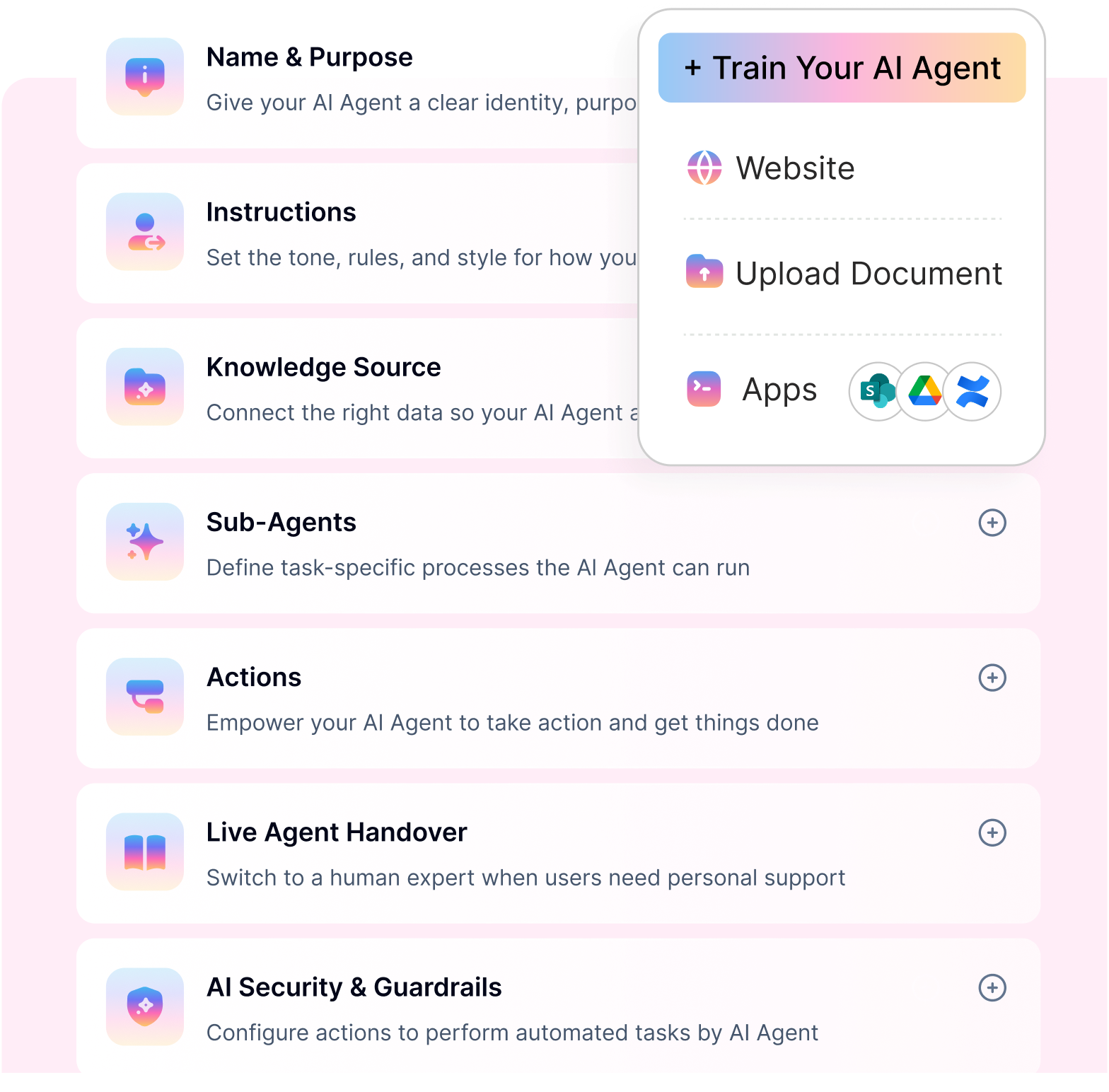
What makes a good enterprise AI HR assistant
A polished response is easy to demonstrate.
The harder test is what happens after an employee asks the question.
Can the AI assistant understand the employee’s context, find the right HR information, work with connected systems, take the permitted action, and involve a person when judgment is required?
That is where a useful enterprise AI HR assistant starts to separate itself from a conversational tool that only returns answers.
From answering questions to completing HR work
Employees often need more than information.
Someone asking about leave may want to know their balance, understand the applicable policy, submit the request, get manager approval, and receive confirmation.
A capable assistant should be able to move from that initial conversation into the underlying HR automation required to complete the request.
The same principle applies to payroll, benefits, employee data, HR requests, and other everyday services. The conversation is only the starting point. The outcome is what matters.
Connected to the systems where HR work happens
HR rarely operates in one application.
Employee records may sit in an HRIS, policies in SharePoint or Google Drive, service requests in an ITSM platform, and communication in Slack or Microsoft Teams.
A good AI HR assistant should work across that environment rather than become another isolated destination. It should be able to retrieve current information and trigger permitted actions in the systems where the work already happens.
This becomes especially important for processes such as employee onboarding automation, where one employee journey can involve HR, IT, identity, communication, training, and other systems.
Grounded in trusted HR knowledge
Accuracy matters more in HR than a confident-sounding response.
The assistant should rely on approved policies, benefits documents, employee handbooks, knowledge bases, and other trusted HR sources. It should also take the employee’s context and access permissions into account.
When information is missing, unclear, or requires interpretation, the assistant should know when not to guess.
Human judgment stays in the right places
Exceptions need human judgment. So, end-to-end automation might not work sometimes.
A leave balance check may be straightforward. A policy exception, sensitive employee issue, or approval decision may require a person.
A strong enterprise AI HR assistant should recognize that difference, pause the workflow where necessary, and bring the right manager or HR team member into the process with the context they need.
The goal is not to remove people from HR. It is to keep their time focused on the situations where judgment actually matters.
Built for sensitive employee data
An HR assistant may interact with payroll information, leave records, benefits, employee profiles, and other sensitive data.
That makes authentication, permissions, auditability, PII protection, and enterprise AI security controls part of the foundation rather than optional features.
Employees should only be able to retrieve information and perform actions they are authorized to access, regardless of how naturally they phrase the request.
Available where employees already work
Employees should not have to learn another system just to get HR support.
For one organization, the assistant may be available in Microsoft Teams. For another, it could be Slack, a web portal, or another employee channel.
For global enterprises, the experience should also account for different languages, regions, policies, and employee groups rather than returning the same generic answer to everyone.
Visibility into what gets resolved and what does not
Conversation volume alone does not show whether an AI HR assistant is delivering value.
HR teams need to understand which requests are being resolved, where employees still need human help, what questions keep appearing, and where knowledge or automation gaps remain.
Those insights help improve the HR service behind the assistant, not just the conversation in front of it.
Ultimately, the value of an enterprise AI HR assistant comes down to whether it can reliably move an employee request from question to outcome.
That is a much stronger measure than how natural the conversation sounds.
Best enterprise AI HR assistant platforms
Workativ

Workativ is an enterprise AI HR assistant platform powered by AI agents that automate employee support, HR service desk operations, and internal workflows across large organizations. It enables enterprises to deploy intelligent AI agents that help employees access HR information, resolve common queries, and complete HR tasks through natural interactions. With integrations across HRIS platforms, service desk systems, and collaboration tools like Slack and Microsoft Teams, Workativ helps organizations enable employee self-service, reduce HR ticket volumes, and scale HR operations efficiently.
Key features
AI agent studio (no-code builder) – Workativ provides a no-code AI agent builder that enables HR teams to create and deploy enterprise AI HR chatbots without requiring engineering resources.
Knowledge AI search – The platform enables AI agents to search across HR policies, documents, and internal knowledge bases to deliver accurate answers to employee queries.
AI workflow automation – Workativ enables organizations to automate HR workflows, including leave requests, onboarding, document retrieval, and approvals, through intelligent AI agent workflows.
Omnichannel employee support – The AI HR chatbot can be deployed across channels such as Microsoft Teams, Slack, employee portals, and web chat to deliver a consistent employee support experience.
Live chat with human handoff – Workativ includes a shared live chat inbox that allows HR teams to seamlessly take over conversations when complex employee requests require human assistance.
Enterprise integrations – The platform integrates with enterprise systems, including HRIS, identity providers, payroll tools, and service desks, to automate end-to-end employee support.
AI-powered employee HR self-service – Employees can instantly access HR information, check leave balances, retrieve policies, and get answers to common HR questions without submitting support tickets.
HR ticket deflection and automation – Workativ automatically resolves common HR requests and deflects repetitive tickets, reducing HR service desk workload and improving response times.
Cons:
May be perceived as “SMB product” by some enterprises: Workativ’s affordable pricing can sometimes be viewed as a budget-tier solution by enterprise buyers who associate higher price points with premium positioning.
Advanced AI analytics available in higher tiers: While core AI capabilities are included across plans, more advanced analytics, deeper insights, and enhanced AI performance dashboards are available only in the Business and Enterprise tiers.
Pricing:
Workativ offers transparent, tiered pricing that scales from pilots to enterprise deployments.
Business Plan — $349/month : Designed for growing teams with higher chat limits, multiple AI agents, workflow actions, advanced analytics, and branding removal.
Enterprise Plan — Custom pricing : Built for large organizations requiring higher scale, advanced security, custom integrations, RBAC, MFA, and dedicated support.
Best for – Organizations of all sizes, from SMBs to large enterprises, looking for an easy-to-deploy AI HR chatbot that can handle both simple employee support and complex enterprise automation needs.
Moveworks

Moveworks is an enterprise AI platform that uses AI agents to automate employee support across HR and IT service desks. The platform focuses on resolving internal employee requests through automation by connecting with enterprise knowledge bases, HR systems, and IT service management platforms. Moveworks enables organizations to reduce service desk workloads, improve response times, and provide employees with instant assistance for common workplace requests.
Key features
AI-powered employee support assistant – Moveworks provides AI agents that automatically resolve employee support requests, including password resets, HR policy questions, and system access issues.
Enterprise knowledge automation – The platform connects with enterprise knowledge bases and internal documentation to deliver accurate answers to employee queries.
HR and IT service desk automation – Moveworks automates ticket resolution and employee support workflows across both HR and IT departments.
Enterprise integrations – The platform integrates with enterprise systems, including HR platforms, identity providers, and IT service management tools, to automate internal support processes.
Pros:
Strong enterprise automation capabilities – Moveworks provides advanced automation that helps organizations resolve employee support requests without manual service desk intervention.
Effective service desk ticket reduction – The platform helps enterprises significantly reduce HR and IT support tickets by automatically resolving common employee issues.
Cons
Primarily focused on very large enterprises – The platform is typically designed for large organizations with complex IT environments and may be less suitable for smaller companies.
Lengthy implementation cycles: Deployments often require extended timelines and specialist involvement.
Pricing:
Enterprise plan — Custom pricing : Moveworks does not publish standard pricing and follows a demo-led, enterprise sales model. Pricing typically depends on organization size, number of employees, integrations (ITSM, HRIS, IAM), and support requirements. Industry reports and customer feedback often place Moveworks’ annual cost at ~$200,000 to $1M+, making it suitable primarily for large enterprises.
No free plan
Best for : Large enterprises with complex IT service desk environments looking to automate employee support and reduce internal service desk workloads.
Leena AI

Leena AI is an enterprise AI HR platform that uses AI agents to automate employee support and HR service desk operations. The platform focuses on improving employee experience by helping organizations automate HR queries, streamline internal support, and enable employee self-service across HR processes.
Key features
HR service desk automation – Leena AI helps automate common HR requests such as leave queries, policy questions, and benefits inquiries to reduce HR ticket volumes.
Employee experience automation – The platform enables organizations to deliver personalized employee support and improve workplace experience through AI-powered assistance.
HR workflow orchestration – Leena AI allows enterprises to automate HR workflows such as onboarding, approvals, and employee requests through integrated HR processes.
Pros
HR-focused automation platform – Leena AI is specifically designed for HR use cases, making it well-suited for organizations looking to automate HR service desk operations.
Strong employee experience capabilities – The platform helps improve employee support by enabling faster responses and automated HR assistance.
Cons
Requires integrations for full automation – Organizations may need multiple integrations with HR systems and enterprise tools to fully automate HR workflows.
Pricing
Leena AI offers custom enterprise pricing that varies based on organization size, features, and deployment requirements.
Best for : Enterprises looking to improve employee experience and automate HR service desk operations.
Aisera

Aisera is an enterprise AI platform that uses AI agents to automate service desk operations across HR, IT, and customer support. The platform focuses on resolving employee requests through AI-driven automation, predictive support, and knowledge management to improve service efficiency and reduce support workloads.
Key features:
AI service desk automation – Aisera enables organizations to automate employee support requests across HR and IT service desks using AI agents.
Predictive ticket resolution – The platform uses AI to identify common issues and automatically resolve support tickets before they escalate.
Enterprise knowledge management – Aisera connects with enterprise knowledge bases to provide accurate answers to employee queries and improve support resolution rates.
Pros:
Strong automation capabilities – Aisera helps organizations automate large volumes of support requests and reduce manual service desk workloads.
Suitable for complex enterprise workflows – The platform supports advanced enterprise use cases that require automation across multiple internal systems.
Cons:
Implementation can be complex – Deploying Aisera often requires significant integration and configuration across enterprise systems.
Pricing :
Aisera typically offers custom enterprise pricing based on the organization’s size, automation requirements, and deployment scope.
Best for : Enterprises looking for AI-driven service automation platforms to streamline HR and IT support operations.

Yellow AI
Yellow.ai is an enterprise AI platform that uses AI agents to automate support across HR, employee experience, and customer service operations. The platform helps organizations deploy AI-powered assistants that handle employee queries, automate workflows, and provide support across multiple communication channels.
Key features:
AI-powered support automation – Yellow.ai enables organizations to automate employee and customer support requests using AI agents.
Omnichannel deployment – The platform allows enterprises to deploy AI assistants across channels such as messaging apps, websites, and workplace communication tools.
Workflow automation capabilities – Yellow.ai supports automation of internal workflows, helping organizations streamline HR and operational processes.
Pros:
Omnichannel AI support platform – Yellow.ai enables organizations to deliver consistent support experiences across multiple digital channels.
Scalable AI automation infrastructure – The platform supports enterprise-scale deployments for large organizations with high support volumes.
Cons:
Some HR automation features require customization – Certain HR workflows may require additional configuration or integrations to fully automate processes.
Pricing – Yellow.ai offers custom enterprise pricing based on deployment scale, automation capabilities, and platform usage.
Best for : Enterprises seeking AI automation across HR, customer service, and multiple support channels.
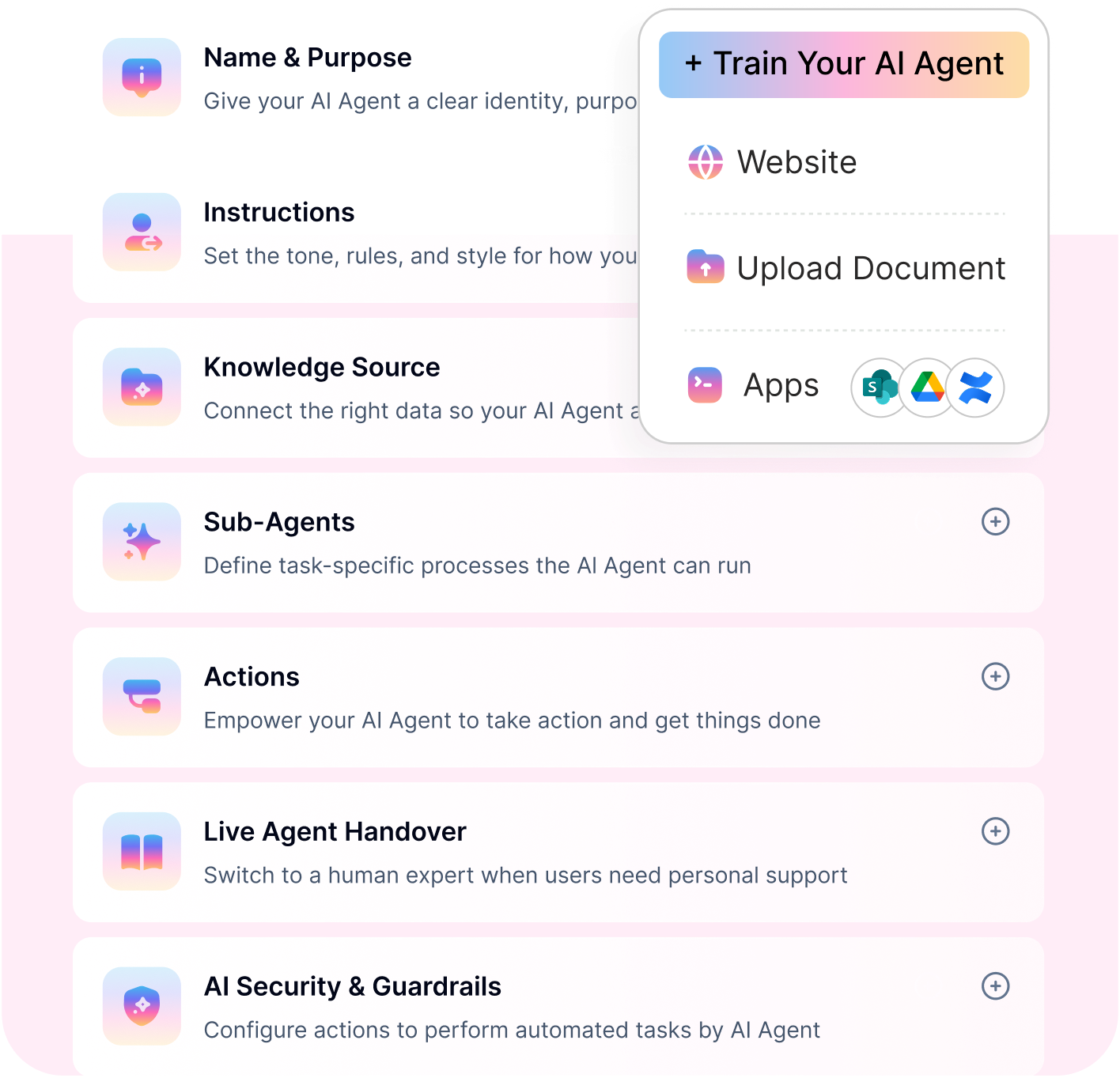
NO-CODE. AGENTIC RAG. ENTERPRISE-READY.
Workativ deploys AI HR chatbots with accurate policy answers, workflow automation and live agent handoff.
100+ integrations · Multi-channel · Live in days
See a Quick DemoServiceNow Virtual Agent

ServiceNow Virtual Agent is an AI-powered assistant within the ServiceNow platform that helps organizations automate employee support and service desk operations. It enables enterprises to streamline HR and IT workflows by allowing employees to resolve common requests, access information, and complete service tasks directly through automated conversations.
Key features
HR and IT service desk automation – ServiceNow Virtual Agent helps automate employee support requests across HR and IT service desks, reducing manual ticket handling.
Integration with ServiceNow workflows – The platform works seamlessly with existing ServiceNow workflows to automate approvals, service requests, and internal processes.
Automated employee support – Employees can use the virtual agent to find answers, submit requests, and resolve common workplace issues without contacting support teams.
Pros
Deep integration with the ServiceNow ecosystem – ServiceNow Virtual Agent works natively within the ServiceNow platform, allowing organizations to automate workflows and service management processes efficiently.
Enterprise-grade workflow automation – The platform enables organizations to automate complex service desk operations and internal workflows at enterprise scale.
Cons
Best suited for organizations already using ServiceNow – Organizations not using the ServiceNow ecosystem may face limitations or additional complexity when deploying the platform.
Pricing – ServiceNow Virtual Agent pricing is typically bundled with ServiceNow licenses and varies depending on modules, usage, and enterprise deployment scope.
Best for : Enterprises already using the ServiceNow platform and looking to automate HR and IT service desk workflows within their existing service management environment.
Espressive

Espressive is an enterprise AI platform that uses AI agents to automate employee support and improve workplace experience. The platform focuses on resolving employee service desk requests across HR, IT, and workplace operations by enabling employees to access support and information through automated assistance.
Key features:
AI employee support assistant – Espressive provides AI agents that help employees resolve common workplace requests and access support services instantly.
Automated service desk support – The platform automates employee service desk interactions to reduce manual ticket handling and improve response times.
Knowledge automation – Espressive connects with enterprise knowledge bases to deliver accurate answers to employee queries and improve support resolution.
Pros:
Built for employee experience automation – Espressive is designed to improve workplace support by enabling employees to resolve requests quickly without relying on manual service desk processes.
Strong support automation capabilities – The platform helps organizations automate large volumes of employee service desk requests efficiently.
Cons:
Limited customization compared to some platforms – Organizations requiring deep customization or advanced automation workflows may face limitations.
Pricing – Espressive offers custom enterprise pricing based on employee count, automation scope, and deployment requirements.
Best for : Organizations prioritizing employee experience automation and employee service desk support.
Kore AI

Kore.ai is an enterprise AI platform that enables organizations to build and deploy AI agents for HR, IT, and internal support operations. The platform provides tools for developing customizable AI assistants that automate employee interactions, streamline workflows, and integrate with enterprise systems to support internal service automation.
Key features:
Enterprise AI agent development platform – Kore.ai provides a platform for building customizable AI agents that support employee interactions and internal automation use cases.
Workflow automation – The platform enables organizations to automate internal workflows such as employee requests, approvals, and service desk processes.
Integration with enterprise systems – Kore.ai integrates with enterprise applications such as HR systems, identity management tools, and service desk platforms to automate support operations.
Pros:
Highly customizable platform – Kore.ai provides flexible tools that allow enterprises to build tailored AI agents and automation workflows.
Strong enterprise AI capabilities – The platform supports complex enterprise automation scenarios across HR, IT, and support operations.
Cons:
Requires technical expertise for deployment – Organizations often need technical resources to configure, deploy, and maintain AI agents on the platform.
Pricing:
Kore.ai offers custom enterprise pricing based on usage, deployment scope, and automation capabilities.
Best for : Enterprises looking to build highly customizable AI agents for internal support and service automation.
Rezolve.ai

Rezolve.ai is an enterprise AI platform designed to automate employee support and service desk operations using AI agents. The platform focuses on enabling organizations to deliver instant employee assistance within collaboration tools like Microsoft Teams, helping automate HR and IT service desk workflows while improving employee self-service.
Key features:
AI employee support assistant – Rezolve.ai provides AI agents that help employees resolve common HR and IT requests such as policy queries, leave requests, and workplace support issues.
Service desk automation – The platform automates HR and IT service desk requests, reducing manual ticket handling and improving response times.
Knowledge management automation – Rezolve.ai connects with enterprise knowledge bases to provide accurate answers to employee questions and improve support resolution.
Pros:
Built for employee service desk automation – Rezolve.ai focuses specifically on automating internal support operations across HR and IT service desks.
Strong Microsoft Teams integration – The platform works closely with Microsoft Teams, allowing employees to access support directly within their workplace collaboration environment.
Cons:
Limited flexibility outside Microsoft environments – Organizations not using Microsoft Teams or the Microsoft ecosystem may experience limitations in deployment options.
Pricing: Rezolve.ai typically offers custom enterprise pricing depending on employee count, automation requirements, and deployment scope.
Best for : Enterprises using Microsoft Teams that want to automate HR and IT service desk support through AI-powered employee assistants.
IBM Watson Assistant

IBM Watson Assistant is an enterprise AI platform that enables organizations to build and deploy AI agents for HR automation and internal support use cases. The platform allows enterprises to create customizable AI assistants that handle employee queries, automate HR workflows, and integrate with enterprise systems to streamline internal support operations.
Key features:
AI-powered assistant interfaces – IBM Watson Assistant enables organizations to deploy AI agents that help employees access HR information, resolve queries, and automate support interactions.
Integration with enterprise systems – The platform integrates with HR systems, internal applications, and service desk platforms to automate employee support processes.
Custom AI assistant development – IBM Watson Assistant provides tools that allow enterprises to design and deploy custom AI agents tailored to their internal HR and support requirements.
Pros:
Strong enterprise AI capabilities – IBM Watson Assistant provides advanced AI technology that supports complex automation and enterprise-scale deployments.
Enterprise-grade infrastructure – The platform is built on IBM’s enterprise infrastructure, providing reliability, scalability, and security for large organizations.
Cons:
Requires technical resources for deployment – Organizations often need development expertise to build, configure, and maintain AI agents on the platform.
Pricing
IBM Watson Assistant typically offers usage-based or enterprise pricing depending on deployment scale, integrations, and automation requirements.
Best for : Large enterprises looking to build highly customizable AI agents for HR automation and internal support operations.
Go Live Without the Overhead
Most enterprise HR chatbots need heavy setup. Workativ deploys in weeks - no-code, no dev team.
Enterprise AI HR assistant use cases
The value of an enterprise AI HR assistant becomes clearer when it is applied to the everyday requests that repeatedly move between employees, HR teams, managers, and business systems.
Some requests can be resolved in a single conversation. Others require an action, approval, or follow-up before they are complete.
Here are some of the most practical use cases.
Leave and PTO requests
Leave is a good example of where an AI HR assistant can move beyond answering a policy question.
An employee can ask about their available balance, understand the applicable leave policy, submit a request, send it to the right manager for approval, and receive confirmation without moving between multiple systems.
For organizations handling high volumes of time-off requests, leave management automation can also reduce the manual checking and follow-up HR performs around each request.
Benefits questions and enrollment support
Benefits questions often increase around open enrollment, life events, or plan changes.
An AI HR assistant can answer questions using approved benefits information, explain eligibility or plan details, guide employees toward the right next step, and surface employee-specific information where the connected system allows it.
It can also help with reminders and follow-ups when an employee still needs to complete an enrollment task.
Payroll and employee-specific information
Many payroll questions are simple but highly personal.
Employees may want to know when they will be paid, understand a deduction, find a payslip, retrieve a tax document, or check information held in the HR system.
Instead of routing every request to payroll or HR, the assistant can retrieve authorized information directly from connected systems and escalate the request when investigation is required.
These types of requests are among the common employee queries that AI agents can automate.
HR policies and everyday employee questions
Employees regularly ask about remote work, parental leave, expenses, holidays, workplace policies, and other HR topics.
An enterprise AI HR assistant can retrieve the relevant information from approved sources while accounting for factors such as location, employment type, or access permissions.
The important part is not simply finding a document. It is helping the employee understand the policy that applies to their situation.
HR requests and case management
Some employee questions cannot be resolved immediately.
The assistant can collect the information required for an HR request, create the case in the appropriate service platform, route it to the right team, and provide status updates afterward.
If a human needs to take over, the context from the original conversation can move with the request so the employee does not have to start again.
Employee onboarding
New hires often need help across several areas at once: policies, benefits, documentation, access, training, payroll, and Day 1 preparation.
An AI HR assistant can become the conversational entry point for those questions while also checking the status of onboarding activities and helping employees complete outstanding steps.
This gives the new hire one place to ask for help even when the work behind the experience spans several HR and IT systems.
Employee offboarding
The same approach applies when an employee leaves.
Depending on the process, the assistant can help coordinate exit information, documentation, communications, equipment return, access removal, and other tasks across HR and IT.
With employee offboarding automation, those activities can be triggered and tracked as part of a broader exit workflow rather than relying on HR to chase each step manually.
Approvals, exceptions, and escalation
Not every HR request should end with an automated action.
A manager may need to approve leave. HR may need to review an exception. A sensitive employee issue may require a specialist.
A well-designed AI HR assistant should recognize those boundaries, route the request to the right person, and continue the process once the human decision has been made.
That is what makes these use cases more than conversational self-service. The assistant can help connect the question, information, action, approval, and outcome instead of leaving the employee to coordinate those steps themselves.
Features to look for in an enterprise AI HR assistant
Once you understand what an AI HR assistant can do, the next step is deciding whether a platform can support real enterprise HR work.
The best products combine conversational AI with trusted knowledge, employee context, integrations, automation, security, and human oversight. These are the features worth looking at closely.
1. Natural-language conversations that understand employee intent
Employees should be able to ask for what they need in their own words.
The assistant should understand follow-up questions, maintain context within the conversation, and recognize whether the employee is asking for information, trying to complete a task, or needs help from HR.
A polished interface matters less if employees still have to phrase every request in a specific way.
2. HR knowledge grounded in approved sources
An enterprise AI HR assistant should answer from the information HR trusts.
That may include employee handbooks, policy documents, benefits material, SharePoint, Google Drive, Confluence, or other knowledge systems.
The platform should also make it clear what source was used and avoid inventing an answer when reliable information is not available.
3. Employee-aware responses
Not every HR answer applies to every employee.
Location, employment type, department, benefits eligibility, role, and other employee attributes can change what information is relevant.
A capable assistant should be able to combine approved knowledge with authorized employee context so that the answer is useful to the person asking rather than simply returning a generic policy.
4. Integrations that turn conversations into actions
The assistant becomes significantly more valuable when it can work with the applications behind HR.
Look for integrations with HRIS, payroll, benefits, service management, identity, knowledge, and collaboration platforms.
These connections allow the assistant to do things such as retrieve a leave balance, create a service request, update permitted information, or check the status of an existing task without sending the employee elsewhere.
5. Workflow automation for requests that take more than one step
Many HR requests do not finish in a single interaction.
Onboarding, offboarding, approvals, document collection, access requests, and employee changes may involve several systems and people over hours or days.
An enterprise AI HR assistant should be able to trigger and coordinate those workflows while keeping track of what still needs to happen.
6. Human handoff without losing context
Automation should not become a barrier when an employee actually needs a person.
The assistant should be able to escalate sensitive questions, policy exceptions, unresolved requests, or approvals to the right HR team member or manager while preserving the conversation and relevant context.
That avoids making employees repeat everything when automation reaches its limit.
7. Access through the channels employees already use
Adoption is easier when employees can reach the assistant without changing how they work.
That may mean providing HR support through web, Microsoft Teams, or Slack, while maintaining the same knowledge, permissions, and workflows behind each channel.
For global organizations, multilingual support is also important when the same HR service needs to support employees across regions.
8. Enterprise security and governance
An HR assistant may have access to highly sensitive employee information and the ability to perform actions in business systems.
Look for role-based access, authentication, audit trails, encryption, PII controls, AI guardrails, configurable permissions, and clear boundaries around what the assistant can see and change.
Governance should apply to both the answers the AI generates and the actions it performs.
9. Analytics that measure resolution, not just conversations
Basic metrics such as conversation count or message volume are useful, but they do not show whether the assistant is improving HR service delivery.
HR teams should be able to track resolution, automation, escalation, unanswered questions, recurring topics, knowledge gaps, and workflow failures.
Those insights make it easier to identify where the assistant is working well and where HR processes still need improvement.
The feature list ultimately comes back to one question: can the AI HR assistant safely understand the request, find the right information, complete the work it is allowed to do, and involve a person when it cannot?
How to implement an enterprise AI HR assistant
A successful enterprise AI HR assistant does not need to automate every HR process on day one.
Start with a small number of employee requests where the problem is clear, the information is reliable, and the outcome can be measured. Then expand as the assistant proves it can resolve those requests safely.
Start with a request worth solving
Choose a few repetitive requests that already consume HR time.
Leave and PTO, payroll questions, benefits, policy queries, employee information, and HR case creation are good starting points because the employee journey is relatively easy to define. Map what happens today from the initial question to resolution. That makes it clear what the assistant needs to answer, which systems it needs to access, what actions it can take, and where a person still needs to step in.
Build the assistant around trusted HR context
Next, connect the information and systems needed to complete those requests.
Policies and answers should come from approved HR knowledge. Employee-specific questions may require live information from an HRIS, payroll platform, benefits system, or service desk. For example, connecting the assistant with Workday can allow an employee request to move beyond a generic policy answer into live HR data and permitted actions. The assistant should receive only the context required for the request and operate within the employee's existing permissions.
Decide where AI can act and where people decide
This is one of the most important implementation decisions.
Define which requests the assistant can resolve automatically, which actions require approval, and which situations should go directly to HR. Checking a leave balance may require no intervention. Submitting leave might require manager approval. A policy exception or sensitive employee issue may need HR judgment from the beginning. Designing those boundaries upfront makes the assistant easier to govern and prevents automation from being applied where it does not belong.
Prove resolution before expanding the scope
Launch with the selected use cases and measure what happens after employees start using them. Look at whether requests were resolved, where employees needed human help, which questions could not be answered, and where workflows stopped before completion. Use those findings to improve the knowledge, integrations, instructions, and escalation paths before introducing more HR processes. Once the initial journeys are working reliably, the assistant can expand into more employee groups, systems, and workflows.
The implementation goal is not to launch the largest AI HR assistant possible. It is to prove that one employee request can move reliably from question to outcome, then repeat that model across HR.
Why Workativ is a strong enterprise AI HR assistant platform
Workativ helps enterprises build and deploy AI HR assistants powered by AI agents to automate employee support, reduce repetitive HR service work, and give employees a simpler way to get answers and complete HR tasks.
Instead of adding another HR destination, Workativ connects the conversation with the knowledge, applications, workflows, and people already involved in HR service delivery.
Some of the key capabilities include:
No-code AI HR assistant builder: Unlike many AI agent platforms, Workativ lets HR and operations teams configure AI agents without building every experience from scratch with code. This makes it easier to launch employee support use cases and expand them over time.
HR workflow automation: Workativ can move beyond answering questions to automate requests such as leave, case creation, approvals, onboarding activities, employee changes, and other repeatable HR processes. Employees can start the request conversationally while the required work happens across connected systems.
Deep enterprise integrations: Workativ connects with HRIS, payroll, service management, identity, knowledge, and collaboration applications through its enterprise integration ecosystem. These connections allow the assistant to retrieve live information and take permitted actions instead of relying only on static content.
Employee benefits support: HR teams can use Workativ to answer benefits questions, help employees understand eligibility or enrollment information, and support recurring benefits requests through employee benefits automation.
Grounded answers with agentic RAG: Workativ uses enterprise knowledge and connected-system context to ground responses in the organization's own policies, documents, and data. This helps the assistant provide answers based on trusted HR information rather than generic model knowledge.
Human involvement when it matters: Routine requests can continue automatically, while exceptions, approvals, sensitive issues, and situations requiring judgment can be routed to the appropriate HR team member or manager with the relevant context.
Analytics for HR service improvement: HR teams can monitor the requests employees are making, what the AI resolves, where escalation is still required, and where knowledge or automation gaps remain. These insights help teams improve employee support over time.
Enterprise security and governance: Permissions, authentication, auditability, data controls, and AI guardrails help organizations control what the assistant can access, answer, and change across connected systems.
Scalable employee support: Workativ can support employees across different regions, languages, applications, and communication channels while maintaining one consistent AI-powered HR experience.
READY TO AUTOMATE ENTERPRISE HR SELF-SERVICE?
See how Workativ deploys AI HR chatbots that handle your top requests - live, in your own environment.
Personalized demo · No commitment · Deploy in Mins
See a Quick DemoEnterprise AI HR assistants should lead to outcomes, not just answers
Enterprise HR teams do not need another tool that simply gives employees a better way to search.
They need an enterprise AI HR assistant that can understand what an employee needs, find the right HR information, work with connected systems, take permitted actions, and involve a person when judgment is required.
That is also the clearest way to evaluate the platforms in this guide.
Look beyond the quality of the conversation. Ask whether the assistant can work with your existing HR stack, protect sensitive employee data, support the channels your workforce already uses, and help move common requests from question to completion.
The right platform should make HR simpler on both sides: employees get faster access to answers and services, while HR spends less time coordinating repetitive work across systems.
With Workativ, organizations can bring HR knowledge, live system context, AI agents, workflows, integrations, guardrails, and human oversight together behind one employee experience. The result is an AI HR assistant designed to help resolve everyday HR requests while keeping people involved where their judgment matters most.
If that is the direction you are exploring, talk to the Workativ team to see how an enterprise AI HR assistant can fit into your existing HR environment. Book a demo
FAQs
What is an enterprise AI HR assistant?
An enterprise AI HR assistant is an AI-powered system that helps employees get HR answers, access employee-specific information, and complete HR tasks through natural-language conversations. It can connect with HR knowledge, HRIS platforms, payroll, benefits, service systems, and workflows to help move requests toward resolution.
How is an AI HR assistant different from an HR chatbot?
An HR chatbot mainly focuses on answering employee questions. An AI HR assistant can go further by retrieving employee context, connecting with HR systems, taking permitted actions, automating workflows, and involving HR or managers when approval or judgment is required.
What can an enterprise AI HR assistant automate?
An enterprise AI HR assistant can support use cases such as leave and PTO requests, benefits questions, payroll queries, onboarding, offboarding, HR case creation, employee information requests, approvals, policy questions, and status checks. The level of automation depends on the connected systems, permissions, and workflow rules.
Can an AI HR assistant connect with existing HR systems?
Yes. Enterprise AI HR assistants can integrate with HRIS, payroll, benefits, service management, identity, knowledge, and collaboration systems. These integrations allow the assistant to retrieve live information and take authorized actions instead of relying only on static HR content.
Can an AI HR assistant provide employee-specific answers?
Yes, when it is securely connected to the appropriate HR systems. The assistant can use authorized employee context such as location, employment type, leave balance, or request status to provide more relevant answers while respecting access permissions.
How does an AI HR assistant handle sensitive or complex HR requests?
Not every request should be fully automated. A well-designed enterprise AI HR assistant should recognize when a request requires approval, an exception, sensitive handling, or human judgment and route it to the appropriate HR team member or manager with the relevant context.
Is an enterprise AI HR assistant secure for employee data?
It should be designed with enterprise security controls such as authentication, role-based access, encryption, audit logs, PII protection, permissions, and AI guardrails. Organizations should also evaluate how the platform handles data retention, access controls, and actions across connected systems.
Can enterprise AI HR chatbots support multilingual global workforces?
Yes, leading platforms support multilingual interactions and 24/7 self-service, helping global enterprises deliver consistent HR support across countries, time zones, and regional policy variations.
What should enterprises evaluate beyond AI conversation quality?
Beyond response quality, assess workflow automation depth, enterprise integrations, analytics visibility, governance controls, and how easily HR teams can update knowledge without engineering dependency.
Can an AI HR assistant support a global workforce?
Yes. Enterprise AI HR assistants can support global employees when they provide multilingual experiences, region-specific HR knowledge, appropriate access controls, and integrations with the systems used across different countries.
How should companies evaluate an enterprise AI HR assistant?
Look beyond the quality of the conversation. Evaluate whether the assistant can work with your HR systems, retrieve trusted information, take permitted actions, automate workflows, involve people when required, protect employee data, and show whether requests are actually being resolved.
What is the main benefit of an enterprise AI HR assistant?
The main benefit is reducing the effort required to complete everyday HR requests. Employees get a simpler way to ask for what they need, while HR teams spend less time answering repetitive questions and coordinating routine work across multiple systems.
'%3e%3cpath%20d='M11.5732%2031.7068L19.2977%2022.7433L11.5732%2011.5366H17.4664L22.6245%2018.942L29.0522%2011.5366H30.7788L23.4029%2020.0985L31.4127%2031.7086H25.4997L20.1231%2023.9069L13.3197%2031.7068H11.5732ZM16.6519%2012.8366H13.9536L26.354%2030.4462H28.9926L28.8265%2030.1576L16.6519%2012.8366Z'%20fill='%230C0C0C'/%3e%3c/g%3e%3cdefs%3e%3cclipPath%20id='clip0_505_14364'%3e%3crect%20width='19.7681'%20height='20.2432'%20fill='white'%20transform='translate(11.573%2011.5365)'/%3e%3c/clipPath%3e%3c/defs%3e%3c/svg%3e)

'%3e%3cpath%20d='M25.2175%2011.7557L26.9132%2011.911V15.0496C26.0135%2015.1444%2024.1746%2014.7452%2023.5821%2015.5947C23.4908%2015.726%2023.3291%2016.1592%2023.3291%2016.3091V19.002H26.7392L26.3346%2022.5281H23.3291V31.5952H19.707V22.5863L19.649%2022.5281H16.6628V19.002H19.707C19.7813%2017.4024%2019.4664%2015.7042%2020.1132%2014.1986C20.6748%2012.8902%2021.7857%2012.0974%2023.1666%2011.8435L23.7151%2011.7557H25.2183H25.2175Z'%20fill='%230C0C0C'/%3e%3c/g%3e%3cdefs%3e%3cclipPath%20id='clip0_505_14375'%3e%3crect%20width='10.2695'%20height='19.8027'%20fill='white'%20transform='translate(16.658%2011.7567)'/%3e%3c/clipPath%3e%3c/defs%3e%3c/svg%3e)
About the Author
Deepa Majumder

Senior content writer
Deepa Majumder is a writer who nails the art of crafting bespoke thought leadership articles to help business leaders tap into rich insights in their journey of organization-wide digital transformation. Over the years, she has dedicatedly engaged herself in the process of continuous learning and development across business continuity management and organizational resilience.
Her pieces intricately highlight the best ways to transform employee and customer experience. When not writing, she spends time on leisure activities.
Auto-resolve 60% of Your Employee
Queries With AI Agents & Automation
- No credit card required
- Setup in minutes
- Cancel Anytime