


Okta helpdesk AI agent that clears lockouts and MFA resets from Teams and Slack.
Lockouts and lost phones reach IT all day. Workativ runs the Okta action itself, under an admin role you scope, from Microsoft Teams or Slack, and hands a case to a person only when it needs judgment.
IT Teams of all sizes trusts Workativ AI to automate IT Operations & Support

Okta's Help Desk role resets passwords and MFA but cannot assign an app or a group, so one request often needs two people.

Reset and assign sit in different roles
Okta's Help Desk role resets, unlocks and clears MFA. Assigning an app or group takes a different role.

Lost phones need someone to vouch
A factor reset clears every enrolled factor, so IT confirms who is asking before running it.

Chat approvals leave out Okta admin roles
Identity Governance takes requests in Slack and Teams, but admin role requests go through the Okta dashboard.
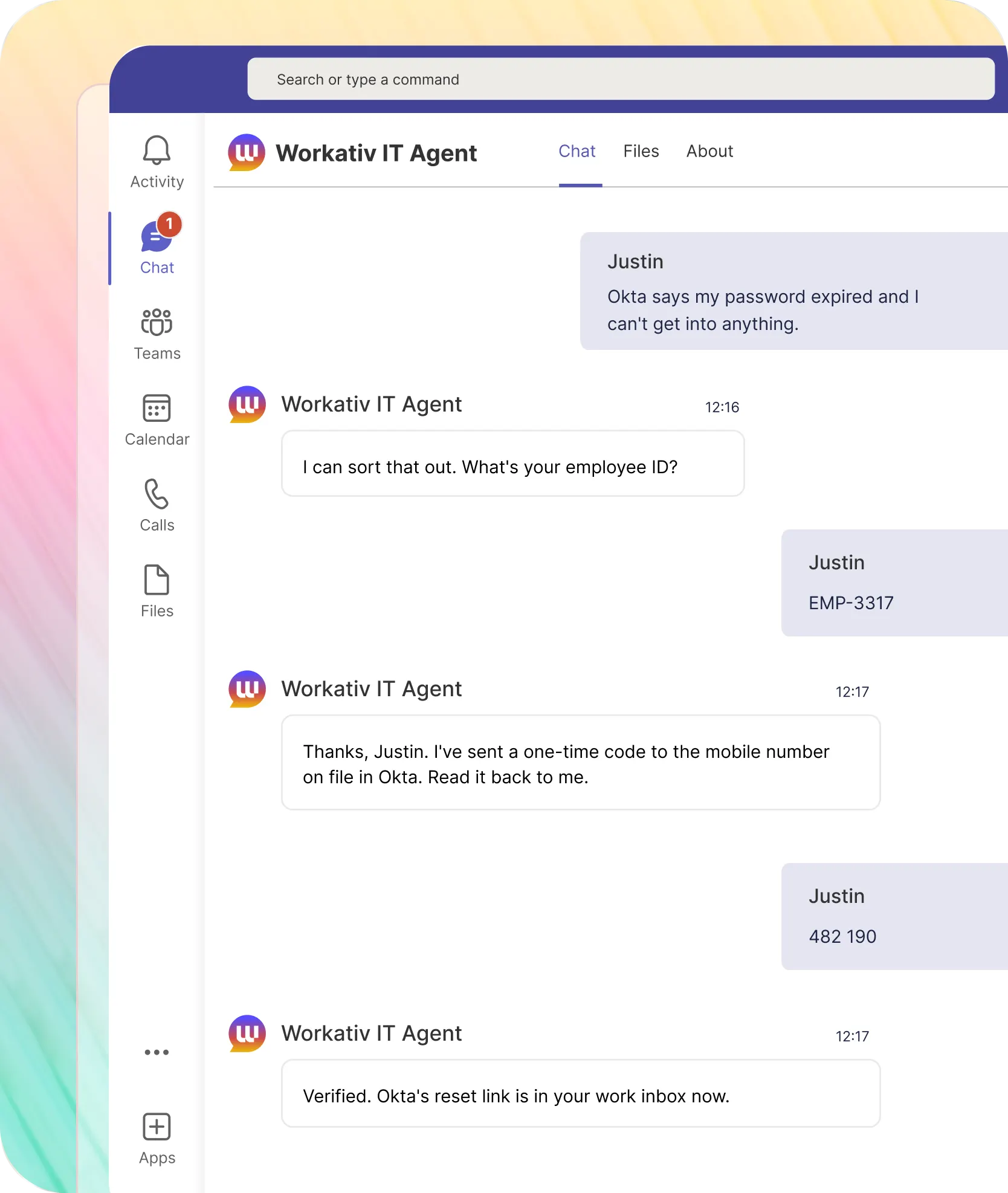
A locked-out user asks in Teams or Slack, and the Okta action has run before IT sees the message.
Workativ confirms who is asking, calls Okta under the role you assigned, and answers in the same thread. Requests outside policy go to a person with the chat attached.
A forgotten password is reset in Okta from one chat message, with no ticket behind it.

The user is verified before Okta is touched
Okta's own password policy still governs the password they set
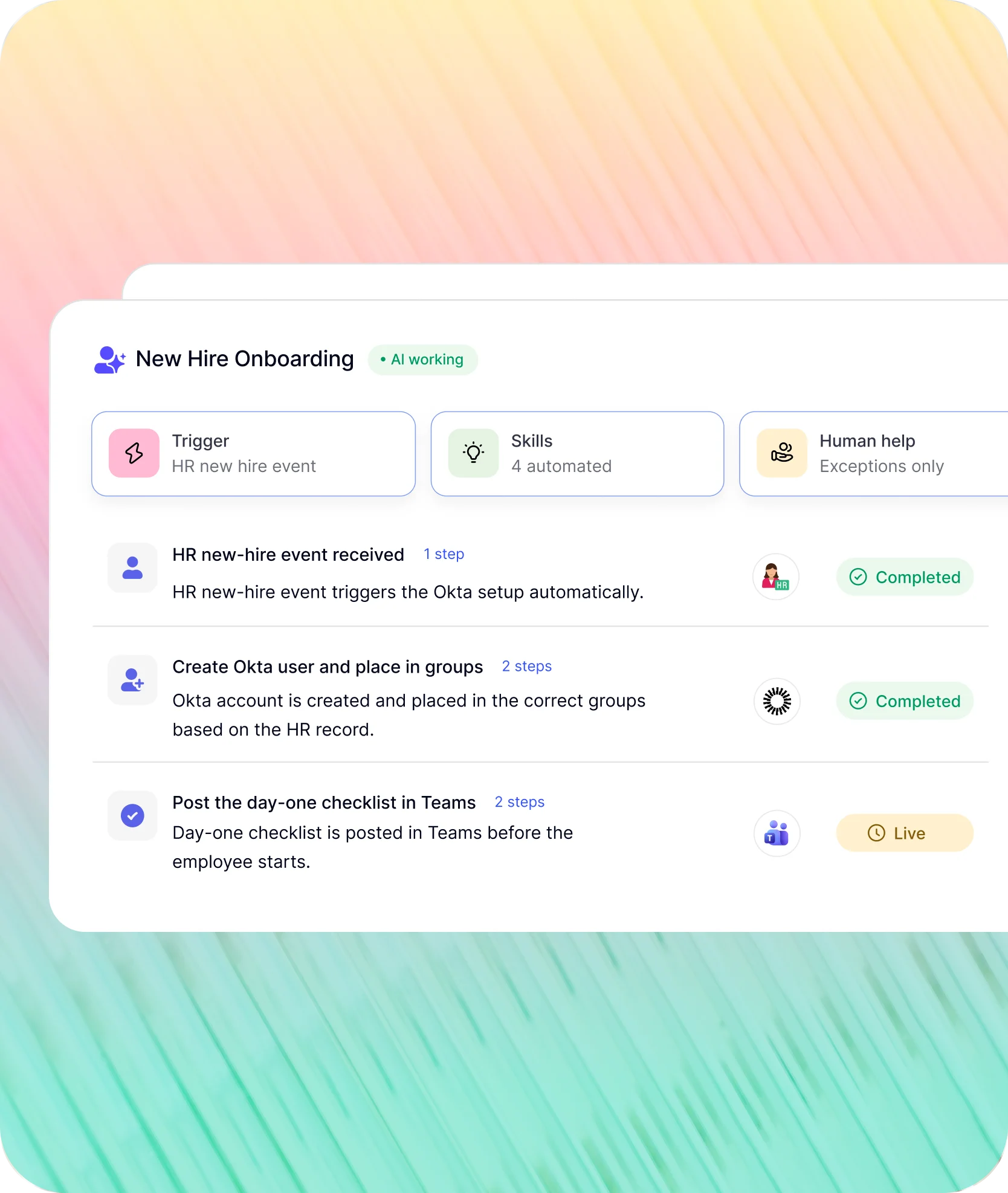
When HR changes a record, the Okta account follows it.
The HR system raises the event. Workativ carries it through Okta, the apps behind it, and the chat where approvers work.
A new hire's Okta account is created in the right groups before the first morning.
Groups follow department and location from the HR record
App access arrives through your Okta group rules, so nothing is assigned by hand
The Teams checklist is waiting before the first sign-in
NMDC Group's 13,000 employees get their IT answers in Microsoft Teams, and 78% of tickets never reach an engineer.
"Workativ has been with us every step of the way. From our first IT support use case to HR, and soon Procurement. The platform grows with us, and so does the team behind it. It's rare to find a solution that's both powerful and genuinely easy to manage."

Imran Abid
IT Operations Leader · NMDC Group

Deploy an Okta helpdesk AI agent in three steps.
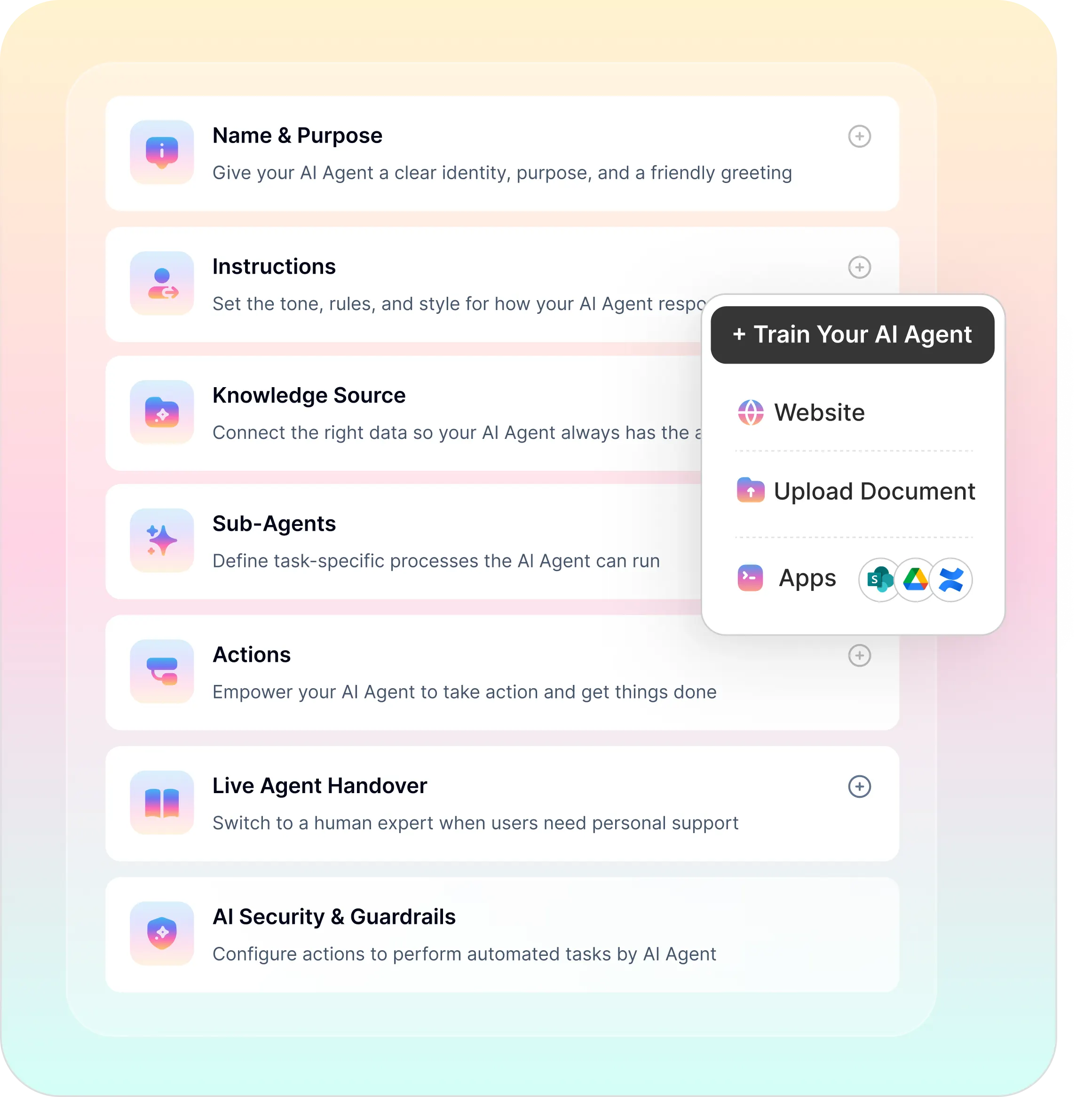
Okta remains the system of record for identity, and Workativ works inside the roles you give it.
A no-code builder and answers from your own runbooks, with permissions limited to the groups you choose.
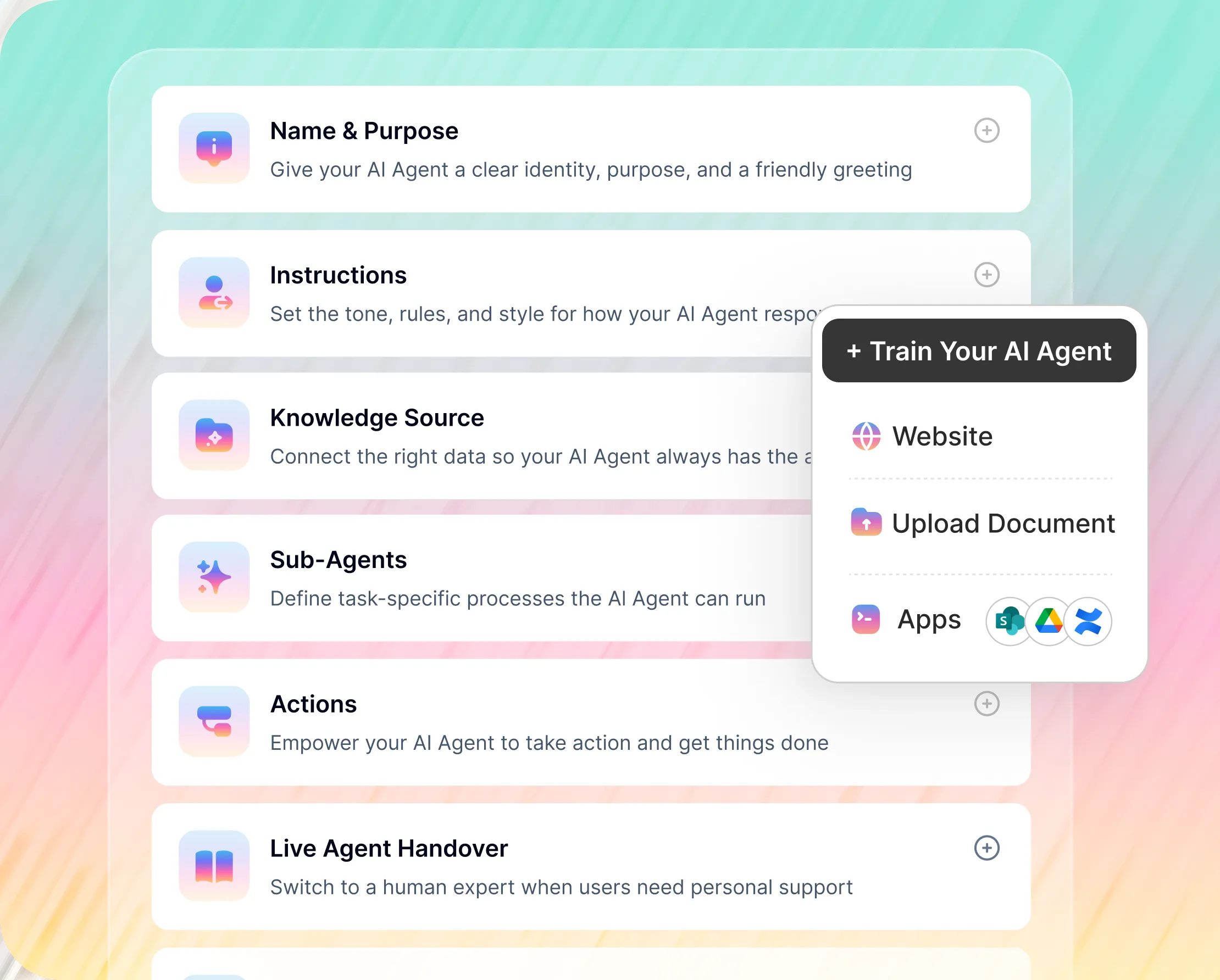
No-Code Builder for Your Okta AI Agent
Okta password reset, unlock, factor reset and assignment actions are configured point-and-click
Approval steps and escalation rules are set per action in the same builder
Knowledge sources attach without a separate project
Okta's native tools and Workativ, request by request.
Okta offers self-service reset, Workflows, and chat-based access requests through Identity Governance. Workativ carries out the helpdesk actions from chat and reaches the systems around Okta.
What matters to IT |  |  |
|---|---|---|
Password reset |  | User-started self-service reset from the sign-in page |
Account unlock | | Self-service unlock if enabled, otherwise a Help Desk admin |
Okta MFA reset for a lost phone | | A Help Desk admin resets factors from the admin console |
Okta app assignment and group changes | | Needs a role beyond Help Desk, which cannot assign apps or groups |
Access requests in Slack and Teams | | |
Actions in systems outside Okta | | Okta Workflows, built flow by flow |

If your users already get through self-service reset without calling anyone, and Identity Governance handles your access requests, Okta on its own may be enough. The agent earns its place where the helpdesk still clears lockouts and lost phones by hand, or where one request has to reach Okta and a second system. It runs alongside Okta, which stays the system of record for identity.
Okta plus the systems around it.
Okta holds the identity. When a request reaches into another system, the same thread carries it there.


'/%3e%3cpath%20d='M7.53747%209.7499L4.18595%209.72912C3.89511%209.72912%203.66314%209.49022%203.66314%209.20285C3.66314%209.08859%203.70122%208.98126%203.76701%208.89124L8.69389%202.30244C10.2589%203.46925%2010.5809%205.68513%209.41059%207.2501L7.53747%209.7499Z'%20fill='url(%23paint1_linear_217_318)'/%3e%3cdefs%3e%3clinearGradient%20id='paint0_linear_217_318'%20x1='7.3717'%20y1='1.41211'%20x2='9.07645'%20y2='11.0799'%20gradientUnits='userSpaceOnUse'%3e%3cstop%20stop-color='%239DC9FC'/%3e%3cstop%20offset='0.6866'%20stop-color='white'/%3e%3c/linearGradient%3e%3clinearGradient%20id='paint1_linear_217_318'%20x1='9.68512'%20y1='1.62241'%20x2='6.91576'%20y2='7.45173'%20gradientUnits='userSpaceOnUse'%3e%3cstop%20stop-color='%239DC9FC'/%3e%3cstop%20offset='0.7152'%20stop-color='white'/%3e%3c/linearGradient%3e%3c/defs%3e%3c/svg%3e)


%20--%3e%3csvg%20version='1.1'%20id='Layer_1'%20xmlns='http://www.w3.org/2000/svg'%20xmlns:xlink='http://www.w3.org/1999/xlink'%20x='0px'%20y='0px'%20viewBox='0%200%20512%20512'%20style='enable-background:new%200%200%20512%20512;'%20xml:space='preserve'%3e%3cstyle%20type='text/css'%3e%20.st0{fill:%23F7F7F7;}%20.st1{fill:%2328E4C3;}%20.st2{fill:url(%23SVGID_1_);}%20.st3{fill:url(%23SVGID_2_);}%20%3c/style%3e%3ccircle%20class='st0'%20cx='256'%20cy='256'%20r='245.5'/%3e%3cg%3e%3cg%3e%3cpath%20class='st1'%20d='M304.7,405.6'/%3e%3c/g%3e%3c/g%3e%3cg%3e%3cg%3e%3cpath%20class='st1'%20d='M305.8,353'/%3e%3c/g%3e%3c/g%3e%3clinearGradient%20id='SVGID_1_'%20gradientUnits='userSpaceOnUse'%20x1='388.1461'%20y1='99.0534'%20x2='204.4846'%20y2='204.5899'%20gradientTransform='matrix(1%200%200%20-1%200%20514)'%3e%3cstop%20offset='0.18'%20style='stop-color:%230052CC'/%3e%3cstop%20offset='1'%20style='stop-color:%232684FF'/%3e%3c/linearGradient%3e%3cpath%20class='st2'%20d='M119.9,330.3c-3,4.9-6.4,10.7-9.3,15.3c-2.6,4.4-1.2,10,3.1,12.7l60.7,37.4c4.4,2.7,10.1,1.3,12.9-3%20c0,0,0.1-0.1,0.1-0.1c2.4-4.1,5.6-9.3,9-15c24-39.7,48.2-34.8,91.9-14l60.2,28.6c4.7,2.2,10.2,0.2,12.4-4.4c0-0.1,0.1-0.2,0.1-0.3%20l28.9-65.4c2-4.7,0-10.1-4.7-12.2c-12.7-6-38-17.9-60.7-28.9C242.6,241.2,173.1,243.7,119.9,330.3z'/%3e%3clinearGradient%20id='SVGID_2_'%20gradientUnits='userSpaceOnUse'%20x1='613.0198'%20y1='1773.9866'%20x2='429.3116'%20y2='1879.5697'%20gradientTransform='matrix(-1%200%200%201%20736.83%20-1676.71)'%3e%3cstop%20offset='0.18'%20style='stop-color:%230052CC'/%3e%3cstop%20offset='1'%20style='stop-color:%232684FF'/%3e%3c/linearGradient%3e%3cpath%20class='st3'%20d='M392.1,181.9c3-4.9,6.4-10.7,9.3-15.3c2.6-4.4,1.2-10-3.1-12.7l-60.7-37.4c-4.3-2.9-10.1-1.7-13,2.5%20c-0.1,0.2-0.2,0.4-0.3,0.6c-2.4,4.1-5.6,9.3-9,15c-24,39.7-48.2,34.8-91.9,14l-60-28.5c-4.7-2.2-10.2-0.2-12.4,4.4%20c0,0.1-0.1,0.2-0.1,0.3L122,190.2c-2,4.7,0,10.1,4.7,12.2c12.7,6,38,17.9,60.7,28.9C269.4,271,338.9,268.4,392.1,181.9z'/%3e%3c/svg%3e)



%20--%3e%3csvg%20version='1.1'%20id='Layer_1'%20xmlns='http://www.w3.org/2000/svg'%20xmlns:xlink='http://www.w3.org/1999/xlink'%20x='0px'%20y='0px'%20viewBox='0%200%20512%20512'%20style='enable-background:new%200%200%20512%20512;'%20xml:space='preserve'%3e%3cstyle%20type='text/css'%3e%20.st0{fill:%23EB3C00;}%20.st1{fill:%23FFFFFF;}%20%3c/style%3e%3ccircle%20class='st0'%20cx='256'%20cy='256'%20r='245.5'/%3e%3cpath%20class='st1'%20d='M152.2,332.7v-152L286.7,131l73.1,23.4V359l-73.1,22L152.2,332.7l134.4,16.2V171.9L199,192.4v119.8L152.2,332.7%20z'/%3e%3c/svg%3e)

'%3e%3cpath%20d='M1.86774%200H2.41284C2.55325%200.0357914%202.8438%200.0814543%202.96023%200.144319C3.57556%200.476574%204.24389%200.994086%204.78094%201.44029C4.90785%201.49857%205.14031%201.69076%205.26616%201.78501L6.30254%202.56565L9.23874%204.76784L9.98605%205.32579C10.1165%205.42327%2010.3896%205.61784%2010.4874%205.73305C10.5933%205.62723%2010.7819%205.49083%2010.9035%205.39513C11.2293%205.13895%2011.5711%204.89897%2011.9015%204.64888L14.841%202.43616C15.2641%202.11793%2015.808%201.74101%2016.2059%201.4114C16.7548%201.01773%2017.2984%200.503308%2017.8952%200.193124C18.0888%200.0925009%2018.3311%200.0707975%2018.4996%200.00453492L18.511%200H19.1089C19.2716%200.0419345%2019.4446%200.0664859%2019.6017%200.126337C20.3949%200.428494%2020.8251%201.03647%2020.9795%201.84719V4.05546L17.6977%206.51872L16.7256%207.24655C16.6175%207.32813%2016.3229%207.56223%2016.2176%207.62326L16.2116%207.64067C16.0556%207.74125%2015.7554%207.98423%2015.5914%208.10717L14.2347%209.12565C12.9949%2010.0567%2011.7226%2010.9908%2010.4942%2011.9326C10.3311%2011.8196%2010.1521%2011.6753%209.99028%2011.5543L8.91562%2010.7499L6.14505%208.67116C5.6887%208.32244%205.22946%207.97753%204.76737%207.63644L4.76105%207.62385C4.64747%207.54843%204.4662%207.40207%204.35254%207.31617L3.58531%206.74057L0.993507%204.79937C0.666643%204.55579%200.329975%204.28777%200%204.0539V1.89895C0.0211067%201.8406%200.034732%201.7287%200.0477586%201.66355C0.195443%200.924862%200.778193%200.297181%201.50398%200.095359C1.61897%200.0633797%201.74239%200.0411929%201.85419%200.00451034L1.86774%200Z'%20fill='%23EB4337'/%3e%3cpath%20d='M18.5112%200H19.109C19.2718%200.0419345%2019.4448%200.0664859%2019.6018%200.126337C20.395%200.428494%2020.8252%201.03647%2020.9797%201.8472V4.05546L17.6978%206.51872L16.7258%207.24655C16.6176%207.32813%2016.3231%207.56223%2016.2177%207.62326C16.2065%207.10816%2016.2151%206.56484%2016.215%206.04638L16.2148%203.13227L16.2154%201.98927C16.2154%201.85241%2016.2236%201.52684%2016.2061%201.4114C16.755%201.01773%2017.2986%200.503308%2017.8953%200.193124C18.089%200.0925009%2018.3312%200.0707975%2018.4998%200.00453492L18.5112%200Z'%20fill='%23FCBC03'/%3e%3cpath%20d='M1.86774%200H2.41284C2.55325%200.0357914%202.8438%200.0814543%202.96023%200.144319C3.57556%200.476574%204.24389%200.994086%204.78094%201.44029C4.75802%201.55136%204.76536%201.81314%204.76577%201.93571L4.7683%202.76769L4.76727%206.06197L4.76854%207.06889C4.76879%207.22294%204.77708%207.48131%204.76105%207.62385C4.64746%207.54843%204.4662%207.40207%204.35254%207.31617L3.58531%206.74057L0.993506%204.79937C0.666643%204.5558%200.329975%204.28777%200%204.0539V1.89895C0.0211067%201.8406%200.034732%201.7287%200.0477586%201.66355C0.195443%200.924862%200.778193%200.297181%201.50398%200.095359C1.61897%200.0633798%201.74239%200.0411929%201.85419%200.00451034L1.86774%200Z'%20fill='%23C62220'/%3e%3cpath%20d='M0%204.05371C0.329975%204.28758%200.666643%204.5556%200.993507%204.79918L3.58531%206.74038L4.35254%207.31598C4.4662%207.40188%204.64747%207.54824%204.76105%207.62365L4.76737%207.63625C4.79294%207.81891%204.78411%208.19988%204.78406%208.39833L4.78312%209.71796L4.78339%2014.2476C4.7834%2014.4489%204.8101%2015.6601%204.76016%2015.7263C4.75851%2015.7284%204.75656%2015.7304%204.75498%2015.7326C4.75244%2015.7361%204.75024%2015.74%204.74778%2015.7435C4.7463%2015.7457%204.74469%2015.7477%204.74315%2015.7498H1.23433C1.02953%2015.6658%200.870008%2015.6564%200.656526%2015.5145C0.258114%2015.2497%200.102217%2014.9456%200%2014.4978V4.05371Z'%20fill='%234185F5'/%3e%3cpath%20d='M20.9794%204.05566V14.5025C20.828%2015.1172%2020.5387%2015.5356%2019.8875%2015.6981C19.8377%2015.7104%2019.7443%2015.7302%2019.7008%2015.7502H16.235C16.1758%2015.6436%2016.1987%2013.9178%2016.1987%2013.683L16.199%2010.2145L16.1984%208.51668C16.1982%208.31838%2016.1872%207.81396%2016.2115%207.64088L16.2175%207.62347C16.3228%207.56244%2016.6174%207.32834%2016.7255%207.24676L17.6976%206.51892L20.9794%204.05566Z'%20fill='%2333A953'/%3e%3c/g%3e%3cdefs%3e%3cclipPath%20id='clip0_1380_1288'%3e%3crect%20width='20.9795'%20height='15.75'%20fill='white'/%3e%3c/clipPath%3e%3c/defs%3e%3c/svg%3e)
%20--%3e%3csvg%20version='1.1'%20id='Layer_1'%20xmlns='http://www.w3.org/2000/svg'%20xmlns:xlink='http://www.w3.org/1999/xlink'%20x='0px'%20y='0px'%20viewBox='0%200%20512%20512'%20style='enable-background:new%200%200%20512%20512;'%20xml:space='preserve'%3e%3cstyle%20type='text/css'%3e%20.st0{fill:%230062FF;}%20.st1{fill:%23FFFFFF;}%20%3c/style%3e%3ccircle%20class='st0'%20cx='256'%20cy='256'%20r='245.5'/%3e%3cpath%20class='st1'%20d='M256,162.5l-91,58.2l91,58.2l-91,58.2l-91-59.1l91-58.2l-91-57.3l91-58.2L256,162.5z%20M164.1,355.5l91-58.2%20l91,58.2l-91,58.2L164.1,355.5z%20M256,278.1l91-58.2l-91-57.3l91-58.2l91,58.2l-91,58.2l91,58.2l-91,58.2L256,278.1z'/%3e%3c/svg%3e)


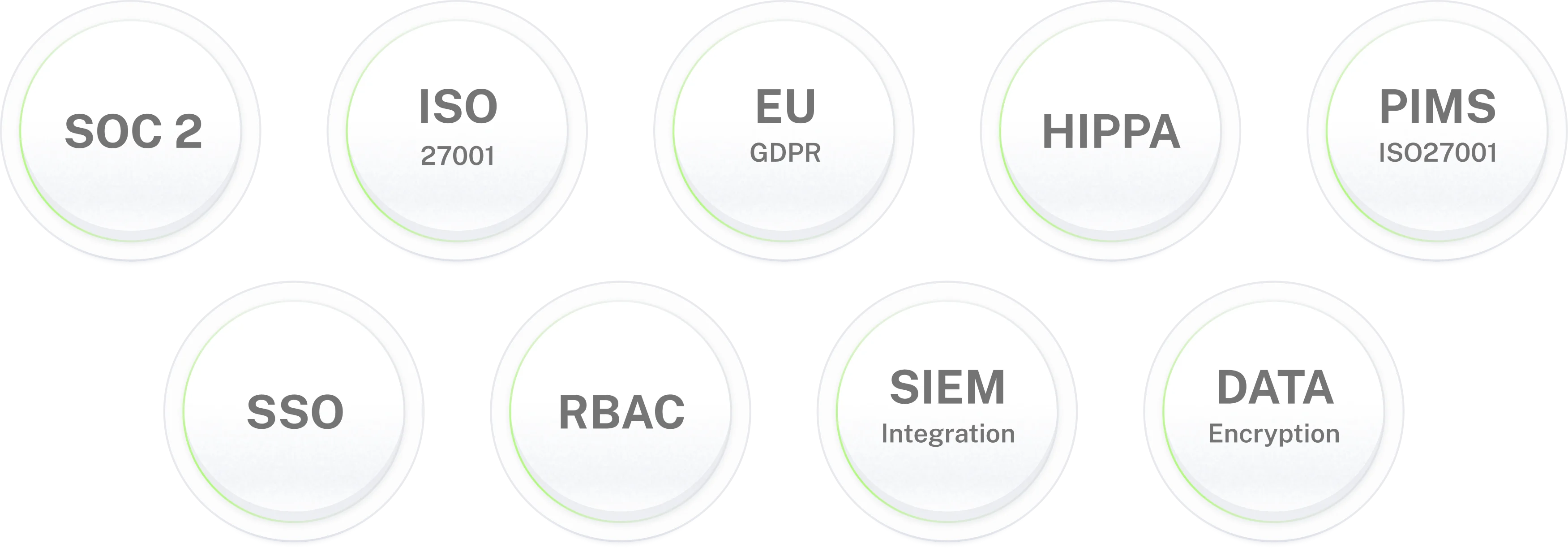
Enterprise-grade security for IT environments where data protection is non-negotiable.
Okta helpdesk AI agent for
Teams and Slack.
Resets, unlocks, MFA and app access from chat. Live in 3–5 days on your existing Okta org.
Frequently asked questions
Frequently asked questions about the Okta helpdesk AI agent
What is an Okta helpdesk AI agent?
An Okta helpdesk AI agent takes Okta requests from Microsoft Teams or Slack and carries them out in Okta: password resets, account unlocks, MFA resets, app and group assignment. It checks who is asking first, acts under an Okta admin role you define, and replies in the same thread. Workativ's Okta helpdesk AI agent also answers sign-in questions from your own policy documents and hands a case to a person when it needs judgment.
What Okta actions can an Okta AI agent run from chat?
Okta password reset, Okta account unlock, session clearing, MFA factor reset, Okta app assignment and group membership changes. Offboarding and mover changes can also run from HR events. Anything that creates an Okta administrator or edits a policy stays outside its scope and remains console work.
How does Okta password reset work through the AI agent?
The user asks in Teams or Slack, then confirms who they are, for example with a one-time code sent to the mobile number on file. Once verified, Workativ triggers the reset in Okta and the user finishes it from Okta's own email link. Okta's password policy still governs the password they set, and no ticket is opened unless the case falls outside policy.
Is an Okta MFA reset from chat safe?
It can be, when the reset is gated. A factor reset removes every enrolled factor, so Workativ can ask a manager or the IT team to approve in Teams or Slack before it runs, and it logs the requester, the approver and the result. The user enrolls again at the next sign-in under your normal Okta policy. Admin and executive accounts can be kept on a console-only path.
Which Okta admin role does the AI agent need?
The narrowest one that covers the actions you turn on. Okta's Help Desk administrator role can reset passwords, unlock accounts, reset MFA and clear sessions, and it can be limited to selected groups. It cannot assign users to apps or groups, so enabling assignment means granting group or app administration, or building a custom role. Start with reset and unlock, and widen the role only when you add an action.
Does this replace Okta self-service password reset or Okta Workflows?
No. Self-service reset suits users who can reach the sign-in page, and Okta Workflows suits automations that live entirely inside Okta. The Okta AI agent covers the requests that still reach the helpdesk, and the work that spans Okta and other systems, such as an HR event that also opens a Jira task. All of them run side by side.
How is this different from Okta Identity Governance in Slack and Teams?
Okta Identity Governance lets users submit and approve access requests in Slack and Teams. Okta's documentation notes that requests for Okta admin roles can't be made or approved from chat apps, and that chat requests use the chat session, not the Okta session. Workativ covers the helpdesk side as well, with resets, unlocks and factor resets, and does not depend on Identity Governance. If you already run Identity Governance, the two can coexist.
Is this the same as Okta for AI Agents?
No. Okta for AI Agents is about securing the identities and access of AI agents themselves, the agents your company builds or buys. A Workativ Okta helpdesk AI agent is a different thing: an agent that uses Okta on behalf of your employees to reset, unlock and assign. The two can sit together, since the Workativ agent works under an Okta admin role like any other administrator.
Does the Okta AI agent work in Microsoft Teams and Slack?
Yes, both. Teams runs as a native app and Slack runs the same flows, so the Okta actions and the approval rules are identical on either platform. You can deploy to one or both.
How long does it take to deploy?
Three to five days for most teams. The time goes into creating the Okta admin role, deciding which actions need a second approval, and loading your policy documents. Okta password reset and Okta account unlock usually go first. MFA reset and app assignment follow once the approval flow has been tested.
How are the admin actions audited?
Each action is logged in Workativ with the requester, the approver where there was one, the Okta result and the time. Because the actions run through the Okta API, they also appear in the Okta System Log. Logs can be forwarded to your SIEM, and secrets and tokens are masked.
What else can the AI agent connect to besides Okta?
More than 100 apps. Common pairings are Azure AD, Microsoft 365, ServiceNow, Jira Service Management, Freshservice, Workday, BambooHR, SharePoint and Confluence. That lets one conversation reset an Okta password, open a task in your ITSM and post the result back in chat.