



Microsoft 365 AI agent that assigns licenses and hands over a leaver's mailbox from chat.
The admin center can assign a license, but it does not decide who gets a Copilot seat or what happens to a mailbox before Microsoft's 30-day clock runs out. Workativ asks the right person in Teams or Slack and makes the change in order.
IT Teams of all sizes trusts Workativ AI to automate IT Operations & Support

Licenses and mailboxes carry deadlines and costs that the admin center does not track for you.

Seats stay assigned after people leave
A removed license keeps costing until someone reclaims the seat, and the mailbox needs a decision first.

Copilot seats go to whoever asked first
With no usage data in front of IT, seats sit with people who stopped using Copilot.

A leaver's mailbox runs on a 30-day clock
Mail and calendar are kept 30 days once the license is removed, and the handover has to happen before then.
A license or mailbox request is raised in Teams or Slack, and the person who decides it answers in the same place.
Workativ checks the request against your pools and rules, asks the person who owns the decision, and makes the change in Microsoft 365. Anything it cannot decide goes to IT with the chat attached.
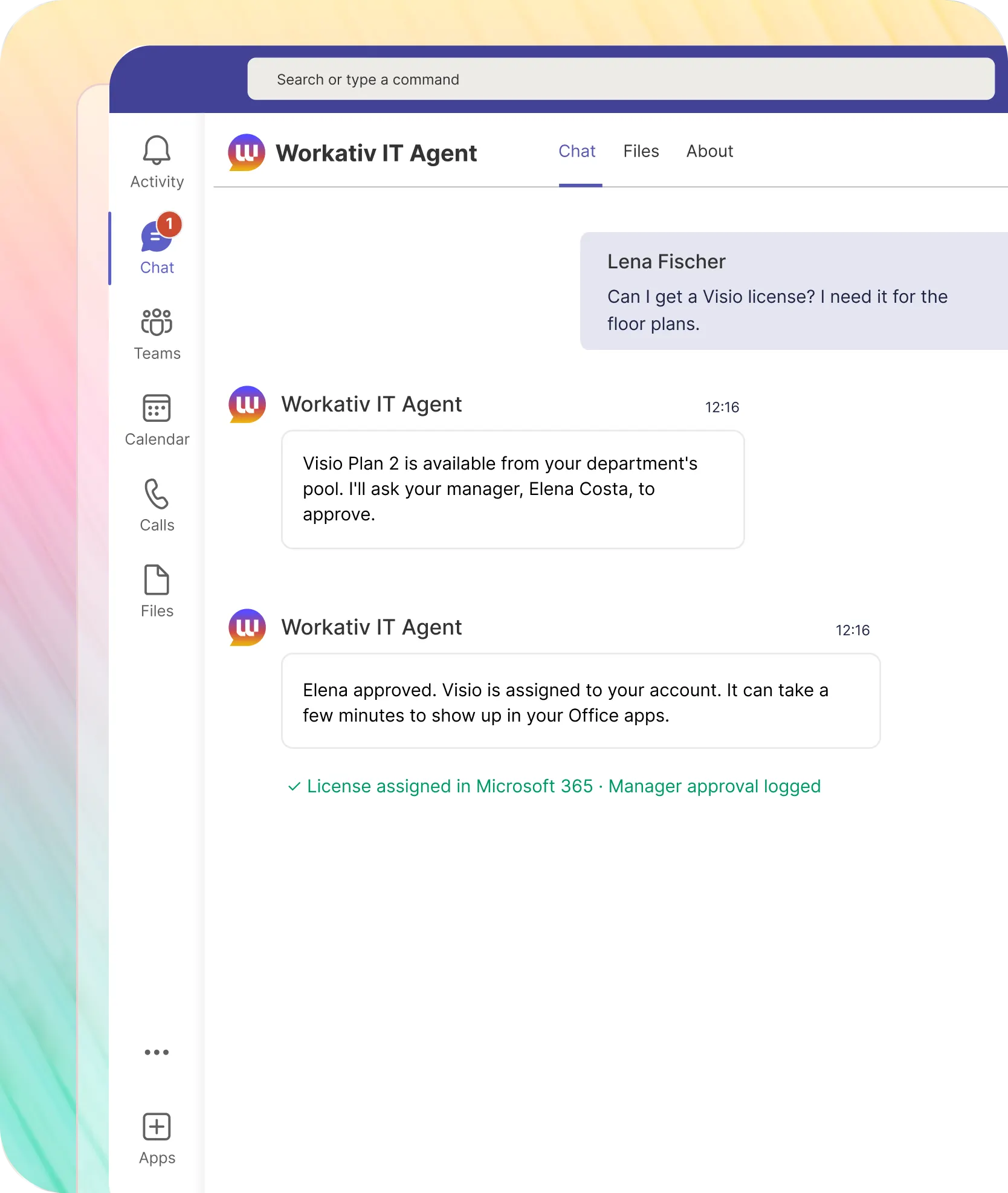
A Visio request is checked against the plan and the department pool, then assigned once the manager approves.

The pool is checked first, so requests beyond it go to IT instead of failing silently
The approval is stored with the license record
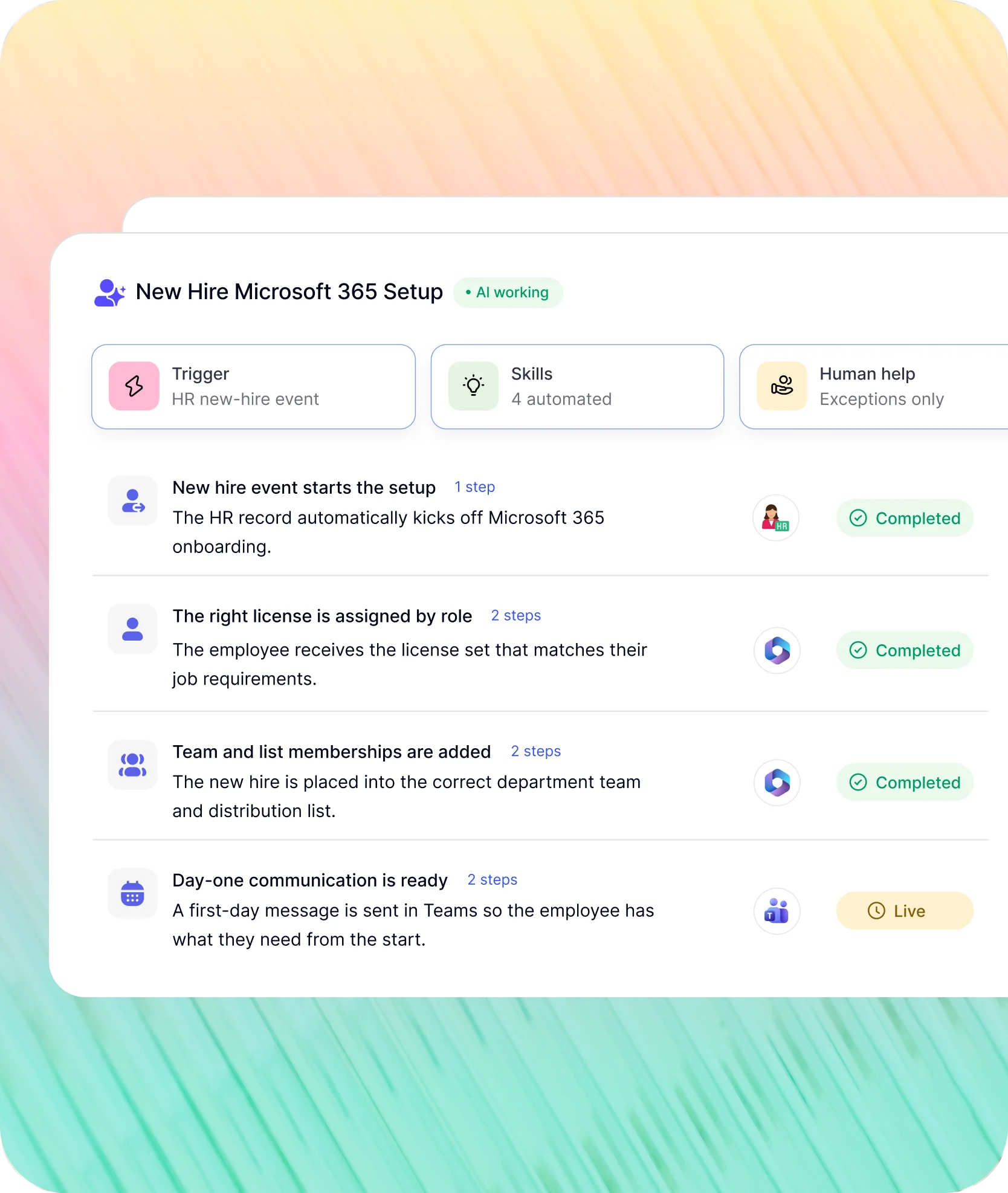
Each HR event runs its Microsoft 365 changes in the order Microsoft's own guidance recommends.
An event arrives from HR, a schedule or a chat request. Workativ works through the tenant step by step and reports back in Teams or Slack.
A new hire's license set, mailbox and team memberships are in place before the start date, from one HR record.
A sales hire and an engineer get different license sets, because the set follows the role
Department team and distribution list memberships are added in the same run
A first-day message waits in Teams
NMDC Group works in Microsoft Teams, and 78% of its IT tickets are closed without an engineer.
"Workativ has been with us every step of the way. From our first IT support use case to HR, and soon Procurement. The platform grows with us, and so does the team behind it. It's rare to find a solution that's both powerful and genuinely easy to manage."

Imran Abid
IT Operations Leader · NMDC Group

Deploy a Microsoft 365 AI agent in three steps.
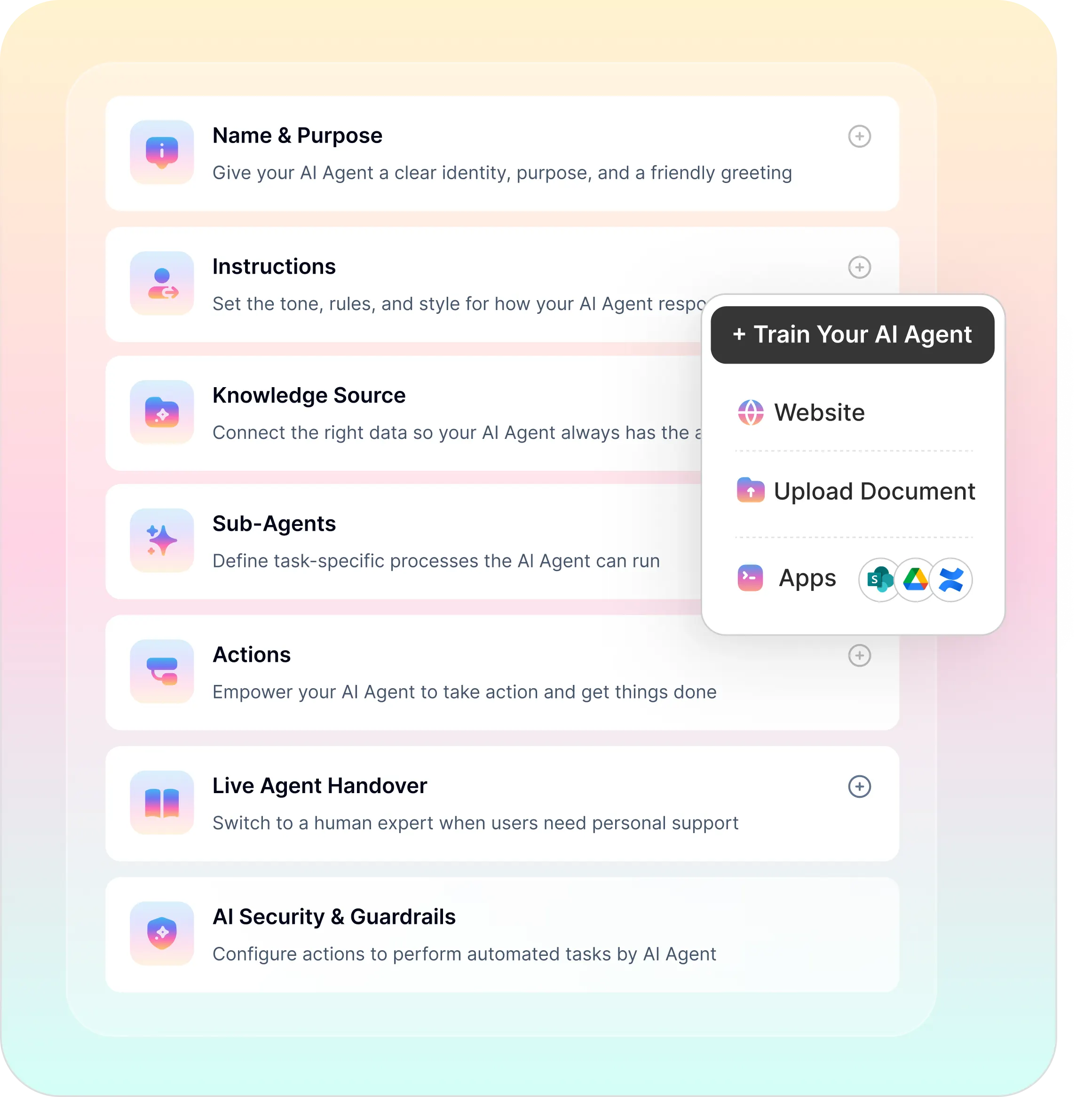
Licensing rules stay in Microsoft 365, and Workativ handles the requests that fall outside them.
Build without code and answer from your own handbook, with every action tied to the admin role that performs it.
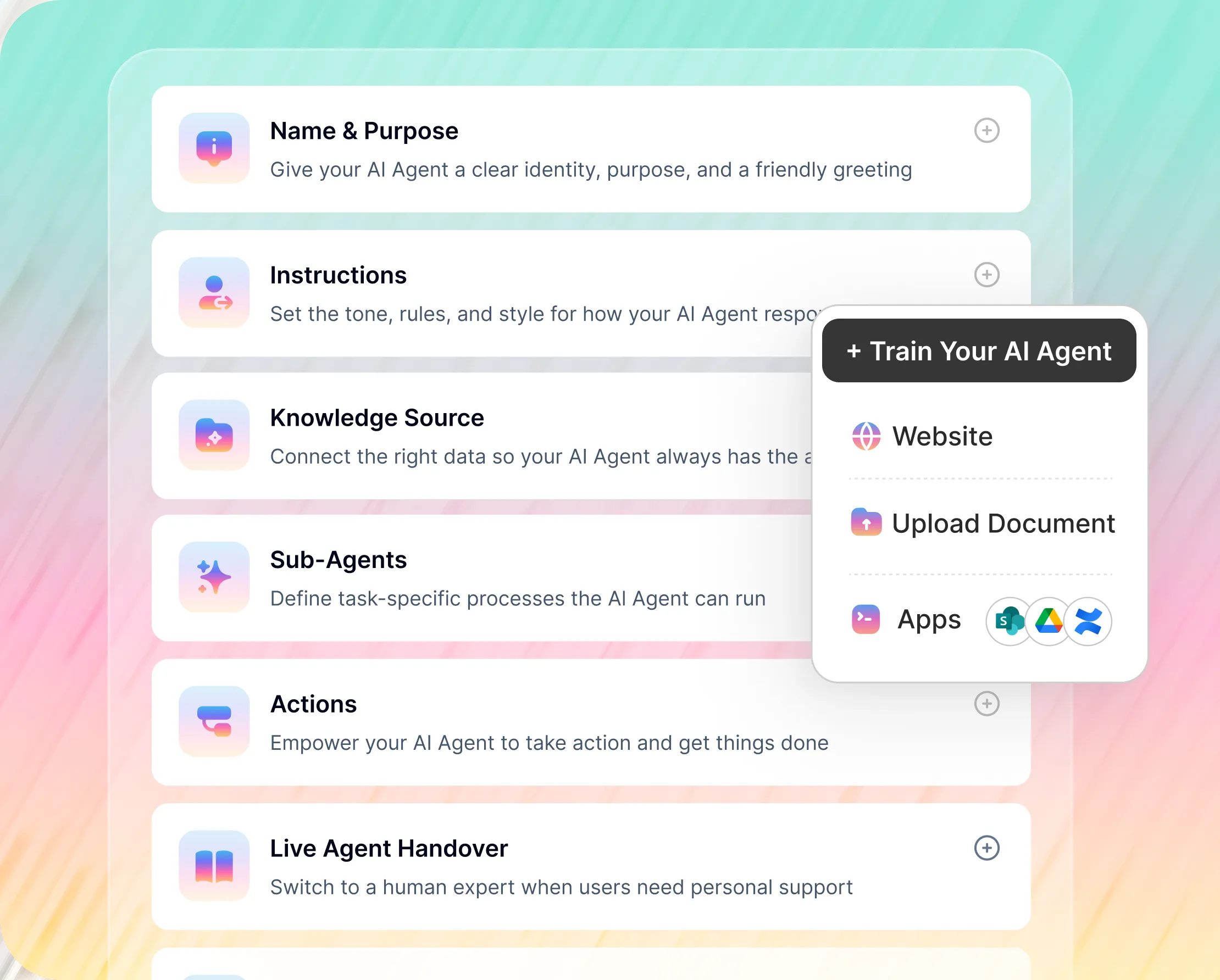
No-Code Builder for Your Microsoft 365 AI Agent
Microsoft 365 license assignment pools, approvers and permission pairs are configured on one screen
Requests that fall outside a pool go to IT with the thread attached
What the admin center handles on its own, and what still waits for a person.
Microsoft's own tooling covers group-based licensing, usage reports and a published offboarding checklist. What it leaves out is the approval step and the order of operations, and anything outside Microsoft.
What matters to IT |  |  |
|---|---|---|
Microsoft 365 license assignment |  | Admin center or group-based licensing, by a License, User or Groups Administrator |
Rule-based licensing | | Group-based licensing assigns by group membership |
Copilot seat control | | Usage report and audit data, with reclaiming done by an admin or a script |
Leaver mailbox and OneDrive | | A checklist the admin works through by hand |
Shared mailbox permissions | | Exchange admin center or PowerShell, with Send on Behalf set by PowerShell only |
Tasks outside Microsoft | | Power Automate or Copilot Studio, built per scenario |

Tenants where group rules decide every license, Copilot is rare, and offboarding already follows Microsoft's checklist may not need more than the admin center. The agent helps once exceptions start piling up, or when leaver mailboxes are being handled by whoever has time. It runs beside Microsoft 365, which stays the system of record. For a side-by-side with Microsoft's own assistant, see the Microsoft Copilot comparison.
The systems that sit outside Microsoft 365, connected to it.
Licenses, mailboxes and OneDrive stay in Microsoft 365. A device task or an HR lookup is handed over inside the same thread.


'/%3e%3cpath%20d='M7.53747%209.7499L4.18595%209.72912C3.89511%209.72912%203.66314%209.49022%203.66314%209.20285C3.66314%209.08859%203.70122%208.98126%203.76701%208.89124L8.69389%202.30244C10.2589%203.46925%2010.5809%205.68513%209.41059%207.2501L7.53747%209.7499Z'%20fill='url(%23paint1_linear_217_318)'/%3e%3cdefs%3e%3clinearGradient%20id='paint0_linear_217_318'%20x1='7.3717'%20y1='1.41211'%20x2='9.07645'%20y2='11.0799'%20gradientUnits='userSpaceOnUse'%3e%3cstop%20stop-color='%239DC9FC'/%3e%3cstop%20offset='0.6866'%20stop-color='white'/%3e%3c/linearGradient%3e%3clinearGradient%20id='paint1_linear_217_318'%20x1='9.68512'%20y1='1.62241'%20x2='6.91576'%20y2='7.45173'%20gradientUnits='userSpaceOnUse'%3e%3cstop%20stop-color='%239DC9FC'/%3e%3cstop%20offset='0.7152'%20stop-color='white'/%3e%3c/linearGradient%3e%3c/defs%3e%3c/svg%3e)


%20--%3e%3csvg%20version='1.1'%20id='Layer_1'%20xmlns='http://www.w3.org/2000/svg'%20xmlns:xlink='http://www.w3.org/1999/xlink'%20x='0px'%20y='0px'%20viewBox='0%200%20512%20512'%20style='enable-background:new%200%200%20512%20512;'%20xml:space='preserve'%3e%3cstyle%20type='text/css'%3e%20.st0{fill:%23F7F7F7;}%20.st1{fill:%2328E4C3;}%20.st2{fill:url(%23SVGID_1_);}%20.st3{fill:url(%23SVGID_2_);}%20%3c/style%3e%3ccircle%20class='st0'%20cx='256'%20cy='256'%20r='245.5'/%3e%3cg%3e%3cg%3e%3cpath%20class='st1'%20d='M304.7,405.6'/%3e%3c/g%3e%3c/g%3e%3cg%3e%3cg%3e%3cpath%20class='st1'%20d='M305.8,353'/%3e%3c/g%3e%3c/g%3e%3clinearGradient%20id='SVGID_1_'%20gradientUnits='userSpaceOnUse'%20x1='388.1461'%20y1='99.0534'%20x2='204.4846'%20y2='204.5899'%20gradientTransform='matrix(1%200%200%20-1%200%20514)'%3e%3cstop%20offset='0.18'%20style='stop-color:%230052CC'/%3e%3cstop%20offset='1'%20style='stop-color:%232684FF'/%3e%3c/linearGradient%3e%3cpath%20class='st2'%20d='M119.9,330.3c-3,4.9-6.4,10.7-9.3,15.3c-2.6,4.4-1.2,10,3.1,12.7l60.7,37.4c4.4,2.7,10.1,1.3,12.9-3%20c0,0,0.1-0.1,0.1-0.1c2.4-4.1,5.6-9.3,9-15c24-39.7,48.2-34.8,91.9-14l60.2,28.6c4.7,2.2,10.2,0.2,12.4-4.4c0-0.1,0.1-0.2,0.1-0.3%20l28.9-65.4c2-4.7,0-10.1-4.7-12.2c-12.7-6-38-17.9-60.7-28.9C242.6,241.2,173.1,243.7,119.9,330.3z'/%3e%3clinearGradient%20id='SVGID_2_'%20gradientUnits='userSpaceOnUse'%20x1='613.0198'%20y1='1773.9866'%20x2='429.3116'%20y2='1879.5697'%20gradientTransform='matrix(-1%200%200%201%20736.83%20-1676.71)'%3e%3cstop%20offset='0.18'%20style='stop-color:%230052CC'/%3e%3cstop%20offset='1'%20style='stop-color:%232684FF'/%3e%3c/linearGradient%3e%3cpath%20class='st3'%20d='M392.1,181.9c3-4.9,6.4-10.7,9.3-15.3c2.6-4.4,1.2-10-3.1-12.7l-60.7-37.4c-4.3-2.9-10.1-1.7-13,2.5%20c-0.1,0.2-0.2,0.4-0.3,0.6c-2.4,4.1-5.6,9.3-9,15c-24,39.7-48.2,34.8-91.9,14l-60-28.5c-4.7-2.2-10.2-0.2-12.4,4.4%20c0,0.1-0.1,0.2-0.1,0.3L122,190.2c-2,4.7,0,10.1,4.7,12.2c12.7,6,38,17.9,60.7,28.9C269.4,271,338.9,268.4,392.1,181.9z'/%3e%3c/svg%3e)



%20--%3e%3csvg%20version='1.1'%20id='Layer_1'%20xmlns='http://www.w3.org/2000/svg'%20xmlns:xlink='http://www.w3.org/1999/xlink'%20x='0px'%20y='0px'%20viewBox='0%200%20512%20512'%20style='enable-background:new%200%200%20512%20512;'%20xml:space='preserve'%3e%3cstyle%20type='text/css'%3e%20.st0{fill:%23EB3C00;}%20.st1{fill:%23FFFFFF;}%20%3c/style%3e%3ccircle%20class='st0'%20cx='256'%20cy='256'%20r='245.5'/%3e%3cpath%20class='st1'%20d='M152.2,332.7v-152L286.7,131l73.1,23.4V359l-73.1,22L152.2,332.7l134.4,16.2V171.9L199,192.4v119.8L152.2,332.7%20z'/%3e%3c/svg%3e)

'%3e%3cpath%20d='M1.86774%200H2.41284C2.55325%200.0357914%202.8438%200.0814543%202.96023%200.144319C3.57556%200.476574%204.24389%200.994086%204.78094%201.44029C4.90785%201.49857%205.14031%201.69076%205.26616%201.78501L6.30254%202.56565L9.23874%204.76784L9.98605%205.32579C10.1165%205.42327%2010.3896%205.61784%2010.4874%205.73305C10.5933%205.62723%2010.7819%205.49083%2010.9035%205.39513C11.2293%205.13895%2011.5711%204.89897%2011.9015%204.64888L14.841%202.43616C15.2641%202.11793%2015.808%201.74101%2016.2059%201.4114C16.7548%201.01773%2017.2984%200.503308%2017.8952%200.193124C18.0888%200.0925009%2018.3311%200.0707975%2018.4996%200.00453492L18.511%200H19.1089C19.2716%200.0419345%2019.4446%200.0664859%2019.6017%200.126337C20.3949%200.428494%2020.8251%201.03647%2020.9795%201.84719V4.05546L17.6977%206.51872L16.7256%207.24655C16.6175%207.32813%2016.3229%207.56223%2016.2176%207.62326L16.2116%207.64067C16.0556%207.74125%2015.7554%207.98423%2015.5914%208.10717L14.2347%209.12565C12.9949%2010.0567%2011.7226%2010.9908%2010.4942%2011.9326C10.3311%2011.8196%2010.1521%2011.6753%209.99028%2011.5543L8.91562%2010.7499L6.14505%208.67116C5.6887%208.32244%205.22946%207.97753%204.76737%207.63644L4.76105%207.62385C4.64747%207.54843%204.4662%207.40207%204.35254%207.31617L3.58531%206.74057L0.993507%204.79937C0.666643%204.55579%200.329975%204.28777%200%204.0539V1.89895C0.0211067%201.8406%200.034732%201.7287%200.0477586%201.66355C0.195443%200.924862%200.778193%200.297181%201.50398%200.095359C1.61897%200.0633797%201.74239%200.0411929%201.85419%200.00451034L1.86774%200Z'%20fill='%23EB4337'/%3e%3cpath%20d='M18.5112%200H19.109C19.2718%200.0419345%2019.4448%200.0664859%2019.6018%200.126337C20.395%200.428494%2020.8252%201.03647%2020.9797%201.8472V4.05546L17.6978%206.51872L16.7258%207.24655C16.6176%207.32813%2016.3231%207.56223%2016.2177%207.62326C16.2065%207.10816%2016.2151%206.56484%2016.215%206.04638L16.2148%203.13227L16.2154%201.98927C16.2154%201.85241%2016.2236%201.52684%2016.2061%201.4114C16.755%201.01773%2017.2986%200.503308%2017.8953%200.193124C18.089%200.0925009%2018.3312%200.0707975%2018.4998%200.00453492L18.5112%200Z'%20fill='%23FCBC03'/%3e%3cpath%20d='M1.86774%200H2.41284C2.55325%200.0357914%202.8438%200.0814543%202.96023%200.144319C3.57556%200.476574%204.24389%200.994086%204.78094%201.44029C4.75802%201.55136%204.76536%201.81314%204.76577%201.93571L4.7683%202.76769L4.76727%206.06197L4.76854%207.06889C4.76879%207.22294%204.77708%207.48131%204.76105%207.62385C4.64746%207.54843%204.4662%207.40207%204.35254%207.31617L3.58531%206.74057L0.993506%204.79937C0.666643%204.5558%200.329975%204.28777%200%204.0539V1.89895C0.0211067%201.8406%200.034732%201.7287%200.0477586%201.66355C0.195443%200.924862%200.778193%200.297181%201.50398%200.095359C1.61897%200.0633798%201.74239%200.0411929%201.85419%200.00451034L1.86774%200Z'%20fill='%23C62220'/%3e%3cpath%20d='M0%204.05371C0.329975%204.28758%200.666643%204.5556%200.993507%204.79918L3.58531%206.74038L4.35254%207.31598C4.4662%207.40188%204.64747%207.54824%204.76105%207.62365L4.76737%207.63625C4.79294%207.81891%204.78411%208.19988%204.78406%208.39833L4.78312%209.71796L4.78339%2014.2476C4.7834%2014.4489%204.8101%2015.6601%204.76016%2015.7263C4.75851%2015.7284%204.75656%2015.7304%204.75498%2015.7326C4.75244%2015.7361%204.75024%2015.74%204.74778%2015.7435C4.7463%2015.7457%204.74469%2015.7477%204.74315%2015.7498H1.23433C1.02953%2015.6658%200.870008%2015.6564%200.656526%2015.5145C0.258114%2015.2497%200.102217%2014.9456%200%2014.4978V4.05371Z'%20fill='%234185F5'/%3e%3cpath%20d='M20.9794%204.05566V14.5025C20.828%2015.1172%2020.5387%2015.5356%2019.8875%2015.6981C19.8377%2015.7104%2019.7443%2015.7302%2019.7008%2015.7502H16.235C16.1758%2015.6436%2016.1987%2013.9178%2016.1987%2013.683L16.199%2010.2145L16.1984%208.51668C16.1982%208.31838%2016.1872%207.81396%2016.2115%207.64088L16.2175%207.62347C16.3228%207.56244%2016.6174%207.32834%2016.7255%207.24676L17.6976%206.51892L20.9794%204.05566Z'%20fill='%2333A953'/%3e%3c/g%3e%3cdefs%3e%3cclipPath%20id='clip0_1380_1288'%3e%3crect%20width='20.9795'%20height='15.75'%20fill='white'/%3e%3c/clipPath%3e%3c/defs%3e%3c/svg%3e)
%20--%3e%3csvg%20version='1.1'%20id='Layer_1'%20xmlns='http://www.w3.org/2000/svg'%20xmlns:xlink='http://www.w3.org/1999/xlink'%20x='0px'%20y='0px'%20viewBox='0%200%20512%20512'%20style='enable-background:new%200%200%20512%20512;'%20xml:space='preserve'%3e%3cstyle%20type='text/css'%3e%20.st0{fill:%230062FF;}%20.st1{fill:%23FFFFFF;}%20%3c/style%3e%3ccircle%20class='st0'%20cx='256'%20cy='256'%20r='245.5'/%3e%3cpath%20class='st1'%20d='M256,162.5l-91,58.2l91,58.2l-91,58.2l-91-59.1l91-58.2l-91-57.3l91-58.2L256,162.5z%20M164.1,355.5l91-58.2%20l91,58.2l-91,58.2L164.1,355.5z%20M256,278.1l91-58.2l-91-57.3l91-58.2l91,58.2l-91,58.2l91,58.2l-91,58.2L256,278.1z'/%3e%3c/svg%3e)


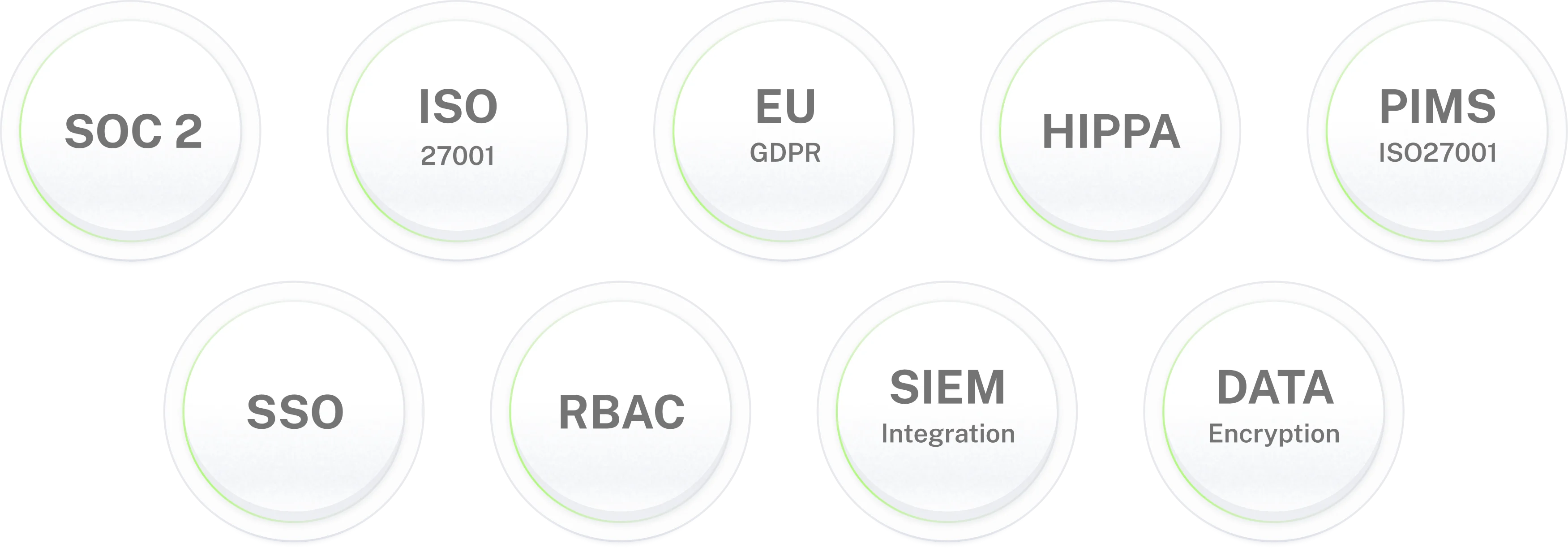
Enterprise-grade security for IT environments where data protection is non-negotiable.
Microsoft 365
AI agent for Teams and Slack.
Handle license requests and leaver handovers in chat, and keep Copilot seats in check. Live in 3–5 days.
Frequently asked questions
Frequently asked questions about the Microsoft 365 AI agent
What is a Microsoft 365 AI agent?
A Microsoft 365 AI agent (many admins still search for an Office 365 AI agent) lets people raise tenant requests in Teams or Slack and has them done in Microsoft 365: license assignment, Copilot seats, shared mailbox permissions, OneDrive handovers and leaver clean-up. It asks the right approver, works under the Microsoft 365 admin roles you assign, and replies in the thread where the request began. Workativ's version also answers how-to questions from your IT handbook and passes a case to a person when it needs a decision.
Is Office 365 the same as Microsoft 365?
For admin work, yes. Microsoft folded the Office 365 brand into Microsoft 365, and the admin console is the Microsoft 365 admin center. Many teams still say Office 365, so an Office 365 AI agent and a Microsoft 365 AI agent point at the same tenant. If you are looking at Workativ's earlier Office 365 chatbot page, it covers the same service with a mailbox and distribution-list focus.
What can the Microsoft 365 AI agent do from chat?
Microsoft 365 license assignment and removal, Copilot seat requests and reclaiming, shared mailbox permissions, distribution list and group membership, OneDrive access for managers, and a leaver checklist run in the right order. Sign-in problems such as resets and lockouts belong to the Entra ID side, and Workativ covers those on its Entra page.
How does Microsoft 365 license assignment work through the AI agent?
A user asks for a license in Teams or Slack, the agent checks the plan and the pool, and the approver confirms in the thread. Workativ then assigns the license in Microsoft 365. Microsoft says assigning licenses takes at least a Groups Administrator, License Administrator or User Administrator role, and the agent runs under one of them. Rule-based licensing can stay with group-based licensing, and the agent handles the exceptions.
How are Microsoft 365 Copilot license requests and unused seats handled?
A Microsoft 365 Copilot license request records the use case and goes to an approver before a seat is assigned. Each month the agent can compare seat holders against Copilot activity from the usage report and audit log, then ask each manager whether to keep or release a flagged seat. Microsoft's usage report is thin on how heavily Copilot is used, so the activity window and the rule for flagging a seat are yours to set.
What happens to a leaver's mailbox and OneDrive?
Microsoft's offboarding order is to block sign-in, save or hand over the mailbox, convert it to a shared mailbox or forward it, give someone access to OneDrive, then remove the license and delete the account. After a license is removed, mail, contacts and calendar are kept for 30 days and then deleted permanently. The agent runs Microsoft 365 offboarding in that order. Accounts synced from on-premises Active Directory have to be deleted in the local directory instead.
When does a shared mailbox need a license?
Shared mailboxes usually don't need one. Microsoft says an Exchange Online Plan 2 license is required when the mailbox holds more than 50 GB, uses in-place archiving, or is on litigation hold. New shared mailboxes also have sign-in blocked by default. A converted leaver mailbox is therefore often free to keep, which returns the seat to your pool.
How is this different from Microsoft 365 Copilot and Copilot agents?
Copilot helps people work with their own Microsoft 365 content, and its agents are built per task. The Workativ agent is an IT helpdesk agent: it performs license, mailbox and OneDrive changes with an approval trail, and it reaches systems outside Microsoft such as Jira or ServiceNow. Many tenants run both.
Do I need the Entra ID agent as well?
They split the work. The Entra ID agent handles sign-in: password resets, lockouts, Temporary Access Passes and group access. The Microsoft 365 agent handles what the account is entitled to once it exists: licenses, mailboxes, OneDrive and Copilot seats. You can start with either and add the other later.
How long does deployment take?
Expect three to five days from start to live. The effort goes into registering the app with the Graph and Exchange Online permissions you approve, writing down license pools and approvers, and loading the handbook. License requests and the leaver checklist go live first, and Copilot seat control comes once usage data is flowing.
Which admin roles does the Microsoft 365 AI agent need?
One role per kind of action. Licensing runs under License Administrator or User Administrator, mailbox actions need an Exchange admin role, and OneDrive access needs the role that governs SharePoint and OneDrive. Turn actions on one at a time, and give a role more reach only when the next action needs it. Directory-wide admin tasks are never run from chat.
Which chat platforms does it support, and where is the audit trail?
Both platforms get the same actions and approval rules, so a manager in either can sign off. Workativ keeps its own record of each request, who approved it, what changed and when, and the Microsoft Purview audit log holds the matching Microsoft 365 entry. The Workativ record can also be sent to your SIEM.