Workativ Logo
Contact us

AI Agents in HR: Use cases, benefits, and future

Explore AI agents in HR: top use cases, business benefits, implementation strategies & future trends transforming employee support and HR service delivery.

Narayani Iyear
Narayani Iyear
Content Writer
26 Feb 2025
blog

TL;DR

    tick
  • AI agents in HR move beyond basic automation by executing workflows, accessing real-time data, and delivering complete resolutions within a single interaction.

    tick
  • They help HR teams eliminate repetitive tasks, reduce operational burden, and improve response speed while maintaining compliance and accuracy.

    tick
  • By integrating across HRIS, payroll, and enterprise systems, AI agents create a unified support layer that simplifies employee interactions.

    tick
  • Organizations adopting HR AI agents gain scalable operations, improved employee experience, and the ability to focus HR efforts on strategic initiatives.

HR teams spend significant time answering repetitive employee questions about leave, payroll, benefits, and company policies. Even with HR portals and traditional chatbots, employees often need to switch between systems or contact HR to complete simple requests.

HR AI agents change that experience. Instead of only answering questions, they can retrieve employee information, initiate leave requests, automate onboarding tasks, and execute approved workflows across connected HR systems such as Workday, BambooHR, and ServiceNow.

For HR teams, this means fewer manual tasks and faster employee support. For employees, it means completing everyday requests through familiar channels like Microsoft Teams or Slack without navigating multiple applications.

In this guide, we'll explore how HR AI agents work, their most valuable use cases, business benefits, and how to implement them effectively. We'll also examine how platforms like Workativ make HR workflow automation more accessible through AI-powered employee support.

What is an HR AI agent?

An HR AI agent is an AI-powered assistant that understands employee requests, retrieves information from company policies and HR systems, and takes action to complete HR tasks. Unlike traditional HR chatbots that primarily answer questions, HR AI agents can execute workflows such as leave requests, employee onboarding, payroll inquiries, and HR ticket creation.

For example: An employee asks in Microsoft Teams, "Can I take next Friday off?" The AI agent checks their leave balance, verifies the applicable policy, submits the request through the connected HRIS, and routes it to their manager for approval. Once processed, the employee receives a confirmation without manually navigating multiple HR applications.

By combining conversational AI with HR workflow automation, these agents help HR teams reduce repetitive work and deliver faster employee self-service.

HR AI Agent vs. HR Chatbot: What's the Difference?

The key difference between an HR AI agent and an HR chatbot is how independently they can complete employee requests. Traditional HR chatbots focus on answering questions and guiding employees, while HR AI agents can use connected systems to execute multi-step workflows within defined permissions and approval rules.

Comparison

Traditional HR Chatbot

HR AI Agent

Primary function

Answers FAQs, shares policies, and guides employees through predefined interactions.

Understands requests and can complete HR tasks through connected systems.

Workflow automation

Typically handles simple, scripted interactions or request routing.

Executes multi-step workflows such as leave submissions, onboarding, and approvals.

Personalization and integrations

Usually relies on predefined content and limited employee context.

Retrieves relevant employee data from HRIS, payroll, and other connected systems, subject to access permissions.

Complex requests and escalation

Follows predefined rules or routes unresolved questions to HR.

Uses context and workflow rules to handle routine exceptions and escalate sensitive cases to HR.

Which should HR teams choose?

A traditional HR chatbot may be sufficient for basic FAQs and policy navigation. An HR AI agent is better suited to organizations looking to automate employee requests across multiple systems, reduce manual HR workload, and deliver conversational employee self-service.

The distinction is not absolute: some modern HR chatbots also support integrations and automated actions. Buyers should evaluate actual workflow capabilities rather than product labels alone.

6 High-Value HR AI Agent Use Cases

HR AI agents help organizations automate repetitive employee requests, streamline HR workflows, and provide personalized support across the employee lifecycle. Here are six practical ways businesses can use AI agents for HR.

1. Employee Onboarding

HR AI agents simplify onboarding by answering new-hire questions, guiding employees through document submissions, and coordinating training, benefits enrollment, and IT access requests. By connecting HR and IT systems, they help new employees complete onboarding tasks without switching between multiple platforms.

2. Leave and Attendance Management

Employees can check leave balances, understand eligibility, and submit time-off requests through Microsoft Teams, Slack, or other supported channels. The AI agent retrieves information from the connected HRIS, routes requests for manager approval, and updates records according to company policies.

3. Payroll and Benefits Support

AI agents provide employees with quick answers about payslips, salary deductions, insurance coverage, and benefits enrollment deadlines. They can retrieve authorized employee-specific information from connected systems and escalate sensitive or unresolved questions to HR specialists.

4. HR Policy Assistance

Instead of searching lengthy employee handbooks, employees can ask questions about parental leave, remote work, holidays, or workplace policies. HR AI agents retrieve answers from approved knowledge sources and provide relevant guidance based on location, role, or employment type.

5. Employee Information Updates

Employees can request updates to personal details, emergency contacts, or other permitted HR records conversationally. Following identity verification and applicable approval rules, AI agents can securely update connected HR systems, reducing manual data entry for HR teams.

6. Employee Offboarding

HR AI agents coordinate offboarding activities across HR, IT, payroll, and facilities. Once an authorized separation process is initiated, they can trigger access-revocation requests, equipment-return tasks, exit documentation, and notifications while tracking workflow completion.

These examples demonstrate how HR workflow automation helps organizations move beyond answering employee questions to completing everyday HR tasks.

For more practical applications, explore 12 HR AI agent workflows HR teams can automate.

What Are the Business Benefits of HR AI Agents?

HR AI agents help organizations reduce administrative workload, improve employee support, and streamline HR operations. By automating repetitive requests and connecting HR systems, they enable HR teams to work more efficiently while providing employees with faster, more accessible support.

1. Reduce repetitive HR support tickets

HR AI agents handle common employee questions about leave, payroll, benefits, and company policies without requiring HR intervention. By resolving routine inquiries automatically, they reduce ticket volumes and allow HR professionals to focus on sensitive cases and requests that require human judgment.

2. Improve employee request resolution time

Instead of waiting for email responses or navigating multiple HR portals, employees can get answers and complete requests through a single conversation. AI agents retrieve relevant information, initiate workflows, and coordinate approvals across connected systems, reducing unnecessary delays and manual handoffs.

3. Save HR teams time on administrative tasks

Repetitive activities such as leave approvals, onboarding coordination, employee data updates, and answering policy questions consume valuable HR resources. AI agents automate these processes, reducing manual follow-ups and freeing HR teams to focus on employee engagement, workforce planning, and other strategic priorities.

4. Improve employee self-service and experience

Employees can access personalized HR assistance around the clock through familiar channels such as Slack and Microsoft Teams. Whether checking leave balances, finding policy information, or submitting requests, AI agents make HR services more accessible without requiring employees to navigate multiple applications.

For example, IBM has reported significant improvements in HR support efficiency through its AskHR solution, demonstrating how conversational AI and automation can reduce repetitive inquiries and improve employee service delivery.

Organizations looking to achieve similar operational improvements can explore how HR workflow automation connects employee requests with automated processes across HR systems.

How Workativ HR AI agents transform HR operations

Workativ helps HR teams move beyond answering employee questions to automating everyday HR requests. Its no-code AI agent platform combines enterprise knowledge, HR system integrations, workflow automation, and human support to deliver employee self-service through familiar channels such as Slack and Microsoft Teams.

1. Accurate, personalized HR policy answers

Workativ's Knowledge AI retrieves information from approved HR policies, employee handbooks, SharePoint, and other knowledge sources. Responses can be tailored to employee location, role, or employment type, helping teams deliver relevant guidance without manually searching multiple documents.

2. Automated HR workflows across connected systems

Through AI App Workflows, Workativ connects AI agents with HRIS, payroll, ticketing, and identity management applications, including Workday, BambooHR, ADP, and ServiceNow. Employees can initiate leave requests, retrieve authorized information, create tickets, and trigger onboarding or offboarding workflows through natural-language conversations.

3. No-code AI agent creation and deployment

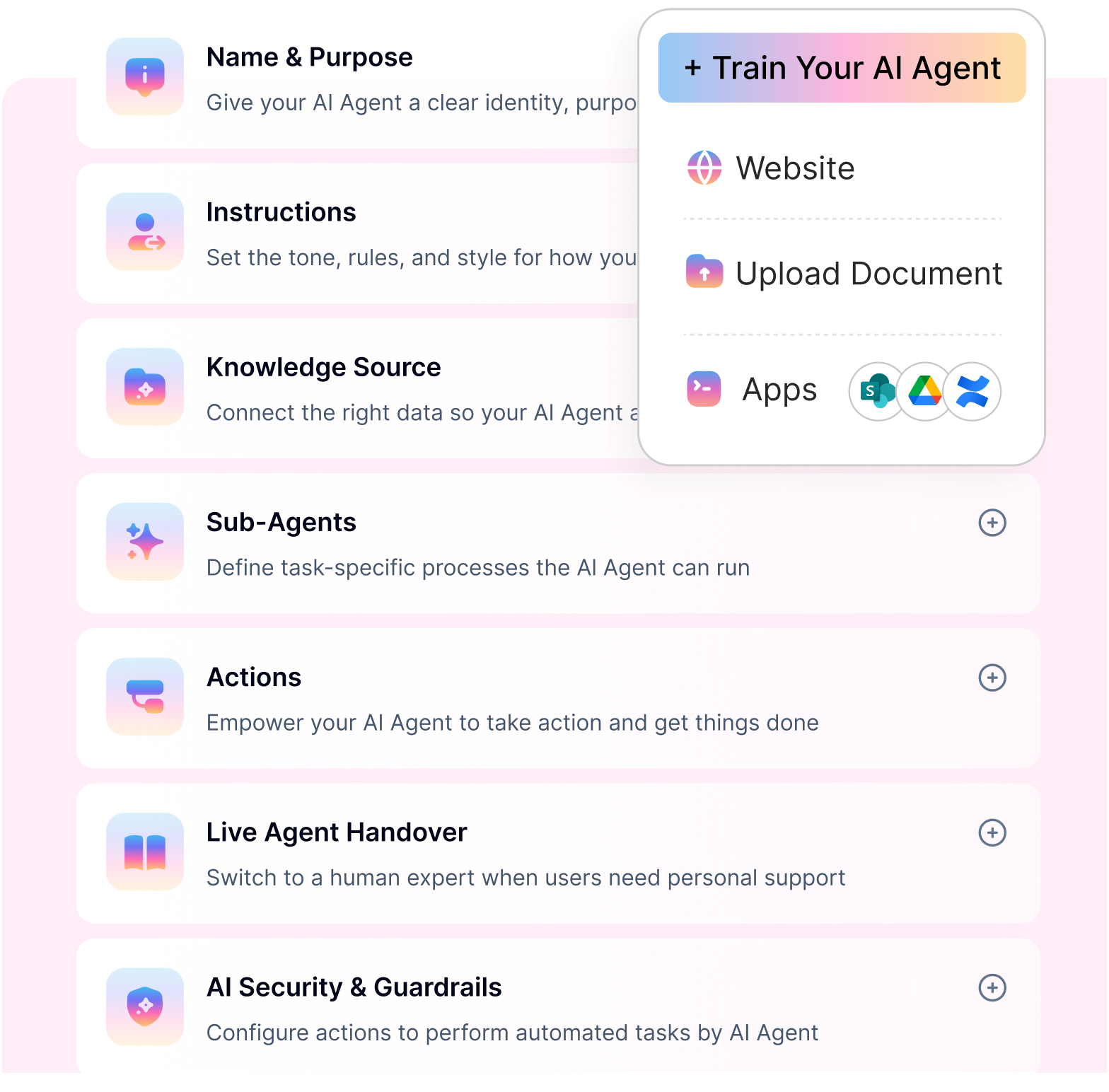
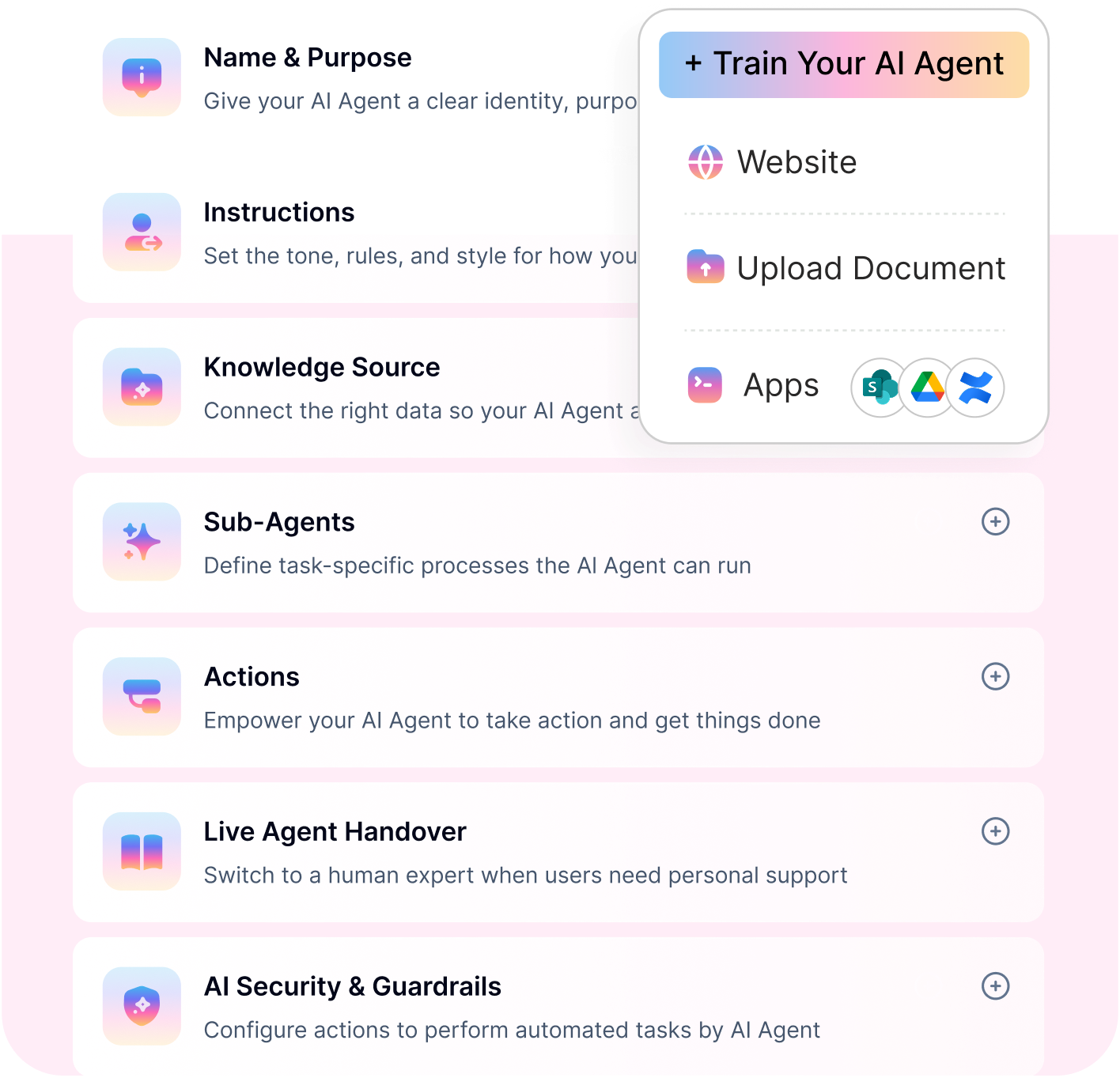
With AI Agent Studio, HR teams can configure agents, connect knowledge sources, define response behavior, and set up automation without extensive coding. Agents can be deployed across Slack, Microsoft Teams, web chat, and other supported channels, providing employees with a consistent support experience.

4. Human escalation and shared HR inbox

Not every HR request should be automated. Workativ's Shared Live Chat Inbox allows complex or sensitive cases to be transferred to HR representatives with relevant conversation context. HR teams can collaborate on unresolved requests without asking employees to start over.

Optimization- HR AI agents (13)

5. Enterprise security and performance visibility

Workativ supports enterprise security requirements through access controls, data protection safeguards, and audit capabilities. Built-in analytics help HR teams track resolution rates, recurring queries, escalations, and opportunities to improve automation performance.

Together, these capabilities enable organizations to deliver more consistent employee support while reducing manual coordination across HR systems.

Want to see Workativ in action? Explore Workativ's HR AI assistant to see how employee requests can move from conversation to resolution.

6. Human-in-the-loop escalation model

Not every HR request can be fully automated. Workativ’s AI agents seamlessly escalate complex or sensitive queries to human HR representatives with full conversation context.

This ensures smooth transitions, faster resolution, and a consistent employee experience.

7. Enterprise-grade security and compliance

HR data requires strict governance. Workativ is built with enterprise-grade security controls, role-based access management, audit trails, and compliance-ready architecture.

This enables organizations to deploy AI agents for HR confidently while maintaining data privacy, regulatory compliance, and audit readiness.

Together, these capabilities position Workativ as a scalable, secure, and action-oriented HR AI agent platform designed to modernize HR service delivery.

READY TO BUILD YOUR FIRST HR AI AGENT?

See how Workativ's no-code Agent Studio builds, trains and deploys HR automation - live walkthrough.

Personalized demo · No commitment · Deploy in Mins

See a Quick Demo
READY TO BUILD YOUR FIRST HR AI AGENT?

How to build an HR AI agent

Building an HR AI agent involves connecting trusted HR knowledge, defining automated workflows, and ensuring secure access to employee information. With no-code platforms like Workativ, HR teams can configure and deploy AI agents without building everything from scratch.

Here are five practical steps to get started.

1. Define your HR use cases and prepare knowledge

Start with repetitive, high-volume requests such as leave inquiries, payroll FAQs, benefits questions, or onboarding support. Gather approved HR policies, employee handbooks, and other relevant documents.

Workativ's Knowledge AI connects with sources such as SharePoint, Confluence, and Google Drive to deliver contextual answers grounded in company information.

2. Configure your AI agent and connect HR systems

Use Workativ's AI Agent Studio to define your agent's purpose, instructions, and conversational behavior. Connect existing HRIS, payroll, and ticketing applications, such as Workday, BambooHR, ADP, or ServiceNow, to enable access to authorized employee information.

3. Automate workflows and establish safeguards

Configure AI App Workflows to handle tasks such as leave submissions, onboarding coordination, and HR ticket creation. Define employee access permissions, approval requirements, and human escalation paths to prevent unauthorized actions and ensure sensitive requests receive appropriate oversight.

4. Test and deploy across employee channels

Test the agent with real employee questions, incomplete requests, policy exceptions, and workflow failures before launch. Once validated, deploy it through Slack, Microsoft Teams, or a web chat interface so employees can access HR support through familiar channels.

5. Monitor performance and improve continuously

Use Workativ's analytics to review resolution rates, recurring queries, failed workflows, and escalations. Regularly update HR knowledge, refine agent instructions, and expand automation coverage based on employee needs and observed performance.

For a detailed walkthrough of agent configuration and testing, explore our guide to building and training AI agents.

READY TO PUT THIS INTO ACTION?

You’ve seen how it works. Now automate your HR workflows end to end with Workativ.

Transform HR operations with intelligent AI agents

HR AI agents are changing how organizations deliver employee support, moving beyond answering questions to completing everyday HR tasks. From leave management and onboarding to payroll inquiries and policy assistance, they help HR teams reduce manual work while improving employee self-service.

The key to successful adoption is choosing a platform that connects with your existing HR systems, automates workflows securely, and involves human teams when needed.

Workativ brings these capabilities together through its no-code AI Agent Studio, enterprise knowledge integrations, and HR workflow automation, helping organizations deliver faster, more consistent employee support.

Ready to see how AI agents can simplify your HR operations? Book a personalized Workativ demo to explore the workflows you can automate.

FAQs

1. Can HR AI agents integrate with existing HR systems?

Yes. HR AI agents can connect with HRIS, payroll, ticketing, and collaboration platforms such as Workday, BambooHR, ADP, ServiceNow, Slack, and Microsoft Teams. Depending on the integrations and permissions configured, they can retrieve employee information, update records, and automate HR workflows without replacing existing systems.

2. How much does an HR AI agent cost?

HR AI agent pricing varies by provider, employee volume, usage, integrations, and automation requirements. Some platforms charge per employee or user, while others use subscription-based or usage-based pricing. Organizations should evaluate total costs, including implementation, integrations, ongoing support, and additional workflow usage.

3. Are HR AI agents secure for handling sensitive employee data?

HR AI agents can securely handle employee information when configured with appropriate authentication, role-based access controls, encryption, and audit logging. Organizations should also enforce data minimization, appropriate retention policies, and human approval for sensitive actions. Security depends on both the platform's controls and how it is implemented.

4. How long does it take to implement an HR AI agent?

Implementation time depends on the complexity of HR workflows, knowledge sources, integrations, and security requirements. A basic HR FAQ agent can be configured relatively quickly using a no-code platform, while workflows involving payroll, employee records, or multiple enterprise systems generally require additional integration, testing, and approval processes.

5. Can HR AI agents completely replace HR teams?

No. HR AI agents are designed to automate repetitive questions and routine administrative tasks, not replace human judgment. Sensitive employee relations matters, complex policy exceptions, workplace disputes, and decisions requiring empathy or discretion should remain under appropriate HR oversight.

TwitterLinkedInFacebook

About the Author

Narayani Iyear

Narayani Iyear

linkedin

Content Writer

Narayani is a content marketer with a knack for storytelling and a passion for nonfiction. With her experience writing for the B2B SaaS space, she now creates content focused on how organizations can provide top-notch employee and customer experiences through digital transformation.

Curious by nature, Narayani believes that learning never stops. When not writing, she can be found reading, crocheting, or volunteering.

Auto-resolve 60% of Your Employee

Queries With AI Agents & Automation

  • No credit card required
  • Setup in minutes
  • Cancel Anytime
Book a Demo