
HR Workflow Automation: Build AI HR Workflows Faster
A complete guide to HR workflow automation with 10+ real examples — leave requests, onboarding, offboarding, payroll, and more. Learn how AI HR workflows work and how to build them without code.


TL;DR
HR workflow automation reduces repetitive tasks by automating leave requests, approvals, onboarding, offboarding, and employee updates end to end.

HR workflow automation reduces repetitive tasks by automating leave requests, approvals, and employee updates end to end.
AI HR workflows go beyond rules by understanding intent, making decisions, and executing processes dynamically.
No-code platforms enable HR teams to build and deploy workflows quickly without relying on engineering teams.
Automation improves SLA speed, reduces ticket volume, and scales HR operations without increasing headcount.
HR teams don't need another FAQ chatbot that only responds with policy links. They need an AI agent for HR workflow automation that understands employee requests, takes action across HR systems, and completes workflows end-to-end — not just one that answers questions about them.
That's where agentic AI for HR processes differs from traditional automation. Instead of employees raising tickets, searching portals, or waiting on HR replies, an AI agent can submit leave requests, trigger approval flows, update employee records, kick off onboarding tasks, or route offboarding actions — automatically.
In this guide, we break down what HR workflow automation means, the different types of workflows you can automate, 10+ real examples with step-by-step flows, how to build automation without code, and how to choose the right platform.
What is HR workflow automation?
HR workflow automation is the use of software — increasingly AI-driven — to carry out repetitive HR tasks such as leave approvals, onboarding, employee data updates, and offboarding, without manual intervention at each step.
There are two levels of HR workflow automation:
Rule-based automation moves a request. It shifts a leave request from "submitted" to "pending approval" to "approved," but a person still has to check the policy, confirm the balance, and update the system by hand. It breaks when a request doesn't fit the template.
Agentic AI automation completes a request. The AI understands the employee's intent, checks live data such as HRIS records or a manager's calendar, decides the correct next step, and executes it end-to-end — without a human touching the process.
Example: An employee asks for leave. The AI checks the leave balance, validates it against policy, routes the request to the manager, updates the HRIS once approved, and confirms the outcome to the employee — without HR touching any step.
In short: rule-based automation routes a request to a human for completion; agentic AI automation completes the request itself.
Traditional HR workflow automation vs. agentic AI: The key difference
Traditional HR workflow automation follows predefined rules. It works well for structured and predictable processes, such as routing a submitted leave form to a manager or sending onboarding reminders when a new hire is added to the HRIS.
Agentic AI workflows can understand requests written in everyday language, gather missing information, access connected systems, and decide which approved action should happen next. Traditional automation usually moves a request through fixed steps, while agentic AI helps complete the request from beginning to end.
Capability | Traditional HR workflow automation | Agentic AI workflow |
|---|---|---|
Intent understanding | Relies on forms, keywords, or predefined triggers | Understands employee requests written in natural language |
HRIS data access | Retrieves data only when configured within a fixed workflow | Checks relevant employee data based on the request and context |
Approval triggering | Routes approvals using predefined rules | Identifies the correct approval path based on policy, role, and request details |
System updates | Updates systems through configured actions | Executes approved updates across connected HR and business systems |
Multi-step workflow execution | Follows a fixed sequence of steps | Coordinates multiple actions and systems based on the request |
Exception handling | Often stops or requires manual intervention when a condition is not covered | Collects missing details, adjusts the workflow, or escalates the request when needed |
For example, a traditional workflow may send a submitted leave request to the employee’s manager. An agentic AI workflow can understand the leave request, check the employee’s balance, validate the policy, trigger manager approval, update the HRIS, and notify the employee after the decision.
This does not mean rule-based automation is no longer useful. Fixed workflows remain effective for predictable processes. Agentic AI adds value when requests are conversational, information is missing, exceptions occur, or the process requires actions across multiple systems.
AUTOMATION EXISTS. INTELLIGENT AUTOMATION DOESN'T.
Rule-based tools still break on exceptions, require IT support, and take months to deploy..
No-code · Deep integrations · Deploy in minutes
See a Quick Demo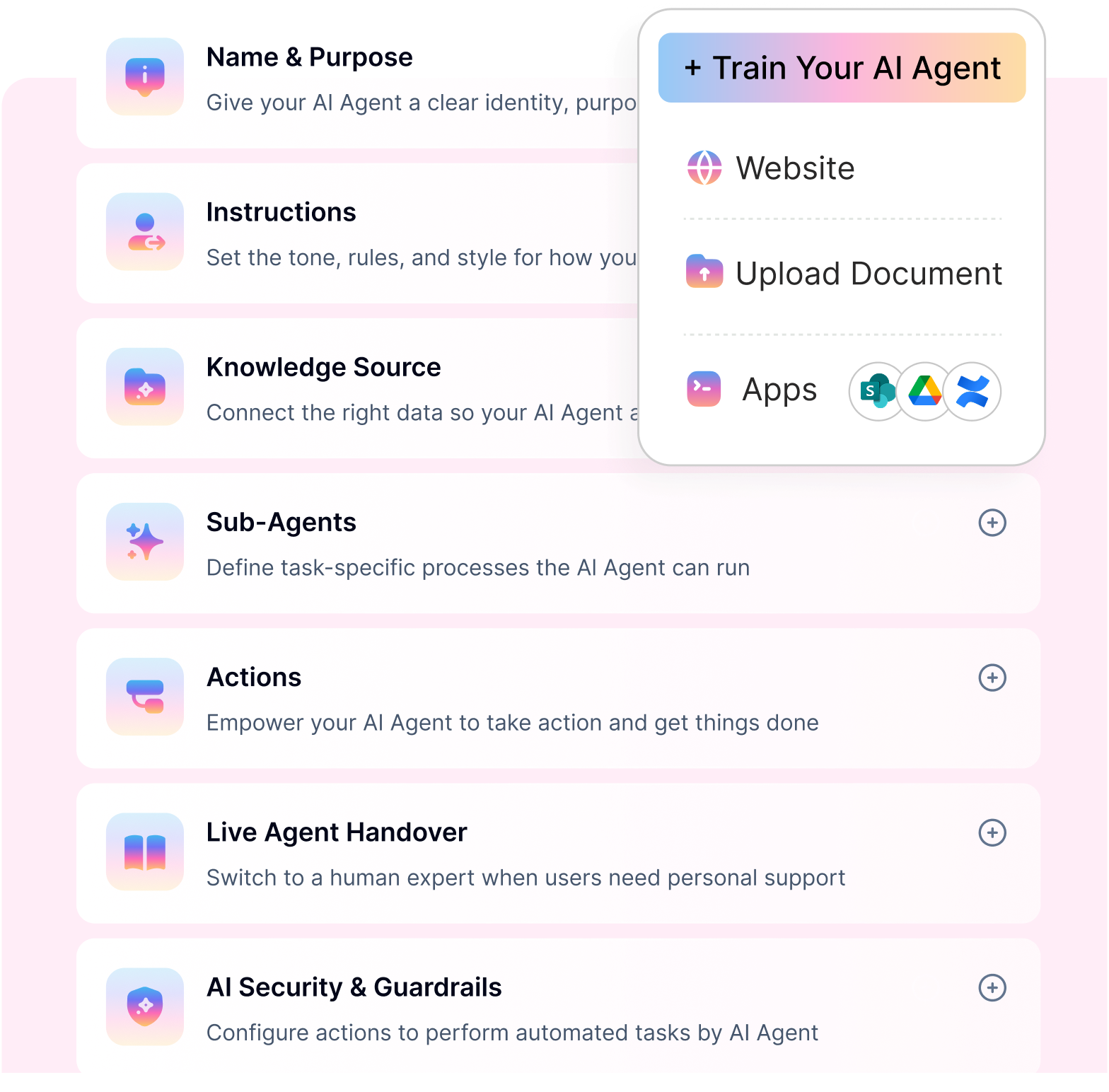
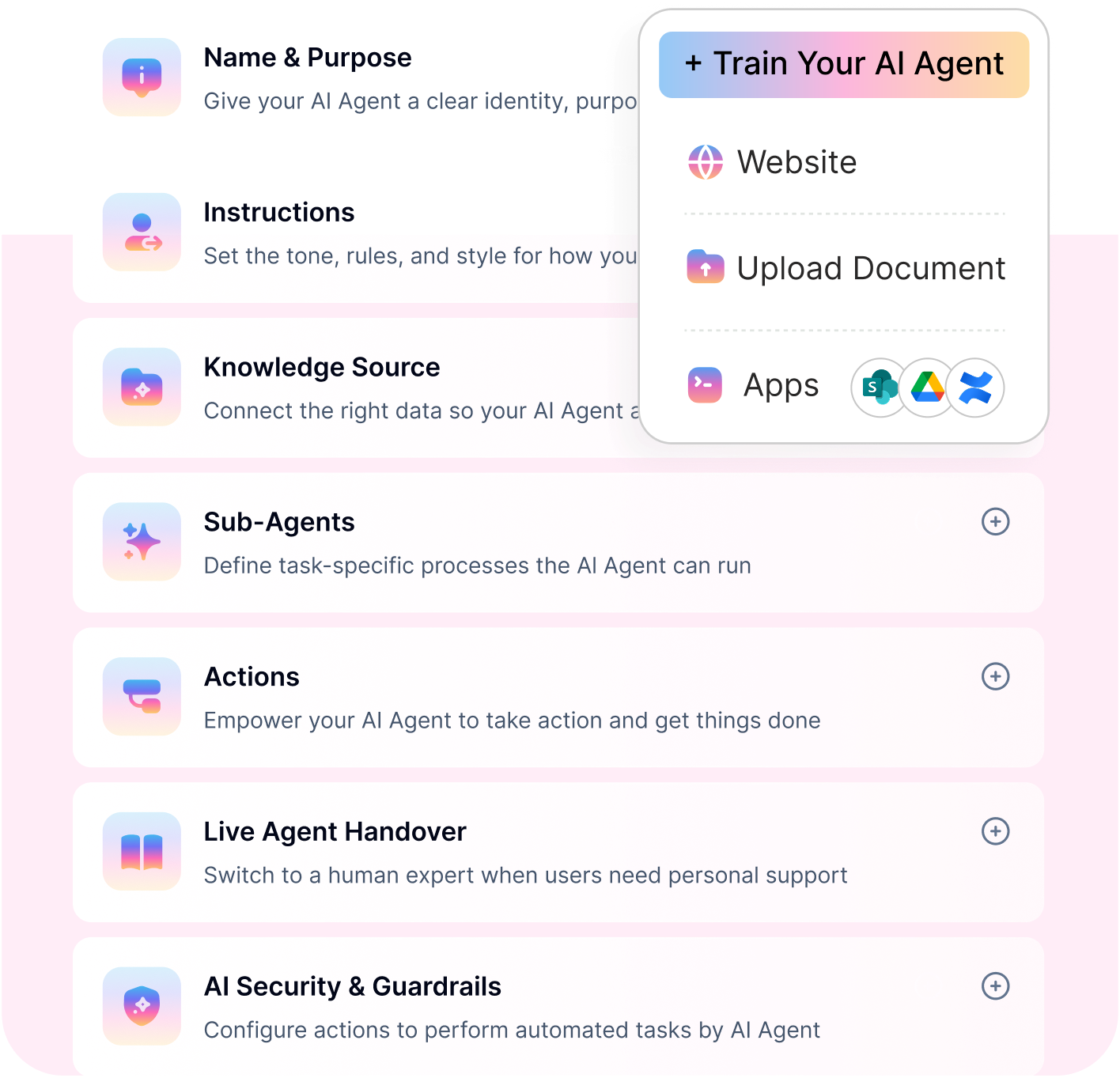
10+ HR workflow automation examples
Many HR requests look simple to employees but involve several checks, approvals, applications, and follow-ups behind the scenes. HR workflow automation connects these steps so routine work moves forward without HR manually coordinating every action.
Here are 12 practical HR workflow automation examples across recruiting, onboarding, employee support, compliance, and offboarding.
1. Recruitment candidate review and shortlisting
Trigger: New applicants enter the Apply stage for an open role in UKG Recruiting Gateway.
The workflow retrieves the job requisition, applications, and resumes from UKG. It compares each candidate against recruiter-approved required qualifications, preferred qualifications, and disqualifying criteria.
The AI then creates a criterion-level summary showing where the candidate meets, partially meets, or does not meet the requirements, along with supporting evidence from the resume or application. It can recommend advance, review, or potential rejection and prepare a shortlist of the strongest five to ten candidates.
Recruiters remain responsible for final advancement and rejection decisions. The assessment, recommendation, recruiter approval, and resulting UKG update are recorded for review and audit purposes.
Explore more practical AI in HR use cases.
2. Candidate onboarding and clearance
Trigger: A candidate signs the offer, and an onboarding or clearance ticket is created in PeopleHub.
The workflow compares the ticket details with the signed offer and supporting documents. It validates the job, compensation, work location, start date, and selected UKG onboarding workflow before the candidate moves forward.
It can identify required state-specific forms using approved HR knowledge, monitor background checks through Victig, and track TB or health-screening appointments through Mobile Health. Approved reminders are sent when information, appointments, or documents remain incomplete.
Once clearance is complete, the workflow can coordinate the I-9 reviewer, send Teams notifications, move recruiting files into the employee’s SharePoint folder, and close the PeopleHub ticket. Adverse background-check findings, compensation mismatches, and compliance exceptions continue to require human review.
3. Processing a cleared candidate as a new hire in UKG
Trigger: A candidate completes clearance and is approved to become an active employee.
Before creating the employee in UKG Core, the workflow validates the offer data, hire date, job, location, organizational structure, compensation, and other approved employee information. Any missing or conflicting details are flagged before they affect payroll or the employee record.
The workflow can prepare bonus and incentive inputs, apply customer-approved rules for PTO and benefit eligibility, assign the I-9 reviewer, and monitor UKG Onboarding or E-Verify progress. It can also send post-hire login information, move the required files, and complete the PeopleHub checklist.
Sensitive information such as Social Security numbers should remain masked or securely referenced. Compensation, bonuses, tax elections, and payroll-impacting changes should always follow configured approval controls.
See how employee onboarding automation connects HR, IT, payroll, identity, and manager tasks.
4. Leave request automation
Trigger: An employee requests vacation, sick leave, or another type of time off through Microsoft Teams, Slack, a chatbot, or an employee portal.
The workflow identifies the employee and requested dates, checks the available leave balance, and validates the request against the applicable company policy. It can ask for missing information, check for date conflicts, and identify the correct manager or HR approval path.
After approval, the workflow updates the HRIS and confirms the decision to the employee in the same channel where the request began. HR only needs to step in when the request falls outside policy or requires an exception.
This can turn a request that previously waited in an HR inbox for days into one that is completed within minutes of the manager’s decision.
Learn more about employee leave management automation.
5. Employee profile and account updates
Trigger: An employee asks to change their address, phone number, emergency contact, preferred name, bank details, department, or manager.
The workflow collects the required information, validates its format, and determines whether supporting documents or approval are required. Routine changes can be updated directly in the HRIS, while sensitive requests such as bank-account changes can require identity verification and HR approval.
Once approved, the change can be synchronized with payroll, benefits, identity, directory, and communication systems. The employee no longer needs to find the correct portal or ask HR to update the same information in several applications.
6. Benefits and dependent updates
Trigger: An employee wants to add a dependent, report a qualifying life event, review eligibility, or change an existing benefit selection.
The workflow checks the employee’s location, employment type, plan eligibility, and enrolment period. It collects dependent information and supporting documents, applies approved benefit rules, and routes unclear or sensitive cases to a benefits specialist.
After approval, the connected benefits platform is updated and the employee receives confirmation. When documents are missing or the request falls outside the enrolment period, the workflow explains what is required instead of leaving the employee to follow up repeatedly with HR.
See how employee benefits automation can support eligibility questions, dependent changes, and enrolment processes.
7. Interview and HR meeting scheduling
Trigger: A recruiter needs to schedule an interview, or an employee requests a meeting with HR, a manager, or another internal team.
The workflow checks participant calendars, working hours, time zones, and scheduling preferences before recommending available slots. Once a time is selected, it creates the calendar event, adds the meeting link or room, and sends the required invitations.
For interviews, the same workflow can send candidate instructions, remind interviewers, and reschedule the meeting when availability changes. This removes the repeated emails normally required to find a suitable time for everyone.
8. Employee access request automation
Trigger: An employee requests access to an application, shared folder, distribution group, database, or other business resource.
The workflow checks the employee’s role, department, location, and existing permissions. It identifies the correct approver and routes the request to the manager, application owner, IT team, or security team based on the organization’s access policy.
Once approved, the workflow can create the account, add the employee to the correct group, assign a licence, or provision access through Microsoft Entra ID, Okta, or another connected identity system. Failed actions can be retried automatically or escalated to IT with the request details and actions already attempted.
Related reading: How to automate employee onboarding, including identity and application-access provisioning.
9. Payroll queries and corrections
Trigger: An employee asks for a payslip, tax form, deduction explanation, payment status, or payroll correction.
The workflow verifies the employee and securely retrieves the relevant payroll information. Standard questions can be answered immediately using data from the connected payroll system and approved payroll guidance.
When a correction is required, the workflow collects the necessary details, creates a payroll case, routes it to the correct owner, and tracks its progress. The employee receives status updates without repeatedly emailing HR or payroll for an answer.
Explore payroll enquiry automation.
10. Performance review reminders
Trigger: A performance-review cycle begins, or an employee or manager approaches a submission deadline.
The workflow assigns the correct self-assessment, manager-review, or feedback form based on the employee’s role and review cycle. It can send reminders 14 days, seven days, and one day before the deadline and track who has completed each step.
Overdue reviews can be escalated to the appropriate manager or HR partner. Instead of manually checking spreadsheets and sending individual reminders, HR only needs to focus on delayed reviews and cases that require support.
11. Compliance and policy updates
Trigger: HR publishes a new policy, updates an existing rule, or assigns mandatory compliance training.
The workflow identifies which employees are affected based on role, location, department, or employment type. It distributes the correct policy, answers questions using approved knowledge, collects acknowledgements, and sends reminders before the deadline.
Employees who do not complete the requirement can be reminded automatically and escalated to their manager when necessary. HR receives a clear record of who received, reviewed, and acknowledged the policy instead of tracking responses through emails and spreadsheets.
Read how an AI chatbot for HR compliance and policy enforcement can connect policy guidance with acknowledgements, approvals, and escalations.
12. Employee termination processing
Trigger: A manager or authorized HR user submits an employee resignation, termination, retirement, or separation request in UKG.
The workflow reviews the termination date, last day worked, paid-through date, reason, rehire eligibility, direct reports, and required documentation. It can also identify payroll actions, payback obligations, equipment-return tasks, and pending UKG approvals.
Access-removal requests can be created or monitored through ManageEngine ServiceDesk Plus, Microsoft Entra ID, or other connected systems. The workflow can prepare approved separation communications, move employee and I-9 files into the correct SharePoint folders, and close the PeopleHub ticket with an audit summary.
Involuntary terminations, rehire decisions, payroll adjustments, payback obligations, legal communications, and state-specific documents remain approval-gated. Access removal must also follow the organization’s chosen timing: immediate, scheduled for the final working day, or manually approved.
Learn how employee offboarding automation coordinates HR, IT, payroll, security, and document-management tasks.
These examples show that HR workflow automation is not limited to answering questions or passing tickets between teams. It connects employee requests, business rules, approvals, system actions, and communications so routine work can move forward while sensitive decisions remain with the appropriate person.
How to build multi-step HR automation without code
HR teams should not need developers to automate everyday employee workflows. With the right AI agent platform, teams can build multi-step HR automation without code by combining triggers, HR system integrations, approval logic, and AI-powered decisions in a visual workflow builder.
Define the HR workflow trigger : Start by identifying what initiates the workflow. This could be a leave request, employee profile update, or any recurring HR action. Clearly defining the trigger ensures the workflow starts automatically at the right moment.
Connect your HR system (e.g., BambooHR) : Integrate your HR platform to enable real-time data access. This allows workflows to fetch employee data, validate inputs, and update records seamlessly using APIs and data sync.
Design workflow logic without code : Use a visual builder to define conditions, approval steps, and routing logic. For example, route leave approvals to managers or trigger multi-step processes based on employee roles or inputs.
Add an AI layer for decision-making : Enhance workflows with AI capabilities like intent detection and context-aware responses. This enables AI HR workflows to understand employee requests and dynamically decide the next best action.
Deploy across channels (Slack, Teams, web) : Make workflows accessible where employees already are. Deploy across communication channels to ensure instant access and higher adoption without requiring users to switch platforms.
Test, monitor, and optimize workflows : Continuously track performance, identify gaps, and refine workflows. Over time, HR workflow automation evolves in response to usage patterns, making processes faster and more accurate.
By following these steps, organizations can quickly build and scale AI HR workflows that automate end-to-end processes without relying on engineering teams.
How Workativ enables HR workflow automation without complexity
Workativ helps HR teams move beyond basic chatbot support and build an AI agent for HR workflow automation that completes real employee workflows. Instead of only answering questions, Workativ’s AI agents can submit leave requests, trigger onboarding workflows, provision access, route approvals, and update connected systems end-to-end.
Most HR chatbots answer. Workativ acts. With Workativ, HR teams can build agentic AI for HR processes using a no-code AI Agent Studio, deep HRIS integrations, approval workflows, and omnichannel deployment across Slack, Teams, web, and intranet.
Employee request | Basic chatbot response | Workativ AI agent action |
“I want to apply for leave” | Shares PTO policy | Checks balance, submits request, routes approval |
“Onboard this new hire” | Shares onboarding checklist | Triggers onboarding tasks, provisions access, notifies teams |
“Remove access for an exiting employee” | Shares offboarding steps | Starts offboarding workflow and routes deprovisioning |
“Update my profile details” | Shares HRIS login link | Collects details, validates request, updates system |
“I need access to a tool” | Tells user to contact IT | Routes approval and triggers provisioning |
No-code AI agent studio
Workativ’s no-code AI agent studio allows HR teams to design workflows visually, without relying on engineering teams. From setting triggers to defining actions, workflows can be created and deployed with minimal effort.
Agentic AI workflows (beyond rule-based automation)
Workativ goes beyond static automation by enabling AI HR workflows that can understand user intent, make decisions, and execute tasks. These workflows follow an intelligent flow → understand → decide → act—making them adaptable to real-world scenarios.
Seamless integrations with HR systems
Workativ AI agent builder provides a very simple, no-code interface for selecting AI actions and building HR workflows.
Workativ integrates with leading HR platforms like BambooHR and other enterprise systems. Its platform-agnostic architecture ensures smooth data flow and workflow execution without complex configurations. Here's how you can build AI workflows in the Workativ AI agent builder.
You choose Actions and configure a new action.
Pick an HR platform, such as BambooHR or Workday, to build your use-case workflow.
Add action for HR use cases. Once you choose the necessary steps for your workflow, they will be set up.
Rapid deployment in minutes, not months
With pre-built templates and a no-code approach, workflows can be launched quickly without DevOps involvement. This significantly reduces time-to-value and enables teams to automate processes more quickly.
Omnichannel employee support
Workflows can be deployed across Slack, Microsoft Teams, intranet, and web platforms. This ensures employees can access HR automation workflows seamlessly within their existing tools.
Want to get a step-by-step demo of how you can easily implement HR workflow automation?
This YT video is a must-watch.
How to Set Up an HR AI Chatbot in Under 10 Minutes Step by Step Demo| #AIAgent #AIforHR #AIchatbot
MOVE FROM RULE-BASED TO TRULY INTELLIGENT HR?
See how Workativ builds AI HR workflows that understand, decide, and act - end-to-end, instantly.
Personalized demo · No commitment · Deploy in Mins
See Workativ AI in actionBenefits of HR automation workflows with Workativ
The biggest benefit of using an AI agent for HR workflow automation is that HR teams can reduce both repetitive questions and repetitive actions. Employees do not just get answers faster. They get requests completed faster. The benefits include,
Reduce HR ticket volume by up to 80% : Repetitive queries like leave requests, payroll questions, and policy lookups can be handled automatically. This significantly reduces incoming HR tickets and allows teams to focus on strategic initiatives instead of routine support.
Faster SLA resolution : With AI HR workflows, employee requests are resolved instantly rather than sitting in queues for hours or days. This improves SLA adherence and ensures faster turnaround across all HR operations.
Improved employee experience : Employees get 24/7 access to accurate and consistent support across channels. Whether it’s retrieving information or completing a request, HR workflow automation ensures a seamless and frustration-free experience.
Lower operational costs : Automation reduces the need for large HR support teams by handling volume efficiently. Organizations can lower operational costs while maintaining high-quality service delivery.
Scalable HR operations globally : Workativ enables organizations to support distributed teams with multilingual, always-on AI. These AI HR workflows scale effortlessly across regions and time zones without additional overhead.
How to choose the right HR workflow automation platform
Choosing the right HR workflow automation platform is critical to ensure long-term scalability, efficiency, and ROI. While many tools offer basic automation, the key is to evaluate how well they support real-world HR automation workflows and evolving AI HR workflows.
Look for no-code workflow creation : The platform should enable HR teams to build and modify workflows without relying on engineering. A no-code approach ensures faster iteration, quicker deployment, and greater control over HR processes.
Ensure deep HR system integrations : Seamless integration with HR systems like BambooHR and other enterprise tools is essential. This ensures workflows can access real-time data and execute actions across systems without friction.
Evaluate AI capabilities, not just automation : Look beyond rule-based automation. The platform should support AI HR workflows that can understand intent, make decisions, and dynamically execute tasks, rather than just following predefined paths.
Look for action execution, not just answers: Many HR tools now claim to offer AI, but not every tool can execute workflows. The right platform should support HR AI that takes action not just answers. It should be able to collect employee inputs, trigger approvals, update HR systems, and complete multi-step workflows without forcing HR teams to manually intervene.
Check whether it supports onboarding and offboarding workflows: A strong HR automation platform should support an AI agent for onboarding and offboarding, because these workflows involve multiple teams, approvals, systems, and compliance steps. If the tool only answers onboarding questions but cannot trigger onboarding tasks, it is still closer to a chatbot than an AI agent
Check deployment speed and scalability : A good platform should allow you to go live quickly and scale effortlessly as your organization grows. Avoid solutions that require long implementation cycles or heavy technical involvement.
Prioritize security and compliance : Security is a critical factor when implementing HR workflow automation, as these systems handle sensitive employee data. Look for platforms that adhere to global standards such as GDPR, SOC 2 Type II, ISO 27001, and HIPAA readiness. Strong compliance ensures data protection, regulatory alignment, and trust as you scale AI HR workflows across the organization.
Workativ is built with these requirements at its core, offering robust security, governance, and compliance capabilities alongside powerful AI HR workflows. This ensures organizations can automate HR processes confidently while maintaining the highest levels of data security and regulatory compliance.
HR workflow automation is moving from chatbots to AI agents
HR teams no longer need tools that only answer repetitive questions. They need systems that can understand employee requests, make decisions, and complete work across HR systems.
That is why the future of HR operations belongs to the AI agent for HR workflow automation. From leave approvals to onboarding, offboarding, employee updates, and access requests, agentic AI helps HR teams move faster without adding more manual work.
The difference is clear: FAQ chatbots answer. Workativ’s AI agents act.
With Workativ, HR teams can build multi-step HR automation without code, deploy workflows across employee channels, and use agentic AI for HR processes to resolve work end-to-end.
👉 Start automating your HR workflows with Workativ — deploy your first AI HR workflow in minutes. Schedule a demo today.
Types of HR workflows you can automate
HR workflow automation can support processes across the entire employee lifecycle. The best opportunities are usually repetitive workflows involving predictable steps, multiple systems, approvals, notifications, or frequent follow-ups.
Talent acquisition and onboarding
Recruitment and onboarding workflows can automate interview scheduling, candidate updates, offer approvals, document collection, background checks, and new-hire task assignments. Once a candidate is hired, employee onboarding automation can coordinate HR, IT, payroll, managers, and learning teams to prepare everything required before the employee’s first day.
Time and leave management
Time and leave workflows can handle vacation requests, sick leave, attendance corrections, shift changes, and return-to-work processes. With employee leave management automation, organizations can check leave balances, validate policies, trigger manager approvals, update the HRIS, and notify employees without HR manually processing every request.
Payroll and compensation
Payroll workflows can automate payslip requests, tax-document access, payroll corrections, bonus approvals, and compensation-change notifications. They can collect missing information, route sensitive changes for approval, update payroll systems, and keep employees informed about the status of their requests.
Performance management
Performance workflows can schedule review cycles, send reminders, collect feedback, assign review forms, and track manager completion. Automation helps HR maintain consistent review timelines while reducing the need to manually follow up with employees and managers.
Offboarding
Offboarding workflows can begin as soon as an employee’s departure is approved in the HR system. Employee offboarding automation can notify relevant teams, revoke application access, arrange equipment returns, update payroll, schedule exit tasks, and confirm that every required action has been completed.
Compliance and policy management
Compliance workflows can distribute policies, collect employee acknowledgements, assign mandatory training, and send reminders before deadlines. An AI chatbot for HR compliance and policy enforcement can also provide answers from approved policy sources, trigger required actions, escalate sensitive issues, and maintain records for audit purposes.
What are the business benefits of HR workflow automation?
HR workflow automation helps teams reduce repetitive requests, complete employee processes faster, and support a growing workforce without increasing manual effort at the same rate.
Reduce HR ticket volume
Automated self-service can resolve common questions and requests before they reach HR. IBM reports that AskHR achieved a 94% containment rate for common questions and contributed to a 75% reduction in HR support tickets.
Source: IBM AskHR case study
Faster request resolution
Automation removes delays caused by inbox queues, manual checks, and repeated handoffs. Marlabs reported that its HR agent reduced response times by more than 60% and now handles 80% of employee queries.
Source: Microsoft Marlabs customer story
Better employee self-service
Employees can retrieve documents, submit requests, and complete routine HR tasks without waiting for an HR representative. IBM’s AskHR handles more than 2.1 million employee conversations annually and automates around 80 HR tasks.
Source: IBM AskHR case study
Lower HR operating costs
Reducing the manual effort behind each HR transaction can create meaningful savings. APQC places the median in-house cost of an HR shared-services transaction at $43.11, while IBM reports a 40% reduction in HR operational costs over four years from its AskHR transformation.
Sources: APQC HR transaction benchmark and IBM AskHR
Scale HR operations more efficiently
Automation allows HR teams to support more employees while focusing on complex cases and strategic work. SHRM reports that automating administrative HR tasks has helped HR employees save more than seven hours per week.
Source: SHRM: Automate HR While Keeping the Human Touch
Common mistakes when automating HR workflows
HR workflow automation can improve speed and consistency, but automating the wrong process—or implementing it without the right controls—can create more work for HR. Avoid these common mistakes when planning your workflows.
Automating a broken process
Automation does not fix unclear policies, unnecessary approvals, or duplicated steps. It simply makes the existing process run faster. Map the current workflow first, remove steps that add no value, and decide what should be automated before building it.
For example, a well-designed employee onboarding automation workflow should clearly define responsibilities, approvals, systems, exceptions, and success measures before launch.
Trying to automate everything at once
Starting with a large, complex process makes testing and adoption more difficult. Begin with a high-volume, repeatable workflow such as leave requests, employee document retrieval, profile updates, or policy acknowledgements.
Once the workflow performs reliably, expand it to more complex processes involving payroll, access provisioning, compliance, or multiple departments. See more examples of HR automation mistakes and how to fix them.
Skipping change management
Even a well-designed workflow can fail when employees and HR teams do not understand how or when to use it. Explain what is changing, where employees should submit requests, which tasks will be automated, and when a human will remain involved.
Start with a controlled employee group, collect feedback, and train HR process owners before a wider rollout. These steps also help address common HR chatbot implementation challenges.
Relying on weak HRIS integrations
A workflow cannot complete a request if it only provides instructions but cannot securely retrieve or update HR data. Check whether the platform supports the required HRIS actions, real-time data access, authentication, field mapping, and error handling.
Integrations should also confirm whether an action succeeded. If a leave request, employee update, or new-hire record fails, the workflow should retry the action or notify the correct owner instead of showing the employee a false confirmation.
Having no escalation path for edge cases
Not every HR request should be completed automatically. Policy exceptions, adverse background-check findings, payroll corrections, compensation changes, sensitive employee relations issues, and involuntary terminations may require human judgment.
Define when the workflow should pause, who should review the case, what information they receive, and how the process resumes afterward. A strong workflow completes routine requests while safely escalating decisions that belong with HR, payroll, legal, or compliance teams.
Ignoring data security and access controls
HR workflows may process personal, payroll, benefits, identity, and health-related information. Security and privacy reviews should therefore happen before deployment, not after sensitive data has already begun moving between systems.
Review role-based access, data masking, audit logs, retention, encryption, approval controls, and what information the AI can access. Platforms should also provide appropriate AI guardrails and clearly documented security controls.
Avoiding these mistakes helps HR teams build workflows that are easier to adopt, safer to operate, and more reliable when real employee requests do not follow the ideal path.
FAQs
What is HR workflow automation?
HR workflow automation uses software to manage recurring HR processes such as leave requests, approvals, onboarding, employee updates, payroll support, and offboarding with less manual coordination.
What are common HR workflow automation examples?
Common examples include candidate screening, onboarding, leave requests, employee profile changes, benefits updates, payroll queries, access provisioning, performance-review reminders, policy acknowledgements, and offboarding.
How are agentic AI workflows different from traditional HR automation?
Traditional automation moves a request through fixed, predefined steps. Agentic AI can understand the request, gather missing information, access connected systems, handle approved exceptions, and help complete the process.
What is an AI agent for HR workflow automation?
An HR AI agent understands employee requests and takes approved actions across connected systems. It can check HRIS data, trigger approvals, update records, send notifications, and escalate cases that require human judgment.
Can HR workflow automation be implemented without coding?
Yes. A no-code platform allows HR teams to connect applications, configure triggers and actions, add approval rules, and deploy workflows without building every process from scratch.
Can AI automate employee leave requests?
Yes. AI can check the employee’s leave balance, validate the request against policy, route it to the manager, update the HRIS after approval, and confirm the decision. Policy exceptions can still be sent to HR.
Which HR processes should companies automate first?
Start with high-volume, repeatable processes that have clear rules and measurable delays. Leave requests, document retrieval, profile updates, policy questions, onboarding tasks, and access requests are common starting points.
What mistakes should HR teams avoid when automating workflows?
Avoid automating a broken process, trying to automate everything at once, using weak HRIS integrations, skipping employee training, and launching without escalation paths, security reviews, or human approvals for sensitive decisions.
How secure is HR workflow automation?
Security depends on the platform and implementation. Look for role-based access, encryption, data masking, audit logs, approval controls, retention policies, and recognized security and privacy standards.
How long does HR workflow automation take to deploy?
A focused workflow may be configured quickly when integrations, policies, and approval rules are already defined. More complex workflows involving several applications, sensitive data, or custom rules require additional integration, testing, and review.
How can HR teams get started with workflow automation?
Choose one repetitive process, map its trigger, actions, systems, approvals, and exceptions, and define a measurable goal. Test it with a controlled employee group before expanding it to more teams or workflows.
Why use Workativ for HR workflow automation?
Workativ provides a no-code AI Agent Studio, application integrations, approval routing, workflow actions, and employee access through channels such as Microsoft Teams, Slack, and web chat. It helps HR teams move beyond answering questions to completing approved tasks across connected systems.
'%3e%3cpath%20d='M11.5732%2031.7068L19.2977%2022.7433L11.5732%2011.5366H17.4664L22.6245%2018.942L29.0522%2011.5366H30.7788L23.4029%2020.0985L31.4127%2031.7086H25.4997L20.1231%2023.9069L13.3197%2031.7068H11.5732ZM16.6519%2012.8366H13.9536L26.354%2030.4462H28.9926L28.8265%2030.1576L16.6519%2012.8366Z'%20fill='%230C0C0C'/%3e%3c/g%3e%3cdefs%3e%3cclipPath%20id='clip0_505_14364'%3e%3crect%20width='19.7681'%20height='20.2432'%20fill='white'%20transform='translate(11.573%2011.5365)'/%3e%3c/clipPath%3e%3c/defs%3e%3c/svg%3e)

'%3e%3cpath%20d='M25.2175%2011.7557L26.9132%2011.911V15.0496C26.0135%2015.1444%2024.1746%2014.7452%2023.5821%2015.5947C23.4908%2015.726%2023.3291%2016.1592%2023.3291%2016.3091V19.002H26.7392L26.3346%2022.5281H23.3291V31.5952H19.707V22.5863L19.649%2022.5281H16.6628V19.002H19.707C19.7813%2017.4024%2019.4664%2015.7042%2020.1132%2014.1986C20.6748%2012.8902%2021.7857%2012.0974%2023.1666%2011.8435L23.7151%2011.7557H25.2183H25.2175Z'%20fill='%230C0C0C'/%3e%3c/g%3e%3cdefs%3e%3cclipPath%20id='clip0_505_14375'%3e%3crect%20width='10.2695'%20height='19.8027'%20fill='white'%20transform='translate(16.658%2011.7567)'/%3e%3c/clipPath%3e%3c/defs%3e%3c/svg%3e)
About the Author
Deepa Majumder

Senior content writer
Deepa Majumder is a writer who nails the art of crafting bespoke thought leadership articles to help business leaders tap into rich insights in their journey of organization-wide digital transformation. Over the years, she has dedicatedly engaged herself in the process of continuous learning and development across business continuity management and organizational resilience.
Her pieces intricately highlight the best ways to transform employee and customer experience. When not writing, she spends time on leisure activities.
Auto-resolve 60% of Your Employee
Queries With AI Agents & Automation
- No credit card required
- Setup in minutes
- Cancel Anytime
