
Best HR Automation Tools in 2026 | AI HR Software Guide
HR automation tools run onboarding, offboarding, and compliance workflows without manual effort, cutting admin time by 60%. Compare platforms. Start free trial.


TL;DR
The best HR automation tools in 2026 combine AI-driven orchestration, employee self-service, and cross-system workflows beyond simple rule-based approvals.

Leading platforms now automate onboarding, payroll queries, leave management, ticket routing, and HR case workflows through conversational interfaces.
The strongest tools balance enterprise compliance, no-code workflow building, payroll integrations, and scalability for both SMBs and global organizations.
Workativ stands out by unifying HR, payroll, IT, and collaboration workflows into an AI-powered orchestration layer with faster deployment.
Small companies don’t struggle with HR because of complexity—they struggle because everything is manual.
From leave requests and onboarding to payroll queries and policy questions, HR teams often rely on emails, spreadsheets, and back-and-forth coordination. As the company grows, these processes quickly become slow, error-prone, and difficult to scale.
This is why more teams are asking: How can I automate HR processes in a small company?
The answer lies in identifying repetitive work and replacing it with structured workflows. Today, how to automate HR in a small business is no longer about implementing large HR systems—it’s about automating specific processes like leave, onboarding, payroll queries, and employee support using flexible, no-code tools.
For growing teams, HR process automation for small teams focuses on speed, simplicity, and immediate impact—not months-long implementations or complex configurations.
The good news? You can start automating HR today—without hiring a large HR team or investing in heavy enterprise software.
In this guide, we’ll break down how to approach HR automation step-by-step and explore the best HR automation tools that help small teams streamline HR operations from day one.
How to automate HR processes in a small company
If you are asking yourself, How can I automate HR processes in a small company?, you are already thinking in the right direction. The goal is not to replace everything you are doing; it is to remove the manual effort that slows your team down.
Most small teams don’t have broken HR processes. They have processes that rely too heavily on emails, follow-ups, and coordination. That’s exactly why how to automate HR in a small business is less about implementing large systems and more about simplifying what already exists.
At its core, HR process automation for small teams is about taking the most repetitive tasks off your plate and turning them into workflows that run on their own.
Step-by-step approach to automate HR
Start with what repeats every day
Think about where your time actually goes. It’s usually not strategy—it’s answering the same questions, approving the same requests, and coordinating the same workflows.
Common examples:
leave requests and approvals
onboarding coordination across teams
payroll and payslip queries
HR support emails and FAQs
These are the easiest places to begin because they drive immediate small business HR process improvement without needing major changes.
Understand how things currently work
Before automating anything, map out your existing process. Who raises the request? Who approves it? Which systems are involved?
This step helps you avoid overcomplicating automation and ensures you’re improving the process—not just digitizing inefficiency.
Use the tools you already have
You don’t need to rip out your HR stack. In fact, most automation works best when it connects:
your HRIS
your payroll system
your communication tools like Slack or Teams
This is where automation becomes powerful—workflows move across systems instead of getting stuck in one.
Automate workflows without relying on IT
Modern tools make how to automate HR in a small business much more practical. You can trigger workflows from a simple employee request, route approvals automatically, and update systems in real time—all without writing code.
This is what makes automation accessible for small teams. You don’t need engineers to get started.
Let employees help themselves
One of the biggest shifts in HR process automation for small teams is moving from “HR does everything” to “employees can complete requests themselves.”
Instead of emailing HR, employees can:
request leave instantly
access payroll information
update personal details
This reduces workload and improves response time at the same time.
Keep improving as you scale
Automation isn’t a one-time setup. As your company grows, track what’s working and what’s still manual. Look at request volume, response times, and bottlenecks.
That’s how you build continuous small business HR process improvement—not by doing more, but by automating more of what already exists.
What you can automate first
If you’re just getting started, don’t try to automate everything at once. Focus on the areas where you’ll see immediate impact:
leave management and approvals
onboarding workflows
payroll queries and payslip access
HR support tickets and FAQs
employee data updates
These are the processes where HR process automation for small teams delivers value quickly, without complex setup.
You don’t need a bigger HR team to scale. You need fewer manual steps.
That’s the real answer to How can I automate HR processes in a small company?—start small, automate what repeats, and build workflows that run without constant involvement.
What defines the best HR automation software in 2026?
Not every HR automation tool is built for small teams.
For most growing companies, the “best” solution isn’t the one with the most features—it’s the one that removes manual work fastest. That’s why HR process automation for small teams looks very different from enterprise HR systems.
For teams looking to streamline employee goals and reviews as well, performance management software can help simplify performance tracking and keep managers and employees aligned.
What actually matters for small teams
Fast setup – live in days, not months
No-code workflows – HR teams can build and manage automation without IT
Pre-built use cases – onboarding, leave, payroll queries, ready out of the box
Integrations – connects with HRIS, payroll, and communication tools
Employee self-service – reduces HR dependency for everyday requests
These are the factors that drive real small business HR process improvement—not feature depth or system complexity.
The shift in 2026
Traditional HR tools focus on managing data and routing processes. Modern HR automation tools go further—they execute workflows across systems.
That means:
requests don’t just get tracked, they get completed
employees don’t just get answers, they get outcomes
HR teams don’t just manage work, they automate it
The best HR automation tools for small teams aren’t the most powerful—they’re the easiest to deploy and the fastest to deliver results.
BUILT FOR HR ORCHESTRATION
Workativ goes beyond payroll and approvals, AI agents that execute HR workflows across every system.
What HR tasks can be automated today?
If you are still thinking, How can I automate HR processes in a small company, the easiest way to start is by focusing on tasks that repeat every day.
Most teams don’t need to automate everything at once. They just need to identify where time is being lost and replace those steps with workflows. That’s exactly where how to automate HR in a small business becomes practical—start small, automate what repeats, and scale from there.
Employee support and HR queries
A large portion of HR time goes into answering repetitive questions. A large portion of HR time goes into answering repetitive questions. HR support tools can help teams manage these requests more efficiently.
This is where you can automate HR support tickets using workflows that:
respond to common queries instantly
route requests to the right system
trigger actions without manual follow-up
Modern AI tools for employee HR support go beyond answering questions—they resolve requests end-to-end.
Workflow-driven HR processes
These are structured processes that involve multiple steps and approvals.
Common examples:
leave requests and approvals
onboarding and offboarding workflows
document collection and compliance tasks
Instead of coordinating across email and tools, workflows can run automatically once triggered.
Payroll and policy requests
Employees frequently ask for:
payslips and salary details
tax and reimbursement information
policy clarifications
For small businesses, keeping financial records organized alongside payroll information is equally important. Using bookkeeping software can help businesses manage their income and expenses while keeping their financial records organized. These requests can be automated to provide instant access and reduce dependency on HR teams.
Employee data updates
Simple updates often create unnecessary back-and-forth.
Automation allows employees to:
update personal information
submit changes securely
trigger approval workflows when required
If a task is repetitive, predictable, and rule-based, it can be automated.
That’s the simplest way to approach How can I automate HR processes in a small company. Start with employee support, workflows, and data updates—then expand as your needs grow.
What are HR automation tools?
HR chatbots and automation tools are software platforms that automate repetitive, time-consuming HR processes, streamlining operations through workflows, integrations, and system-based execution..
Common use cases include:
Onboarding and offboarding automation
Payroll and benefits administration
Ticket routing and HR case management
Leave requests and approval workflows
Document generation, policy distribution, and compliance tracking
In 2026, however, not all HR automation tools function the same way.
Traditional HR automation software is typically rule-based and system-centric. It digitizes processes within a single platform, focusing on data management and structured workflows.
An hr ai agent is intent-driven and orchestration-based, using conversational interfaces and intelligent automation to execute workflows across multiple systems, enabling employee self-service and cross-platform task execution rather than simple process routing.
Best AI-powered HR automation tools
AI-powered HR automation tools represent the most advanced layer of HR automation in 2026. Rather than operating as standalone systems of record, these platforms act as workflow orchestration layers across HR systems and enterprise applications. They connect HRIS, payroll, ITSM, identity platforms, and collaboration tools to execute tasks intelligently across systems.
When evaluating AI-powered HR automation tools, we must look for:
AI reasoning depth to understand employee intent and handle multi-step workflows
Cross-system workflow execution across HRIS, payroll, benefits, and enterprise tools
Conversational employee interfaces via Slack, Microsoft Teams, or web portals
Enterprise scalability with security, compliance, and governance controls
SMB scalability with flexible deployment, no-code configuration, and cost-effective automation
The best AI-powered HR automation tools should support both enterprise complexity and growing SMB needs, enabling organizations of all sizes to automate HR processes through intelligent workflow orchestration rather than basic rule-based routing.
Below is a comparison of the top HR automation tools in 2026, highlighting their primary strengths and automation focus areas.
Comparison of the best HR automation tools in 2026
Tool | Primary Focus | AI Capabilities | Workflow Automation | Payroll Support | Best For |
Workativ | AI-powered HR workflow orchestration | Advanced conversational AI and task execution | End-to-end cross-system workflows | Integration-based payroll automation | Enterprises & growing SMBs |
Workday | Enterprise HR management | Limited AI automation | Structured HR processes | Native payroll management | Large enterprises |
SAP SuccessFactors | Global HR operations | Embedded analytics & automation | Lifecycle automation | Native payroll support | Global enterprises |
Rippling | HR + IT automation | Basic AI features | Employee lifecycle workflows | Native payroll automation | Mid-market & SMB |
BambooHR | SMB HR automation | Limited AI features | Onboarding & HR workflows | Add-on payroll | Small & mid-sized businesses |
In 2026, the best HR automation tools are no longer limited to payroll processing or approval workflows. Modern HR automation solutions combine AI-powered execution, workflow orchestration, employee self-service, and enterprise-grade integrations to streamline HR operations at scale.
As organizations evaluate the best HR automation software, the focus has shifted from simple digitization to intelligent automation. Leading platforms now support onboarding, payroll automation, IT ticketing, leave management, and cross-system workflow execution — all while maintaining security, compliance, and scalability.
Workativ

Workativ is an AI-powered HR automation platform built to orchestrate workflows across HR, IT, payroll, and enterprise applications. In 2026, as HR teams move beyond basic digitization, Workativ enables intelligent execution of multi-step processes across systems through conversational AI and workflow automation.
The platform is designed to reduce HR ticket volume, automate employee lifecycle tasks, and enable self-service across collaboration tools while maintaining enterprise-grade compliance and governance controls.
Key features:
AI agent builder – Workativ provides a no-code AI agent builder that allows organizations to design, deploy, and manage intelligent HR automation agents without engineering complexity.
Enterprise-ready workflow templates – The platform includes pre-built enterprise templates for onboarding, offboarding, payroll requests, and policy automation to accelerate deployment.
IT ticketing automation – Workativ integrates with ITSM platforms to automate ticket creation, routing, updates, and resolution within HR-driven workflows.
Employee onboarding automation – The system automates onboarding workflows including documentation, provisioning coordination, and cross-department task execution.
Payroll automation workflows – Workativ connects with payroll systems to automate payroll-related queries, approvals, and verification processes.
Leave management automation – The platform enables automated leave requests, approvals, balance checks, and real-time updates across HR systems.
Employee information updates – Employees can update personal details through conversational interfaces, with automated validation and synchronization across connected tools.
Cross-system workflow orchestration – HR workflow automation at its best — Workativ executes multi-step workflows across HRIS, payroll, IT, and collaboration platforms rather than limiting automation to a single system.
Conversational employee self-service – Employees can access HR automation via Slack, Microsoft Teams, or web portals using natural language interactions.
Enterprise guardrails and compliance controls – The platform includes role-based access control, audit logs, and governance features for secure enterprise deployments.
Pros:
Comprehensive AI-powered automation – Workativ combines conversational AI with structured workflow automation for end-to-end HR process execution.
Cross-department orchestration – The platform supports automation across HR, IT, payroll, and identity systems within a unified framework.
Enterprise-ready scalability – Built-in security, compliance controls, and governance features make it suitable for complex enterprise environments.
No-code configuration – HR teams can build and deploy automation workflows without heavy engineering dependency.
Multi-channel deployment – The solution supports Slack, Microsoft Teams, and web interfaces for seamless employee access.
Cons:
Requires integration planning – Organizations must connect existing HR and enterprise systems to unlock full workflow orchestration capabilities.
Not a standalone payroll or HR data platform – Workativ focuses on workflow automation and orchestration rather than core HR data management.
Pricing:
Starter Plan – $99/month
Business – $349/month
Enterprise – Custom pricing
Annual plans typically include a discount.
Workday

Workday is an enterprise HR automation software platform designed to manage workforce operations at scale. It provides comprehensive tools for human capital management, payroll, workforce planning, and compliance, making it one of the most widely adopted solutions among large global organizations.
Workday focuses on automating core HR processes within a unified enterprise environment, enabling centralized workforce data management and structured operational workflows.
Key features
Core HR process automation – Workday automates hiring, onboarding, job changes, and workforce transitions within a centralized HR system.
Global payroll management – The platform supports payroll processing, compensation administration, and regulatory compliance across multiple regions.
Workforce planning and analytics – Workday provides real-time reporting, workforce insights, and predictive analytics for strategic HR planning.
Talent and performance management – The system enables structured goal tracking, performance reviews, and succession planning across enterprise teams.
Pros
Comprehensive enterprise coverage – Workday combines HR, payroll, talent management, and analytics within a unified platform.
Strong global compliance support – The solution is well-suited for multinational organizations with complex regulatory requirements.
Cons
Complex implementation process – Deployments often require significant configuration, integration planning, and organizational change management.
Premium pricing structure – Costs are typically aligned with large enterprises, making it less suitable for smaller businesses.
SAP SuccessFactors

SAP SuccessFactors is a global HR automation software platform designed to manage workforce operations, talent strategy, and compliance across multinational organizations. As part of SAP’s cloud HCM suite, it supports structured HR automation across the entire employee lifecycle while enabling centralized governance and regulatory control.
The platform is widely adopted by enterprises that require standardized HR processes across multiple regions and jurisdictions.
Key features:
HR onboarding automation tools – SAP SuccessFactors automates onboarding workflows including documentation, task coordination, compliance tracking, and new hire enablement across global teams.
Performance management automation – The platform enables structured goal setting, performance reviews, continuous feedback, and succession planning within a centralized system.
Compliance-driven HR process automation – The solution includes regulatory reporting, audit trails, and governance controls to support global compliance requirements.
Global workforce management – SAP SuccessFactors supports multi-country workforce planning, employee data management, and organizational structuring.
Pros
Strong global compliance capabilities – The platform is well-suited for multinational enterprises operating under complex regulatory environments.
Integrated talent management suite – It combines onboarding, performance, and workforce planning within a unified HR automation framework.
Cons
Complex enterprise configuration – Implementations can require extensive customization and integration planning.
Enterprise-focused pricing model – The cost structure is generally aligned with large organizations rather than SMBs.
Pricing:
SAP Core HR (Employee Central) — $18 per employee/month
Full SuccessFactors Suite — ~$28–$38 per employee/month (depending on modules)
Enterprise deployment — Custom pricing based on organization size and modules selected.
Rippling

Rippling is an HR and IT automation platform that combines payroll, benefits, HR management, and device management within a single system. It is designed to automate employee lifecycle processes and handle IT operations, such as device provisioning and app access control.
Rippling is widely used by growing companies that want to centralize HR and IT workflows on a single integrated platform.
Key features:
Payroll automation software – Rippling automates payroll processing, tax calculations, compliance filings, and compensation management across multiple states and countries.
Employee lifecycle automation – The platform streamlines hiring, onboarding, promotions, and offboarding through structured workflows and automated system updates.
Device provisioning automation – Rippling automates device setup, app access, and permission management for new hires and role changes.
Benefits and compliance management – The system supports automated benefits enrollment, compliance tracking, and employee record management.
Pros:
Unified HR and IT automation – Rippling combines workforce management and device administration within a single platform.
Strong payroll automation capabilities – The platform offers built-in payroll processing with compliance management.
Cons:
Limited advanced AI workflow orchestration – Automation is primarily rule-based rather than AI-driven across systems.
Module-based pricing structure – Costs can increase as additional modules and features are added.
Pricing:
Rippling uses a modular pricing model that typically starts around $8 per user per month for core HR functionality, with additional costs for payroll, IT management, and advanced features. Final pricing depends on selected modules, company size, and geographic coverage.
BambooHR

BambooHR is an HR automation software platform built primarily for small and mid-sized businesses. It centralizes employee data, automates onboarding workflows, and streamlines core HR processes within an easy-to-use cloud-based system.
The platform is designed to simplify administrative HR operations while providing structured automation for growing teams.
Key features
Onboarding automation tools – BambooHR automates new hire paperwork, task assignments, e-signatures, and onboarding checklists to streamline employee setup.
HR data automation – The platform centralizes employee records, maintains digital files, and automates updates to personal and job-related information.
Time-off automation workflows – BambooHR enables automated leave requests, approval routing, balance tracking, and reporting.
Performance management tracking – The system supports structured performance reviews and goal tracking within a unified HR dashboard.
Pros:
User-friendly interface – BambooHR offers an intuitive experience that is easy for HR teams and managers to adopt.
Well-suited for SMBs – The platform provides core HR automation capabilities without enterprise-level complexity.
Cons:
Limited advanced AI automation – Automation features are primarily workflow-based rather than AI-driven orchestration.
Add-on pricing for payroll and advanced features – Some capabilities require additional modules beyond the base plan.
Pricing:
BambooHR does not publicly list fixed pricing tiers. It typically offers two primary plans (Essentials and Advantage) with pricing based on company size and selected features. Payroll, performance management, and time tracking are often available as add-ons. Organizations must request a custom quote for detailed pricing.
OrangeHRM
OrangeHRM is an AI-powered HR platform that manages the full employee lifecycle, from recruitment, preboarding and onboarding to performance and offboarding, in one configurable system. Trusted by more than 5 million users across 100+ countries, it scales from small teams to large multinational organizations and is recognized as a SourceForge 2026 Leader and a G2 Core HR High Performer. At the core of the platform is Citra, OrangeHRM's built-in conversational AI HR assistant. Instead of logging tickets, sending emails or navigating menus, employees and managers ask Citra in plain language and get it done in the chat. This takes routine requests off HR's desk so teams can focus on strategic work.
Key features Citra, the conversational AI HR assistant:
Employees can apply for leave, check balances, see who is out and look up employee information through a simple chat interface. HR teams can also use Citra to create employee surveys, cutting the manual effort behind everyday requests.
1. AI-supported performance reviews: AI Appraisal Summarization condenses evaluator comments, and AI goal generation suggests SMART goals based on role and organizational objectives, helping managers move through review cycles faster.
2. Onboarding and preboarding: The Onboarding module gives new hires a structured start with task checklists, document collection and automated workflows. Preboarding begins before day one, and e-signature support via OneSpan keeps paperwork digital.
3. Recruitment automation: Job postings publish directly to LinkedIn, Monster, Workable and more, while AI Job Fit Scoring ranks applicants against consistent criteria to reduce hiring bias.
4. Leave, time and rostering: Leave accruals, approval workflows, timesheets, overtime rules and shift rostering run automatically, with mobile access for deskless and hybrid teams.
5. Connected HR ecosystem: OrangeHRM integrates with 30+ third-party tools, including payroll providers ADP, Paylocity and TriNet, SSO via Okta and Microsoft Entra ID, and Power BI for advanced workforce reporting.
Pros • AI that cuts repetitive HR work:
Citra handles common employee requests through conversation, reducing admin load and speeding up answers and approvals.
• Full lifecycle in one system: Recruitment, onboarding, performance, training, surveys, rostering and analytics sit on a single platform.
• Highly configurable: Modules, workflows and forms adapt to local policies and company standards, suiting businesses operating across multiple regions.
• Responsible, human-led AI: AI features are human-in-the-loop by design, so the AI proposes and HR decides. A zero-retention policy ensures customer data is never used to train third-party models.
Cons • Payroll runs through integrations:
OrangeHRM connects to external payroll providers rather than processing payroll natively.
• Quote-based pricing: There is no public price list, so buyers need to request a quote based on company size and modules.
Pricing
The OrangeHRM Advanced edition is quote-based, with pricing determined by company size and selected modules. A 30-day free trial is available. Enterprise plans with multi-company support, customizations and dedicated support are priced on request.
FOUND THE RIGHT HR AUTOMATION APPROACH?
See how Workativ orchestrates your HR workflows end-to-end - live, with your own systems and team.
Personalized demo · No commitment · Setup in Mins
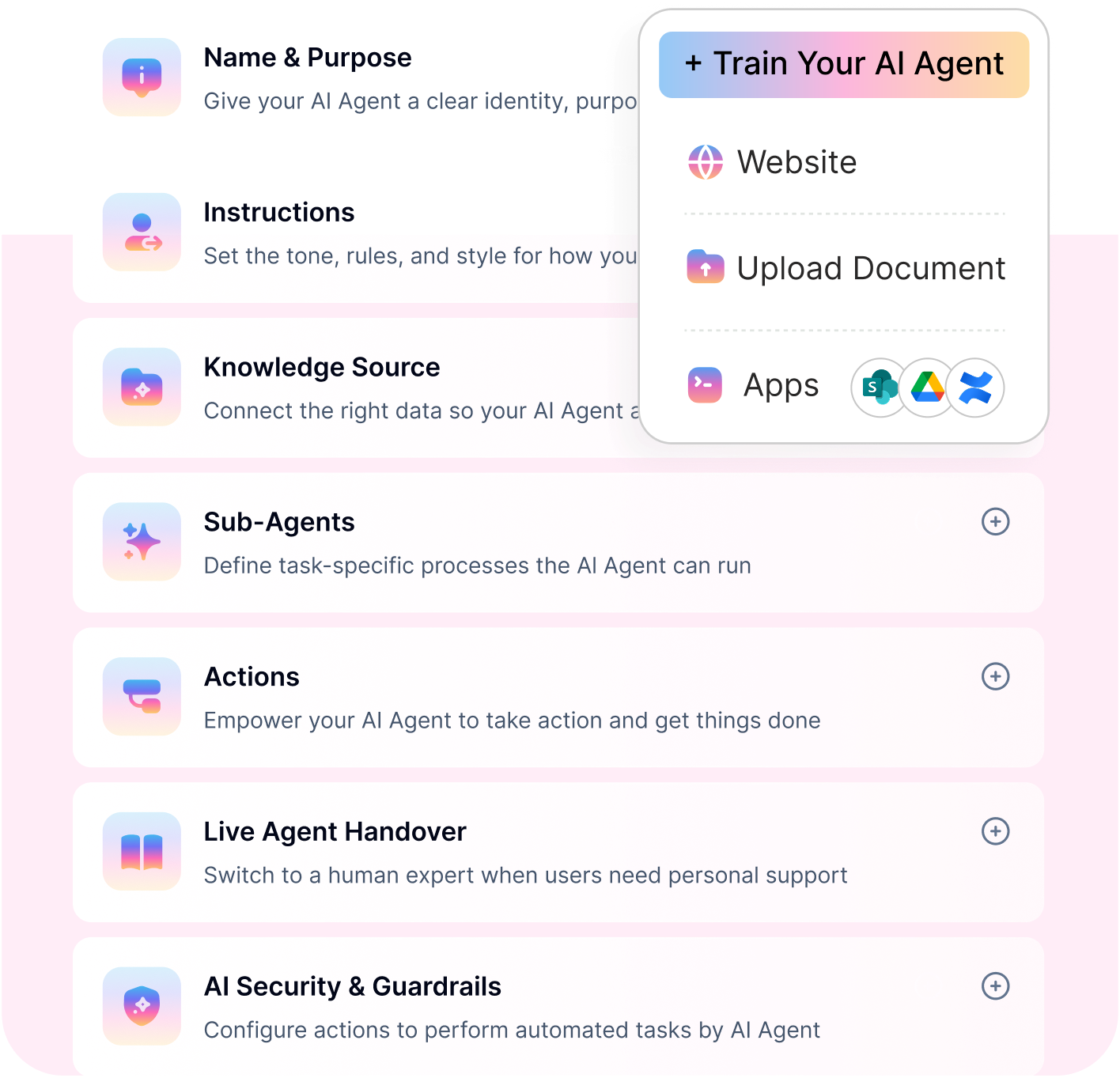
See a Quick Demo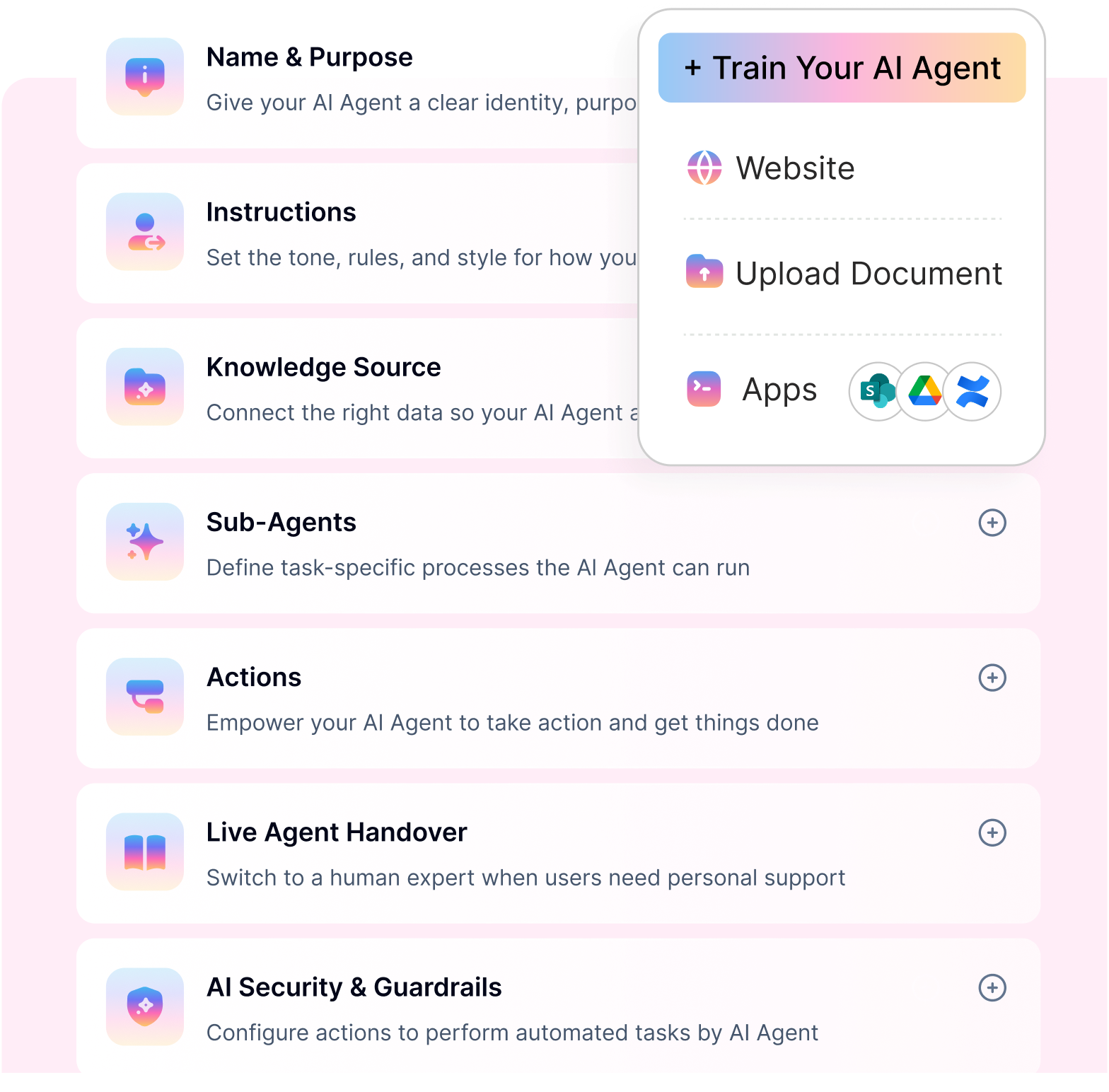
Gusto

Gusto is a payroll-focused HR automation software platform designed primarily for small and mid-sized businesses. It automates payroll processing, benefits administration, and compliance reporting while offering core HR tools to manage employee records and onboarding.
The platform is widely used by growing companies seeking simplified payroll and HR automation in a single system.
Key features:
Automated payroll processing – Gusto automates payroll calculations, tax filings, direct deposits, and year-end reporting across multiple states.
Benefits administration automation – The platform streamlines employee benefits enrollment, health insurance management, and deductions tracking.
Compliance reporting automation – Gusto supports automated tax filings, compliance documentation, and regulatory reporting.
Employee onboarding workflows – The system enables digital offer letters, document signing, and a structured new-hire setup.
Pros
Strong payroll automation capabilities – Gusto provides built-in payroll processing with automated tax compliance.
SMB-friendly interface – The platform is designed for ease of use and quick implementation for small businesses.
Cons
Limited advanced workflow orchestration – Automation is primarily focused on payroll and administrative HR tasks.
Less suitable for complex enterprise needs – The platform may lack scalability for large multinational organizations.
Pricing
Gusto offers tiered pricing plans, typically starting around $40 per month plus $6 per employee per month for the Simple plan. Higher-tier plans, such as Plus and Premium, include additional HR features and expanded support, with pricing that varies based on selected services and company size.
Moveworks

Moveworks is an enterprise-focused AI automation platform designed to streamline employee support and service operations across HR and IT environments. It uses conversational AI and machine learning to understand employee intent and automate resolution workflows within enterprise systems. The platform is primarily adopted by large organizations seeking to reduce support tickets and improve service efficiency through AI-driven automation.
Key features:
Conversational HR automation – Moveworks uses natural language understanding to provide employees with automated responses and guided workflows through chat-based interfaces.
AI-driven ticket automation – The platform automates ticket resolution by identifying intent, routing requests, and executing predefined actions within connected systems.
Enterprise workflow orchestration – Moveworks integrates with HRIS, ITSM, and enterprise tools to trigger multi-step workflows and automate routine service processes.
Knowledge-based automation – The system leverages enterprise knowledge bases to deliver contextual responses and reduce manual intervention.
Pros:
Advanced conversational AI capabilities – The platform effectively interprets employee intent and automates high-volume service requests.
Enterprise scalability – Moveworks is built to support complex integrations and large-scale enterprise environments.
Cons:
Primarily enterprise-focused – The solution may be less accessible for SMBs due to pricing and implementation scope.
Not a full HR management platform – Moveworks focuses on automation and service workflows rather than complete HR lifecycle management.
Pricing:
Moveworks does not publicly disclose pricing. Costs are typically customized based on organization size, integrations, and deployment complexity, with enterprise-focused pricing available upon consultation.
Leena AI

Leena AI is a conversational HR automation platform designed to improve employee experience through AI-driven support and workflow automation. It leverages natural language processing to understand employee queries and automate HR service delivery across enterprise environments. The platform focuses on reducing HR ticket volume while enabling structured case resolution and employee self-service.
Key features:
AI HR chatbot automation – Leena AI provides conversational chatbot capabilities to handle employee queries about policies, benefits, payroll, and HR processes.
Employee support automation – The platform automates routine HR support tasks by guiding employees through workflows and triggering backend actions.
HR case automation – Leena AI integrates with HR systems to create, route, and manage HR cases automatically.
Multi-system integrations – The solution connects with HRIS, payroll, and enterprise platforms to support workflow execution.
Pros:
Strong conversational HR capabilities – The platform excels in automating employee interactions through natural language interfaces.
Designed for enterprise HR teams – Leena AI supports structured HR case management and workflow automation at scale.
Cons:
Limited core HR data management – The platform focuses on automation rather than full HR lifecycle administration.
Enterprise-oriented deployment scope – Implementation may require integration planning for complex environments.
Pricing:
Leena AI does not publicly list pricing. Costs are typically customized based on organization size, integrations, and automation scope, with enterprise-focused pricing available upon request.
Aisera

Aisera is an AI service automation platform that supports HR and IT teams with intelligent workflow execution and service resolution. It leverages machine learning and natural language understanding to automate employee support, reduce ticket volumes, and improve service efficiency. The platform is commonly adopted by enterprises seeking predictive and automated HR service management.
Key features
Predictive HR automation – Aisera uses AI models to anticipate employee needs and automate repetitive HR service tasks before escalation.
Automated ticket resolution – The platform resolves HR tickets automatically by identifying intent and triggering predefined backend workflows.
Knowledge-based AI automation – Aisera integrates with enterprise knowledge bases to provide contextual responses and reduce manual intervention.
Cross-platform integrations – The solution connects with HRIS, ITSM, and enterprise systems to execute service workflows.
Pros:
Strong predictive automation capabilities – The platform leverages AI to automate high-volume service requests efficiently.
Enterprise-ready integrations – Aisera supports complex enterprise environments with multi-system connectivity.
Cons:
Primarily service-focused – The platform emphasizes ticket automation rather than full HR lifecycle management.
Enterprise deployment complexity – Advanced implementations may require significant integration and configuration effort.
Pricing:
Aisera does not publicly disclose pricing. Costs are typically customized based on organization size, integration scope, and automation volume, with enterprise pricing available upon request.
ServiceNow

ServiceNow is an enterprise workflow platform that includes HR Service Delivery capabilities designed to automate employee support and structured HR processes. It helps large organizations manage HR cases, enforce service-level agreements, and standardize service workflows across global operations. The platform is widely adopted by enterprises seeking centralized HR service management and workflow governance.
Key features:
HR case management automation – ServiceNow automates HR case creation, routing, escalation, and resolution within a centralized service environment.
SLA-driven workflow automation – The platform enforces service-level agreements through automated routing, prioritization, and escalation workflows.
Enterprise HR service delivery automation – ServiceNow standardizes HR service processes across departments with structured workflows and audit controls.
Integration with enterprise systems – The solution connects with HRIS, ITSM, and enterprise applications to support end-to-end service workflows.
Pros:
Robust enterprise workflow capabilities – ServiceNow provides structured process automation and governance at global scale.
Strong SLA and case management controls – The platform is well-suited to organizations that require strict service performance tracking.
Cons:
Complex configuration requirements – Enterprise implementations often require dedicated configuration and integration expertise.
Higher enterprise cost structure – Pricing is typically aligned with large organizations and multi-module deployments.
Pricing
ServiceNow does not publish fixed pricing for HR Service Delivery. Costs are subscription-based and vary depending on modules, user volume, and deployment scope, with enterprise pricing available upon consultation.
How to choose the best HR automation tool for your organization
Not every HR automation tool is built for how small teams actually operate.
For most growing companies, the goal isn’t to find the most feature-rich platform it’s to find the one that delivers immediate small business HR process improvement without adding complexity.
For large enterprises: prioritize scalability and compliance : If you are evaluating the best HR automation software for enterprises, look for platforms that offer enterprise-grade security, role-based access control, audit logs, compliance management, and cross-system workflow orchestration.
For organizations seeking intelligent execution: focus on AI orchestration : Understanding hr automation roi should guide your evaluation, prioritize solutions that support conversational interfaces, multi-step task automation, and integrations across HRIS, payroll, and IT systems.
For growing teams: streamline onboarding first : Companies scaling rapidly should start with hr tasks to automate such as documentation, provisioning coordination, and employee setup workflows during onboarding.
For payroll-heavy environments: emphasize payroll automation : If payroll accuracy and compliance are your top concerns, choose payroll-focused HR automation software that automates tax filings, salary processing, and regulatory reporting.
For process optimization goals: combine workflows with AI : Organizations looking to modernize operations should evaluate HR process automation software with AI capabilities that combine structured workflows with intent-driven automation and ticket reduction.
AI-POWERED. NO-CODE. ENTERPRISE-READY.
Workativ orchestrates onboarding, leave, payroll and IT workflows - from one platform, inside Slack or Teams.
No-code setup · 100+ integrations · Live in weeks
See Workativ AI in actionWhy Workativ is the fastest way to automate HR support
Most HR tools help you manage requests. Workativ helps you complete them.
If you’re still asking, How can I automate HR processes in a small company, the real answer isn’t more systems—it’s fewer manual steps. Workativ replaces repetitive HR work with workflows that run automatically across your existing tools.
What Workativ automates on Day 1
You don’t need months to get started. Workativ comes with pre-built workflows that let you:
automate HR support tickets with instant responses and automated resolution
handle leave requests and approvals end-to-end
resolve payroll queries and employee questions instantly
automate onboarding workflows across HR, IT, and payroll systems
execute policy and document workflows without manual follow-ups
This is what makes it different from most tools to automate HR helpdesk. Instead of just routing requests, it actually resolves them.
Built for small teams, not just enterprises
Workativ is designed to work the way small teams operate—fast, simple, and without dependencies.
No-code setup so HR teams can build and manage workflows on their own
Live in 2 days so you start seeing value immediately
No IT dependency so you don’t wait on engineering to make changes
This is where automate HR without HR software becomes real. You don’t need to replace your existing tools—you just make them work together.
For teams focused on HR process automation for small teams, this approach removes complexity and delivers impact from day one.
Outcomes that matter
Once automation is in place, the difference is immediate.
fewer HR support tickets
faster resolution for employee requests
better employee experience with instant responses
That’s the real value of modern AI tools for employee HR support. Not just answering questions, but actually getting work done.
If your goal is to scale HR without adding headcount, the fastest path is automation.
Workativ helps you move from managing HR requests to resolving them starting from Day 1.
HR scaling is no longer a hiring problem
“The fastest way to scale HR isn’t hiring it’s automation.”
If you’re still asking, How can I automate HR processes in a small company, the answer is already clear. You don’t need more tools or more people you need workflows that run on their own.
The biggest shift in small business HR process improvement is moving away from manual coordination toward automated execution. Tasks that once required emails, follow-ups, and approvals can now happen instantly across your existing systems.
That’s exactly where modern AI tools for employee HR support make a difference. They don’t just respond to employee queries—they resolve requests, trigger workflows, and keep HR operations running without constant involvement.
The teams that scale fastest are not the ones hiring more HR staff—they’re the ones automating the work that repeats every day.
If you’re ready to reduce workload, improve employee experience, and scale HR without adding headcount, Workativ helps you get there faster with no-code automation, pre-built workflows, and deployment in days—not months. Book a demo to see HR automation in action
FAQs
What are the best HR automation tools in 2026?
The best HR automation tools in 2026 combine AI-powered workflow automation, payroll integration, onboarding automation, employee self-service, and enterprise-grade security. Leading platforms now support cross-system orchestration rather than simple rule-based workflows.
What is the difference between HR automation software and AI-powered HR automation tools?
Traditional HR automation software focuses on structured, rule-based workflows such as payroll processing and approvals. AI-powered HR automation tools go further by using conversational interfaces, intent detection, and cross-system workflow orchestration to automate multi-step HR processes.
Which HR automation software is best for enterprises?
The best HR automation software for enterprises offers scalability, compliance controls, role-based access, and integration with HRIS, payroll, and IT systems. Enterprise-ready platforms also support workflow orchestration and SLA-driven service management.
Are AI-powered HR automation tools suitable for SMBs?
Yes. Many AI-powered HR automation tools now offer flexible deployment models suitable for growing teams. SMBs can benefit from onboarding automation, payroll workflow integration, and employee self-service without requiring large IT teams.
How do HR onboarding automation tools improve efficiency?
HR onboarding automation tools streamline documentation, provisioning coordination, policy acknowledgment, and system access setup, reducing manual HR effort and ensuring consistent onboarding experiences.
Can HR automation tools integrate with payroll and HRIS systems?
Most modern HR automation tools integrate with payroll platforms, HRIS systems, and collaboration tools to automate updates, approvals, and employee information changes across multiple systems.
Do HR automation tools require coding or developer support?
Many modern platforms offer no-code configuration and pre-built templates, reducing the need for heavy developer involvement. AI agent builders and workflow automation tools now allow HR teams to configure automation directly.
What ROI can organizations expect from HR automation tools?
Organizations typically see reduced HR ticket volume, faster resolution times, improved compliance accuracy, and increased employee satisfaction when implementing AI-powered HR automation tools.
Which HR workflows should teams automate first for faster ROI?
Start with repetitive, high-volume workflows like onboarding, leave approvals, payroll FAQs, employee data changes, and ticket routing. These use cases reduce HR workload quickly and improve employee response times.
'%3e%3cpath%20d='M11.5732%2031.7068L19.2977%2022.7433L11.5732%2011.5366H17.4664L22.6245%2018.942L29.0522%2011.5366H30.7788L23.4029%2020.0985L31.4127%2031.7086H25.4997L20.1231%2023.9069L13.3197%2031.7068H11.5732ZM16.6519%2012.8366H13.9536L26.354%2030.4462H28.9926L28.8265%2030.1576L16.6519%2012.8366Z'%20fill='%230C0C0C'/%3e%3c/g%3e%3cdefs%3e%3cclipPath%20id='clip0_505_14364'%3e%3crect%20width='19.7681'%20height='20.2432'%20fill='white'%20transform='translate(11.573%2011.5365)'/%3e%3c/clipPath%3e%3c/defs%3e%3c/svg%3e)

'%3e%3cpath%20d='M25.2175%2011.7557L26.9132%2011.911V15.0496C26.0135%2015.1444%2024.1746%2014.7452%2023.5821%2015.5947C23.4908%2015.726%2023.3291%2016.1592%2023.3291%2016.3091V19.002H26.7392L26.3346%2022.5281H23.3291V31.5952H19.707V22.5863L19.649%2022.5281H16.6628V19.002H19.707C19.7813%2017.4024%2019.4664%2015.7042%2020.1132%2014.1986C20.6748%2012.8902%2021.7857%2012.0974%2023.1666%2011.8435L23.7151%2011.7557H25.2183H25.2175Z'%20fill='%230C0C0C'/%3e%3c/g%3e%3cdefs%3e%3cclipPath%20id='clip0_505_14375'%3e%3crect%20width='10.2695'%20height='19.8027'%20fill='white'%20transform='translate(16.658%2011.7567)'/%3e%3c/clipPath%3e%3c/defs%3e%3c/svg%3e)
About the Author
Deepa Majumder

Senior content writer
Deepa Majumder is a writer who nails the art of crafting bespoke thought leadership articles to help business leaders tap into rich insights in their journey of organization-wide digital transformation. Over the years, she has dedicatedly engaged herself in the process of continuous learning and development across business continuity management and organizational resilience.
Her pieces intricately highlight the best ways to transform employee and customer experience. When not writing, she spends time on leisure activities.
Auto-resolve 60% of Your Employee
Queries With AI Agents & Automation
- No credit card required
- Setup in minutes
- Cancel Anytime