
Glean Review 2026: Features, Pricing & Alternatives
Honest Glean review 2026: features, pricing, pros, cons & Workativ comparison. Discover if Glean AI search fits your enterprise knowledge management needs.


TL;DR
Glean excels at enterprise search and knowledge discovery, but stops short of executing workflows or completing tasks end to end.

Its search-first approach works well for large enterprises, but offers limited value for teams looking to automate operations.
Opaque pricing and setup effort can make adoption and ROI difficult to predict, especially for growing organizations.
Platforms like Workativ go beyond search by turning intent into action, enabling full automation across IT, HR, and operations.
Glean is worth it for large enterprises with complex, fragmented knowledge ecosystems — but only if search and discovery are your primary bottleneck. It excels at indexing content across 100+ enterprise tools, enforcing permissions, and surfacing accurate answers in natural language.
However, Glean does not execute workflows, resolve tickets, or automate end-to-end requests. If your team needs AI that acts — not just finds — Glean's scope will feel limited.
Pricing is not publicly listed and typically starts around $50 per user per month with a 100-seat minimum, making it a significant investment. For teams looking for action-driven automation beyond search, platforms like Workativ offer a faster, more flexible path to operational outcomes. Let’s deep dive and review Glean.
What Users Say About Glean | A quick overview
Platform | Rating | Reviews | Top Praised Aspects | Sample Review |
|---|---|---|---|---|
G2 | 4.7 / 5 | 162 | Cross-tool search, natural language queries, strong permissions model | "Efficient Data Integration, Hindered by Slowness" — Mid-market, 3/5 |
Gartner Peer Insights | 4.4 / 5 | 341 | Relevance accuracy, enterprise governance, knowledge centralization | "Eliminates information silos, though integration demands substantial preparation" — Operations Manager, 3/5 · May 2026 |
Capterra | 4.5 / 5 | 2 (limited data) | Unified search across apps, time savings, easy daily use | "Powerful AI assistance when too many apps is your main issue" — Verified Reviewer, Govt. Admin · 4/5 · Jan 2026 |
What is Glean?
Glean is an AI-powered enterprise search platform built to help employees quickly find information spread across internal tools and documents. It connects to workplace systems like Google Workspace, Microsoft 365, Slack, Jira, Confluence, and ServiceNow, then indexes content in a permission-aware way so employees only see what they’re allowed to access.
At its core, Glean is designed for finding and understanding information, not for completing tasks or executing workflows. It surfaces answers, documents, and context based on employee queries, role, and past usage—but it does not take actions such as resolving tickets, updating records, or automating requests.
This makes Glean especially effective for large enterprises with complex knowledge ecosystems and heavy documentation. For teams looking to move beyond search toward action-driven employee support and automation, Glean’s scope can feel intentionally limited.
How does Glean work?
Glean works by acting as an intelligent layer between employees and the many systems where enterprise knowledge lives.
Data ingestion from enterprise systems : Glean connects to tools like Google Workspace, Microsoft 365, Slack, Jira, Confluence, and ServiceNow. It continuously pulls in documents, tickets, messages, and wiki content, so information stays up to date.
Indexing and permissions-aware access : All ingested data is indexed with strict permission controls. Employees only see results they are authorized to access, which is critical for enterprise security and compliance.
Orchestration and retrieval approach : When a user asks a question, Glean orchestrates a search across multiple systems at once, ranking results based on relevance, freshness, and user context rather than keyword matching alone.
Answer surfacing vs action execution : Glean excels at surfacing answers, documents, and links. However, it does not perform actions such as creating tickets, updating systems, or completing end-to-end requests.
Role of AI models : AI models help Glean understand user intent, interpret natural language, and rank the most relevant content.
Key limitation : Workflow execution and task completion remain outside Glean’s core capability, making it search-first rather than action-driven.
Glean reviews: What users are saying in 2026
Feedback on Glean in 2026 largely comes from verified G2 reviews shared by IT leaders, HR teams, and enterprise operations professionals working in large, complex organizations. These reviewers typically manage extensive tool stacks, strict access controls, and high volumes of internal knowledge.
What users like,
1. Glean simplifies onboarding support through easy app integrations
The reviewer rated Glean 4.5/5 and appreciated how easy the platform is to use, especially when connecting workplace tools like Slack and Google Sheets. They also noted that Glean performs well when the agent is given a clear and complete prompt. In their experience, Glean helped the team support new employee onboarding and manage tooling access requests more smoothly.
2. Glean AI helps support teams find workplace knowledge faster
A customer service and support associate in the healthcare and biotech industry rated Glean 4.0/5, highlighting its value as an AI-powered workplace search platform. The reviewer noted that Glean connects with internal systems such as documents, chats, tickets, and workflows, making it easier for employees to find the information they need without searching across multiple tools manually.
3. Glean helps new employees access expert knowledge without waiting on colleagues
A marketing user from a US-based IT services company rated Glean 5.0/5 after using it for 6–12 months. The review highlights how Glean made onboarding faster by reducing the time spent searching through wikis or waiting for colleagues to respond. The reviewer especially valued being able to ask questions in natural language and quickly find documents, presentations, and internal knowledge needed to do their job independently.
4. Glean makes workplace knowledge easier to find across tools
A customer service and support associate in the healthcare and biotech industry rated Glean 4.0/5, describing it as an effective workplace search tool for improving knowledge access. The review highlights how Glean connects with internal apps and helps employees find information faster across documents, chats, tickets, and workflows, reducing the need to search through separate systems manually.
5. Easy UI, fast answers, and smooth Slack integration
A data engineer from a mid-market company rated Glean 5/5, appreciating how simple the UI is to understand and how well it works with Slack. The review highlights Glean’s fast response quality, easy onboarding experience, strong AI models, and reasonable pricing, making it useful for teams that want quick access to answers without a complicated setup.
Where users struggle:
1. Useful for breaking silos, but integration takes planning
An operations manager in the travel and hospitality industry rated Glean 3.0/5, noting that it delivers on its core promise of giving teams one place to search across workplace tools. The review highlights Glean’s value in reducing information silos and helping employees avoid jumping between teams, SharePoint, and other systems, while also pointing out that successful integration requires meaningful preparation before rollout.
2. Powerful office search with some indexing and pricing concerns
A customer service and support associate from a large consumer goods company rated Glean 4.0/5, describing it as a strong workplace search tool that works like “Google for the office.” The review highlights Glean’s ability to save hours each week by helping employees find hard-to-locate documents through contextual search. At the same time, the reviewer points out that pricing and indexing delays can make implementation and ongoing usage more challenging.
3. Great customer support, but setup guidance could be clearer
An analyst relations associate from a real estate company rated Glean 4.0/5, appreciating the overall product experience and strong customer service. The review also points out that setting up MCP and API connections can feel unclear, especially for teams that need more guidance during configuration. The reviewer adds that Glean is useful, but it may not fit use cases like financial modeling where broader AI capabilities are expected
4. Extra login steps make the search experience frustrating
The reviewer finds Glean’s separate authentication process annoying, especially when they are already logged in to another workplace app. They also mention that the overall search experience does not fully meet expectations, making the tool feel less efficient despite its Slack and Confluence integration value.
5. Limited customization and occasional irrelevant results affect search accuracy
The reviewer notes that Glean can feel limited when it comes to customization. They also mention that search results are sometimes irrelevant, which can make the experience less reliable when users need precise information quickly.
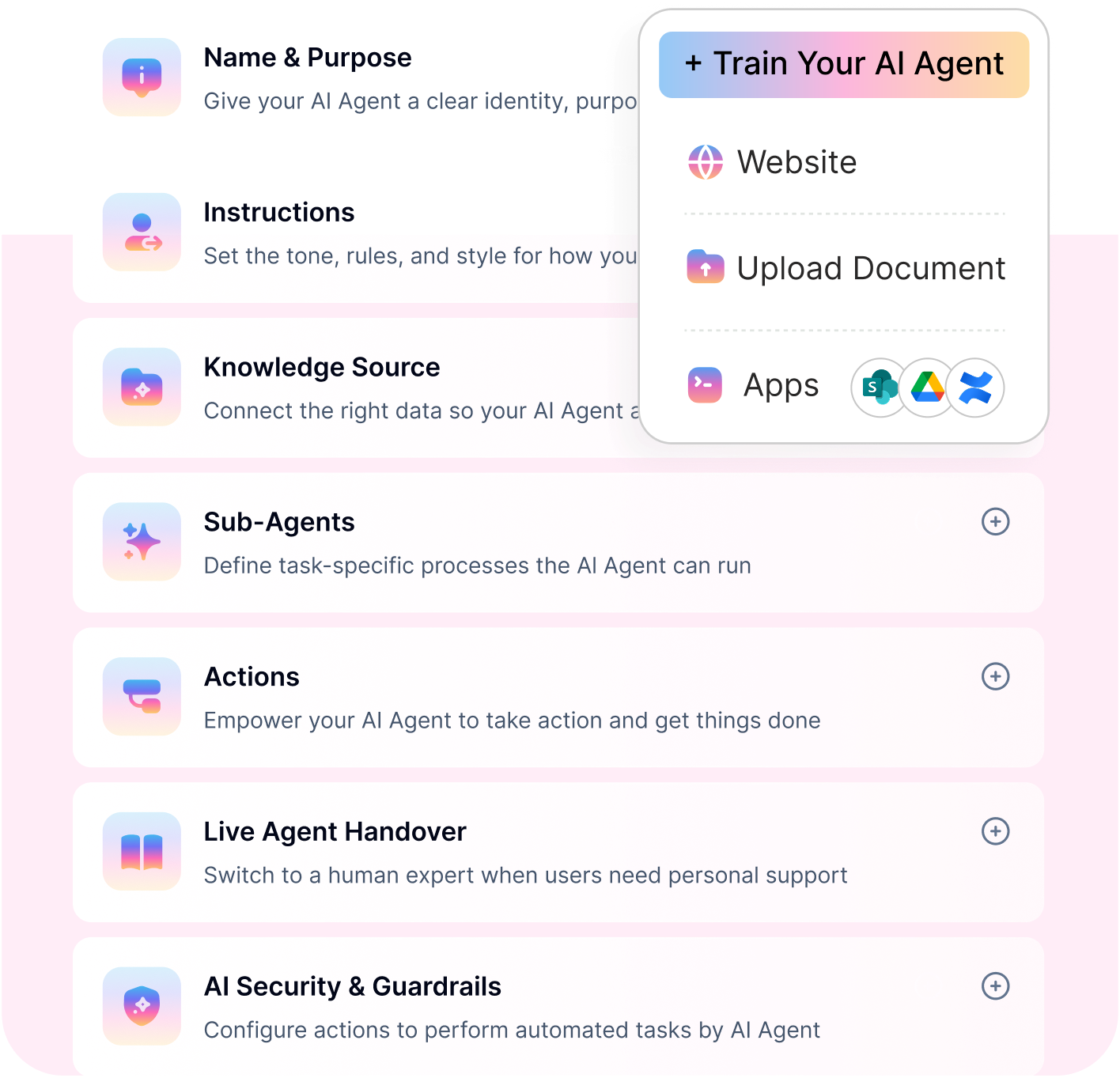
GLEAN FINDS THE ANSWER. SOMEONE STILL HAS TO ACT.
Search-first platforms stop at the answer. Workativ resolves the request - tickets, approvals, updates.
No-code · Deep integrations · Single-click training
Go live in days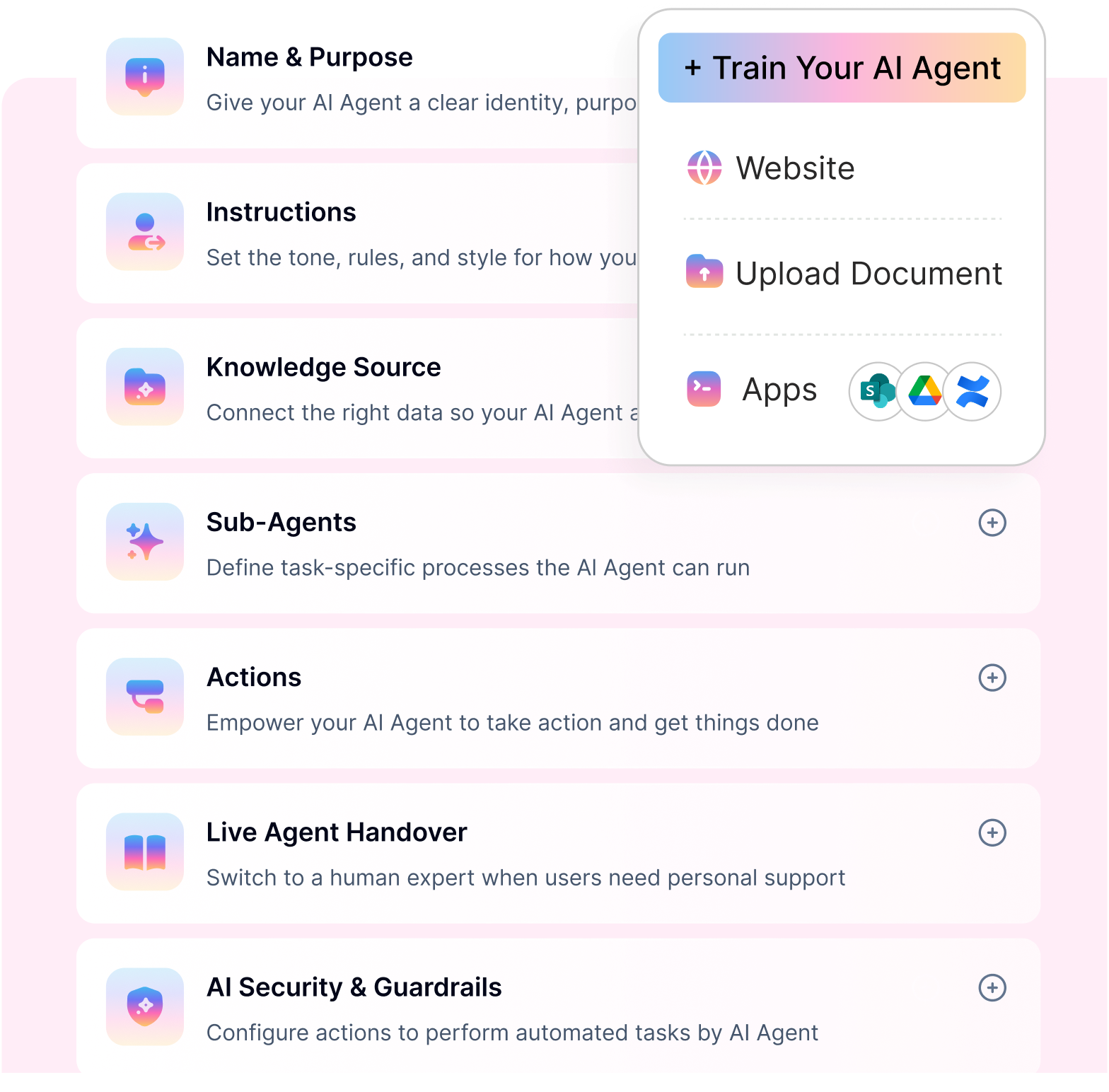
Key features that define Glean
Glean has evolved from an enterprise search platform into a broader Work AI platform. Its current AI features focus on helping employees search company knowledge, ask questions in chat, summarize information, create content, analyze data, and automate parts of work through agents and connected actions.
At its core, Glean still depends on enterprise search and company context. The difference in 2026 is that users are no longer limited to typing keywords and opening documents. They can ask questions, receive cited answers, use voice, build agents, and get proactive suggestions based on what is changing across their work.
Glean Chat
Glean Chat is the conversational AI experience inside Glean. Employees can ask natural-language questions and get answers grounded in company knowledge, including documents, messages, data, and other connected workplace sources.
This is useful when employees do not know where information lives. Instead of searching Slack, Google Drive, Confluence, Jira, SharePoint, or other tools manually, they can ask Glean Chat and continue with follow-up questions in the same conversation.
A useful detail for buyers is that Glean Chat can show inline search results for short keyword-style queries. This makes the chat experience work as both an AI assistant and a quick enterprise search interface.
Glean Assistant
Glean Assistant is positioned as an enterprise AI coworker. It helps users find answers, summarize information, prepare for meetings, draft content, analyze company data, and move work forward using business context.
The main difference between Glean Assistant and a generic AI chatbot is context. Glean Assistant is designed to understand company knowledge, user permissions, role, activity, and connected systems. This allows it to provide more relevant answers for internal workplace questions.
For example, an employee could use Glean Assistant to summarize a project update, find the latest customer notes, prepare for a meeting, draft a follow-up, or ask what changed across a specific initiative.
Glean Agents
Glean Agents are one of the biggest additions to Glean’s platform. They allow employees and teams to build AI agents that can handle repeatable, multi-step work across enterprise knowledge and connected systems.
Glean introduced Agents as a horizontal agent environment, meaning they are not limited to one department. Teams can use them for sales research, support workflows, HR process guidance, onboarding, project updates, data analysis, RFP responses, and other knowledge-heavy business processes.
The value of Glean Agents is that they combine enterprise context with reasoning and workflow logic. Instead of only retrieving an answer, an agent can follow instructions, plan steps, use approved sources, and help complete a defined task.
However, buyers should test agent execution carefully during a proof of concept. Glean Agents are more advanced than basic enterprise search, but the level of automation depends on available connectors, actions, governance settings, permissions, and how each workflow is configured.
Proactive intelligence
Proactive intelligence is designed to surface important updates before the user searches for them. Glean can show personalized activity cards that highlight relevant updates, blockers, decisions, requests, and suggested next steps.
This is useful for employees who need to keep track of fast-moving work across projects, meetings, customers, teams, and documents. Instead of checking multiple apps manually, users can see what needs attention and act faster.
For example, Glean may help a user prepare for a meeting, catch up on project changes, identify blockers, or draft a response based on recent updates.
Agentic search
Agentic search is where Glean moves beyond traditional enterprise search. Classic search returns documents. Agentic search tries to understand the user’s intent, gather information from multiple sources, summarize the answer, show supporting references, and suggest what to do next.
This matters because many workplace questions are not simple keyword searches. Employees often need an answer that pulls context from several systems, such as documents, tickets, chats, meeting notes, and customer records.
Glean is strongest when the use case depends on finding, understanding, and synthesizing internal knowledge. It is less straightforward when the use case requires strict, deterministic workflow execution across business systems.
Data analysis and research
Glean can support research and analysis across structured and unstructured company data. Users can ask complex questions, generate cited insights, and analyze information from internal systems without manually collecting data from multiple places.
This can help teams summarize customer feedback, compare documents, analyze business information, research internal topics, or prepare decision-ready briefs.
For teams with large amounts of scattered knowledge, this feature can reduce the manual effort required to turn information into usable insight.
Content creation
Glean Assistant can help users create and refine workplace content using company context. This includes documents, summaries, slides, spreadsheets, images, and other work outputs.
The benefit is not just drafting speed. Since Glean is connected to company knowledge, the output can be more relevant to internal processes, projects, customers, and team context than a generic AI writing tool.
Common use cases include meeting summaries, project briefs, sales follow-ups, enablement content, internal updates, and presentation drafts.
Real-time voice
Glean’s real-time voice feature lets users speak with Glean instead of typing. Users can ask questions, interrupt responses, continue with follow-up questions, and later review the conversation as a standard chat transcript.
This is useful for hands-free work such as meeting preparation, brainstorming, catching up on updates, reviewing documents, or organizing thoughts while away from the desk.
Glean also supports creating document artifacts from voice conversations. For example, a user can talk through a project brief and ask Glean to turn it into a document saved for later editing. At the moment, voice-created artifacts are limited to documents, while slides and other visual artifacts need to be created from text chat.
Work execution
Glean is also moving toward work execution. The Assistant and Agents can help users take action across connected systems, complete multi-step tasks, and automate recurring work with skills and actions.
This is an important shift because it moves Glean closer to agentic workplace automation, not just enterprise search. Still, buyers should separate “AI-assisted work” from full workflow automation. For tasks like ticket creation, approval routing, HRIS updates, ITSM changes, or structured process execution, teams should validate exactly what Glean can do out of the box and what requires configuration.
Glean AI features summary
Feature | What it does | Best for |
|---|---|---|
Glean Chat | Lets users ask natural-language questions and receive answers grounded in company knowledge | Conversational enterprise search, internal Q&A, quick answers |
Glean Assistant | Acts as an AI coworker for search, summaries, drafts, meeting prep, analysis, and work support | Everyday AI assistance across workplace knowledge |
Glean Agents | Allows teams to build AI agents for repeatable, multi-step work | Research workflows, internal process support, guided automation |
Proactive intelligence | Surfaces relevant updates, blockers, decisions, and next steps before users ask | Project tracking, meeting prep, priority management |
Agentic search | Finds, reasons, summarizes, cites, and recommends next steps from enterprise sources | Complex knowledge discovery across scattered systems |
Data analysis and research | Turns company data and internal context into cited insights | Business research, customer analysis, document-heavy workflows |
Strengths and limitations of Glean
Strengths | Limitations |
|---|---|
✅ Deep enterprise integrations — Connects with tools such as Google Workspace, Microsoft 365, Slack, Jira, and Confluence while respecting user permissions and access controls. | ❌ Search-first, not fully action-driven — Glean helps employees find answers, but many workflows still require users to take action in another system. |
✅ Strong workplace search relevance — Surfaces contextual answers and summaries from scattered documents, chats, tickets, and internal knowledge sources. | ❌ Opaque, quote-based pricing — Glean does not publish fixed pricing, and buyer-reported estimates suggest enterprise-level per-user costs with minimum seat commitments. |
✅ Enterprise-ready security — Designed for enterprise environments with permission-aware search, encryption, access controls, and security-focused deployment options. | ❌ Limited customization — Some reviewers mention that tuning search behavior, relevance, filters, and team-specific workflows can feel restrictive. |
✅ Natural language search experience — Employees can ask questions conversationally instead of relying only on keyword-based search. | ❌ Occasional accuracy gaps — Some users report inconsistent results or answers that do not always match the expected context. |
✅ Personalized, role-aware results — Search results can be shaped by the user’s role, team, permissions, and work context. | ❌ Implementation takes planning — Setup may require connector configuration, indexing preparation, admin support, and internal rollout effort. |
✅ AI assistant and agent capabilities — Glean Chat and Glean Agents help users summarize documents, search across tools, and complete guided information workflows. | ❌ Security constraints can slow adoption — Strict enterprise policies may delay integrations with tools like Slack, email, or internal systems until security teams approve access. |
Popular use cases of Glean
Glean is most effective in departments where fast access to accurate information matters more than executing actions. Its use cases are largely search- and insight-driven.
IT service management (ITSM) : Used by IT teams to search across tickets, runbooks, past incidents, and documentation stored in tools like ServiceNow, Jira, and Confluence. Glean helps agents find answers faster, but ticket resolution and system updates still happen outside the platform.
Customer and internal support : Support teams use Glean to quickly surface product documentation, internal knowledge articles, and historical conversations. This reduces response time by improving context, though workflows remain manual.
Sales teams : Sales teams rely on Glean to find pitch decks, pricing docs, CRM notes, and past customer conversations across tools like Salesforce, Slack, and Google Drive—helping reps prepare faster without switching between systems.
Glean pricing in 2026 – what to expect
Glean does not publish pricing on its website. All contracts are custom-quoted through a direct sales process. A sales demo is required before any figures are shared, and a paid proof of concept is the standard evaluation path before full commitment. There is no self-serve trial, no public rate card, and no way to compare costs without entering a vendor-led conversation.
Estimated Glean pricing ranges in 2026
Pricing factor | 2026 reported range | What buyers should know |
Base per-user pricing | ~$45–$75/user/month | Not publicly listed; depends on quote, scale, and contract terms |
Minimum seat commitment | ~100–250 users | Smaller teams may find the minimum commitment too high |
Minimum annual contract | ~$50,000–$60,000+ | Often tied to enterprise commitments |
Advanced AI / Work AI usage | May be bundled or usage-based | Glean’s Enterprise Flex model includes pooled credits, with extra usage charged through FlexCredits |
Larger deployments | $200K+ annually; some 500-user estimates reach $300K–$400K | Costs scale quickly with user count, integrations, support, and AI usage |
With that, the figures below are drawn from buyer-reported data across G2, Gartner Peer Insights, TrustRadius, Vendr, SpendHound, and third-party procurement analyses published between late 2025 and June 2026. All figures are estimates. Your quote will vary based on company size, features, integrations, and negotiation.
Per-user cost
Glean pricing typically starts at around $50 per user per month, though some prospects have reported figures closer to $75 per user per month. A Forrester study documents a $40 per user per month baseline for a 10,000-employee deployment, though smaller organizations typically see higher per-user rates. Volume discounts apply at scale, but every contract requires sales negotiations that stretch weeks before you see actual numbers, creating a situation where two identical organizations might pay vastly different amounts simply because one had sharper negotiators.
Minimum contract
The minimum annual contract is approximately $50,000–$60,000, typically requiring 100 or more seats. This floor holds consistently across buyer feedback, with little exception regardless of negotiation efforts.
SMB vs. enterprise spend — what buyers are actually paying
Among contributing SpendHound companies, SMB Glean pricing averages around $80,825 per year, while enterprise plans average around $217,452 per year. SMB pricing increased by 128.47% year over year, while enterprise pricing increased by 15.2% year over year.
AI add-on
The Work AI and advanced AI add-on is priced at approximately $15 per user per month on top of the base license — a cost many organizations discover mid-sales process rather than upfront. This add-on is not always bundled in base plans; buyers should confirm what is included before signin
Proof of concept (POC)
Glean does not offer a free trial. To test with your own data, you may be asked to pay for a proof of concept, with some reports putting paid POC costs at up to $70,000. That is a significant upfront spend before any production commitment.
Hidden costs buyers consistently report
The per-user subscription price is just the starting point. Enterprise deployments include several cost components that can increase actual investment by 30–50% above the quoted licensing fee.
Infrastructure note
A documented 20-user proof of concept required 26 high-memory compute nodes on Google Cloud Platform, generating cloud spend exceeding $10,000 per month in infrastructure costs alone — before any licensing fees. For a mid-to-large enterprise deployment, cloud infrastructure typically adds $120,000 or more per year.
Renewal terms
Glean contract renewals default to 7–12% annual price increases, built into standard terms and not always disclosed upfront. The only protection is a written price cap negotiated before signing — without it, increases are automatic.
Total cost of ownership
When licensing, cloud infrastructure, staffing, and implementation are combined, total annual cost of ownership for a mid-to-large Glean deployment typically falls in the range of $350,000–$480,000. For larger organizations, three-year TCO figures have been documented at $1.66 million for a 2,500-employee software company, $5.8–$6.2 million for an 8,000-employee fintech, and $12.6–$13.2 million for a 12,000-employee enterprise — all assuming standard 7–12% annual renewal increases.
Glean pricing requires a direct sales conversation and a full procurement cycle. The complete lack of public pricing makes budgeting a real challenge — it is tough to build a business case when the price tag is a total mystery, especially for fast-moving teams who need clear answers rather than a sales pitch. Organizations should model all cost layers — not just per-seat license fees — well before entering a contract negotiation.
TRANSPARENT PRICING. NO QUOTE CALLS.
Workativ automates IT & HR requests end-to-end no hidden fees, no lock-in, no enterprise guesswork.
Published pricing · No credit card · Live in weeks
See a Quick DemoBest alternative to Glean: How Workativ compares
While Glean is strong at enterprise search and knowledge discovery, many teams outgrow it once they need execution, not just answers. This is where Workativ stands out as a more complete, action-oriented alternative.
Addressing Glean’s limitations directly
Glean primarily surfaces information and points employees to the right documents or links. Workativ goes several steps further by converting employee intent into completed outcomes. Whether it’s resolving IT requests, updating HR systems, triggering approvals, or closing tickets, Workativ automates the entire journey from question to resolution—without requiring manual handoffs.
Pricing flexibility and predictability
Glean’s enterprise-only, quote-based pricing often makes it difficult for teams to forecast spend or measure ROI. Workativ uses transparent, predictable pricing aligned to actual usage and outcomes. This allows organizations to scale automation confidently, without cost surprises as adoption grows.
Broader and deeper integrations
Glean integrates mainly to retrieve and index information. Workativ integrates to act. It integrates deeply with ITSM, HRIS, IAM, and core business systems to support real operations, such as creating tickets, provisioning access, updating records, and syncing workflows across tools, eliminating manual follow-ups.
Customization without engineering
Workativ is designed for business and IT teams, not developers. Teams can configure workflows, decision logic, and responses using a no-code interface, without relying on engineering resources or professional services. This makes ongoing changes faster and far less costly.
Higher AI accuracy for intent and action flows
Workativ is optimized to understand user intent and map it to the correct workflow. Instead of just answering questions, the AI accurately determines what needs to be done and takes the right action, reducing errors, rework, and the need for human intervention.
Faster time to value
Glean deployments can take months due to setup, tuning, and enterprise rollout cycles. Workativ is built for speed—most teams go live in weeks, start automating quickly, and see measurable impact early.
Action-oriented by design
Where Glean is fundamentally search-first, Workativ is execution-first. Every interaction is designed to move work forward, not just provide information.
100% no-code ownership
With Workativ, internal teams fully own their automation stack. They can iterate, expand, and optimize workflows independently—without vendor dependency—making the platform scalable and future-proof.
Head-to-head comparison: Glean vs Workativ
Category | Glean | Workativ |
|---|---|---|
Primary purpose | Enterprise search and knowledge discovery | End-to-end employee support automation |
Core strength | Permission-aware search across enterprise tools | Turning intent into completed actions |
Action execution | Not supported; surfaces answers only | Fully supported across IT, HR, and ops |
Workflow automation | Limited, information-focused | Native, multi-step, action-driven workflows |
Integrations | Broad for indexing and retrieval | Deep for execution across ITSM, HRIS, IAM |
Customization | Constrained configuration | Fully customizable with no code |
From answers to action
Glean surfaces answers. Workativ completes the work, IT requests, HR workflows, and approvals, all automated.
Selecting the right AI platform for employee support and beyond
Selecting the right AI platform comes down to how much responsibility you want the system to take on. If your biggest challenge is helping employees find the right document, policy, or past conversation, a search-first platform like Glean can improve discoverability across a complex enterprise stack. It works well when information access is the primary bottleneck and execution already happens elsewhere.
However, as employee expectations rise, answers alone are rarely enough. Teams increasingly need AI that can do the work resolve IT and HR requests, trigger workflows, update systems, and close the loop without manual intervention. This is where action-driven platforms deliver far greater operational impact.
Workativ is built for this next phase of employee support. With faster deployment, transparent pricing, deep integrations, and 100% no-code ownership, Workativ enables IT and HR teams to move from information access to real outcomes quickly and at scale.
If your goal is to reduce support load, improve employee experience, and automate work end to end, Workativ is the platform designed to get you there.
Book a demo with Workativ to see how quickly you can go live and start automating real employee support workflows—without enterprise friction.
FAQs
Is Glean an AI agent or an enterprise search platform?
Glean is primarily an enterprise search and knowledge discovery platform. While it uses AI agents to surface answers and summaries, it does not execute workflows or complete tasks end to end.
Can Glean automate IT or HR workflows?
Glean can guide users to relevant information, but it cannot resolve requests, update systems, or automate workflows. Actions still need to be completed in separate tools.
Is Glean suitable for small and mid-sized businesses?
Glean is best suited for large enterprises with complex knowledge ecosystems. For SMBs or fast-moving teams, the setup effort, pricing model, and limited actionability can feel heavy.
How is Workativ different from Glean?
Workativ is action-oriented by design. It converts employee intent into completed outcomes—such as resolving IT and HR requests—using no-code workflows and deep system integrations.
Which platform should IT and HR teams choose in 2026?
Choose Glean if your primary challenge is enterprise-wide knowledge search. Choose Workativ if you need faster deployment, predictable pricing, and end-to-end automation for employee support.
Does Glean support real-time data updates across systems?
Glean continuously indexes connected systems, but real-time accuracy depends on integration refresh cycles and data source availability.
Can Glean be used as a standalone employee support solution?
No, Glean enhances information access but still relies on other tools to execute support tasks and resolve requests.
What are the key limitations of Glean for automation-focused teams?
Glean cannot execute workflows or automate actions, which limits its ability to reduce support workload or resolve requests fully.
'%3e%3cpath%20d='M11.5732%2031.7068L19.2977%2022.7433L11.5732%2011.5366H17.4664L22.6245%2018.942L29.0522%2011.5366H30.7788L23.4029%2020.0985L31.4127%2031.7086H25.4997L20.1231%2023.9069L13.3197%2031.7068H11.5732ZM16.6519%2012.8366H13.9536L26.354%2030.4462H28.9926L28.8265%2030.1576L16.6519%2012.8366Z'%20fill='%230C0C0C'/%3e%3c/g%3e%3cdefs%3e%3cclipPath%20id='clip0_505_14364'%3e%3crect%20width='19.7681'%20height='20.2432'%20fill='white'%20transform='translate(11.573%2011.5365)'/%3e%3c/clipPath%3e%3c/defs%3e%3c/svg%3e)

'%3e%3cpath%20d='M25.2175%2011.7557L26.9132%2011.911V15.0496C26.0135%2015.1444%2024.1746%2014.7452%2023.5821%2015.5947C23.4908%2015.726%2023.3291%2016.1592%2023.3291%2016.3091V19.002H26.7392L26.3346%2022.5281H23.3291V31.5952H19.707V22.5863L19.649%2022.5281H16.6628V19.002H19.707C19.7813%2017.4024%2019.4664%2015.7042%2020.1132%2014.1986C20.6748%2012.8902%2021.7857%2012.0974%2023.1666%2011.8435L23.7151%2011.7557H25.2183H25.2175Z'%20fill='%230C0C0C'/%3e%3c/g%3e%3cdefs%3e%3cclipPath%20id='clip0_505_14375'%3e%3crect%20width='10.2695'%20height='19.8027'%20fill='white'%20transform='translate(16.658%2011.7567)'/%3e%3c/clipPath%3e%3c/defs%3e%3c/svg%3e)
About the Author
Deepa Majumder

Senior content writer
Deepa Majumder is a writer who nails the art of crafting bespoke thought leadership articles to help business leaders tap into rich insights in their journey of organization-wide digital transformation. Over the years, she has dedicatedly engaged herself in the process of continuous learning and development across business continuity management and organizational resilience.
Her pieces intricately highlight the best ways to transform employee and customer experience. When not writing, she spends time on leisure activities.
Auto-resolve 60% of Your Employee
Queries With AI Agents & Automation
- No credit card required
- Setup in minutes
- Cancel Anytime