
Top 8 Glean Alternatives for AI Search in 2026
Top 8 Glean alternatives for AI search & productivity in 2026. Compare features, pricing, integrations & find the best enterprise search solution for you.


TL;DR
Glean is strong for enterprise search, but many organizations outgrow it when they need AI to automate tasks and complete workflows.

The best Glean alternatives combine Knowledge AI, GPT-powered RAG, and workflow execution to move from search to real productivity outcomes.
Pricing clarity matters as adoption grows, which is why usage-aligned platforms are often easier to scale than per-employee models.
Workativ stands out by combining enterprise AI search, action-driven automation, and no-code workflows for measurable employee productivity gains.
The best alternatives to Glean in 2026 are Workativ, Moveworks, and Microsoft 365 Copilot, depending on what your team needs AI to do. Workativ is the best choice for companies that want AI search plus HR and IT workflow automation, so employees can get answers and complete requests in one place. Moveworks, now part of ServiceNow, is best for large enterprises that need employee support automation at scale. Microsoft 365 Copilot is the strongest option for Microsoft-first teams that want AI assistance inside Word, Excel, Outlook, Teams, and Microsoft 365 apps.
In this guide, we’ll break down the best Glean alternatives, who they’re best suited for, and how they compare across automation depth, customization, and overall ROI.
Tool name | Best for | Starting price | Free trial | G2 rating |
|---|---|---|---|---|
Workativ | SMB and mid-market HR & IT support automation | Starts at $99/month | Yes | 4.7/5 |
Moveworks, now part of ServiceNow | Large enterprise employee support automation | Pricing on request | No | 4.4/5 |
Microsoft 365 Copilot | Microsoft-first productivity teams | Starts at $18/user/month, paid yearly | No | 4.4/5 |
Leena AI | HR service delivery and employee experience automation | Pricing on request | Yes | 4.6/5 |
Aisera, now part of Automation Anywhere | Enterprise ITSM and service desk automation | Pricing on request | No | 4.4/5 |
Coveo | Enterprise search relevance and personalization | Pricing on request | No | 4.3/5 |
Why look for an alternative to Glean?
Glean is strong in enterprise search, but many teams look elsewhere as their AI needs mature. Here are the most common reasons buyers evaluate alternatives to Glean,

Search accuracy can feel inconsistent at times
Based on G2 user feedback, a common concern with Glean is that search results don’t always surface the exact information users are looking for. While Glean is designed to unify knowledge across multiple tools, some users report that queries can return only partially relevant results, requiring additional searching or manual refinement.
For teams that rely on fast, precise answers, especially in IT, HR, or operational workflows, this inconsistency can slow resolution and reduce confidence in search-led self-service. This is often one of the first signals that organizations start evaluating alternatives that combine search with more deterministic AI agents or task-driven automation.
Limited customization and uneven relevance

Using Glean can feel restrictive when you want more control over how search behaves. Customization options are limited, which makes it hard to tune results by role, department, or specific operational context. On top of that, search relevance can be inconsistent—useful results show up, but they’re often mixed with links that don’t directly answer the question.
For teams trying to standardize internal support or scale self-service, this lack of control becomes a real bottleneck. When you can’t easily shape how the system prioritizes knowledge or adapts to different use cases, it’s natural to look for alternatives that offer deeper configurability and more predictable outcomes.
Search performance can feel slow for older content

In regular use, Glean doesn’t always feel as fast as you’d expect. Search results can take a few seconds to load, especially when you’re looking for older documents or less frequently accessed content. That delay might seem minor, but when search is used dozens of times a day, it adds noticeable friction.
For teams that rely on instant answers during IT, HR, or operational workflows, even small latency issues can interrupt momentum. Over time, this reinforces the feeling that search alone isn’t enough—and that faster, more responsive AI agents or workflow-driven alternatives may be a better fit.
Security constraints can limit real-world usage

In security-sensitive environments, Glean can feel underutilized. When key tools like Slack or email aren’t approved for integration, search results become incomplete, reducing overall usefulness. If the full stack can’t be connected, Glean’s value is naturally constrained, which leads many teams to explore alternatives better aligned with strict security and governance needs.
BEYOND ENTERPRISE SEARCH
Glean finds the answer. Workativ finds it and resolves it - tickets, access, approvals. Automated.
No per-user fees · No-code · Single click training
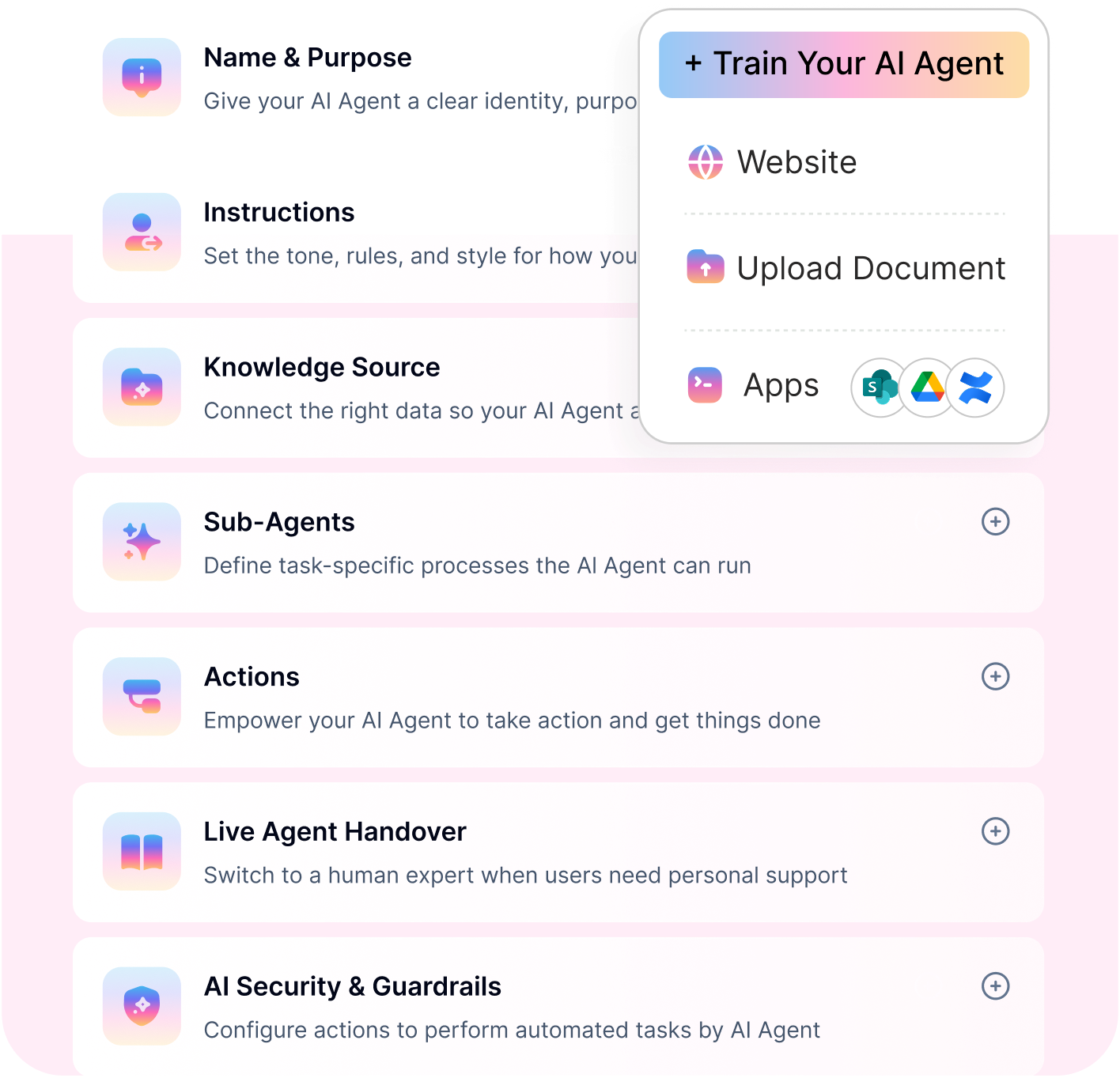
Go live in days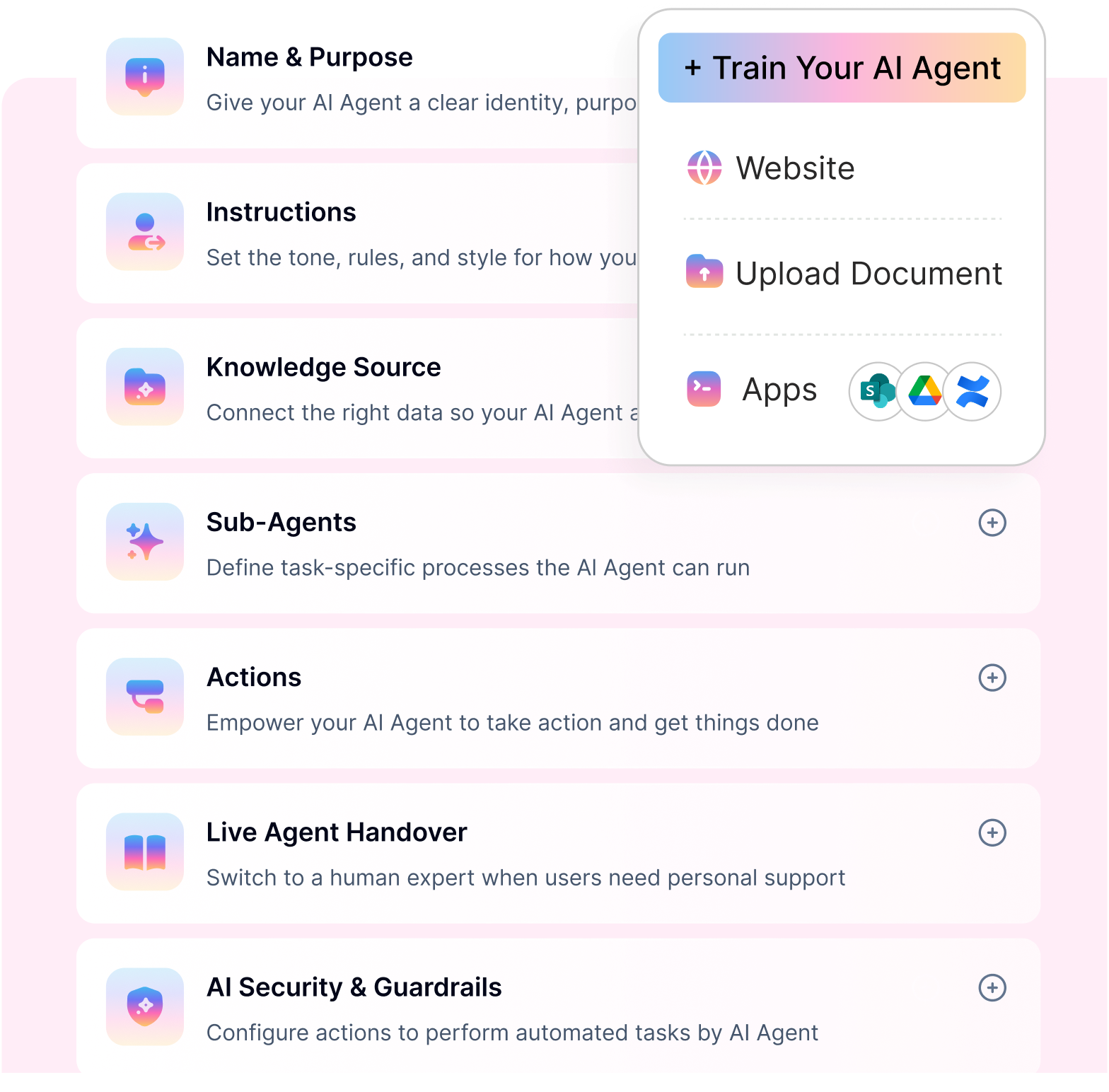
Best Glean alternatives in 2026
As organizations adopt AI to improve employee productivity, many begin with enterprise search tools such as Glean to help teams find information faster. But over time, expectations shift. Leaders don’t just want better answers; they want issues resolved, requests completed, and work moved forward without manual effort.
This is where many search-first platforms begin to show limitations. While they excel at surfacing documents and links, they often fall short in executing workflows, automating internal processes, or delivering measurable operational outcomes. For IT, HR, and operations teams, the real value lies in AI systems that can understand intent and take action, not just point to information.
As a result, companies are increasingly evaluating Glean alternatives that combine knowledge access with AI agents, automation, and predictable pricing models. These platforms are designed to support high-volume internal use cases, reduce support load, and scale without per-employee cost inflation.
The tools below are among the most credible alternatives available today—starting with a platform that takes an action-first approach to employee AI.
Workativ: Best Glean Alternative for SMB and Mid-Market HR & IT Support Automation

Workativ is an employee AI agent platform designed to help organizations improve employee productivity and operational efficiency by combining enterprise search, Knowledge AI, and workflow automation in one system.
At its core, Workativ helps employees get the right answer faster and resolve queries, but it doesn’t stop there. It’s built to support internal service experiences where employees need both, including
Accurate, trusted information such as policies, SOPs, troubleshooting guides, benefits, and HR/IT knowledge
Real execution, such as raising a ticket, checking status, updating a request, triggering access workflows, and routing to the right team.
This makes Workativ a strong alternative to Glean for companies that want enterprise search plus action-driven AI agents that deliver measurable outcomes.
Most important features and who they benefit
Workativ offers outstanding features that elevate the employee experience. For example,
Knowledge AI and enterprise search for employee productivity and efficiency : As an enterprise search platform for employees, Workativ is purpose-built for internal support use cases that require speed, accuracy, and clarity.
Unified enterprise search across internal knowledge : Workativ connects policies, SOPs, internal documentation, and help content into a single searchable experience, reducing time spent switching between tools.
Answer-first Knowledge AI. : Instead of returning a long list of links, Workativ delivers direct, contextual answers, which improves efficiency for repetitive HR and IT questions.
Search optimized for employee support : Unlike generic enterprise search tools, Workativ understands intent behind operational queries like access issues, benefits questions, or troubleshooting requests—making it a more practical Glean alternative for internal teams.
Continuous knowledge improvement : Built-in insights help teams identify gaps, outdated content, and common failure points, allowing search quality to improve over time.
Workativ is ideal for organizations evaluating alternatives to Glean that need search plus automation.
IT teams gain scalable self-service and faster ticket deflection.
HR teams improve policy discovery, onboarding support, and employee experience.
Operations and shared services benefit from standardized, repeatable workflows.
Business leaders gain measurable ROI tied to productivity and resolution outcomes.
Value proposition: Why Workativ is a better alternative to Glean
What differentiates Workativ from Glean and other enterprise search tools is its action-first design.
Search plus execution: Workativ connects Knowledge AI directly to workflows, so answers lead to outcomes—not just documentation.
Built for internal productivity use cases: It’s designed specifically for employee support, not just enterprise-wide knowledge discovery.
Predictable, transparent pricing: Unlike Glean’s per-employee pricing model, Workativ uses a usage-aligned approach that scales more predictably.
Faster time to value: With no-code configuration and prebuilt internal support patterns, teams can deploy and iterate quickly.
For organizations seeking a Glean alternative that improves employee productivity, reduces internal support workload, and delivers measurable efficiency gains, Workativ offers a compelling, future-ready option.
Key features of Workativ
No-code AI Agent Studio: Workativ’s no-code AI Agent Studio enables teams to design, configure, and deploy AI agents for HR and IT use cases without development effort, significantly reducing implementation time and accelerating time-to-value.
Extensive knowledge and data source connectors: Workativ seamlessly integrates with enterprise knowledge sources, including SharePoint, Google Drive, OneDrive, Box, Confluence, Notion, ServiceNow, and Freshservice, enabling AI agents to deliver responses grounded in up-to-date internal information.
AI workflows and orchestration: Workativ supports AI-driven workflows that manage complex, conditional logic across multiple actions. This removes the need to overload prompts with edge cases and enables predictable, auditable execution—something Glean alternatives are increasingly prioritized as AI usage grows.
Knowledge AI with GPT-powered RAG: Workativ uses GPT-based Retrieval Augmented Generation (RAG) to deliver accurate, context-aware answers grounded in trusted internal knowledge. This ensures responses are reliable, auditable, and aligned with company data—making it a strong Glean alternative for internal support use cases.
Shared live chat inbox: Workativ offers a unified inbox where human agents can monitor AI conversations, collaborate internally, and seamlessly take over interactions without losing context.
Pre-built AI agent templates: Workativ provides industry-ready AI agent templates for IT, HR, and operational use cases, enabling organizations to launch production-grade agents quickly with minimal configuration.
Multichannel deployment: AI agents built on Workativ can be deployed across Slack, Microsoft Teams, web portals, and internal communication channels, ensuring employees can access support wherever they work.
Enterprise-grade AI security and guardrails: Workativ is built with SOC 2, ISO 27001, GDPR-aligned controls, RBAC, audit logs, and AI guardrails. Features such as PII redaction, prompt-injection protection, and secure execution ensure AI operates safely in regulated environments.
Multilingual platform for global audiences: With out-of-the-box language detection and translation across 90+ languages, Workativ enables enterprises to support global workforces with consistent, localized AI interactions.
White-label flexibility: Workativ allows organizations to fully rebrand their AI agents by customizing logos, colors, and UI to match their brand identity—without additional licensing or add-on costs.
Action-driven automation beyond question answering: Workativ’s AI agents can trigger real actions—such as creating tickets, submitting requests, updating records, or initiating approvals—allowing employee issues to be resolved end to end within a single interaction.
Together, these features of Workativ provide much more flexibility and freedom in adopting the platform seamlessly and
Pros:
Integrated AI-driven automation: Workativ automates repetitive HR and IT support queries, resolving a large share of employee requests without human intervention from a single platform.
Easy to adopt and use: Designed with an intuitive interface that requires minimal learning, enabling faster adoption across business and support teams.
Extensive enterprise integrations: Workativ integrates with 100+ enterprise tools across ITSM, HRMS, access management, email, and expense systems to automate workflows end-to-end.
Multi-agent architecture for complex workflows: Workativ uses a multi-agent reasoning engine to break down and execute multi-step processes reliably, reducing errors and hallucinations.
AI reasoning visibility (AI Thoughts): Workativ AI agents provide transparent reasoning and traceability behind AI responses, improving observability and trust in automated decisions.
Advanced insights and analytics: Get customizable dashboards for tracking AI performance, querying trends, topic analysis, and optimization opportunities.
Enterprise-grade security and compliance: Built with ISO 27001, SOC 2, GDPR, and enterprise security controls to safeguard sensitive internal data.
Cost-effective for enterprise use cases: Workativ delivers high-performance AI automation at a more affordable price point than many enterprise platforms, with a free plan available to evaluate core capabilities.
Cons:
May be perceived as “SMB product” by some enterprises: Workativ’s affordable pricing and free entry plan can sometimes be perceived as a budget-tier solution by enterprise buyers who associate higher price points with premium positioning.
Advanced AI analytics available in higher tiers: While core AI capabilities are included across plans, more advanced analytics, deeper insights, and enhanced AI performance dashboards are available only in the Business and Enterprise tiers.
Ratings
Workativ is consistently rated highly by users for its depth of automation, ease of integration, and ability to handle both HR and IT support use cases from a single platform.
G2: ⭐⭐⭐⭐⭐ (4.7/5)
Capterra: ⭐⭐⭐⭐☆ (4.6/5)
Gartner Peer Insights: Positive feedback for AI-driven service automation and workflow execution
Pricing:
One of the biggest reasons buyers consider Workativ a strong alternative to Glean is its published, easy-to-understand pricing.
Workativ pricing tiers include,
Starter plan – $99/month : Designed for getting started, this plan includes core AI agent capabilities, chat sessions, basic analytics, and training on documents and websites.
Business plan – $349/month : A production-ready plan that includes higher session limits, multiple AI agents, workflow automation, integrations, advanced analytics, and branding removal. Ideal for growing IT and HR teams.
Enterprise plan – Custom pricing : Tailored for large organizations with custom session volumes, advanced security features (SSO, RBAC), dedicated support, and enterprise-grade governance.
Why pricing matters vs Glean
Glean typically follows a per-employee pricing model, which can become expensive as adoption grows. Workativ’s usage-aligned approach avoids this “seat tax,” making it easier to roll out AI agents broadly without unpredictable cost increases.
For organizations evaluating a Glean alternative that goes beyond enterprise search and delivers measurable productivity gains through Knowledge AI, AI workflows, and automation, Workativ stands out as a practical, future-ready option.
Why choose Workativ over Glean?
When comparing Workativ and Glean, the core difference comes down to what problem you’re trying to solve. Glean is primarily designed for enterprise search and knowledge discovery. Workativ is built for employee productivity, operational efficiency, and execution.
Action-first AI, not just search : Glean helps employees find information. Workativ helps them get work done. With built-in AI workflows, employees can raise tickets, request access, check statuses, and complete tasks directly from chat without switching tools or escalating to human teams.
Knowledge AI designed for employee support : Workativ’s Knowledge AI is purpose-built for IT, HR, and internal operations. Using GPT-powered RAG, answers are grounded in trusted internal data and optimized to resolve real employee issues, not just surface documents.
Enterprise AI search with outcomes attached : While both platforms offer enterprise search, Workativ connects search directly to next actions. This reduces resolution time and support load, turning search into a productivity driver rather than a standalone experience.
No-code agent and workflow builder : Workativ’s no-code Agent Studio allows teams to configure AI agents, knowledge sources, and workflows without engineering effort. This makes it easier to adapt and scale compared to Glean’s search-first configuration approach.
Predictable, transparent pricing : Glean’s per-employee pricing model can become expensive as adoption grows. Workativ uses a usage-aligned pricing approach, making costs easier to forecast and scale across the organization.
Built for measurable ROI : Workativ is designed to track impact through metrics such as deflection rates, resolution times, and workflow completion. This helps IT, HR, and finance teams clearly connect AI investment to business outcomes.
Stronger fit for operational and regulated environments : With enterprise-grade security, governance controls, and auditability, Workativ fits organizations where AI must operate safely within defined boundaries.
Choose Workativ over Glean if your goal is not just faster search, but end-to-end employee self-service, workflow automation, and measurable productivity gains. For organizations moving beyond enterprise search into AI-driven execution, Workativ is a more complete and scalable Glean alternative.
Workativ vs Glean: feature-level comparison
Feature/capability | Workativ | Glean |
Core focus | Employee productivity, AI agents, and workflow execution | Enterprise search and knowledge discovery |
Knowledge AI | Purpose-built Knowledge AI for IT, HR, and internal operations | Knowledge indexing and retrieval across enterprise tools |
Enterprise AI search | Unified, conversational enterprise search optimized for support use cases | Strong enterprise-wide search across apps and documents |
Answer vs link experience | Answer-first with contextual guidance | Primarily link and document-driven results |
GPT-powered RAG | Yes, responses grounded in trusted internal data | Yes, focused on search relevance and summarization |
MORE THAN JUST SEARCH
Workativ combines enterprise search, Knowledge AI, and workflow automation in one no-code platform.
No per-user fees · Fast deployment · Built to scale
See a Quick DemoMoveworks: Best Glean Alternative for Large Enterprise Employee Support Automation
Moveworks is an enterprise AI assistant platform designed to help employees find answers, automate support requests, and complete tasks across business systems. It is often compared with Glean because both platforms support enterprise knowledge discovery, but Moveworks has a stronger focus on employee support automation, IT self-service, HR queries, and workflow execution.
Moveworks is now especially relevant in 2026 because ServiceNow completed its acquisition of Moveworks in December 2025. The combined positioning brings Moveworks’ AI assistant, enterprise search, and agentic reasoning capabilities closer to ServiceNow’s workflow automation ecosystem.
Key features
Enterprise AI assistant Moveworks gives employees one conversational interface to ask questions, search for information, and complete workplace requests across connected apps.
Agentic reasoning engine The platform can understand employee intent, interpret context, and decide the next best action across systems. This helps with multi-step requests such as access provisioning, ticket updates, and troubleshooting.
Enterprise search Moveworks can search across connected knowledge bases, applications, and service systems to return relevant answers to employees.
Workflow automation Moveworks automates repetitive IT, HR, finance, and service requests directly inside chat, reducing manual ticket handling and support workload.
Collaboration channel support Employees can access Moveworks through workplace channels such as Slack and Microsoft Teams, making adoption easier for large distributed teams.
Pricing: Quote-based and tied to total employee headcount rather than active users. Based on customer disclosures and aggregated reviews, Moveworks typically charges $100–$200 per employee per year, with AWS Marketplace listings showing around $150 per user per year for a 1,000–2,500-user band. Most deployments land in six-figure annual contracts once implementation and services are included.
Best fit: Large enterprises (typically 5,000+ employees) with an existing ServiceNow footprint, mature ITSM/HR operations, and budget for a multi-month rollout and ongoing services. Less suited to mid-market or SMB teams wanting fast, self-serve deployment.
G2 rating: 4.6/5, with reviewers most often citing the universal search feature and end-to-end task completion as strengths.
Leena AI: Best Glean Alternative for HR Service Delivery and Employee Experience

Leena AI is an agentic AI assistant built for HR, IT, finance, and procurement automation, letting employees resolve requests — leave applications, payslip queries, access requests — through a single conversational interface instead of filing tickets. It's grown well beyond its HR-chatbot roots: the platform now runs on an agentic architecture with a central orchestrator directing specialized agents across departments, and it integrates with over 1,000 enterprise systems including Workday, SAP SuccessFactors, ServiceNow, and Salesforce. Customers commonly report a 70% reduction in IT, HR, and finance ticket volume after adoption.
Key features:
Agentic RAG Architecture Leena AI uses specialized agents under a central orchestrator to handle multi-step, cross-system tasks rather than just answering single questions.
1,000+ Enterprise Integrations The platform connects out of the box to systems like Workday, SAP SuccessFactors, ADP, Oracle, and ServiceNow.
Case Management & Ticketing Leena AI routes issues to the right team, tracks progress, and keeps employees updated automatically.
Employee Engagement Analytics The platform layers sentiment analysis, pulse surveys, and attrition-risk insights on top of its support automation.
Multilingual, Multi-Channel Support Leena AI works across Slack, Teams, WhatsApp, web, and mobile in over 100 languages.
Pricing: Not published — quote-based, and priced on total employee headcount rather than active users, so cost scales even if only part of the workforce uses it. Implementation, integration depth, and premium support are typically billed on top of the base license, often pushing total cost into six figures for mid-to-large deployments.
Best fit: Large enterprises with heavy HR-service-desk volume and the budget for a vendor-led rollout — Leena AI is strongest where HR is the primary use case, with IT and finance as secondary. Less ideal for teams wanting fast, self-serve setup or transparent published pricing.
G2 rating: 4.6/5 (150 reviews), with reviewers most often praising ease of use and ticket deflection, and occasionally flagging limited customization depth.
Microsoft Copilot: Best Glean Alternative for Microsoft-first Productivity Teams
Microsoft 365 Copilot is an AI assistant embedded directly into Word, Excel, PowerPoint, Outlook, and Teams, using an intelligence layer called Work IQ to ground its answers in a company's own emails, files, meetings, and chats rather than the open web. Unlike Glean or Moveworks, it isn't a standalone enterprise search product — it's an add-on layered on top of an existing Microsoft 365 subscription, which makes it a natural fit for organizations already living inside the Microsoft ecosystem, and a weaker fit for anyone trying to unify search across non-Microsoft tools.
Key features:
Copilot Search Provides AI-powered universal search across Microsoft 365 apps and connected non-Microsoft data sources, then lets users move from search results straight into chat.
Work IQ & Copilot Memory Builds an implicit understanding of a person's work patterns and preferences across Microsoft 365 content, so responses get more personalized over time.
In-App AI Across Office Apps Drafts and rewrites in Word, builds formulas and analyzes data in Excel, generates decks in PowerPoint, and summarizes threads in Outlook.
Copilot Agents Ships with prebuilt agents like Researcher, Analyst, and Facilitator, plus the ability to build custom agents through Copilot Studio.
Enterprise Data Protection Respects existing Microsoft 365 permissions so Copilot only surfaces information a user is already authorized to access.
Pricing: Copilot is never sold on its own — it's an add-on requiring an eligible Microsoft 365 base plan. As of mid-2026, the enterprise add-on runs $30/user/month, with a lower small-business rate around $18–21/user/month for organizations under 300 seats. Once the required base license (typically $12.50–$57/user/month) is added, the real all-in cost usually lands between $34 and $87 per user per month.
Best fit: Organizations already standardized on Microsoft 365 that want AI assistance woven into everyday apps rather than a dedicated enterprise search tool. Less suited to companies with a fragmented, multi-vendor tool stack, since Copilot's search and context are strongest within Microsoft's own ecosystem.
G2 rating: 4.6/5, though based on a relatively small review sample (14) compared to more established players — its broader "Microsoft Copilot" listing sits at 4.5/5 across 228 reviews.
SEARCH ALONE ISN’T ENOUGH
Most alternatives search. Workativ searches and acts, Knowledge AI with workflows, all in one platform.
Aisera: Best Glean Alternative for Enterprise ITSM and Service Desk Automation
Aisera

Aisera is an agentic AI platform that automates service desk operations across IT, HR, finance, legal, and customer service, sitting on top of an organization's existing systems rather than replacing them. It positions itself as a "no-rip-and-replace" layer: instead of asking companies to migrate off ServiceNow, Workday, or Jira Service Management, it adds a conversational front end and autonomous agents that can triage, resolve, or escalate requests with full context. In November 2025, Aisera was acquired by Automation Anywhere, a robotic process automation company, folding Aisera's conversational AI into Automation Anywhere's broader "Agentic Process Automation" platform — a move that mirrors what happened with Moveworks and ServiceNow, and puts Aisera's product roadmap under new ownership.
Key features:
Agentic Automation Across Departments Aisera runs domain-specific AI agents that coordinate and execute workflows across IT, HR, finance, and customer service without manual handoffs.
No-Rip-and-Replace Integration The platform layers on top of existing systems like ServiceNow, Workday, and Jira rather than requiring migration off them.
Conversational Ticket Handling Aisera lets employees describe issues in plain language and automatically creates, updates, or escalates tickets in connected systems.
Analytics Dashboard Tracks automation rates, ticket deflection, and operational performance to support ongoing tuning.
Multilingual Support Aisera supports conversations in over two dozen languages, supporting large global deployments.
Pricing: Quote-based, with no public pricing page. The clearest public data point comes from Microsoft Azure Marketplace, where Aisera's AI Service Desk lists at roughly $200,000/year for up to 1,000 users, scaling to around $1.2 million/year for 10,000 users. Other estimates put median enterprise contracts closer to $90,000/year, so actual cost varies widely by scope and modules licensed.
Best fit: Large enterprises (typically Global 2000-scale) with mature, process-heavy IT and HR operations that want deep customization and are comfortable with a longer, services-led implementation. Less suited to smaller teams wanting fast deployment or upfront pricing clarity — reviewers consistently flag a steep learning curve and lengthy onboarding.
G2 rating: 4.4/5 (146 reviews), with reviewers praising automation accuracy and support quality, but frequently citing setup complexity and the learning curve as drawbacks.
Coveo: Best Glean Alternative for Enterprise Search Relevance and Personalization

Coveo is an AI-powered relevance and search platform originally built for e-commerce and customer service, now also positioned for workplace search. Rather than being an "employee assistant" like Glean or Moveworks, Coveo is closer to a search infrastructure layer: it unifies content from CRM, CMS, and knowledge bases, then uses machine learning to rank and personalize what surfaces for each user. It's a publicly traded company (TSX: CVO) with two decades in the search-relevance space, and it has recently added generative answering on top of its core search product to compete more directly with newer AI-native tools.
Key features:
Unified Indexing Coveo pulls content from 30+ sources — Salesforce, ServiceNow, Sitecore, Adobe Experience Manager, and more — into a single searchable index.
Relevance Generative Answering (RGA) Adds LLM-powered, cited answers on top of traditional search results, priced and licensed separately from the core platform.
ML-Powered Personalization Learns from user behavior and context to continuously tune search ranking and recommendations over time.
Recommendations Engine Surfaces related content and products based on browsing and purchase history, mainly used in commerce deployments.
Analytics Dashboard Gives visibility into search performance, query intent, and case deflection for ongoing optimization.
Pricing: No public list pricing for most of the platform — Coveo uses entitlement-based licensing (100,000 queries and 100,000 indexed items per unit) with custom quotes. Third-party benchmarks put small deployments around $30,000/year, scaling past $500,000+/year for enterprise use, with mid-market implementations commonly running $10,000–$20,000/month. Add-ons like generative answering and premium support are priced separately, and implementation typically adds $20,000–$150,000.
Best fit: Large enterprises with complex, multi-source content ecosystems — especially those already invested in Salesforce or Sitecore — that have developer resources to handle configuration and relevance tuning. Less suited to smaller teams or anyone wanting predictable, self-serve pricing, since the consumption-based model makes cost forecasting difficult.
G2 rating: 4.3/5 (145 reviews), with reviewers praising search relevance and integration flexibility, but frequently citing a steep learning curve, opaque pricing, and the need for dedicated developer time.
Elastic Enterprise Search: Best Glean Alternative for Developer-Led Custom Search Infrastructure

Elasticsearch is a distributed search and analytics engine that powers enterprise search, observability, and security use cases from a single unified platform. It combines full-text, semantic, and vector search with hybrid retrieval and reranking, letting organizations search across structured, unstructured, and vector data without stitching together separate systems. Built on an open architecture with 350+ integrations, it's designed for teams that want to build custom search and AI experiences on top of flexible, scalable infrastructure rather than adopt a fixed, out-of-the-box tool.
Key features:
Unified Datastore Stores structured, unstructured, and vector data together in one system, removing the need for separate search and analytics tools.
Vector & Semantic Search Combines full-text, semantic, and hybrid (lexical plus vector) search with built-in reranking for more relevant results.
Elastic Agent Builder Lets teams build context-aware AI agents grounded in all of their indexed data.
350+ Integrations Connects to AWS, Google Cloud, Azure, Kubernetes, and other infrastructure through built-in connectors and ingest pipelines.
Flexible Deployment Available as fully managed serverless, Elastic Cloud Hosted, or self-managed on-prem, all running the same core engine.
Pricing: Consumption-based rather than per-seat. Elastic Cloud Hosted starts around $99/month (Standard tier), scaling to roughly $131/month (Platinum) and $184/month (Enterprise), before usage-based compute, storage, and data-transfer costs are added on top. Mid-sized deployments commonly run $10,000–$50,000/month in practice. Self-managed deployments require a custom quote.
Best fit: Technical teams with developer resources who want to build a custom search or AI-search experience on flexible infrastructure. Less suited to teams wanting a ready-made, non-technical workplace search tool, since it requires configuration and tuning to get the most out of it.
G2 rating: 4.4/5 (270 reviews), with reviewers consistently praising speed and scalability, but frequently citing a steep learning curve and rising costs at scale.
Guru: Best Glean Alternative for Verified Internal Knowledge Management

Guru is an AI knowledge platform that positions itself as a company's "AI Source of Truth" — it connects apps, chats, and documents into one governed knowledge layer, then delivers cited, permission-aware answers inside Slack, Teams, a browser extension, or even other AI tools like ChatGPT and Claude via MCP. Unlike a pure enterprise search tool, Guru is built around structured "knowledge cards" with a verification workflow, so subject matter experts confirm content is current rather than relying purely on automated indexing. It's most commonly deployed for onboarding, sales enablement, and customer support teams that need fast, trustworthy answers without leaving their existing tools.
Key features:
Knowledge Cards & Verification Structures information into digestible cards that subject matter experts review and verify on a schedule, keeping content accurate over time.
In-Workflow Delivery Surfaces answers directly inside Slack, Microsoft Teams, the browser, and CRM tools like Salesforce, so employees don't have to switch context to search.
AI Knowledge Agents Delivers personalized, cited answers grounded in verified company knowledge, with permissions inherited from existing systems.
100+ Integrations Connects to Slack, Teams, Salesforce, Zendesk, Confluence, SharePoint, and more out of the box.
MCP Support Lets external AI tools and agents pull from Guru's governed knowledge layer without rebuilding permissions separately.
Pricing: Seat-based, starting around $25/seat/month (billed annually) for core plans, with a 10-seat minimum putting the effective floor near $250–300/month. Enterprise pricing is usage-based and quote-only, scoped to organization size, knowledge complexity, and AI usage — Guru doesn't publish enterprise tiers.
Best fit: Mid-size teams (roughly 50–500 people) with someone who can own content governance and verification — especially customer-facing teams like sales, support, and success. Less suited to teams under 20 people (the 10-seat minimum adds overhead) or anyone needing deep external-facing documentation rather than internal knowledge.
G2 rating: 4.7/5 (2,378 reviews), with reviewers most often praising ease of use and integrations, though search relevance at scale is a recurring complaint as knowledge bases grow larger.
Perplexity Enterprise: Best Glean Alternative for Research, Market Intelligence, and Sourced AI Answers

Perplexity is an AI-powered "answer engine" that combines real-time web search with large language models to deliver concise, cited answers instead of a list of links. Its enterprise tier extends this into the workplace: after acquiring Carbon, a data-connector company, Perplexity added the ability to search internal files alongside live web content, positioning it as a genuine competitor to Glean in the enterprise search space rather than a purely consumer research tool. It's a newer entrant here — its enterprise motion is still maturing compared to Glean or Moveworks — but it's growing fast and increasingly shows up in head-to-head comparisons with established workplace search platforms.
Key features:
Internal Knowledge Search Lets organizations upload files to a shared repository that employees can search alongside live web results, blending internal and external knowledge in one query.
Multi-Model Access Gives users a choice of frontier models (GPT, Claude, Gemini) from a single interface rather than locking them into one provider.
Cited, Sourced Answers Every response links back to its sources, which is a key differentiator from most AI assistants that answer without attribution.
Spaces for Team Collaboration Lets teams organize threads, share files, and set custom instructions within secure, private workspaces.
Data Connectors Connects to Google Drive, Notion, Slack, and other workplace tools, though the connector count (dozens) is still smaller than Glean's 100+.
Pricing: Enterprise Pro starts at $40/user/month ($400/year), including SSO, SCIM provisioning, and data isolation. Enterprise Max runs $325/user/month for higher usage limits and expanded audit logs. Educational and nonprofit discounts are available. Perplexity states enterprise data is never used to train its models.
Best fit: Research-heavy teams (finance, legal, marketing, competitive intelligence) that want fast, sourced answers blending internal and external knowledge. Less suited to organizations that need deep workflow automation or the connector breadth of a dedicated enterprise search platform — Perplexity is an answer engine, not a task-execution tool.
G2 rating: 4.5/5 (252 reviews), with reviewers most often praising citation transparency and multi-model flexibility, though enterprise-specific reviews are still a small slice of the total.
Notion AI: Best Glean Alternative for Notion-Based Workplace Knowledge Search

Notion AI is the AI layer built into Notion's all-in-one workspace for docs, wikis, and project management. Rather than being a standalone search product, it's an ecosystem-native assistant: it writes, summarizes, and increasingly acts autonomously through "Notion Agent" and "Custom Agents," while "Enterprise Search" (available on paid plans) pulls in results from connected apps like Slack, Google Drive, and GitHub directly inside Notion. It's a compelling alternative for organizations that already run most of their documentation and project work through Notion, but a weaker fit as a neutral, cross-platform search layer for companies with knowledge scattered across many disconnected tools.
Key features:
Notion Agent Completes multi-step tasks from a single prompt — drafting documents, querying databases, and updating pages autonomously.
Enterprise Search Surfaces answers from connected apps (Slack, Google Drive, GitHub, and others) directly inside the Notion interface.
Custom Agents Lets teams build agents that run autonomously on schedules or triggers, shareable across the organization and connectable via MCP to tools like Linear, HubSpot, and Figma.
AI Meeting Notes Automatically transcribes calls and generates summaries with action items.
Model-Agnostic Backend Lets teams switch between GPT, Claude, and Gemini depending on the task, without changing workflows.
Pricing: Full Notion AI now requires the Business plan at $20/user/month (billed annually; $24 monthly) — the standalone AI add-on was discontinued for new signups in 2025. Plus ($10/user/month) only gets a limited AI trial. Custom Agents run on usage-based credits ($10 per 1,000 monthly credits) on top of seat pricing. Enterprise is custom-quoted and adds SCIM, audit logs, and zero data retention with LLM providers.
Best fit: Teams already using Notion as their primary workspace for docs and project tracking, who want AI and light cross-app search without adopting a separate enterprise search tool. Less suited to organizations whose knowledge lives mainly in customer-facing tools like Zendesk or Salesforce Service Cloud, since Notion's connector list skews toward engineering and internal communication apps.
G2 rating: 4.6/5 (11,434 reviews), with reviewers frequently praising the AI's contextual writing quality, though some flag that full AI access requires the pricier Business tier.
Glean alternatives pricing comparison
Pricing is one of the biggest reasons teams compare Glean alternatives. Some tools publish clear entry pricing, while others require a demo or custom quote. Use the table below to check the price.
Tool | Best for | Starting price | Free trial / free plan | G2 rating |
|---|---|---|---|---|
Workativ | AI employee support, HR/IT automation, and workflow execution | Starts at $99/month | Demo available; published pricing | 4.7/5 |
Moveworks, now part of ServiceNow | Enterprise employee support automation at scale | Pricing on request | No public self-serve trial | 4.4/5 |
Microsoft 365 Copilot | Microsoft-first teams that want AI inside Word, Excel, Outlook, Teams, and Microsoft 365 apps | Starts at ₹1,495.73/user/month, paid yearly in India | Copilot Chat available; paid Copilot requires license | 4.4/5 |
Leena AI | HR service delivery, employee experience, and HR helpdesk automation | Pricing on request | Demo / personalized quote route | 4.6/5 |
Aisera, now part of Automation Anywhere | Enterprise ITSM, HR, customer service, and service desk automation | Pricing on request | Demo available | 4.4/5 |
Coveo | Enterprise search, relevance tuning, personalization, and digital experience search | Pricing on request | Demo / sales route | 4.3/5 |
Free and trial-friendly Glean alternatives
Most Glean alternatives are not truly free. Enterprise AI search and employee productivity platforms usually require paid plans, demos, or custom pricing because they depend on secure connectors, permission controls, data sources, governance, and implementation scope.
For this reason, buyers should separate three categories clearly:
True free plan
Free trial
Included AI chat for existing customers
Tool | Free plan available? | Free trial available? | What is included | When paid plans become necessary |
|---|---|---|---|---|
Notion AI / Notion Enterprise Search | Yes | Limited AI trial experience | Notion offers a Free plan, with limited AI capabilities available for testing. | Paid Business or Enterprise plans are needed for full Notion AI usage, Enterprise Search, connected app search, stronger permissions, and admin controls. |
Elastic Cloud Hosted | No | Yes | Elastic Cloud Hosted offers a free trial for testing Elasticsearch and related search capabilities. | Paid plans are needed for production use, managed infrastructure, scale, support, and enterprise search deployments. |
Microsoft 365 Copilot Chat | No true free plan | No trial for paid Microsoft 365 Copilot | Eligible Microsoft 365 business and enterprise users can access Copilot Chat with a work account. | Paid Microsoft 365 Copilot is needed for deeper Microsoft 365 app integration, Work IQ, pre-built agents, and advanced analytics. |
Perplexity | Yes, individual free version | Not positioned as an enterprise free trial | Perplexity’s free individual experience supports AI search and sourced answers. | Perplexity Enterprise Pro is needed for team controls, SSO/SCIM, permissioning, admin features, and business use. |
What about Workativ?
Workativ is not a free Glean alternative and does not offer a free trial. It should be positioned as a paid, business-ready alternative for teams that want AI employee support, HR and IT automation, Knowledge AI, and workflow execution.
Workativ is still relevant in this article because it solves a different problem from free AI search tools. Notion, Perplexity, Microsoft Copilot Chat, and Elastic can help teams test search or AI productivity in specific contexts. Workativ is better suited for companies that want to move from AI search to employee request resolution, including ticket creation, HR support, IT workflows, approvals, and live handoff.
Which Glean alternatives are not free?
The following tools should not be positioned as free Glean alternatives:
Tool | Free plan? | Trial? | Pricing model |
|---|---|---|---|
Workativ | No | No free trial | Paid plans / custom enterprise pricing |
Moveworks, now part of ServiceNow | No | No public self-serve trial | Pricing on request |
Leena AI | No | Demo-led evaluation | Pricing on request |
Aisera, now part of Automation Anywhere | No | Demo-led evaluation | Pricing on request |
Coveo | No | Demo-led evaluation | Pricing on request |
Guru | No public free plan | Demo-led evaluation | Custom pricing |
If the goal is a true free Glean alternative, Notion is the clearest option. If the goal is a free trial for developer-led search, Elastic Cloud Hosted is the best fit. If the team already uses Microsoft 365, Copilot Chat can be tested by eligible business users, but paid Microsoft 365 Copilot does not offer a free trial. If the goal is research and sourced AI answers, Perplexity’s free individual plan is useful.
For production employee support, HR/IT automation, enterprise permissions, workflow execution, analytics, and governance, buyers should expect to move to a paid platform.
Why do people look for Glean alternatives?
Glean is a strong enterprise search platform, but the “dislike” side of user reviews shows a clear pattern: buyers do not usually leave because search is useless. They start looking for Glean alternatives when search alone is not enough, pricing becomes hard to justify, or implementation feels heavier than expected.
Based on G2 review themes, users mention issues such as broad search results, limited filtering, limited customization, and the need for more transparency and control over sources. G2’s pros-and-cons summary also highlights that some users want better relevance, advanced filtering, and finer control over how information is surfaced.
1. Pricing can feel too high for the value delivered
One of the biggest reasons buyers compare Glean alternatives is cost. Glean does not publish simple self-serve pricing, and buyer-reported pricing benchmarks often place it in enterprise-contract territory. Some pricing analyses estimate Glean at roughly $45–$75+ per user per month, often with minimum contract sizes or seat requirements.
For large enterprises, that model may be acceptable if every employee uses search heavily. But for SMBs, mid-market teams, or departments testing AI search for HR and IT support, a per-employee pricing model can feel expensive compared with usage-based or workflow-based alternatives.
This is where buyers start asking a sharper question: “Are we paying for better search, or are we paying for measurable resolution?”
2. Glean helps employees find information, but may not complete the workflow
A common switch trigger is the gap between finding an answer and resolving the actual request. Glean can surface the right policy, document, or ticket context, but many employee support use cases still require action after the answer is found.
For example, an employee may ask how to request software access. Search can show the policy or help article, but the employee may still need to open another system, submit a ticket, wait for approval, and follow up manually.
This matters for IT and HR teams because the real operational goal is not just discovery. It is ticket deflection, request completion, SLA improvement, and reduced manual work. A Gartner Peer Insights review also describes this frustration clearly: Glean is strong at finding information but can stop short of end-to-end workflow automation, leaving users to act on surfaced information themselves.
Companies evaluating Glean alternatives often look for platforms that connect answers directly to actions, such as creating tickets, updating request status, triggering approvals, provisioning access, or routing cases to the right team.
3. Search relevance can feel inconsistent for specific use cases
G2 dislike themes show that some users find Glean search results too broad or not exact enough for their query. Users mention that results can require extra refinement, stronger filtering, or better control to surface the most relevant answer faster.
This becomes a bigger issue in HR, IT, legal, finance, and operations workflows where a “mostly relevant” result is not enough. Employees need the right policy, the right system record, or the right troubleshooting step immediately.
When search results mix useful information with less relevant links, employees still spend time validating the answer. Over time, this can reduce trust in AI search and push teams toward alternatives with more configurable knowledge routing, role-based answers, guided workflows, or deterministic automation.
4. Buyers want more control over sources, permissions, and answer behavior
Another G2 dislike pattern is control. Some users want more transparency over sources, finer controls, smoother sharing, and better customization. G2 also summarizes “limited customization” as a concern that can lead to less relevant results.
For enterprise buyers, this is more than a UX issue. AI search is only trusted when admins can control what sources are used, how answers are generated, which users can see what information, and how outdated or low-quality content is handled.
This is one reason teams compare Glean with alternatives that offer stronger admin controls, knowledge tuning, role-based responses, workflow-level governance, and clearer auditability.
5. Implementation can be a significant undertaking
Glean’s value depends on connecting the right systems, indexing content properly, cleaning knowledge sources, mapping permissions, and getting users to adopt the tool. For enterprises with mature data governance, this can work well. For teams with scattered documentation or inconsistent permissions, setup can become a larger project than expected.
A Gartner Peer Insights review notes that setup can be a significant undertaking because connecting systems and maintaining them can strain internal resources. The same review also points out that organizations need strong data readiness before meaningful integration can happen.
This is a major reason buyers look for alternatives with faster deployment, narrower use-case templates, no-code setup, or prebuilt HR and IT workflows.
6. Glean may not be the best fit for SMB seat counts
Glean is strongest for larger organizations with broad enterprise search needs, many knowledge systems, and enough employee volume to justify an enterprise-wide rollout. Smaller companies often need a lighter entry point, clearer pricing, and faster time to value.
If a team only wants to automate HR questions, IT support, onboarding requests, or internal service tickets, paying for an enterprise search layer across every employee may feel excessive. In those cases, SMBs and mid-market companies often prefer alternatives with transparent monthly plans, free trials, usage-based pricing, or department-level deployment options.
Essential features to consider when choosing a Glean alternative
When evaluating a Glean alternative, it’s important to look beyond surface-level search and focus on features that actually improve employee productivity, efficiency, and outcomes. Below are the most critical features to assess, explained in a practical, buyer-friendly way.
1. Knowledge AI with answer-first intelligence
Knowledge AI delivers direct, contextual answers from internal documents, policies, and SOPs instead of forcing employees to open multiple links. The core problem it solves is wasted time—employees still spend nearly 30% of their workday searching for information even with traditional enterprise search. For example, when an employee asks about a reimbursement policy, Knowledge AI summarizes the exact policy and eligibility rules instead of returning five documents. The outcome is faster answers, fewer follow-ups, and reduced dependency on HR or IT teams.
2 Enterprise AI search across internal systems
Enterprise AI search unifies knowledge from documents, ticketing tools, intranets, and collaboration platforms into a single experience. This addresses the fragmentation problem where employees must jump between systems to find answers. For instance, an IT admin searching for “VPN access issue” can see SOPs, past tickets, and troubleshooting guides in one place. The outcome is reduced context switching, faster discovery, and higher confidence in search results.
3. GPT-powered RAG for accuracy and trust
GPT-powered Retrieval Augmented Generation grounds AI responses in trusted internal data, preventing hallucinations and incorrect guidance. The pain point here is unreliable AI answers, which can lead to policy violations or operational errors. For example, when an employee asks about leave eligibility, the AI responds only based on the latest HR policy, not generic assumptions. The outcome is higher trust in AI responses and safer enterprise-wide adoption.
4. AI workflows and task automation
AI workflows allow the platform to take action, not just provide information. This solves the problem of “search without resolution,” where employees still have to manually raise tickets or submit requests. For example, when an employee asks for Salesforce access, the AI explains the policy and automatically initiates the access request workflow. The outcome is faster resolution, fewer handoffs, and lower support workload.
5. No-code AI agent and workflow configuration
No-code configuration enables IT and HR teams to update AI behavior, knowledge sources, and workflows without engineering involvement. The problem it addresses is slow iteration caused by developer dependency. For instance, HR can update how the AI responds to a policy change on the same day it’s published. The outcome is faster adaptation, continuous improvement, and reduced operational bottlenecks.
6. Shared live chat inbox with seamless human handoff
A shared live chat inbox ensures smooth escalation from AI to human agents with full conversation context preserved. This solves the frustration employees face when they must repeat information after escalation. For example, an IT agent can immediately see what steps the AI already tried before taking over. The outcome is faster human-assisted resolution and a better employee experience.
7. Analytics tied to real productivity outcomes
Outcome-driven analytics track metrics like deflection rates, resolution times, and workflow completion rather than just search usage. The problem with many search tools is the lack of clear ROI visibility. For example, an IT team can see that 40% of password reset requests are fully resolved by AI. The outcome is clearer ROI measurement and data-driven optimization.
8. Enterprise-grade security and governance
Enterprise-grade security ensures role-based access, auditability, and controlled AI behavior aligned with company policies. This addresses compliance and data exposure risks. For example, HR-related queries are only accessible to authorized users even when using the same AI assistant. The outcome is safer AI deployment with confidence from security and compliance teams.
The best Glean alternatives don’t stop at enterprise search. They combine Knowledge AI, accurate retrieval, automation, and governance to help employees get work done—not just find information.
READY TO MOVE BEYOND SEARCH?
See how Workativ delivers search plus resolution - live, with your own IT and HR workflows.
Personalized demo · No commitment · Deploy in Mins
See a Quick DemoChoosing the right Glean alternative in 2026
By 2026, the way organizations think about enterprise AI has clearly shifted. Finding information is no longer enough. Employees expect AI to understand intent, deliver accurate answers, and help complete tasks without friction. This is why many teams evaluating a Glean alternative are moving beyond search-first platforms toward solutions that drive real productivity and operational outcomes.
When choosing the right alternative, it helps to start with your primary goal. If your focus is purely on discovering information across tools, search-centric platforms may still work. But if your organization is aiming to reduce internal support load, improve employee experience, and show measurable ROI, you’ll want a platform that combines Knowledge AI, enterprise search, and action-oriented automation.
Look for solutions that ground responses in trusted data, support no-code configuration, and integrate seamlessly with your existing systems. Equally important is pricing clarity—platforms that scale based on usage rather than employee count make it easier to expand adoption without unexpected cost spikes.
This is where platforms like Workativ stand out. Designed for employee productivity and internal operations, Workativ brings together Knowledge AI, enterprise AI search, AI workflows, and enterprise-grade governance in one system. More importantly, it’s built to help teams move from “finding answers” to getting work done, with faster time-to-value and predictable costs.
The right Glean alternative in 2026 isn’t just the one with the smartest search—it’s the one that helps your teams resolve issues faster, automate repetitive work, and continuously improve employee experience.
Book a personalized walkthrough to see how Workativ can automate employee support across HR and IT— end to end.
FAQs
What is the best alternative to Glean in 2026?
The best Glean alternative depends on your goals. If you only need enterprise search, search-first tools may be sufficient. However, organizations focused on employee productivity, internal support automation, and measurable outcomes often choose platforms like Workativ, which combine Knowledge AI, enterprise search, and workflow execution.
How is a Glean alternative different from Glean itself?
Glean is primarily designed for enterprise search and knowledge discovery. Most Glean alternatives extend beyond search to include AI agents, task automation, and workflow orchestration, allowing employees to complete requests instead of just finding information.
Are Glean alternatives better for IT and HR teams?
Yes, many alternatives to Glean are built specifically for IT, HR, and shared services. They focus on resolving employee requests such as access issues, policy questions, onboarding tasks, and ticket updates, which reduces support workload and improves employee experience.
What features should I prioritize when evaluating a Glean alternative?
Key features to look for include Knowledge AI with accurate answers, enterprise AI search across systems, GPT-powered RAG for reliability, AI workflows for task execution, no-code configuration, analytics tied to outcomes, and enterprise-grade security.
How does pricing typically differ between Glean and its alternatives?
Glean usually follows a per-employee pricing model, which can become expensive as adoption grows. Many Glean alternatives use usage-aligned or outcome-based pricing, making costs easier to forecast and scale across the organization.
Is a Glean alternative suitable for large enterprises?
Yes. Many alternatives are designed specifically for large and distributed enterprises, offering enterprise-grade security, governance, and integrations while providing faster time to value and clearer ROI compared to traditional search-only platforms.
When should a company move from enterprise search to AI agents?
A company should move when employees need more than answers—such as ticket creation, approvals, access requests, or workflow completion. This is where AI agents create measurable productivity gains beyond search.
What makes no-code workflow configuration important in Glean alternatives?
No-code workflows allow IT and HR teams to update logic, automation, and knowledge without engineering dependency. This speeds up iteration and keeps AI aligned with fast-changing internal processes.
Can Glean alternatives support regulated industries?
Yes, leading alternatives include RBAC, audit logs, secure integrations, and AI guardrails. These features make them suitable for enterprises with strict compliance, privacy, and governance requirements.
'%3e%3cpath%20d='M11.5732%2031.7068L19.2977%2022.7433L11.5732%2011.5366H17.4664L22.6245%2018.942L29.0522%2011.5366H30.7788L23.4029%2020.0985L31.4127%2031.7086H25.4997L20.1231%2023.9069L13.3197%2031.7068H11.5732ZM16.6519%2012.8366H13.9536L26.354%2030.4462H28.9926L28.8265%2030.1576L16.6519%2012.8366Z'%20fill='%230C0C0C'/%3e%3c/g%3e%3cdefs%3e%3cclipPath%20id='clip0_505_14364'%3e%3crect%20width='19.7681'%20height='20.2432'%20fill='white'%20transform='translate(11.573%2011.5365)'/%3e%3c/clipPath%3e%3c/defs%3e%3c/svg%3e)

'%3e%3cpath%20d='M25.2175%2011.7557L26.9132%2011.911V15.0496C26.0135%2015.1444%2024.1746%2014.7452%2023.5821%2015.5947C23.4908%2015.726%2023.3291%2016.1592%2023.3291%2016.3091V19.002H26.7392L26.3346%2022.5281H23.3291V31.5952H19.707V22.5863L19.649%2022.5281H16.6628V19.002H19.707C19.7813%2017.4024%2019.4664%2015.7042%2020.1132%2014.1986C20.6748%2012.8902%2021.7857%2012.0974%2023.1666%2011.8435L23.7151%2011.7557H25.2183H25.2175Z'%20fill='%230C0C0C'/%3e%3c/g%3e%3cdefs%3e%3cclipPath%20id='clip0_505_14375'%3e%3crect%20width='10.2695'%20height='19.8027'%20fill='white'%20transform='translate(16.658%2011.7567)'/%3e%3c/clipPath%3e%3c/defs%3e%3c/svg%3e)
About the Author
Deepa Majumder

Senior content writer
Deepa Majumder is a writer who nails the art of crafting bespoke thought leadership articles to help business leaders tap into rich insights in their journey of organization-wide digital transformation. Over the years, she has dedicatedly engaged herself in the process of continuous learning and development across business continuity management and organizational resilience.
Her pieces intricately highlight the best ways to transform employee and customer experience. When not writing, she spends time on leisure activities.
Auto-resolve 60% of Your Employee
Queries With AI Agents & Automation
- No credit card required
- Setup in minutes
- Cancel Anytime