
How to Build and Train AI Agents: Complete Guide 2026
Complete guide to building and training AI agents. Learn architecture, training methods, deployment strategies, evaluation metrics & best practices for enterprise AI.


TL;DR
AI agents go beyond traditional chatbots by combining reasoning, context understanding, and action execution to complete tasks end to end.

Building effective AI agents depends heavily on high-quality data, proper training, and continuous optimization to maintain accuracy and relevance.
A structured approach—defining purpose, preparing data, training models, and designing workflows—is essential for successful deployment.
No-code AI agent platforms like Workativ simplify development, enabling teams to build, deploy, and scale agents quickly without heavy engineering effort.
If you stay current about AI innovations, you know why it makes sense to build AI agents for your custom enterprise needs. The rise of autonomous artificial intelligence agents underscores the growing demand for AI agents for enterprise workflows or complex jobs because AI agents or bots provide information to users and help businesses execute tasks end-to-end. There is no denying that independent decision-making through sub-processes makes AI agents a favorite companion among business leaders.
Knowing that AI agents are the next big frontier in AI innovations, AI leaders aim to adopt agentic AI-based goal-driven software applications. The demand is such that Gartner predicts that 33% of software applications will include agentic AI or agency by 2028, up from less than 1% in 2024.
Based on the study, the assumption is that 15% of day-to-day work-related decisions will be made autonomously. This is a significant shift in how we manage enterprise workflows, removing manual interventions substantially.
So, if you ask, " How can I build my AI agent?” We have you covered. Our guide to building AI agents covers all the steps and best practices, including the easy way to drive the initiative successfully.
What is an AI agent?
AI agents are advanced computer programs that simulate natural language between a machine and a human to help people find answers to their questions and perform tasks end-to-end until the goal is achieved.
Unlike traditional AI systems that work only once when prompted, AI agents exhibit human-like agency to make decisions through sub-processes of complex tasks and execute them no matter how the scenario changes.
For example, if an AI agent handles an email campaign for marketing operations, it can follow end-to-end. In the funnel, if any email receives a business query, it eventually learns to answer all questions and, if need be, can schedule a meeting with the sales.
There are many types of AI agents, including assistive and autonomous agents. Assistive agents follow predefined rules to provide answers and help employees with specific tasks. Autonomous agents can work without human intervention to understand and respond to employee queries. An AI agent builder can help you create the custom AI agents of your choice.
Training is key to building powerful and valuable artificial intelligence agents for complex, multi-step tasks. Let's explore the several steps involved in training and creating an AI agent.
What are the fundamentals of building and training AI agents?
At the core, data is essential to building and training an AI agent, which involves teaching AI agents to understand and respond to human language while being trained to remain relevant and meaningful to user queries. Data stays at the heart of training no matter what AI models you choose. Here’s how data works for a variety of AI concepts.
Machine learning : AI systems with machine learning can adapt and learn without being programmed. When trained, this type of AI uses algorithms to ingest historical data, identify patterns, and eventually learn to make decisions and respond. The more data ML in AI agents ingests, the better it gets in responding.
Natural language processing : When interactions occur between a computer and a human, NLP, a significant part of AI technology, helps decipher human language and improve understanding, intent, and context. For AI agents, NLP ensures that human language is expressed meaningfully.
Data labeling : Imagine finding a sack in a room full of identical sacks. It is undoubtedly a tough job if you are to find a sack without a label on it. Data labeling or tagging is essential to AI training, where AI trainers annotate data metadata or tags for raw data to help AI agents or systems identify the correct information stack.
Data labels categorize raw data into topics, tag parts of speech in a sentence, and determine the sentiment of a query. Various meaningful labels help AI agents to understand and respond to user queries in a meaningful way.
SKIP THE CUSTOM BUILD
Why build from scratch when Workativ's no-code AI Agent Studio, deploys in days - not months?
What are the essential steps for building an AI agent?
AI agent development can be tricky if you are new to this domain. Yet, we have a simple step-by-step guide to helping you build AI agents from scratch. Let’s navigate seven essential steps and bring process efficiency to your initiative.
1. Define the purpose of your AI agent
The first step to AI agent implementation involves determining the scope and purpose of your project. Simply put, it means, why do you need an AI agent, and what tasks or functions do you want your AI agents to perform or handle to solve a problem? Having a transparent approach will remove hurdles as you move through the steps.
First, list your questions.
Type of agent: What do you need — autonomous or assistive agents?
Purpose of the agent: What do you want an AI agent to solve? Are customer support queries, employee support queries, or shopping or health-related queries?
Once you decide on your purpose, you will be clear about the features, integrations, workflows, and other goals you want to achieve.
Key considerations when defining purpose:
Prioritize internal data: Decide what internal data you might need to train your AI agents to execute generative AI tasks. For example, if you plan to handle employee onboarding processes, gather employee onboarding historical data from databases and process it.
Narrow down your choices: Always start small. It is better to avoid all flows at once lest you make costly mistakes. One task at a time is always a preferred choice.
Align with business objectives : Ensure that AI agent deployment supports your business goals, such as improving employee or customer experiences and reducing costs.
Collaborate with stakeholders : Before you finalize your objectives, collaborate with various stakeholders, such as developers, CFOs, marketing teams, service desk teams, etc, to validate the project's purpose. The purpose is essential to building an AI agent. If you want to create an AI agent for employee support, your purpose should include,
Does your AI agent cover FAQs?
Does your AI agent transfer a call?
Does your AI agent continue to follow up conversations with a user?
AI agents can bring value to your initiatives as you and your team validate this purpose.
2. Collect and prepare training data
The AI agent development relies upon various sources of internal data. However, your data must be accurate for AI agents to work accurately and efficiently. High-quality data can process massive inputs and provide correct answers. So, the AI agent builder or platform you choose must support, understand, and process various data sources, such as,
Help docs and FAQs: Common employee or customer queries and resolutions
Interaction logs: historical data from chatbots or business systems, troubleshooting guides,
Company intranets: company data residing in the company intranet, such as product documentation, internal workflows, SOPs, knowledge bases, etc
Once your data is ready to be used, it must be prepared. There are several processes for data processing. They include,
Data cleaning: Data preprocessing is an essential part of AI agent training. This process ensures you remove any errors and maintain consistency for high AI performance.
Data quality: Gather high-quality data that can mimic and understand user inputs. To help your AI agents understand user inputs, you can refer to historical data, user queries, and relevant documents.
Data labeling: Add tags or metadata to your data, meaning what each piece of data represents. Data labeling helps AI agents understand the user intent. For instance, data labeling can include metadata such as ‘book a flight,’ ‘cancel my order,’ etc.
Data accuracy: AI agents better work with up-to-date data for enhanced user experience. Keep an eye on business data and update when changes occur to maintain data accuracy and relevance.
Keeping data up-to-date data for your AI agent: an example,
For employee support for IT and HR across businesses, Workativ provides a Knowledge AI GPT platform to help keep your data current and accurate. It provides an easy way to edit and update your data and ensures you always provide correct data for your AI agents to work efficiently.
By choosing a platform that supports easy data integration and edits, you can ensure success for AI agent implementation.
3. Choose the right AI model, framework, and orchestration approach
Building a modern AI agent involves more than choosing a machine-learning model. Most agents combine:
A large language model for understanding and reasoning
Business knowledge for accurate, context-specific answers
Tools or integrations for completing actions
Orchestration for controlling workflow steps
Guardrails for security and reliability
The right combination depends on the task the agent needs to complete.
Start with a pre-trained large language model
Most businesses do not need to train an AI model from scratch. Instead, they use a pre-trained LLM from providers such as OpenAI, Anthropic, or Google and adapt it using instructions, examples, knowledge, and tools.
For example, an HR agent can understand an employee’s request, retrieve the relevant policy, check data in an HR system, and trigger an approval workflow.
Use RAG for business-specific knowledge
A pre-trained LLM does not automatically know your latest policies, documentation, or internal processes.
Retrieval-augmented generation, or RAG, allows the agent to search approved sources before answering. This is useful when information changes regularly, responses must come from verified documents, or access permissions must be respected.
An IT agent, for instance, can retrieve the latest troubleshooting instructions rather than relying only on the model’s general knowledge.
Consider fine-tuning only when necessary
Fine-tuning adapts a pre-trained model using task-specific examples. It can help when an agent must understand specialized terminology, follow a strict format, or perform a narrow task consistently.
However, prompting, RAG, examples, and workflow rules are sufficient for many enterprise use cases. Fine-tuning should usually be considered only when these approaches do not produce reliable results.
Use traditional machine learning for predictive tasks
Traditional ML models can still support AI agents by handling classification, scoring, prediction, or anomaly detection.
For example, an agent may use an ML model to classify a support request, predict an SLA breach, or identify suspicious activity before deciding what action to take.
Choose an agent framework or platform
Agent frameworks help connect LLMs with tools, knowledge, memory, and workflows.
Framework or approach | Common use |
LangChain | Connecting LLMs, tools, APIs, and retrieval systems |
LangGraph | Building stateful workflows that can pause, resume, and involve human approval |
LlamaIndex | Connecting agents with documents, enterprise data, and RAG |
Microsoft AutoGen | Building multi-agent applications |
CrewAI | Coordinating role-based agents |
Developer frameworks provide flexibility but still require teams to manage infrastructure, security, testing, and maintenance. No-code platforms can provide these capabilities in a managed environment.
Decide between a single agent and multiple agents
A single agent can often complete a process by using several tools and following structured instructions. This approach is usually easier to test and maintain.
A multi-agent system assigns separate responsibilities to different agents, such as retrieval, analysis, execution, and review. It can be useful for complex tasks, but it also adds coordination, latency, and cost.
Start with the simplest architecture that can complete the workflow reliably. Add more agents only when the process genuinely requires specialization.
Evaluate the complete platform
When comparing agent-building options, look beyond the model. Check whether the platform supports:
Business application integrations
Enterprise knowledge retrieval
Tool and API execution
Workflow orchestration
Human approvals and escalation
Security controls and guardrails
Testing, monitoring, and audit logs
Deployment through channels such as Slack, Microsoft Teams, email, or web chat
The best choice is not necessarily the most advanced framework. It is the one that helps the agent complete its task securely, reliably, and with manageable ongoing effort.
4. Train the AI agent
Training an AI agent does not always mean building a model from scratch. Most businesses use a pre-trained large language model and adapt it with instructions, examples, trusted company knowledge, tools, and workflow rules.
Start by choosing the right approach:
Prompting: Define the agent’s role, goals, boundaries, response format, and expected behavior.
Retrieval-augmented generation: Connect approved policies, FAQs, documents, and business data so the agent can retrieve current information before responding.
Fine-tuning: Use task-specific examples to adapt a pre-trained model when prompting and retrieval do not provide consistent results.
Training from scratch: Build a new model using large datasets and computing resources. This is rarely necessary for enterprise AI agents.
Next, give the agent clear instructions about the tasks it can perform, the information it must collect, the tools it can use, and when it should ask for approval or transfer the request to a human.
If the agent performs actions, configure each integration with the required inputs, expected outputs, permissions, validation rules, and failure handling. Sensitive actions such as payroll updates, payments, or access removal should include human approval and audit logging.
Test the agent using common requests, incomplete information, unusual wording, out-of-scope questions, and integration failures. Monitor metrics such as:
Response accuracy and groundedness
Task completion rate
Tool execution success
Escalation and fallback rate
Response time
User satisfaction
If the agent performs poorly, the solution may be clearer instructions, better knowledge, improved tool configuration, or stronger guardrails—not necessarily additional model training.
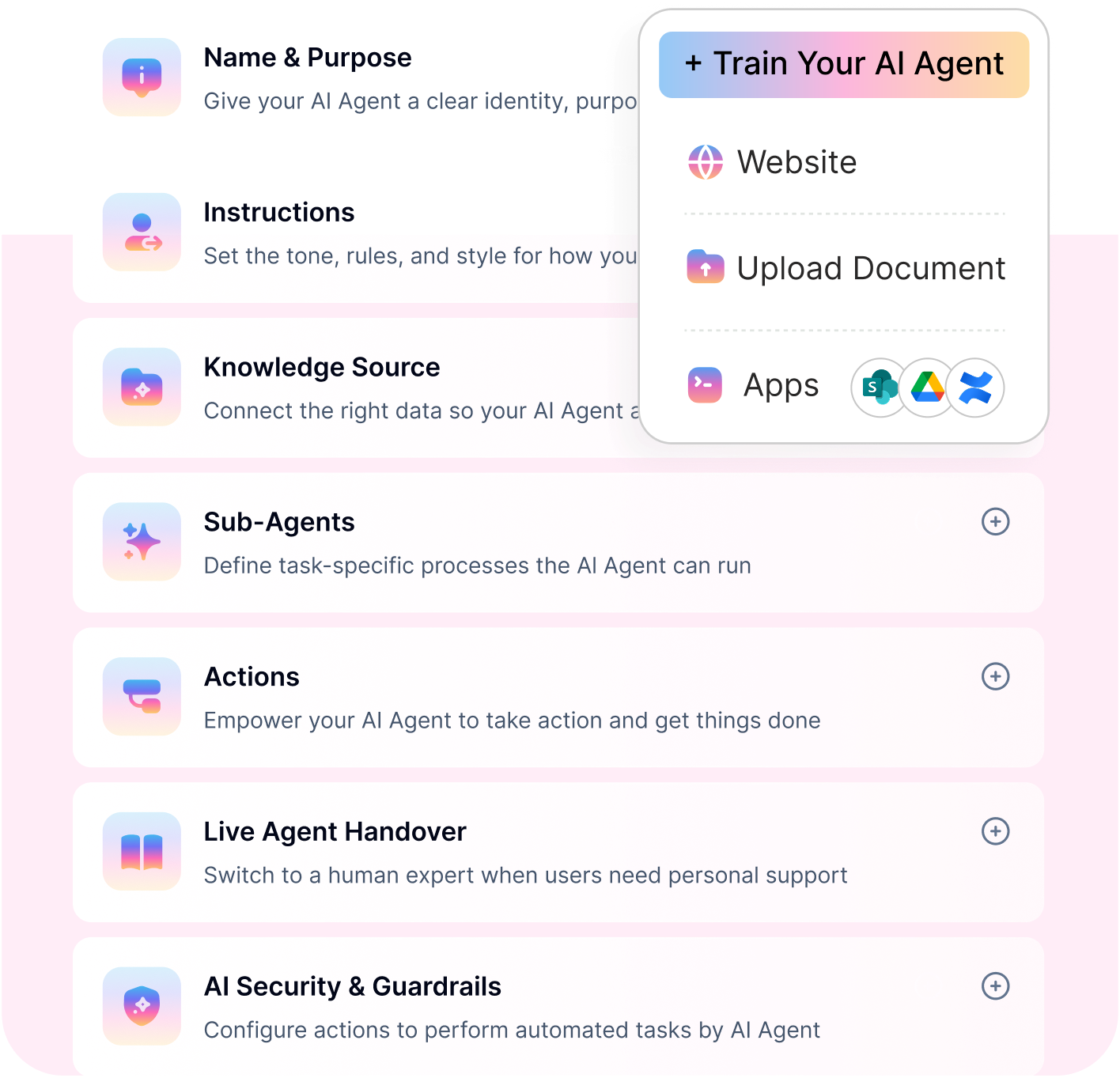
No-code platforms such as Workativ simplify this process by helping teams configure instructions, connect business knowledge, build workflows, test outcomes, and deploy AI agents without managing a separate machine-learning environment.
THERE'S AN EASIER WAY
Workativ handles training, workflows, and deployment in one no-code platform - no ML setup required.
No-code · Deep integrations · Deploy in minutes
Go live in days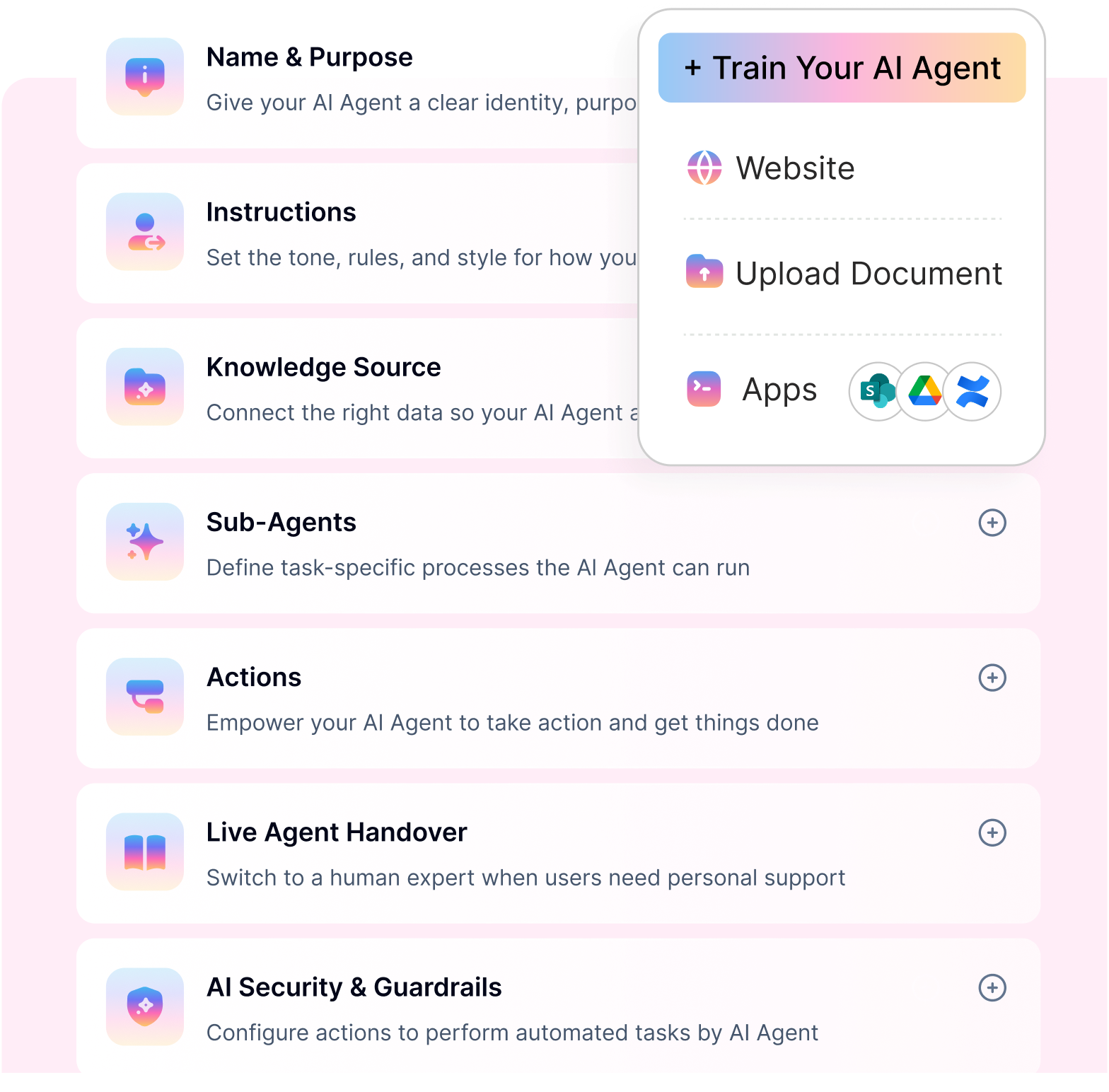
How to evaluate AI agent performance
AI agent evaluation should measure more than the quality of individual responses. A successful agent must understand the request, use the correct information, complete the intended task, and transfer the conversation safely when human support is required.
Track these core AI agent evaluation metrics:
Metric | What it measures | Why it matters |
Task completion rate | The percentage of requests the agent completes successfully from start to finish | Shows whether the agent delivers the intended business outcome |
Response accuracy | How often the agent provides correct and relevant information | Helps identify weaknesses in instructions, knowledge, or retrieval |
Escalation or fallback rate | The percentage of requests transferred to a human or fallback process | Reveals where the agent lacks information, confidence, or permission |
Tool execution success rate | How often connected workflows, APIs, or application actions complete correctly | Confirms whether the agent can perform actions reliably |
Response latency | The time taken to answer a question or complete a task | Affects usability, adoption, and employee or customer experience |
Review these metrics by use case rather than relying only on an overall average. For example, an agent may perform well when answering FAQs but struggle with workflows that require multiple integrations or approvals.
When performance drops, examine failed conversations and execution logs to determine whether the problem comes from unclear instructions, outdated knowledge, poor retrieval, missing data, integration failures, or insufficient fallback rules. Use these findings to improve the agent continuously after deployment.
AI agent architecture explained
An AI agent is not just a large language model connected to a chatbot. It is a coordinated system that interprets a request, gathers context, decides what to do, uses the appropriate tools, and checks whether the task has been completed safely.
According to the Deloitte AI Institute, AI agents combine context understanding, workflow planning, external tools and data, and action execution to achieve a defined goal. This is what enables an AI agent to move beyond generating responses and complete multi-step work
A typical AI agent architecture includes five core components:
1. LLM and reasoning layer
The large language model helps the agent understand natural-language requests, interpret context, plan the next step, and generate a response.
For example, when an employee asks, “Can you help me reset my password?”, the reasoning layer identifies the user’s intent and determines which process or tool should be used.
2. Memory and context
Memory provides the information the agent needs to maintain context during a conversation or workflow.
Short-term memory tracks details from the current interaction, while longer-term memory may store approved preferences, previous actions, or relevant workflow information. Enterprise knowledge sources can also provide policies, documentation, and business data through retrieval-augmented generation.
3. Tools and actions
Tools allow the agent to move beyond answering questions and complete tasks in connected applications.
Depending on the use case, an agent may:
Retrieve an employee record
Create or update a support ticket
Check an order or request status
Send an approval
Update a business application
Notify a user when the task is complete
Each tool should have defined inputs, permissions, outputs, and error-handling rules.
4. Orchestration layer
The orchestration layer controls how the agent moves through a task. It determines which step should run next, which tool should be called, whether a condition has been met, and when the workflow should pause, retry, or request human assistance.
For multi-step processes, orchestration also helps the agent maintain execution state so that it can continue from the correct point after an approval, delay, or external update.
5. Guardrails and human oversight
Guardrails define what the agent is allowed to access, say, and do. They may include role-based permissions, data masking, topic restrictions, output validation, tool-use limits, and protection against prompt injection.
Human-in-the-loop controls should be added when an action involves sensitive data, financial impact, compliance requirements, or business judgment.
How the components work together
The steps look like this,
User request → Orchestration → LLM/reasoning → Memory and tools → Guardrails/HITL → Verified response or action
For example, an employee onboarding agent may use the reasoning layer to understand the onboarding request, retrieve employee and policy information, call tools to create accounts and equipment requests, and pause for manager approval when required. The orchestration layer keeps these steps in the correct order, while guardrails prevent unauthorized actions.
The exact architecture will depend on the use case. A simple FAQ agent may need only an LLM, knowledge retrieval, and basic guardrails. An agent that completes multi-step enterprise workflows will also require application integrations, durable orchestration, approvals, monitoring, and audit logs.
Build vs. buy: custom AI agent development vs. no-code platforms
Organizations can build an AI agent using custom code or configure one through a no-code or low-code platform. The right choice depends on the complexity of the use case, available technical resources, deployment urgency, and the level of control required.
Consideration | Custom AI agent development | No-code or low-code AI agent platform |
Time to deploy | Often takes several months because teams must build integrations, orchestration, testing, security, and monitoring | Can often be configured and launched in days or weeks using prebuilt capabilities |
Required skills and team | Usually requires AI engineers, developers, data specialists, security teams, and DevOps support | Can be managed by business, IT, and automation teams with limited coding support |
Upfront cost | Higher initial engineering, infrastructure, and implementation costs | Typically based on platform subscription, usage, and implementation requirements |
Ongoing maintenance | Internal teams must maintain models, APIs, workflows, infrastructure, security, and monitoring | The platform provider manages much of the underlying infrastructure and product maintenance |
Flexibility | Offers maximum control over architecture, models, interfaces, and custom logic | Provides faster configuration but may have limits based on supported features and integrations |
When should you build a custom AI agent?
Custom development may be appropriate when the agent requires proprietary models, unusual infrastructure, highly specialized algorithms, or complete control over every architectural component.
It can also make sense when an organization already has an experienced AI engineering team and is prepared to manage the system over the long term.
When should you choose a no-code platform?
A no-code or low-code platform is often more practical when the goal is to automate business workflows, connect existing applications, answer questions from company knowledge, and deploy agents quickly across channels such as Slack, Microsoft Teams, or web chat.
This approach reduces the need to build orchestration, integrations, guardrails, monitoring, and deployment infrastructure separately.
The decision is not simply about coding versus no coding. It is about determining which approach delivers the required flexibility, reliability, security, and speed with a manageable level of ongoing effort.
5. Design and build the conversational workflows
Once you learn that your AI agents have undergone a perfect training process and perform accurately, it is time to define how they should interact with users. Building and training custom AI agents must adhere to a business's personalized needs. So, they must respond beyond FAQs and react as the scenario demands. So, be ready for scenarios your AI agent can encounter and handle queries.
FAQs : Allow your AI agents to fetch information from knowledge bases and respond to users directly.
Third-party data retrieval : Integrate with business systems through APIs or connectors so that your AI agents can fetch data from third-party systems and answer user queries.
Agents hands-off : Set a fallback scenario so that AI agents can quickly transfer a call to a human agent if they do not have enough answers.
6. Test and validate AI agents
Once you have built your AI agent, you must test and validate if it performs as expected. AI agents must be flexible with FAQs, including custom or unique questions. Document all the scenarios stated in the above section and test them. Other than this, check if your AI agent can handle user errors. If your AI agents can simulate all scenarios, it is confirmed that your AI agent bot can handle conversational workflows and provide correct answers.
Testing and validation also include preventing hallucinations. To optimize AI agents’ performance, you must do the following:
Tweak prompts : Correct or tweak system prompts to ensure that AI agents can achieve accuracy for human language.
Fetch only verified data : Ensure that your AI agents only fetch data from verified sources instead of making responses independently.
7. Deploy and monitor the AI agent
Once everything is ready, you can deploy your AI agent in a live environment and monitor user interaction.
There are various platforms, such as your company website, business applications, and chatbot, to deploy your bot. For example, if you want to deploy it into your chatbot system. With Workativ, you can deploy your AI agent into MS Teams, Slack, or a website widget.
After you deploy the AI agent, monitor its performance to ensure it meets your user expectations. The best way to monitor and implement updates to the AI agent is to ask for user feedback. By collecting and implementing feedback, you can ensure that AI agents can adapt over time, improve, and meet user expectations.
What's the best way to build an AI agent?
There’s a better and easier way to build and train an AI agent. Get a no-code AI agent studio or AI agent builder from Workativ. There is no pain in hiring a data scientist team and getting headaches for allocating a huge budget. Workativ’s AI agent studio eliminates all the hassles of custom development processes for AI agents. It is just as easy as learning ABC.
Connect your LLM models with Workativ’s agent studio.
Upload your business data.
Design and customize workflows.
Test and monitor AI agents.
Deploy your AI agents into your communication channels.
You are all set to go.
As you experience, Workativ makes it easy to build and train your AI agent and optimize support operations for your service desks. If you want to increase productivity and efficiency in your business, AI agents are the future. So, are you ready to take the next step with Agent AI Studio? Schedule a demo today.
Common AI agent training mistakes to avoid
Even a well-designed AI agent can perform poorly when its data, instructions, and fallback controls are incomplete. Avoid these common mistakes before deployment:
1. Using outdated or unverified data
Agents trained or grounded on inaccurate, duplicated, or outdated information may return incorrect answers confidently. Review knowledge sources regularly, remove conflicting content, and assign owners responsible for keeping critical information current.
2. Relying only on ideal test cases
Testing only common, correctly phrased requests does not reflect real usage. Include ambiguous questions, missing information, unusual wording, restricted requests, and application failures in the test set.
3. Skipping human fallback design
An agent should not continue guessing when it lacks sufficient information, permission, or confidence. Define when it must ask for clarification, request approval, or escalate the task to a human.
4. Ignoring hallucination risks
Pre-trained models can generate convincing but unsupported information. Ground responses in approved sources, validate important outputs, restrict the agent’s scope, and prevent it from completing sensitive actions without verification.
5. Giving the agent excessive access
Providing broad application permissions increases operational and security risks. Apply least-privilege access and add human approval for actions involving payments, payroll, personal data, account changes, or access removal.
6. Deploying without ongoing evaluation
Agent performance can decline as business data, workflows, and user behaviour change. Continue monitoring accuracy, task completion, fallback rates, failed actions, latency, and user feedback after deployment.
FAQs
What is the difference between an AI agent and an LLM?
A large language model, or LLM, understands and generates language. An AI agent uses an LLM as one part of a larger system that can retrieve information, remember context, use tools, make decisions, and complete tasks.
For example, an LLM may explain how to reset a password. An AI agent can identify the user, verify permissions, trigger the password-reset workflow, and confirm when the task is complete.
Do I need coding skills to build an AI agent in 2026?
Not always. Developers can build AI agents using frameworks such as LangChain, LangGraph, LlamaIndex, AutoGen, or CrewAI. However, no-code and low-code platforms allow business and IT teams to configure instructions, connect knowledge sources, build workflows, add integrations, and deploy agents with little or no coding.
Coding may still be required for highly customized integrations, proprietary logic, or specialized infrastructure.
What is agentic AI orchestration?
Agentic AI orchestration is the layer that controls how an AI agent moves through a task. It determines which step should run next, which tool should be used, when a condition has been met, and when the process should pause, retry, or ask for human help.
In multi-step workflows, orchestration also maintains execution state so the agent can continue correctly after an approval, delay, system update, or failure.
'%3e%3cpath%20d='M11.5732%2031.7068L19.2977%2022.7433L11.5732%2011.5366H17.4664L22.6245%2018.942L29.0522%2011.5366H30.7788L23.4029%2020.0985L31.4127%2031.7086H25.4997L20.1231%2023.9069L13.3197%2031.7068H11.5732ZM16.6519%2012.8366H13.9536L26.354%2030.4462H28.9926L28.8265%2030.1576L16.6519%2012.8366Z'%20fill='%230C0C0C'/%3e%3c/g%3e%3cdefs%3e%3cclipPath%20id='clip0_505_14364'%3e%3crect%20width='19.7681'%20height='20.2432'%20fill='white'%20transform='translate(11.573%2011.5365)'/%3e%3c/clipPath%3e%3c/defs%3e%3c/svg%3e)

'%3e%3cpath%20d='M25.2175%2011.7557L26.9132%2011.911V15.0496C26.0135%2015.1444%2024.1746%2014.7452%2023.5821%2015.5947C23.4908%2015.726%2023.3291%2016.1592%2023.3291%2016.3091V19.002H26.7392L26.3346%2022.5281H23.3291V31.5952H19.707V22.5863L19.649%2022.5281H16.6628V19.002H19.707C19.7813%2017.4024%2019.4664%2015.7042%2020.1132%2014.1986C20.6748%2012.8902%2021.7857%2012.0974%2023.1666%2011.8435L23.7151%2011.7557H25.2183H25.2175Z'%20fill='%230C0C0C'/%3e%3c/g%3e%3cdefs%3e%3cclipPath%20id='clip0_505_14375'%3e%3crect%20width='10.2695'%20height='19.8027'%20fill='white'%20transform='translate(16.658%2011.7567)'/%3e%3c/clipPath%3e%3c/defs%3e%3c/svg%3e)
About the Author
Deepa Majumder

Senior content writer
Deepa Majumder is a writer who nails the art of crafting bespoke thought leadership articles to help business leaders tap into rich insights in their journey of organization-wide digital transformation. Over the years, she has dedicatedly engaged herself in the process of continuous learning and development across business continuity management and organizational resilience.
Her pieces intricately highlight the best ways to transform employee and customer experience. When not writing, she spends time on leisure activities.
Auto-resolve 60% of Your Employee
Queries With AI Agents & Automation
- No credit card required
- Setup in minutes
- Cancel Anytime
