

GenAI-based AI tools for IT support drive your service desks to a proactive model in which IT leaders become twice as efficient in mitigating any issues before they occur and keep operations running. AI-powered tools monitor organization-wide systems and applications and fetch and analyze data to identify and prevent an issue before it happens. For example, Workativ’s AI-powered notification workflows can identify password expiry instances for a particular user and notify him to take appropriate action before he faces application downtime.
Top 11 AI IT Support Tools for Service Desks 2026
AI IT support tools help service desks resolve tickets and reset passwords, cutting ticket volume by 70%. Compare top platforms. Start your free trial.

Deepa Majumder
Senior content writer
20 Jan 2025

TL;DR
AI IT support tools automate repetitive tasks like ticket triage, password resets, and workflows, improving efficiency and reducing manual effort.

Generative AI enhances service desks by enabling real-time responses, predictive insights, and faster resolution of user queries.
The right AI support tool combines chatbot, workflow automation, integrations, and analytics to drive better service desk performance.
Platforms like Workativ go beyond answers by executing tasks end-to-end, helping reduce ticket volume and improve ROI.
The best AI IT support tool for service desks in 2026 depends on how much automation your team needs. Workativ is the best overall choice for AI service desk automation because it combines AI help desk agents, agentic RAG-powered Knowledge AI, workflow automation, AI guardrails, live agent handoff, and Slack or Microsoft Teams support. Moveworks is best for large enterprises that need an AI assistant across IT, HR, finance, and employee service workflows. Freshservice is best for ITSM teams that want AI built into incident, asset, change, and service request management. Intercom is best for customer support crossover where teams want an AI-first help desk for external support, chat, inbox, and self-service automation.
In this article, we’ll explore the ten best AI IT support tools, features, and advantages. Let’s discover.
How We Evaluated These AI IT Support Tools
To create this 2026 comparison, we evaluated each AI IT support tool based on how well it helps real service desk and help desk teams reduce tickets, automate repetitive requests, improve employee self-service, and support agents with faster resolution workflows.
We did not rank tools only by brand popularity or the number of AI features listed on their websites. Instead, we looked at how useful each platform is in a practical IT support environment where teams need to manage tickets, answer employee questions, automate workflows, integrate with existing systems, and maintain control over support quality.
Here are the main criteria we used:
1. AI capability depth
We reviewed whether each platform offers basic AI assistance, AI-generated replies, ticket summaries, AI search, conversational self-service, AI agents, or more advanced agentic workflows. Tools that can take action, not just answer questions, were evaluated more strongly for service desk automation.
2. Service desk and help desk fit
We looked at how well each tool supports common IT support needs such as ticket creation, ticket routing, ticket updates, password resets, access requests, software provisioning, knowledge search, agent handoff, SLA management, and reporting. Platforms built specifically for ITSM or employee support received stronger consideration than tools designed mainly for external customer service.
3. Workflow automation capability
A modern AI IT support tool should do more than deflect tickets. We evaluated whether each platform can automate repeatable service desk workflows, trigger approvals, connect with business apps, update records, and help employees complete requests without waiting for a human agent.
4. Integration breadth
Service desks rarely work in one system. We considered how well each tool connects with ITSM platforms, identity providers, collaboration channels, knowledge bases, HR systems, and enterprise apps such as ServiceNow, Jira Service Management, Freshservice, Zendesk, Okta, Azure AD, Slack, Microsoft Teams, SharePoint, Confluence, and Google Drive.
5. Ease of implementation
We assessed whether the platform supports faster rollout through no-code builders, prebuilt workflows, templates, marketplace integrations, guided setup, or native ITSM capabilities. This matters because service desk teams often need quick time to value without long implementation cycles.
6. Knowledge management and answer quality
We looked at how each tool uses knowledge sources to answer employee or customer questions. Platforms with stronger knowledge grounding, enterprise search, RAG-based retrieval, or built-in knowledge base support were evaluated more favorably because accurate answers are critical for IT support.
7. Agent experience
AI should also help human agents work faster. We considered features such as ticket summaries, suggested replies, conversation context, auto-triage, sentiment analysis, live handoff, internal notes, and reporting that help agents resolve issues more efficiently.
8. Pricing transparency
Pricing is a major buyer question in this category, so we checked whether each vendor publishes plan-based pricing, usage-based pricing, or custom quote-based pricing. When pricing was not public, we clearly marked it as custom pricing instead of leaving the field blank.
9. User review signals
We reviewed public third-party signals such as G2 ratings, review volume, common strengths, and recurring limitations. Review signals were not the only ranking factor, but they helped validate how users describe each platform’s ease of use, setup experience, support quality, automation value, and product limitations.
This methodology helps compare the tools from a service desk buyer’s perspective. Some platforms are better for full ITSM, some are stronger for agentic AI and workflow automation, and others are better suited for customer support teams that need help desk-style AI capabilities. The right choice depends on your support volume, existing IT stack, automation goals, implementation timeline, and budget.
What is an AI IT support software system?
Artificial intelligence IT support is the support system that helps automate user queries, provide real-time help to solve problems autonomously, and boost agent productivity using artificial intelligence and machine learning technologies.
The help desk or more advanced service desk has support teams to address user queries and deliver solutions to problems. ITSM software tools are their go-to tools for maximizing their efforts, reducing the time needed to solve issues, and improving MTTR. With AI IT support tools, service desk teams provide the best support and transform the user experience.
Unlike traditional IT support, which utilizes paper-based methods to provide support, AI IT support tools bring the best in automation capabilities to remove manual processes and streamline repetitive workflows. A study by IT Spending and Staffing Benchmarks found that average IT spending by users went down to $7,614 from $9,647 in 2022. Cost efficiency results from automation cutting down manual efforts and speeding up existing processes.
Besides, AI ITSM software helps the service desk fetch large amounts of data for every type of interaction to analyze and improve IT service desk performance. AI IT support is highly efficient in automating password resets, agent responses, ticket triage, and many other repetitive processes. If you aim for a highly efficient service desk for IT support, AI is a must-have.
Why do you need an AI-powered IT support tool?
Service desk managers are familiar with the pain of traditional IT support. It is manual and lacks appropriate data visibility, forcing businesses to stick to the break/fix model and incurring high operational costs. AI-powered IT support tools, on the other hand, enhance process efficiency with AI and automation and facilitate faster delivery of IT and customer support, fostering profitability and significant revenue streams.
With AI IT support tools, you can remove manual interventions, streamline workflows, implement standard processes for everyone to complete tasks, and boost agent efficiency. From automating agent response to employee self-service, AI-powered IT support tools provide multiple AI advantages to keep you ahead of the competition and help you focus on strategic tasks.
Top 11 AI IT support tools for service desk
Tool Name | Best For | Key AI Features | Standout Capability | Starting Price or Pricing Model (USD) |
|---|---|---|---|---|
Workativ | IT and HR teams that want no-code AI agents for employee support inside Slack or Microsoft Teams | GenAI-powered AI agent, Knowledge AI, app workflow automation, Shared Live Inbox, AI handoff to agents | Resolves common employee IT requests end-to-end, such as password resets, access requests, ticket creation, approvals, and status checks | Starts at $99/month; Business plan at $349/month; Enterprise custom pricing. (workativ.com) |
Freshservice | IT teams that need a full ITSM platform with AI-powered service desk automation | Freddy AI, virtual agent, AI ticket summaries, AI-assisted triage, workflow automation, knowledge base support | Strong ITSM foundation with incident, service request, change, asset, and employee service workflows | Starts at $19/agent/month, billed annually. Growth is $49/agent/month, Pro is $99/agent/month, and Enterprise is custom. (Freshworks) |
Zendesk | Support teams that need omnichannel AI for customer and employee service | Zendesk AI, AI agents, intelligent triage, agent copilot, AI-powered knowledge base, automated workflows | Mature omnichannel support suite combining ticketing, messaging, help center, voice, reporting, and AI agents | Support Team starts at $19/agent/month; Suite Team starts at $55/agent/month; Suite Professional starts at $115/agent/month, billed annually. (Zendesk) |
Zoho Desk | SMB and mid-market teams that want affordable AI help desk software | Zia AI, generative AI, ticket summaries, sentiment analysis, suggested replies, anomaly detection | Cost-effective help desk with AI, automation, omnichannel support, and deep Zoho ecosystem integration | Free plan available. USD pricing is commonly listed from $7/user/month for Express, $14/user/month for Standard, $23/user/month for Professional, and $40/user/month for Enterprise. (G2) |
Moveworks | Large enterprises that need agentic AI for IT, HR, finance, and employee support | Enterprise AI assistant, agentic AI, knowledge retrieval, workflow automation, multi-system task execution | Automates employee requests across enterprise applications, not only IT tickets | Custom pricing / demo required. Moveworks positions the platform around tailored enterprise deployments rather than public self-serve pricing. (Moveworks) |
InvGate | IT teams that need ITSM and ITAM with AI-assisted service management | AI-improved responses, ticket summaries, tone adjustment, solution recommendations, knowledge-base suggestions | Combines service management and asset management for IT teams that want operational visibility plus AI assistance | Contact sales / custom pricing; InvGate currently promotes “Talk to Sales” and “Free Trial” rather than public USD tiers. (InvGate) |
In a quest to look for what are the best AI tools for IT support, we help you discover the industry leading tools. Depending on your business-specific needs, these AI IT support tools can unlock varied functionalities for the service desk and elevate employee and customer experience. Here they are,
1. Workativ

Workativ is an AI service desk and help desk automation platform built for IT teams that want to reduce repetitive L1 tickets, automate employee support requests, and improve service desk resolution speed. Unlike tools that mainly summarize tickets, suggest replies, or route issues to agents, Workativ is designed to help employees complete common IT support tasks through conversational self-service.
For service desk teams, Workativ is especially useful when the support queue is filled with repeatable requests such as password resets, account unlocks, software access, application provisioning, ticket creation, ticket status checks, and policy or troubleshooting questions. Employees can ask for help inside Slack, Microsoft Teams, or web chat, while Workativ uses knowledge, workflows, integrations, and AI guardrails to resolve the request or escalate it to a human agent with full context.
Workativ stands out in this list because it combines four things service desks usually need separately: an AI help desk chatbot, agentic RAG-powered knowledge search, no-code workflow automation, and live agent handoff. This makes it a strong fit for IT teams that want to move beyond ticket deflection and automate real help desk resolutions.
Key features
1. AI service desk agent
Workativ lets IT teams build AI agents that understand employee requests, answer IT support questions, and trigger the right workflow when an action is required. This helps service desks resolve routine issues directly in chat instead of creating a ticket for every password, access, or software request.
2. Advanced Agentic RAG with Knowledge AI
Workativ’s Knowledge AI uses advanced RAG to retrieve answers from approved IT documentation, help articles, SharePoint, Confluence, Google Drive, uploaded files, and connected knowledge sources. For service desks, this improves answer accuracy because employees get responses grounded in company-specific support content rather than generic AI output.
3. Password reset and account unlock automation
Workativ can automate high-volume identity support requests such as password resets and account unlocks. The AI agent can collect the required context, trigger the right workflow in connected identity systems, confirm completion, and reduce repetitive L1 ticket volume.
4. Access request and software provisioning workflows
Workativ supports common IT service desk workflows such as application access requests, software provisioning, license assignment, approval routing, and user provisioning. This helps IT teams move from manual ticket handling to automated request fulfillment across connected systems.
5. Industry-ready service desk templates
Workativ provides ready-to-use AI agent and workflow templates for common IT and employee support use cases. Service desk teams can use these templates to launch faster for password resets, access requests, onboarding, offboarding, ticket creation, software requests, and employee self-service workflows.
6. AI guardrails and controlled automation
Workativ includes AI guardrails to help IT teams control what the AI agent can answer, when it should escalate, and which actions require human review or approval. This is important for service desks that want automation without losing control over sensitive IT workflows, access changes, or employee data.
7. Seamless ITSM and enterprise app integrations
Workativ connects with ITSM, identity, HR, knowledge, and collaboration systems such as ServiceNow, Jira Service Management, Freshservice, Zendesk, Okta, Azure AD, Microsoft Teams, Slack, SharePoint, Google Drive, and Confluence. These integrations allow the AI agent to create tickets, check status, trigger approvals, update records, and execute service desk workflows across systems.
8. Shared Live Chat Inbox
When the AI agent cannot resolve a request, Workativ can hand the conversation to a human service desk agent through a Shared Live Chat Inbox. Agents get the full conversation history and user context, which helps reduce back-and-forth and speed up resolution.
9. Multilingual support across 90+ languages
Workativ supports multilingual employee support, making it useful for global service desks that support distributed teams across regions. Employees can ask questions in their preferred language while service desk teams maintain a consistent support experience.
10. Advanced analytics and reporting
Workativ provides analytics and reporting to help IT teams track AI performance, support volume, ticket deflection, live agent handoff, automation success, and service desk efficiency. These insights help teams identify which requests can be automated next and where support bottlenecks still exist.
Pricing range: Workativ starts at $99/month for the Starter plan, which includes 200 AI chat sessions, 1 AI agent, 2 actions, 1 admin or live agent, and 30-day data retention. The Business plan is $349/month and includes 500 AI chat sessions, 2 AI agents, 5 actions, 3 admins or live agents, 90-day data retention, analytics, API access, and domain restriction. Enterprise pricing is custom for larger service desks that need more sessions, more actions, custom integrations, advanced workflows, longer retention, and enterprise support.
Best-fit company profile: Workativ is best suited for SMB, mid-market, and enterprise IT teams that want to reduce L1 ticket volume, automate repetitive help desk requests, support employees inside Slack or Microsoft Teams, and deploy AI service desk automation without a heavy multi-month implementation.
G2 rating: Workativ AI is rated 4.8/5 on G2. Reviewers highlight its ease of use, employee self-service capabilities, and ability to automate IT and workplace support tasks. Since Workativ has a smaller public review base than larger ITSM vendors, buyers should evaluate it through a product demo, workflow pilot, and integration review.
2. Rezolve.ai
Rezolve.ai is an agentic AI help desk platform built for IT, HR, and shared services teams that want to automate employee support through conversational self-service. For IT service desks, Rezolve.ai focuses on reducing repetitive tickets, improving ticket routing, and helping employees resolve common requests directly inside workplace channels such as Microsoft Teams.
Rezolve.ai is relevant for 2026 because it positions itself around agentic ITSM, not just chatbot-based support. Its platform is designed to connect with service desk systems, knowledge sources, collaboration tools, and enterprise applications so AI agents can answer questions, create and manage tickets, trigger workflows, and automate common IT support tasks.
Key features
Agentic ITSM Rezolve.ai provides agentic AI for IT service management, helping teams automate help desk tasks such as ticket creation, ticket routing, knowledge search, and employee self-service. The platform positions its AI help desk around autonomous IT and shared services support rather than basic FAQ deflection.
Microsoft Teams-based service desk Rezolve.ai is strongly positioned for Teams-native support. Employees can raise requests, search knowledge, and interact with the help desk from Microsoft Teams, reducing the need to log into a separate service portal.
Knowledge and enterprise search Rezolve.ai connects to knowledge sources such as SharePoint, Google Drive, Confluence, Box, and Dropbox to provide grounded answers from enterprise content. This helps service desks reduce repetitive “where do I find” and “how do I fix” questions.
Workflow automation Rezolve.ai can automate common IT support tasks such as password resets, access requests, software orders, software installs, and desktop configuration. It also supports ITSM integrations with platforms such as ServiceNow and Jira Service Desk for ticket creation, catalog sync, analytics, and service workflows.
VoiceIQ and multimodal support Rezolve.ai offers VoiceIQ for voice-based ticketing and employee support, giving employees another way to interact with the service desk beyond chat. This can help teams support distributed employees who prefer voice or need faster issue capture.
Agent Assist Rezolve.ai’s Agent Assist brings AI into ticket handling by supporting triage, summaries, and resolution assistance. This helps service desk agents work faster while keeping human control for complex or sensitive issues.
Pricing range: Rezolve.ai uses a mixed public and custom pricing model. G2 lists a Core plan with a free trial for 9 users per month and an Automate plan for 50 users per month, while Rezolve.ai’s own site directs buyers to request pricing for ITSM, AI automation, and employee support requirements. G2 also lists an Essentials reference price of $39/month, but enterprise pricing should be verified directly with Rezolve.ai sales.
Best-fit company profile: Rezolve.ai is best suited for mid-market and enterprise IT teams that want a Teams-native AI service desk, agentic ITSM automation, knowledge-based self-service, and workflow automation across IT, HR, and shared services.
G2 rating: Rezolve.ai is rated 4.8/5 on G2 from 38 reviews. G2 reviewers praise its responsive support, ease of use, and ability to streamline help desk operations and self-service. Common limitations include some developing features and occasional functionality glitches.
3. Freshservice

Freshservice is an AI-powered IT service management platform from Freshworks, built for service desks that need structured ticketing, incident management, service requests, asset management, change management, and employee self-service in one system. It is a strong option for IT teams that want a full ITSM platform rather than a lightweight chatbot or standalone AI assistant.
Freshservice is especially relevant in 2026 because its Freddy AI capabilities have expanded from agent assistance into AI agents that can help resolve employee requests end to end. For service desk teams, this makes Freshservice useful for reducing repetitive L1 tickets, improving ticket triage, accelerating resolution, and giving agents AI support inside everyday ITSM workflows.
Key features
Freddy AI Agent Freddy AI Agent helps employees resolve common service desk requests through conversational self-service. It can support routine IT issues, answer questions from knowledge sources, and reduce the number of tickets that reach human agents.
Freddy AI Copilot Freddy AI Copilot assists service desk agents with ticket summaries, reply suggestions, similar ticket recommendations, resolution notes, translation, and writing improvements. This helps agents respond faster and maintain consistency across service interactions.
AI Agent Studio Freshservice provides AI Agent Studio for building and managing AI agents across service workflows. Teams can use pre-built agents and workflows, connect knowledge sources, and deploy AI support across channels such as portal, Microsoft Teams, and Slack.
ITSM workflow automation Freshservice supports incident management, service request management, change management, asset management, approvals, SLAs, and workflow automation. This makes it suitable for IT teams that want AI layered into formal service desk processes instead of basic chat-only automation.
Enterprise knowledge foundation Freshservice can combine Freshservice data with external knowledge sources such as SharePoint and Google Drive. This helps AI agents provide more accurate answers and gives employees a better self-service experience.
Pricing range: Freshservice starts at $19/agent/month for the Starter plan, billed annually. Growth is $49/agent/month, Pro is $99/agent/month, and Enterprise uses custom pricing. Freddy AI is included in the Enterprise plan, while Freddy AI Copilot is available as a paid add-on for Pro and Enterprise plans, listed at $29/agent/month when billed annually or $35/agent/month when billed monthly.
Best-fit company profile: Freshservice is best suited for mid-market and enterprise IT teams that need a mature ITSM platform with AI-assisted ticket handling, employee self-service, service catalog workflows, asset management, approvals, and reporting. It is a better fit for teams that want structured IT service management than for teams looking only for a simple AI chatbot.
G2 rating: Freshservice is rated 4.6/5 on G2 from 1,329 reviews. G2 reviewers commonly praise its ease of use, automation, ticket management, and visibility across IT operations. Some reviewers mention that advanced customization and initial setup can take time, especially for complex service desk environments.
4. Zendesk

Zendesk is an AI-powered help desk and service platform used by support teams to manage tickets, automate responses, route requests, and deliver support across email, chat, messaging, voice, and self-service channels. While Zendesk is best known for customer service, it also offers employee service capabilities that can support internal help desk and service desk use cases.
For IT and employee service teams, Zendesk is most useful when the organization already needs a mature ticketing system with omnichannel support, knowledge base management, workflow automation, analytics, and AI-assisted agent productivity. It is not as ITSM-heavy as platforms built specifically for IT operations, but it works well for teams that want a scalable help desk platform with AI agents, routing, self-service, and internal service workflows.
Key features
1. AI agents
Zendesk AI agents help service teams automate common support requests across channels. For help desk teams, this can reduce repetitive ticket volume by answering common questions, guiding users through self-service, and resolving routine requests before they reach a human agent.
2. Intelligent triage
Zendesk can automatically classify incoming requests by topic, intent, sentiment, and language. This helps service desk teams route tickets to the right queue, prioritize urgent issues, and give agents more context before they start working on a request.
3. Agent Copilot
Zendesk Copilot gives agents AI assistance inside the workspace. It can support ticket summaries, suggested replies, writing improvements, related ticket suggestions, and real-time guidance, helping service desk agents respond faster and onboard new agents more easily.
4. Action Builder
Zendesk’s Action Builder allows teams to connect AI agents with approved actions and workflows. For internal service desks, this can help move AI beyond basic answers by allowing it to perform controlled tasks across connected systems.
5. Employee service workflows
Zendesk Employee Service includes service desk and ticketing capabilities, knowledge base, service catalog, tasks and approvals, SLAs, IT asset management, reporting, and integrations with workplace systems. This makes it relevant for internal IT, HR, and operations support teams that want to centralize employee requests.
6. Omnichannel help desk
Zendesk brings email, messaging, live chat, telephony, help center, and ticketing into one workspace. This is useful for service teams that handle both internal and external support and want consistent routing, visibility, and reporting across channels.
Pricing range: Zendesk customer service pricing starts at $19/agent/month for Support Team, billed annually. Suite Team starts at $55/agent/month, and Suite Professional starts at $115/agent/month. For employee service use cases, Zendesk Employee Service starts at $29/agent/month for Suite Team, with Suite Growth at $59/agent/month, Suite Professional at $99/agent/month, and Suite Enterprise available through sales. Copilot is listed as an add-on at $50/agent/month, billed annually.
Best-fit company profile: Zendesk is best suited for mid-market and enterprise support teams that want a mature help desk platform with strong omnichannel ticketing, AI-assisted agent productivity, self-service, routing, analytics, and employee service capabilities. It is a good fit for organizations that want one platform for customer support and internal employee support, but teams with deep ITSM needs may need to compare it closely with Freshservice, ServiceNow, TOPdesk, or InvGate.
G2 rating: Zendesk for Customer Service is rated 4.3/5 on G2 from 6,831 reviews. Reviewers commonly praise its centralized customer interactions, ease of use, omnichannel ticket management, and ability to streamline support operations. Common concerns include pricing increases as more advanced features are added, plus some learning curve around customization and automation setup.
5. Zoho Desk

Zoho Desk is an AI-powered help desk platform for teams that want ticketing, omnichannel support, workflow automation, knowledge base management, and agent productivity tools at a more accessible price point. While Zoho Desk is primarily positioned for customer support, it can also support internal help desk and service desk operations where teams need structured ticket handling, automation, and self-service.
For IT support teams, Zoho Desk is most useful when the organization wants a cost-effective help desk system with AI assistance, ticket routing, SLAs, knowledge base support, and integrations across the Zoho ecosystem and third-party apps. It may not offer the same depth as dedicated enterprise ITSM platforms, but it works well for small and mid-sized service desks that need affordable automation and centralized ticket management.
Key features
Zia AI assistant
Zoho Desk includes Zia, its built-in AI assistant for customer service and help desk teams. Zia can support ticket summarization, tone analysis, reply assistance, content generation, and writing assistance, helping agents respond faster and maintain quality across support conversations.
2. AI-assisted ticket management
Zoho Desk helps agents manage tickets across email, chat, social media, phone, and other channels. AI and automation features can help classify requests, surface relevant information, and reduce manual effort in repetitive ticket handling.
3. Knowledge base and self-service
Zoho Desk supports knowledge base creation, help centers, suggested articles, and self-service widgets. For service desk teams, this helps reduce repetitive “how do I” tickets by giving employees or customers a way to find approved answers before contacting an agent.
4. Workflow automation and SLAs
Zoho Desk includes automation rules, assignment rules, SLAs, escalations, blueprints, and custom workflows. These features help support teams route tickets, enforce response timelines, and standardize how common requests are handled.
5. Zoho ecosystem and third-party integrations
Zoho Desk integrates with the broader Zoho suite and more than 360 apps. This is useful for teams already using Zoho CRM, Zoho Projects, Zoho Analytics, Zoho Assist, or other Zoho products, as well as teams that need to connect with external business tools.
6. Analytics and reporting
Zoho Desk provides dashboards, reporting, and performance insights to help service teams track ticket volume, response times, agent performance, customer satisfaction, and support trends. Advanced reporting can also be extended through Zoho Analytics.
Pricing range: Zoho Desk has a free plan for up to three users. USD pricing listed on G2 starts at $7/user/month for Express, $14/user/month for Standard, $23/user/month for Professional, and $40/user/month for Enterprise. Zoho’s own comparison pages also position its most comprehensive edition at $40/user/month, though pricing can vary by region.
Best-fit company profile: Zoho Desk is best suited for small and mid-sized businesses, budget-conscious support teams, and organizations already using the Zoho ecosystem. It is a good fit for teams that need affordable help desk software with AI assistance, ticketing, automation, and self-service, but may not be the best fit for large IT teams that need deep ITSM, IT asset management, or complex enterprise workflow orchestration.
G2 rating: Zoho Desk is rated 4.4/5 on G2 from 7,551 reviews. Reviewers commonly praise its ease of use, intuitive interface, ticket management, automation, integrations, and value for money. Common concerns include a learning curve during setup, some customization limitations, and reporting needs that may require Zoho Analytics.
6. Moveworks

Moveworks is an enterprise AI help desk and employee support assistant designed to help employees find answers, automate IT requests, and complete service desk tasks across connected business systems. For IT service desks, Moveworks is strongest in high-volume employee support environments where users need fast answers, ticket deflection, password reset support, software access, policy help, and guided self-service through chat.
Moveworks is especially relevant in 2026 because ServiceNow completed its acquisition of Moveworks on December 15, 2025. The combined positioning brings Moveworks’ front-end AI assistant, enterprise search, and agentic reasoning capabilities closer to ServiceNow’s workflow automation ecosystem. That makes Moveworks an important option for large enterprises already invested in ServiceNow or planning to connect AI help desk automation with broader enterprise service management.
Key features
AI help desk automation
Moveworks positions its AI help desk platform around ITSM automation and end-to-end ticket resolution. Instead of only routing tickets, it can help employees resolve common IT support requests through conversational AI and connected workflows.
2. Agentic reasoning engine
Moveworks uses agentic AI to understand employee intent, interpret context, and decide the next best action across connected systems. This is useful for multi-step service desk requests such as access provisioning, ticket updates, software installation, and troubleshooting.
3. Enterprise search
Moveworks helps employees search across connected knowledge bases, applications, and service systems from one conversational interface. For IT service desks, this reduces repetitive “where do I find” questions and helps employees get accurate answers without manually searching portals.
4. Workflow automation
Moveworks can automate repetitive IT, HR, finance, and employee service requests directly inside chat. Common help desk use cases include password resets, software installations, ticket status checks, access requests, policy questions, and service request fulfillment.
5. Live agent handoff
When a request needs human support, Moveworks can escalate the issue to a live agent and transfer the full conversation context to the service desk tool. This helps agents avoid repeated discovery questions and improves resolution speed for complex issues.
6. Slack and Microsoft Teams support
Moveworks supports employee support through collaboration channels such as Slack and Microsoft Teams. This improves adoption because employees can ask for help where they already work instead of logging into a separate IT portal.
Pricing range: Moveworks uses custom quote-based pricing. It does not publish standard plan prices. Its pricing page says buyers should request a custom quote based on ROI assessment, package scope, business requirements, and organization needs.
Best-fit company profile: Moveworks is best suited for large enterprises with high employee support volume, mature ITSM environments, and the budget for a full-scale AI assistant rollout. It is especially relevant for organizations using ServiceNow or planning to connect AI help desk automation with enterprise-wide workflow automation.
G2 rating: Moveworks is rated 4.4/5 on G2 from 124 reviews. G2 reviewers praise its ease of use, automation of IT and HR tasks, Slack/Teams integration, and ability to reduce manual ticketing. Common concerns include handling complex or edge-case queries, setup effort for customized environments, and the need for human escalation in some scenarios.
7. InvGate

InvGate is an IT service management and IT asset management platform built for teams that want ticketing, self-service, workflow automation, reporting, and asset visibility in one environment. For service desks, InvGate is useful when IT teams need a structured ITSM tool that is easier to adopt than some larger enterprise platforms but still supports incident management, service requests, SLAs, knowledge management, and automation.
InvGate is especially relevant for IT teams that want service management and asset management to work together. A service desk agent can manage requests, track incidents, use knowledge articles, and connect support activity with IT asset data, which helps teams improve visibility into devices, software, licenses, and the wider IT estate. InvGate’s pricing page also highlights built-in AI Hub in the Starter plan and AI Service Agent in the Pro plan, making it more relevant for AI-assisted ITSM workflows in 2026.
Key features
AI Hub
InvGate’s AI Hub brings AI assistance into service management workflows. It helps IT teams improve productivity with AI-supported ticket handling, knowledge support, and service desk efficiency features. AI Hub is included in InvGate’s Starter plan.
2. AI Service Agent
InvGate’s Pro plan includes AI Service Agent, which is designed to help automate and support service desk interactions. This makes InvGate more useful for IT teams that want AI-assisted employee self-service and faster issue resolution without relying only on manual ticket handling.
3. Ticket management and self-service portal
InvGate includes ticket management, knowledge management, and a self-service portal across its plans. This helps service desk teams centralize requests, give end users a place to find answers, and reduce repetitive tickets through self-resolution.
4. Workflow builder
InvGate supports workflow automation for IT service requests, approvals, escalations, and operational processes. The Pro plan includes a workflow builder, which helps teams standardize repeatable service desk tasks and reduce manual routing.
5. IT asset management connection
InvGate is a strong fit for teams that want ITSM and ITAM together. Its broader platform supports service management and asset lifecycle management, helping IT teams connect tickets, incidents, requests, and assets in a more unified way.
6. Reports and analytics
InvGate includes reports and analytics to help service desk teams track service metrics, team performance, support volume, and operational trends. G2 also notes that InvGate provides customizable no-code dashboards and reporting, with the ability to integrate with Power BI through an OLAP API.
Pricing range: InvGate Service Management starts at $1,499/year fixed for 5 agents on the Starter plan, which works out to about $125/month. The Pro plan is $500/agent/year, starting at $2,500/year for 5–50 agents, which is about $42/agent/month. Enterprise is custom and starts at $12,000/year for any number of agents, with options such as concurrent seats, on-premise hosting, and multiple SAML support.
Best-fit company profile: InvGate is best suited for small, mid-market, and enterprise IT teams that want a practical ITSM platform with self-service, ticket management, workflow automation, reporting, and IT asset visibility. It is a good fit for teams that want stronger service management structure than a simple help desk tool, but may be easier to adopt than heavier enterprise ITSM platforms.
G2 rating: InvGate Service Management is rated 4.6/5 on G2 from 20 reviews, while InvGate overall is rated 4.6/5 from 31 reviews across its product profiles. G2 reviewers praise its intuitive interface, ease of use, ticket management, workflow automation, and ability to improve communication across departments. Common concerns include customization depth, integration setup, and some reporting limitations.
8. Intercom

Intercom is an AI-first help desk platform built around Fin, its natively integrated AI Agent for customer support. It brings together AI automation, shared inbox, ticketing, workflows, help center, reporting, and human handoff in one support workspace.
For IT service desk and help desk comparisons, Intercom should be positioned carefully. It is stronger for customer support and external help desk operations than for deep ITSM processes such as change management, asset management, or ITIL-heavy service operations. However, it can still support service desk-style workflows for teams that need AI-powered ticket handling, self-service answers, live chat, email support, workflow automation, and agent handoff across digital channels.
Intercom is also important to mention in 2026 because the company has recently shifted its positioning more heavily toward Fin and AI-first customer service. Salesforce announced in June 2026 that it signed a definitive agreement to acquire Fin, formerly Intercom, for approximately $3.6 billion, with the transaction expected to close in Salesforce’s fiscal Q4 2027.
Key features
Fin AI Agent Fin is Intercom’s AI Agent for resolving support questions across channels. It can answer customer or employee questions using approved support content, hand off unresolved conversations to human agents, and work either inside Intercom or with another existing help desk.
AI-powered help desk Intercom includes a shared inbox, ticketing system, Messenger, help center, workflows, pre-built reports, and AI assistance. This gives support teams one place to manage AI-handled conversations and human-handled tickets.
Workflow automation Intercom’s higher-tier plans include workflow automation tools that help teams route conversations, automate repetitive support processes, and standardize how requests move from AI to human agents. This is useful for help desks that want to reduce manual triage and speed up response handling.
External help desk support Fin can be used as a standalone AI Agent with existing help desks, including platforms such as Salesforce, HubSpot, and Freshdesk. Intercom says Fin can be set up with a current help desk in under an hour and can hand conversations off to agents in the preferred inbox.
Human handoff with context When Fin cannot resolve a request, it can transfer the conversation to a human agent while preserving support context. This helps agents avoid repeating discovery questions and gives the user a smoother support experience.
aReporting and support insights Intercom includes reporting and AI-powered insights to help teams track support volume, Fin outcomes, team performance, and customer experience. Its pricing page includes pre-built reports in the Essential plan, with more advanced help desk features available in higher tiers.
Pricing range: Intercom’s AI-first customer service platform starts with the Essential plan at $29/seat/month, billed annually, plus Fin usage from $0.99 per Fin outcome. Advanced is $85/seat/month, and Expert is $132/seat/month, billed annually. Fin can also be purchased as a standalone AI Agent from $0.99 per outcome with no seats required.
Best-fit company profile: Intercom is best suited for SaaS companies, digital businesses, customer support teams, and help desks that want an AI-first support platform with strong chat, inbox, ticketing, automation, help center, and handoff capabilities. It is a good fit for service desk-style support where customer or employee questions are handled through digital channels, but teams that need deep ITSM, asset management, change management, or complex internal IT workflows should compare it with Freshservice, InvGate, TOPdesk, Moveworks, or Workativ.
G2 rating: Intercom, Inc. is rated 4.5/5 on G2 from 3,877 reviews. Reviewers commonly praise its ease of use, messaging experience, automation, and centralized customer conversations. Common concerns usually relate to cost, feature complexity as teams scale, and the need to configure workflows and knowledge carefully for accurate AI support.
9. Aisera
Aisera is an enterprise agentic AI platform for IT service desk automation, employee self-service, and cross-functional support across IT, HR, finance, legal, facilities, and customer service. For IT service desks, Aisera is designed to reduce repetitive tickets, automate support workflows, improve employee self-service, and help agents resolve requests faster through AI assistance.
Aisera is especially relevant for large enterprises that want to add an AI automation layer on top of existing ITSM systems rather than replace their current service desk stack. Its AI service desk capabilities focus on ticket deflection, auto-resolution, agent assist, workflow automation, knowledge retrieval, and integrations with enterprise systems such as ServiceNow, Jira, BMC, Zendesk, Slack, Microsoft Teams, SharePoint, Google Drive, and identity tools.
Key features
AI Service Desk Aisera’s AI Service Desk is built to automate routine IT support tasks and repetitive workflows. It helps IT teams reduce service desk tickets, improve employee self-service, and increase agent productivity through AI-powered support automation.
Agentic AI automation Aisera positions its platform around agentic AI agents and assistants that can go beyond simple answers and execute business workflows. The platform supports autonomous execution, task automation, and cross-domain actions across enterprise systems.
Ticket AI and Agent Assist Aisera supports ticket classification, routing, resolution assistance, and agent productivity workflows. For service desks, this helps reduce manual triage, shorten resolution time, and give agents suggested next steps when tickets require human handling.
Enterprise knowledge and self-service Aisera can surface answers from enterprise knowledge sources and ITSM data, helping employees resolve common IT questions through self-service. This is useful for reducing repetitive “how do I” tickets and improving support availability outside business hours.
ServiceNow, Jira, and ITSM integrations Aisera integrates with existing ITSM and ticketing platforms rather than forcing teams to rip and replace their current stack. Its integration page lists hundreds of enterprise systems across ITSM, ticketing, knowledge management, collaboration, identity access management, endpoint management, and HR systems.
Automation for common IT support tasks Aisera’s AI service desk supports use cases such as ticket and service management, file sharing, application software access, endpoint services, security management, networking services, password resets, MFA requests, compliance tasks, and troubleshooting workflows.
Pricing range: Aisera uses custom quote-based pricing. It does not publish standard self-serve plan prices for AI service desk use cases. Pricing typically depends on the selected domains, use cases, integrations, deployment scope, automation requirements, and enterprise support needs.
Best-fit company profile: Aisera is best suited for large enterprises with mature ITSM environments, high employee support volume, and complex service desk automation needs. It is a strong fit for organizations that already use platforms such as ServiceNow, Jira, BMC, Zendesk, or Microsoft Teams and want to layer agentic AI, self-service, and ticket automation on top of existing workflows.
G2 rating: Aisera is rated 4.4/5 on G2 from 146 reviews. G2 describes Aisera as an agentic AI platform for enterprise service desk operations across IT, HR, finance, legal, facilities, and customer service, with a no-rip-and-replace approach for integrating with existing systems. Reviewers commonly praise its automation value, self-service support, and ability to reduce repetitive tickets, while some feedback points to offline/in-person support gaps and the need to handle more complex use cases carefully.
10. TOPdesk

TOPdesk is an IT service management and enterprise service management platform built for teams that want structured incident management, asset management, self-service, knowledge management, dashboards, and reporting. For service desks, TOPdesk is useful when the goal is to centralize requests, standardize ITIL-aligned processes, and give agents a more organized way to manage incidents, service requests, assets, and knowledge.
TOPdesk is especially relevant in 2026 because it has been adding AI-assisted service management features directly into the platform. Its AI capabilities focus on practical service desk productivity: categorizing incidents, summarizing long tickets, generating knowledge items from solved calls, improving written responses, translating content, and helping users find answers through AI search in the self-service portal.
Key features
AI incident categorization TOPdesk can use AI to suggest categories for incoming incidents, helping service desk teams reduce manual triage and route tickets more consistently. TOPdesk says predictions are typically available within 24 to 72 hours after the feature is enabled, depending on the size of the database.
AI incident summarization TOPdesk’s AI incident summarization feature generates concise summaries of a ticket’s description and history. This helps agents understand long or complex incidents faster, especially when a ticket has multiple updates or is reassigned.
AI knowledge item generation TOPdesk can automatically create a knowledge item from a solved call. For service desk teams, this helps turn resolved incidents into reusable help content, improving self-service and reducing repeat tickets over time.
AI writing assistant and translation TOPdesk’s AI-assisted service management includes writing and translation features in higher-tier plans. These features help operators create clearer responses, improve communication quality, and support multilingual service environments.
AI search in the self-service portal TOPdesk supports AI search in the self-service portal, helping end users find relevant answers from available knowledge content. This can reduce repetitive requests and improve employee self-service adoption.
Incident, asset, and self-service management TOPdesk includes core service desk capabilities such as incident management, asset management, unlimited assets, unlimited tickets, unlimited end users, a self-service portal, knowledge base, dashboards, and reporting. This makes it a practical option for IT teams that want service management structure rather than only a chatbot or shared inbox.
Pricing range: TOPdesk publishes pricing in GBP. The Essential plan starts at £51/agent/month, which is approximately $70/agent/month using a rough £1 ≈ $1.37 conversion. TOPdesk says pricing is based on the number of agents, with lower average pricing per agent as agent count increases. AI Incident Categorization, AI Knowledge Item Generation, and AI Search are included in the Engaged plan, while AI Incident Summarization, AI Writing Assistant, AI Translation, and AI Answer Assistant are included in the Excellent plan.
Best-fit company profile: TOPdesk is best suited for mid-market and enterprise service desks that want a structured ITSM and enterprise service management platform with incident management, asset management, self-service, knowledge management, dashboards, and AI-assisted ticket handling. It is a better fit for teams that want process control and service management maturity than for teams looking for a lightweight chatbot or standalone AI assistant.
G2 rating: TOPdesk is rated 4.2/5 on G2 from 30 reviews. G2 reviewers commonly praise its straightforward configuration, service desk organization, self-service capabilities, and ease of use compared with some ticketing systems. Common concerns include difficulty configuring workflow-based email alerts, reporting limitations, and customization complexity for some teams.
11. eesel AI
eesel AI is an AI helpdesk agentthat works natively with a team’s existing helpdesk and knowledge sources. It learns from past tickets, help-center articles, and internal documents to answer questions and draft replies in the team’s established tone.
Key Features:
Existing Helpdesk Integration: Connects directly into current ticketing systems and internal documentation.
Pre-deployment Simulation: Allows teams to backtest the AI against historical tickets to measure accuracy before going live.
Draft & Review Workflow: Enables support teams to review and refine responses before sending them to users.
AI THAT ACTUALLY RESOLVES
Workativ automates password resets, access requests & IT workflows - right inside Slack or Teams.
Personalized demo · No commitment · Deploy in minutes
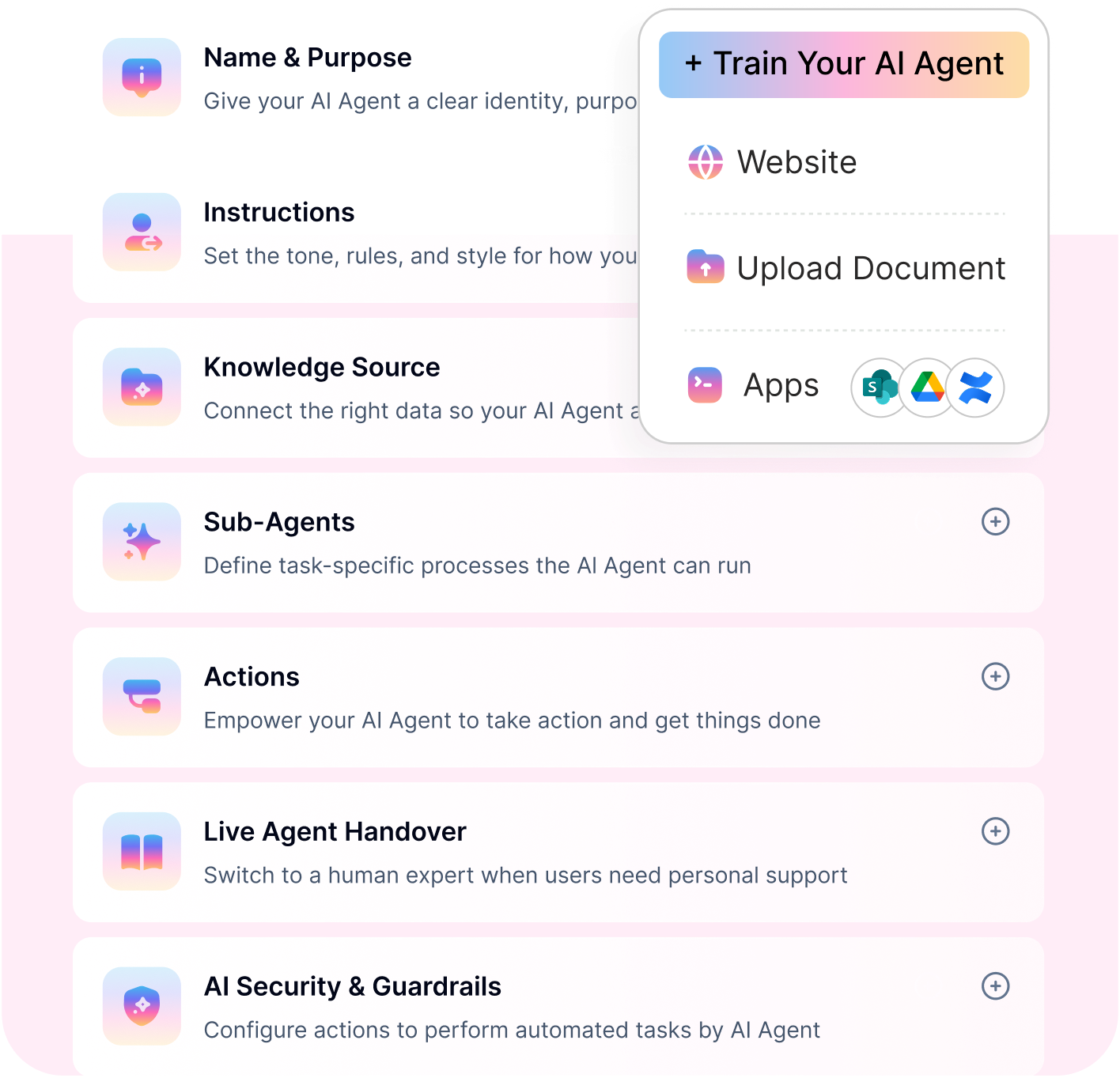
Go live in days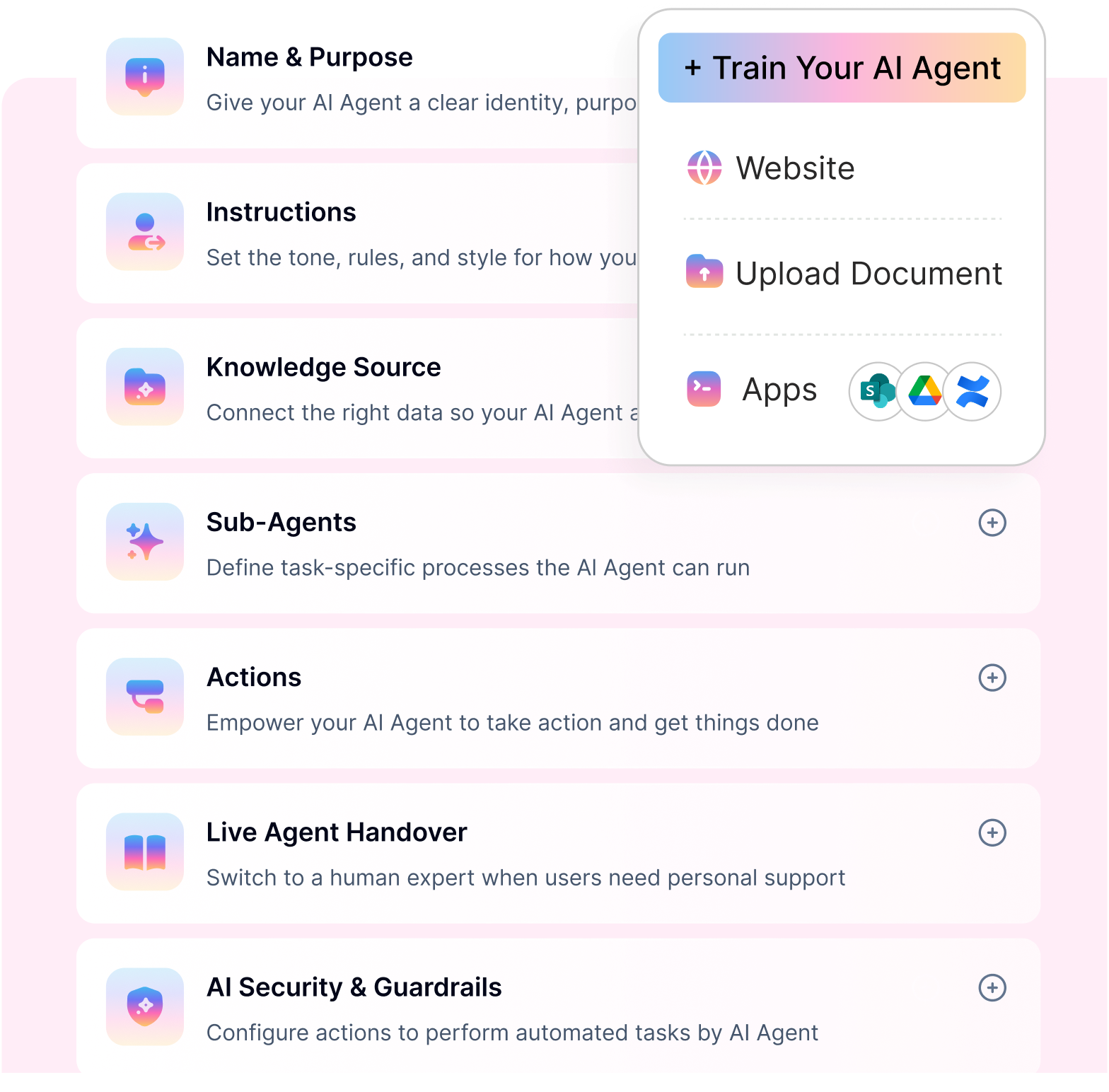
Crisp
Used by over 10,000 brands worldwide, Crisp is an all-in-one, AI-powered customer support platform that helps businesses automate up to 50% of their inquiries. Crisp allows you to build a custom AI agent in just a few easy steps even if you’re not an experienced software developer and create tailor-made automated workflows. Features such as MagicReply and CoPilot enable you to generate accurate, brand-friendly responses and seamlessly hand queries off to human agents when required. The platform also includes an omnichannel inbox to centralize all support requests, an integrated CRM system, and a self-service knowledge base builder.
Freshservice
AI-powered Freshservice is an enterprise-grade service desk for IT, operations, and businesses. Freshservice's AI service desk software provides intelligent AI tools to streamline IT support and boost agent efficiency with virtual AI-powered agents. Integrated with knowledge bases, the Freshservice virtual agent helps automate routine queries for auto-resolution of problems, frees up agents’ time, and enhances service desk responses to employee queries. Freshservice is a perfect example of an AI IT support tool. It provides Freddy AI for self-service to streamline low-value tasks through workflow automation and help optimize tasks to support agents and managers for improved operational efficiency.
Zendesk
Zendesk unlocks outstanding AI automation in IT service management for employees. The platform is popular for enhanced customer support. Yet, it offers significant AI tools such as agent workspace, Zendesk AI, AI-powered chatbots, reporting, and analytics to improve the employee experience for HR queries.
Zendesk ensures employees get 24/7 support utilizing knowledge management, an automated ticketing system, and omnichannel support. Without writing a single line of code, Zendesk allows seamless integration with the existing tool, especially with the web widget, to help simplify and automate employee workflows.
Zohodesk
Zohodesk perfectly fits the category of AI help desk software. This AI service desk platform aims to take customer support to the top-notch service level by leveraging GenAI-powered chatbot Zia to boost customer interactions and agent productivity.
Zia integrates advanced AI capabilities such as auto-tagging, field predictions, and anomaly detection to streamline tickets and accelerate the resolution rates for MTTR. Zia provides outstanding self-service capabilities for customers and agents to find their answers and resolve issues. With enhanced integration capabilities, Zohodesk utilizes AI to fetch personalized customer responses and increase agent efficiency.
HelpScout
HelpScout is AI-powered helpdesk software that empowers agents with multiple AI tools and elevates customer service operations. HelpScout’s AI IT support tool allows agents to personalize customer experience by resolving critical problems with AI. While HelpScout streamlines and automates repetitive questions for customers' routine questions, this AI-powered service desk software unleashes multiple capabilities, such as AI summaries for long emails for rapid understanding of customer queries, AI replies for instant query resolving through knowledge base tapping, and AI assist to provide more contextual response for customer queries. Overall, HelpScout eliminates manual efforts and transforms customer support with AI-powered service desk capabilities.
Moveworks
Moveworks unlocks outstanding AI capabilities to transform service desks for IT support or ITSM. Layered with agentic AI capabilities, Moveworks aims to transcend the current state of Generative AI-powered automation and improve reasoning and decision-making to enhance employee self-service capabilities and improve service desk efficiency.
Moveworks is best designed to elevate service desk experiences for IT leaders by offering instant problem resolutions for routine and common IT queries such as device management, password management, etc. By allowing employees to leverage its AI copilot, employees can easily harness domain-specific knowledge repositories to resolve IT support issues efficiently, thus further allowing agents to improve operational efficiency for service desks by addressing critical issues. For agents, Moveworks offers automated triage and end-to-end ticketing lifecycle management for efficient service desk management.
Invgate
Invgate is another excellent example of an AI IT support tool that combines outstanding ITSM and ITAM solutions for service desk management. Invgate is a powerful tool to streamline operations with dynamic ticket and SLA management and boost operational efficiency for IT assets through a unified view of IT inventory.
Invgate AI Hub for Service Management offers agents a handful of AI features to elevate their productivity and efficiency and improve employee support. Invgate uses Generative AI to improve response delivery and speed up ticket resolution. One-click ticket summaries are also an excellent feature for onboarding a new agent to handle and resolve a new query. Invgate ensures faster response and improved self-service for IT support issues.
Intercom
When it comes to choosing the perfect AI customer support solution, Intercom can quickly meet your needs. Intercom’s Fin AI agent leverages human capabilities to handle frontline support and empowers agents to manage high-impact work.
Intercom’s AI-powered help desk utilizes company knowledge to provide accurate and relevant answers to customer queries and elevate their experiences.
Alongside being a super tool for agents, Intercom is recognized as the complete AI-first customer service platform that integrates customer journey data, including action data, to streamline operations using workflow automation. This platform unlocks multichannel support and works natively without integration to support the ultimate support experience.
Aisera
Aisera is the agentic AI copilot for service desk software. The platform optimizes Generative AI and other sophisticated technologies, such as NLP and NLU, to assist agents in streamlining processes and eliminate repetitive tasks using GenAI responses, AI summaries, and AI insights for improved service desk performance.
Aisera also offers its AI agentic copilot as a powerful self-service tool for employees. It quickly connects them with service desks and allows them to resolve their problems automatically. The copilot utilizes organization-wide data grounded in large language models to automate tasks ranging from simple to multi-intent and deliver personalized employee assistance. It is best designed to automate hardware troubleshooting, software provisioning, and routine queries.
TOPdesk
TOPdesk is considered the best AI tool for IT support. Its ITSM software uses AI and Generative AI technologies to boost agent efficiency in repetitive incident, problem, and asset management processes. TOPdesk also applies ITIL-based approaches to improve service management.
TOPdesk provides mail import to alleviate agents' efforts by eliminating the need to create tickets from mail. Tickets are automatically created and sent to the right persons for immediate mitigation. Omnichannel support connects with self-service to bring ticket requests from multi-channel and help reduce the time needed to resolve an issue.
Turn IT Requests into Actions
Most tools answer IT questions. Workativ closes them. Automate tickets, approvals, and requests, without code.
AI service desk software features
You have learned about some AI IT support tools to elevate IT and customer support. To make the right choice for your IT support tools for service desks, you must consider some significant features to maximize agent productivity and empower your employees to handle their problems autonomously. Let’s explore the right AI service desk software features for ITSM.
AI chatbot for IT support
The great AI IT support tools must include IT and customer support chatbots. Rather than having FAQ-based or traditional chatbots, prioritize using AI chatbots. Artificial intelligence, GenAI, and many other deep learning AI technologies can augment automation, translate chatbots into a powerful self-service for routine queries, and reduce the workloads on support agents.
Most AI customer support solutions have embedded chatbots but have a heavy price tag and call for a steep learning curve. It is always convenient to leverage cloud and AI-first chatbots for speedier onboarding and adoption.
Agent workspace
Service desks must provide AI IT support tools that improve agent productivity and efficiency. An agent workspace or shared inbox is the perfect example of a robust IT support feature that allows agents to get a single source of truth for all incoming tickets on the one integrated agent screen and unify data for improved IT support delivery.
Agent workspaces or shared inboxes like Workativ bring a lot of AI tools for transforming IT support with AI-generated responses, AI recommendations, AI summaries, and quick knowledge sharing, enabling agents to manage and optimize user requests and resolve their problems efficiently.
AI ticketing
AI ticketing is a significant tool for seamless support for your internal employees and external customers. It helps reduce manual efforts and automatically escalates tickets to the right agent for real-time resolution. AI ticketing intelligently understands the intent and context of user inputs and instantly creates a ticket when a self-service knowledge base fails to address the issues.
Knowledge management
AI-driven help desk solutions must offer flexibility to create and update knowledge articles without doing it manually, as one needs with traditional ITSM software. Knowledge management is a critical feature of any AI IT support tool, which utilizes Generative AI to pull information from the service desk interactions and help update the existing knowledge articles, thus providing a frictionless way to manage knowledge articles and enable teams and employees to surface relevant and accurate information for real-time resolutions of problems.
AI analytics and reporting
While choosing the service desk ITSM software tool, check if you can leverage advanced analytics and reporting capabilities within your AI-powered IT support tool. Most players can have add-ons in their platform for reporting and analytics, which provide limited visibility in data, allowing limited opportunity to improve service desk performance.
Ensure you can seamlessly gain access to built-in AI analytics and reporting. Aiming for one layered with Generative AI abilities for granular views into data insights is even better.
Workflow automation
The AI-powered service desk must allow workflow automation for quick onboarding and value realization. Some legacy players follow the traditional approach and require users to write codes to implement workflows. AI-first cloud solutions for service desks, such as chatbot integrations for MS Teams or Slack, offer no-code flexibility to implement workflow automation.
Workativ provides marketplace integrations for app workflows and accelerates workflow automation processes for various operational tasks with minimal effort.
These are some significant features of an AI service desk software platform. They are critical to driving operational efficiency, eliminating manual interventions, and improving analytics and reporting to improve service desk performance and CSAT and ESAT.
How do support teams use AI-powered IT tools to automate routine tasks?
In the GenAI era, businesses can unlock the best potential of AI. AI IT support tools are not limited to only surfacing articles from knowledge bases and escalating the call to the agents, but there are more aspects of GenAI-powered IT tools, which offer hyper-automation capabilities for self-service and agent productivity. AI service desks quickly achieve high performance, faster service delivery, and cost-efficiency.
Leveraging AI tools for predictive analytics
Using AI agents to generate accurate answers for employee problems
When layered with Generative AI capabilities, AI-powered tools gain knowledge-creation abilities, which are highly efficient in generating answers relevant to user queries—even if you lack additional resources to train your AI models. Self-service chatbots like Workativ provide an LLM-powered interface to create unique answers using hybrid knowledge of company data, including knowledge retrieved through self-learning from chat experiences. Using the inherent ability to summarize answers, GenAI IT tools can surface consolidated answers instead of an entire article, which is otherwise time-consuming and helps speed up problem-solving.
Utilizing Generative AI for knowledge creation
Manual ticket triage is a headache, and service desks take time to mitigate problems. GenAI-powered IT support unlocks improved data analytics capabilities to automate ticket triage without manual intervention. For example, if a ticket contains desktop-related log reports, Generative AI can identify patterns about issues and their ideal mitigation actions. Thus, a specialized team that handles desktop-related problems only receives the tickets for speedier resolutions.
Benefits of AI help desk software
AI-powered IT or customer support tools for help desk software can unleash exceptional advantages to help you realize significant ROI values. GenAI algorithms boost automation capabilities and, thus, drive operational efficiency, including productivity gains. Let’s find out what outstanding benefits of AI-powered IT support tools you can drive.
More strategic service delivery for critical queries : GenAI-powered service desks leverage powerful AI tools to reduce manual efforts for repetitive tasks and automate them to free up agents. This gives them enough time to address critical service requests and efficiently deliver exceptional customer experience.
Personalized responses : Seamless integration with business systems enhances the visibility of customer or employee interaction data. This is useful in creating personalized responses based on user requirements or previous history. For example, suppose a user reconnects to inquire about the refund status. In that case, GenAI tools instantly pull information from the CRM data, learn about the latest information, and convey the right message without raising the call.
Agent productivity : GenAI automates routine and mundane tasks for employees and customers. AI-powered support tools remove manual interventions for routine tasks like password resets, software installs, user provisions, etc. By allowing employees and customers to perform simple actions, AI helps improve service desk performance and enables agents to address more critical tickets using AI recommendations summaries, thus increasing their productivity.
Reduced operational costs : GenAI support tools drive improved ROI value, both quantitive and qualitative. By reducing manual efforts, AI tools can also reduce agent work hours, allowing them to participate in recreational problem-solving and enhance their portfolio. Not only agents but also employees improve their productivity, which translates into significant cost savings. Also, reducing the time of MTTR means lowering the cost per ticket.
User Reviews and Ratings Snapshot
Public review ratings are useful, but they should not be the only factor in choosing an AI IT support tool. A product with thousands of reviews may offer stronger market validation, while a newer or more specialized AI service desk platform may have fewer reviews but stronger fit for specific automation needs.
The ratings below summarize available G2 and Capterra review signals for the top tools in this comparison. Ratings and review counts can change over time, so use this as a directional snapshot and validate the latest numbers during vendor evaluation.
Tool | Review Source | Rating | Review Count | Recent Review Signal |
|---|---|---|---|---|
Zendesk | G2 | 4.3/5 | 6,829 reviews | Users praise centralized customer interactions, ease of use, omnichannel ticket management, and support workflow efficiency. Common concerns include pricing escalation and complexity as teams add more advanced features. |
Freshservice | G2 | 4.6/5 | 1,329 reviews | Users highlight incident management, change management, service request centralization, automation, and IT operations visibility. Some reviews mention setup effort for CMDB structure and more complex workflows. |
Zoho Desk | G2 | 4.4/5 | 7,551 reviews | Users value Zoho Desk for affordability, ticket management, automation, customization, omnichannel support, and its broader Zoho ecosystem. Some reviews mention a learning curve for advanced workflow setup. |
Intercom / Fin by Intercom | G2 | 4.5/5 | 3,845 reviews | Users praise ease of use, fast responses, knowledge base integration, automation, and reduced repetitive support workload. Some reviews mention limits with complex queries and occasional inaccurate answers. |
Moveworks | G2 | 4.4/5 | 124 reviews | Users praise ease of use, automation of IT and HR tasks, Slack integration, and reduced manual ticketing. Some reviews note that complex or edge-case queries may still need human support. |
Aisera | G2 | 4.4/5 | 146 reviews | Users highlight agentic AI, enterprise service desk automation, auto-resolution, productivity gains, and multi-agent support. Some feedback points to complexity in setup and the need to manage advanced use cases carefully. |
What these ratings mean for buyers
Zendesk, Zoho Desk, Intercom, and Freshservice have the broadest review volume, which gives buyers more third-party validation across different industries and company sizes.
Moveworks and Aisera have smaller but more enterprise-focused review pools, which is expected because both are typically evaluated by larger organizations with more complex employee support and ITSM environments.
Workativ has a smaller public review base but stronger relevance for teams evaluating no-code AI service desk automation, especially where the goal is to automate repetitive IT and HR requests inside Slack, Microsoft Teams, and connected enterprise apps.
TOPdesk has fewer reviews than larger help desk vendors but strong service desk positioning, especially for organizations that value ITSM structure, self-service, incident handling, and service management process control.
Use ratings as one input, not the final decision. For AI IT support tools, the more important test is whether the platform can resolve your highest-volume service desk requests, integrate with your ITSM and identity systems, respect approval rules, and provide clear analytics on automation performance.
How to choose your AI IT support tools
There are critical considerations as you look to adopt a robust and powerful AI-powered IT support tool. Many vendors provide AI offerings as an add-on, which can have limited integration and advanced automation abilities. Let’s check the most critical factors to consider in your tool.
Ease of use: Do proper research about the platform, and make sure it has an intuitive interface so users can learn and start quickly.
Data security and compliance: AI is susceptible to misinformation and privacy breaches. To facilitate the fair use of AI tools, check with vendors to ensure they have robust security features, such as end-to-end encryption, enhanced role-based access management, and others.
Fast time to value and low total cost of ownership: Prioritize adopting a no-code platform that allows you to implement workflows quickly from the marketplace and deploy business-specific workflows for quick value realization. The cloud-based platform is excellent for avoiding expensive maintenance costs.
Free trial: Check if your vendor offers a free trial so that you can test and trial workflows and know the platform capabilities, and avoid an error.
Support and partnership: AI-first cloud platforms are perfect to get started. But ensure your vendor helps you with appropriate support during onboarding and post-go-live.
Ready to CUT L1 Ticket Volume?
See how Workativ helps service desks automate repetitive requests and free up agent time.
No-code · Deep integrations · Deploy in minutes
See Workativ AI in actionStrategies to implement AI software for your customer support team
AI IT support tools are critical to enhancing service desk performance and elevating user experience. As you’ve just learned, AI and GenAI offer multiple benefits, which is a growth factor for your IT support and business. If you aim to implement AI IT support for your service desks, here are some critical strategies to drive a successful AI initiative.
Engage your teams: Stakeholder buy-in is critical. Bring all your teams across departments together, assign roles, and track progress.
Address employee problems: Examine existing workflows, which need to be automated. Or ask your HR, IT, and other teams to learn which processes need automation for operational efficiency.
Optimize knowledge articles: Your AI-powered IT support tools must ingest accurate knowledge to answer employee or customer questions accurately. Ensure you have enough knowledge articles or existing data relevant to knowledge training.
Test and trial before going live: Once your workflows are ready, test them to ensure they work with user inputs. If anything goes wrong, you can improve them.
Why is Workativ as your go-to AI IT support tool for employee support?
AI-powered IT support tools are a significant necessity for service desks. As you learned, GenAI tools for help desk software systems are game-changers that boost CSAT and ESAT while elevating agents’ productivity. When you succeed in driving employee and agent efficiency, your company can build trust, empathy, and brand advocacy for long-term success.
This is where Workativ fits in and delivers exceptional service desk experiences by providing multiple AI-powered IT support tools such as conversational AI, workflow automation from marketplace app integration, Shared Live Inbox, and Knowledge AI. Using these GenAI-powered features, Workativ ensures you drive employee and agent experience and reduce repetitive ticket costs by reducing L1 support tickets. In addition to this, Workativ’s conversational AI chatbot is intuitive. It allows your employees to work with familiar interfaces like MS Teams and Slack through integration, cutting down training costs and helping speed up user adoption for fast value realization.
From day one, you can act to reduce the number of tickets to the service desk. If you wish to savor the taste of the superpower of Generative AI in your IT support tools, Workativ is your go-to AI-powered IT support tool. Schedule a demo today.
2026 AI Agent and Agentic Capabilities in IT Support
AI IT support tools have changed significantly from the early chatbot era. A few years ago, most help desk chatbots were built to answer FAQs, search a knowledge base, or route a ticket to the right team. In 2026, the strongest platforms are moving toward AI agents for service desks that can understand intent, retrieve approved knowledge, trigger workflows, update systems, and complete multi-step support tasks with limited human involvement.
This shift matters because IT service desks do not only need faster answers. They need faster resolution. Employees do not want to read a help article if the real issue is resetting a password, unlocking an account, getting access to an application, checking ticket status, or installing approved software. Agentic AI helps bridge that gap by moving from “here is the answer” to “I can complete the request for you.”
From chatbot responses to agentic IT support
Traditional IT support chatbots usually follow scripted flows. They can answer common questions, collect basic details, and create a ticket when the conversation becomes too complex. That helps reduce some repetitive workload, but the employee still depends on a human agent for many routine requests.
Agentic IT support works differently. An AI agent can interpret the user’s request, check context, retrieve relevant knowledge, identify the next best action, call the right system, and confirm the result. For example, if an employee says, “I’m locked out of Salesforce,” an agentic service desk tool should be able to verify the user, check access rules, trigger the account unlock workflow, update or create a ticket if needed, and notify the employee when the request is complete.
What agentic capabilities look like in a service desk
In a service desk environment, agentic AI is most valuable when it can support real operational workflows. The most important capabilities include:
1. Intent understanding
The AI agent should understand what the employee is trying to accomplish, even if the request is written casually or includes incomplete details.
2. Agentic RAG and knowledge retrieval
The system should retrieve answers from approved IT documentation, help articles, policies, knowledge bases, SharePoint, Confluence, Google Drive, or other enterprise sources. This reduces the risk of generic or inaccurate answers.
3. Multi-step workflow execution
The agent should complete service desk tasks across systems, such as creating tickets, updating request status, resetting passwords, routing approvals, provisioning access, or checking asset information.
4. ITSM and enterprise app integration
Agentic AI becomes useful only when it can connect to the tools service desks already use, such as ServiceNow, Jira Service Management, Freshservice, Zendesk, Okta, Azure AD, Microsoft Teams, Slack, SharePoint, and HR systems.
Human handoff and approval controls Not every request should be automated. Strong AI service desk tools include handoff rules, approval steps, escalation paths, and guardrails for sensitive workflows such as access changes, employee data, security incidents, and privileged requests.
Analytics and continuous improvement Service desks need visibility into what the AI resolved, where it failed, which workflows create the most volume, and which knowledge gaps need to be fixed. Analytics help teams improve automation coverage over time.
Which tools are strongest for agentic IT support?
Among the tools in this comparison, Workativ, Moveworks, Aisera, Freshservice, and Rezolve.ai are the most directly aligned with agentic IT support.
Workativ is strong for service desks that want no-code AI agents, agentic RAG-powered Knowledge AI, IT workflow automation, app integrations, AI guardrails, multilingual support, and live agent handoff inside Slack or Microsoft Teams.
Moveworks is strong for large enterprises that need an AI assistant capable of enterprise search, reasoning, and workflow automation across IT, HR, finance, and other employee service functions.
Aisera is strong for enterprises that want an agentic AI layer across existing ITSM systems, with self-service automation, ticket intelligence, and cross-functional support workflows.
Freshservice is strong for IT teams that want AI agents and copilots built into a full ITSM platform with incident management, change management, asset management, service requests, and knowledge management.
Rezolve.ai is strong for teams looking for agentic ITSM automation, especially in Microsoft Teams-centered employee service environments.
What buyers should look for in 2026
When evaluating AI agents for service desks, buyers should avoid choosing a tool only because it has a chatbot or generative AI feature. The better question is: Can the AI agent safely complete the support task?
A strong 2026 AI IT support tool should be able to answer from trusted knowledge, execute approved workflows, integrate with core service desk systems, escalate when needed, respect permissions, support multilingual users, and give IT leaders clear analytics. The platforms that combine answer quality, automation depth, governance, and human handoff will be more valuable than tools that only generate faster replies.
Integration and Deployment Considerations
Choosing an AI IT support tool is not only a feature comparison. For service desk leaders, the bigger question is: how easily will this platform connect with our existing ITSM, identity, knowledge, collaboration, and business systems?
Most AI service desk projects depend on five integration layers:
ITSM or ticketing system — ServiceNow, Jira Service Management, Freshservice, Zendesk, TOPdesk, InvGate, or another service desk platform
Collaboration channels — Microsoft Teams, Slack, web chat, email, or employee portals
Identity and access systems — Azure AD, Okta, Google Workspace, or other IAM tools
Knowledge sources — SharePoint, Confluence, Google Drive, Notion, help centers, PDFs, policy documents, and internal wikis
Workflow and business apps — HRIS, asset management, software provisioning, device management, finance tools, procurement systems, and approval workflows
The more action-oriented your AI support tool is, the more important these integrations become. A chatbot can answer from a knowledge base with minimal setup, but an AI agent that resets passwords, creates tickets, provisions software, checks approval status, or updates records needs secure connections to the systems where those actions happen.
How each AI IT support tool typically integrates
Tool | Typical Integration Approach | Common Systems Connected | Deployment Consideration |
|---|---|---|---|
Workativ | No-code AI agent and workflow automation layer that connects to knowledge sources, ITSM systems, identity tools, business apps, Slack, Teams, and web chat | ServiceNow, Jira Service Management, Freshservice, Zendesk, Okta, Azure AD, Microsoft Teams, Slack, SharePoint, Google Drive, Confluence, HR and business apps | Best for teams that want faster rollout using prebuilt app workflows, service desk templates, Knowledge AI, and no-code automation. Simple knowledge and chat use cases can go live quickly; deeper ITSM and identity workflows need testing and approval rules. |
Rezolve.ai | Agentic ITSM and employee service layer, especially strong for Microsoft Teams-centered support | ServiceNow, Jira Service Management, Workday, Okta, Microsoft Teams, SharePoint, Google Drive, Confluence, and 1000+ tools through integrations | Best for teams that want Teams-native employee support and automated IT tasks such as access requests, password resets, software orders, software installs, and desktop configuration. Deployment depends on ITSM, knowledge, and automation scope. |
Freshservice | Native ITSM platform with built-in service desk, asset, change, request, and workflow capabilities | Freshservice ecosystem, Microsoft Teams, Slack, SharePoint, Google Drive, identity systems, monitoring tools, and app marketplace integrations | Best when teams want AI inside a full ITSM platform. Deployment is usually faster than heavier enterprise ITSM tools, but CMDB, service catalog, change workflows, and automation rules still require planning. |
Zendesk | Omnichannel help desk and employee service platform with marketplace apps, APIs, webhooks, and workflow automation | Zendesk apps, Jira Service Management, Slack, Microsoft Teams, Workday, ServiceNow through integration approaches, knowledge base, help center, and customer systems | Best when support teams already use Zendesk or need one platform for customer and employee service. ITSM depth may require additional configuration or integrations. |
Zoho Desk | Help desk platform that connects well with the Zoho ecosystem and selected external tools | Zoho CRM, Zoho Analytics, Zoho Assist, Jira, Microsoft Teams, Slack, telephony, email, and marketplace apps | Best for SMB and mid-market teams that want affordable help desk automation. Deployment is usually manageable, but deeper ITSM or ServiceNow-style processes may require additional integration work. |
Help Scout | Shared inbox and knowledge base platform with integrations, APIs, Beacon, AI Answers, and workflow tools | Docs, Beacon, email, chat, CRM tools, ecommerce tools, Slack, Zapier, and support ecosystem integrations | Best for lightweight help desk and customer support use cases. Deployment can be fast for inbox, chat, and knowledge base use cases, but it is not designed for deep ITSM workflows such as change, asset, or access provisioning. |
Typical deployment timeline by complexity
Deployment time depends less on the vendor logo and more on the scope of automation. A basic AI help desk rollout can move quickly, while enterprise-wide agentic IT support takes longer because it touches identity, permissions, approvals, ITSM workflows, and knowledge quality.
Deployment Scope | Typical Timeline | What Usually Happens |
|---|---|---|
Basic AI FAQ or knowledge assistant | Same day to 2 weeks | Connect knowledge sources, configure chatbot tone and guardrails, test common questions, and deploy to web chat, Slack, or Microsoft Teams. |
AI ticket deflection and routing | 2 to 4 weeks | Connect help desk or ITSM system, configure ticket categories, routing rules, escalation paths, and agent handoff logic. |
Workflow automation for common IT requests | 3 to 6 weeks | Automate requests such as password resets, account unlocks, access requests, software requests, ticket creation, and status checks. Requires app connections, permissions, and test cases. |
Agentic AI with multi-system execution | 6 to 12+ weeks | Connect ITSM, IAM, HRIS, knowledge, collaboration, and business apps. Configure approval rules, audit logs, error handling, security review, and staged rollout. |
Enterprise-wide service desk transformation | 3 to 6+ months | Roll out AI support across IT, HR, finance, facilities, procurement, and regional teams. Requires governance, change management, analytics, and continuous improvement. |
What to check before deployment
Before selecting a tool, service desk leaders should ask vendors these questions:
1. Can the tool integrate with our current ITSM platform?
If your team already uses ServiceNow, Jira Service Management, Zendesk, Freshservice, TOPdesk, or InvGate, the AI tool should either integrate with that platform or provide enough native service desk functionality to replace part of the workflow.
2. Can it connect with identity and access systems?
For password resets, account unlocks, access provisioning, and software assignments, the tool must connect securely with systems such as Azure AD, Okta, Google Workspace, or internal identity tools.
3. Can it use our approved knowledge sources?
Answer quality depends on knowledge quality. The AI tool should retrieve from approved documentation such as SharePoint, Confluence, Google Drive, help centers, PDFs, service desk articles, and internal policies.
4. Does it support the channels employees already use?
Slack and Microsoft Teams support can improve adoption because employees do not need to visit a separate portal for every IT issue.
5. Can it handle human handoff?
AI should not try to resolve every request. Look for clear escalation rules, live agent handoff, approval workflows, and conversation history transfer.
6. How are permissions and guardrails managed?
For IT support, guardrails are critical. The AI should respect role-based access, approval rules, system permissions, and escalation thresholds before taking action.
7. What analytics are available after launch?
The platform should show ticket deflection, automation success, unresolved queries, knowledge gaps, handoff rate, workflow failures, and top request categories.
Practical recommendation
For a fast service desk rollout, start with three use cases: knowledge-based IT questions, ticket creation/status updates, and one high-volume workflow such as password reset or access request automation. This gives the team a manageable pilot, proves value quickly, and creates a foundation for more advanced agentic workflows later.
For teams that want fast deployment with no-code workflow automation, Workativ and Rezolve.ai are strong options. For teams that want AI inside a full ITSM platform, Freshservice, InvGate, and TOPdesk are better fits. For large enterprises with complex employee support ecosystems, Moveworks and Aisera are stronger enterprise AI layers. For customer support crossover, Zendesk, Intercom, Zoho Desk, and Help Scout are easier to evaluate.
FAQs
What is the difference between an AI chatbot and an AI agent for IT support?
An AI chatbot for IT support usually answers questions, searches a knowledge base, collects ticket details, or routes the issue to the right team. It is useful for basic self-service, but it often stops at providing information.
An AI agent for IT support goes further. It can understand the employee’s request, retrieve approved knowledge, trigger workflows, connect with ITSM or identity systems, and complete multi-step actions such as password resets, access requests, software provisioning, ticket creation, and ticket status updates. In simple terms, a chatbot answers; an AI agent resolves.
How much do AI IT support tools cost in 2026?
AI IT support tools in 2026 can range from around $19 per agent per month for basic help desk or ITSM plans to custom enterprise pricing for advanced AI agent platforms. Tools such as Freshservice, Zendesk, Zoho Desk, Intercom, InvGate, and TOPdesk publish starting prices, while enterprise AI platforms such as Moveworks, Aisera, and Rezolve.ai usually require a custom quote.
Pricing depends on the number of agents or employees, AI usage, ticket volume, integrations, automation workflows, support channels, and enterprise security requirements. Buyers should also check whether AI features are included in the base plan or sold as an add-on.
Which AI IT support tools work best with ServiceNow or Jira?
For teams already using ServiceNow or Jira Service Management, the best AI IT support tools are usually platforms that can integrate with existing ITSM workflows instead of forcing a full replacement. Workativ, Moveworks, Aisera, Rezolve.ai, Zendesk, and Freshservice are commonly evaluated for this type of setup because they can support ticket creation, routing, knowledge retrieval, workflow automation, and employee self-service across connected systems.
The right choice depends on your goal. Workativ is a strong fit for no-code AI service desk automation and Slack or Microsoft Teams-based support. Moveworks and Aisera are stronger for large enterprise environments. Freshservice is better if you want AI inside a full ITSM platform. Zendesk and Intercom are better suited when customer support and help desk workflows overlap.
Do AI IT support tools require technical staff to maintain?
Some AI IT support tools require technical staff, especially when they involve custom integrations, API connections, identity workflows, security reviews, or complex ITSM automation. Enterprise platforms such as Moveworks, Aisera, and ServiceNow-connected deployments usually need IT, security, and system admin involvement during setup and governance.
However, many modern AI service desk tools now offer no-code builders, prebuilt workflow templates, marketplace integrations, and admin-friendly configuration. Platforms such as Workativ, Freshservice, Zoho Desk, Zendesk, and Rezolve.ai can reduce the technical effort required, but service desk teams should still assign owners for knowledge updates, automation monitoring, workflow testing, and escalation rules.
'%3e%3cpath%20d='M11.5732%2031.7068L19.2977%2022.7433L11.5732%2011.5366H17.4664L22.6245%2018.942L29.0522%2011.5366H30.7788L23.4029%2020.0985L31.4127%2031.7086H25.4997L20.1231%2023.9069L13.3197%2031.7068H11.5732ZM16.6519%2012.8366H13.9536L26.354%2030.4462H28.9926L28.8265%2030.1576L16.6519%2012.8366Z'%20fill='%230C0C0C'/%3e%3c/g%3e%3cdefs%3e%3cclipPath%20id='clip0_505_14364'%3e%3crect%20width='19.7681'%20height='20.2432'%20fill='white'%20transform='translate(11.573%2011.5365)'/%3e%3c/clipPath%3e%3c/defs%3e%3c/svg%3e)

'%3e%3cpath%20d='M25.2175%2011.7557L26.9132%2011.911V15.0496C26.0135%2015.1444%2024.1746%2014.7452%2023.5821%2015.5947C23.4908%2015.726%2023.3291%2016.1592%2023.3291%2016.3091V19.002H26.7392L26.3346%2022.5281H23.3291V31.5952H19.707V22.5863L19.649%2022.5281H16.6628V19.002H19.707C19.7813%2017.4024%2019.4664%2015.7042%2020.1132%2014.1986C20.6748%2012.8902%2021.7857%2012.0974%2023.1666%2011.8435L23.7151%2011.7557H25.2183H25.2175Z'%20fill='%230C0C0C'/%3e%3c/g%3e%3cdefs%3e%3cclipPath%20id='clip0_505_14375'%3e%3crect%20width='10.2695'%20height='19.8027'%20fill='white'%20transform='translate(16.658%2011.7567)'/%3e%3c/clipPath%3e%3c/defs%3e%3c/svg%3e)
About the Author
Deepa Majumder

Senior content writer
Deepa Majumder is a writer who nails the art of crafting bespoke thought leadership articles to help business leaders tap into rich insights in their journey of organization-wide digital transformation. Over the years, she has dedicatedly engaged herself in the process of continuous learning and development across business continuity management and organizational resilience.
Her pieces intricately highlight the best ways to transform employee and customer experience. When not writing, she spends time on leisure activities.
Auto-resolve 60% of Your Employee
Queries With AI Agents & Automation
- No credit card required
- Setup in minutes
- Cancel Anytime

