
HR Automation Software: The Complete Guide
Explore the best HR automation software, key use cases, selection tips, and tools to automate HR tasks, workflows, and employee support



HR automation software should not simply help HR teams store employee data. It should help HR work move faster, make support easier for employees, and give HR leaders better control over repetitive processes.
Today, HR teams are expected to support employees more quickly, manage compliance, improve the employee experience, and reduce operational delays without always increasing HR headcount. But many teams are still slowed down by repetitive employee questions, manual approvals, disconnected HR systems, payroll follow-ups, onboarding delays, policy clarifications, and requests that move across email, spreadsheets, portals, and ticketing tools.
That is where HR automation software becomes essential.
Meanwhile, the blog on HR automation tools can be equally beneficial for learning how to automate your specific HR operations. Read it.
The right platform helps HR teams automate administrative tasks, standardize workflows, reduce manual follow-ups, and improve HR service delivery. Instead of asking HR to handle every repeated question or approval manually, companies can use HR automation tools to route requests, trigger actions, share approved information, and give employees faster support.
But choosing the right HR automation software can be confusing.
The market includes many different types of tools: HRIS platforms, HCM suites, payroll systems, recruiting tools, onboarding platforms, HR case management software, no-code workflow automation tools, and AI employee support layers. Each category solves a different problem. A company looking to improve payroll accuracy does not need the same solution as one trying to automate employee self-service in Slack or Microsoft Teams.
That is why the best HR automation strategy starts with the workflow problem, not the software category.
This guide will help you understand what HR automation software actually means, which HR processes are worth automating first, how to compare HR automation tools, and which top HR automation software options fit different business needs. It will also explain where AI HR automation software, AI agents, and workflow automation layers fit into the modern HR tech stack.
What is HR automation software?
HR automation software helps HR teams automate repetitive tasks, employee requests, approvals, notifications, data updates, workflows, and service processes across the employee lifecycle.
Instead of managing every request manually, HR teams can use HR automation tools to standardize processes, reduce follow-ups, improve response times, and enhance the employee experience.
HR automation software can help automate administrative tasks such as:
Recruiting tasks
Onboarding checklists
Payroll and benefits administration
Leave requests
Attendance workflows
HR policy questions
HR ticket creation
Compliance reminders
Offboarding tasks
Reporting and analytics
For example, an employee may need to check a leave balance, understand a benefits policy, submit an onboarding document, or raise an HR request.
With the right HR workflow automation software, these requests can move through the correct process without HR manually handling every step.
That is why HR automation is not only about speed. It helps HR teams reduce errors, improve HR service delivery, and give employees a simpler way to get support.
HR automation software is not a single tool category
HR automation software can mean different things depending on the business problem.
Here are the main categories:
Category | What it helps with |
|---|---|
HRIS software | Employee records, documents, profiles, and core HR data |
HCM software | Broader employee lifecycle operations for larger organizations |
Payroll software | Compensation, taxes, deductions, payslips, and benefits tasks |
Recruiting software | Candidate tracking, interview scheduling, and offer workflows |
HR service delivery software | HR tickets, employee cases, knowledge bases, and escalations |
Workflow automation software | App connections, approval routing, notifications, and data movement |
The best HR automation software depends on the HR problem you need to solve first.
If payroll accuracy is the challenge, a payroll automation tool may be the right fit. If employee data is scattered, an HRIS may be the starting point. If employees keep asking the same HR questions or requests get stuck across systems, an AI HR automation software layer can improve employee self-service and connect workflows across the HR tech stack.
Why businesses need HR automation software
HR automation software becomes important when HR work starts depending too much on manual follow-ups, repeated answers, scattered systems, and individual effort.
As companies grow, the same HR processes become harder to manage through email, spreadsheets, shared folders, and disconnected tools. Employees need faster support, while HR teams need better control, consistency, and visibility.
The right HR automation software helps teams automate administrative tasks, improve employee self-service, reduce operational delays, and make HR service delivery more reliable.
1. HR teams are spending too much time on repetitive tasks
A large part of HR’s day is often spent on work that repeats every week.
Common examples include:
Answering the same PTO questions
Explaining benefits
Sharing policy links
Chasing approvals
Collecting employee documents
Updating employee records
Coordinating onboarding tasks
Responding to payroll questions
Managing offboarding checklists
These tasks are important, but they should not require manual effort every time.
HR automation tools can help route requests, send reminders, trigger workflows, update systems, and answer common employee questions without forcing HR teams to repeat the same work again and again.
2. Employees expect faster HR support
Employees do not want to search through portals, PDFs, shared folders, or old policy documents just to find a simple answer.
They want clear answers, guided next steps, and support in the channels they already use, such as Slack, Microsoft Teams, email, or an employee portal.
For example, an employee should be able to ask about leave, benefits, payroll, or onboarding and quickly understand what to do next.
That is where HR automation for employee self-service becomes valuable. It gives employees a simpler way to get support while reducing the number of repetitive requests sent to HR.
To get a deeper sense of how HR automation can handle HR requests, you can refer to Workativ’s blog on HR request automation: Reduce workload by 80%. Learn and implement.
3. Manual HR processes create compliance risk
Manual HR workflows can create avoidable risk, especially when processes depend on memory, email threads, or inconsistent handoffs.
Common risks include:
Missed approvals
Inconsistent policy answers
Payroll errors
Delayed access removal
Poor audit trails
Missing employee documents
Untracked policy acknowledgements
Sensitive requests handled without proper escalation
HR process automation helps reduce these risks by standardizing workflows, documenting steps, routing approvals, and making sure sensitive issues are escalated to the right people.
For compliance-heavy processes, automation is not just about speed. It helps HR teams create consistency and accountability.
It is essential to understand that Workativ has strong AI guardrails that ensure high-level compliance with multiple regulatory frameworks and protect user safety. It means you no longer have to take responsibility for implementing AI safety on your platform through extra effort and investment.
4. HR leaders need visibility into workflow bottlenecks
Manual HR work is hard to measure. When requests move through email, chat messages, spreadsheets, and separate tools, leaders often cannot see where delays happen.
The right HR automation platform should help HR leaders understand:
Which questions repeat most often
Which workflows take too long
Where requests get stuck
Which policies do employees misunderstand
Which tasks still need human support
How much time automation saves
This visibility helps HR teams improve processes instead of only reacting to requests.
Over time, HR workflow automation software can show where employee support needs to be redesigned, which policies need clearer communication, and which workflows should be automated next.
What HR tasks can be automated?
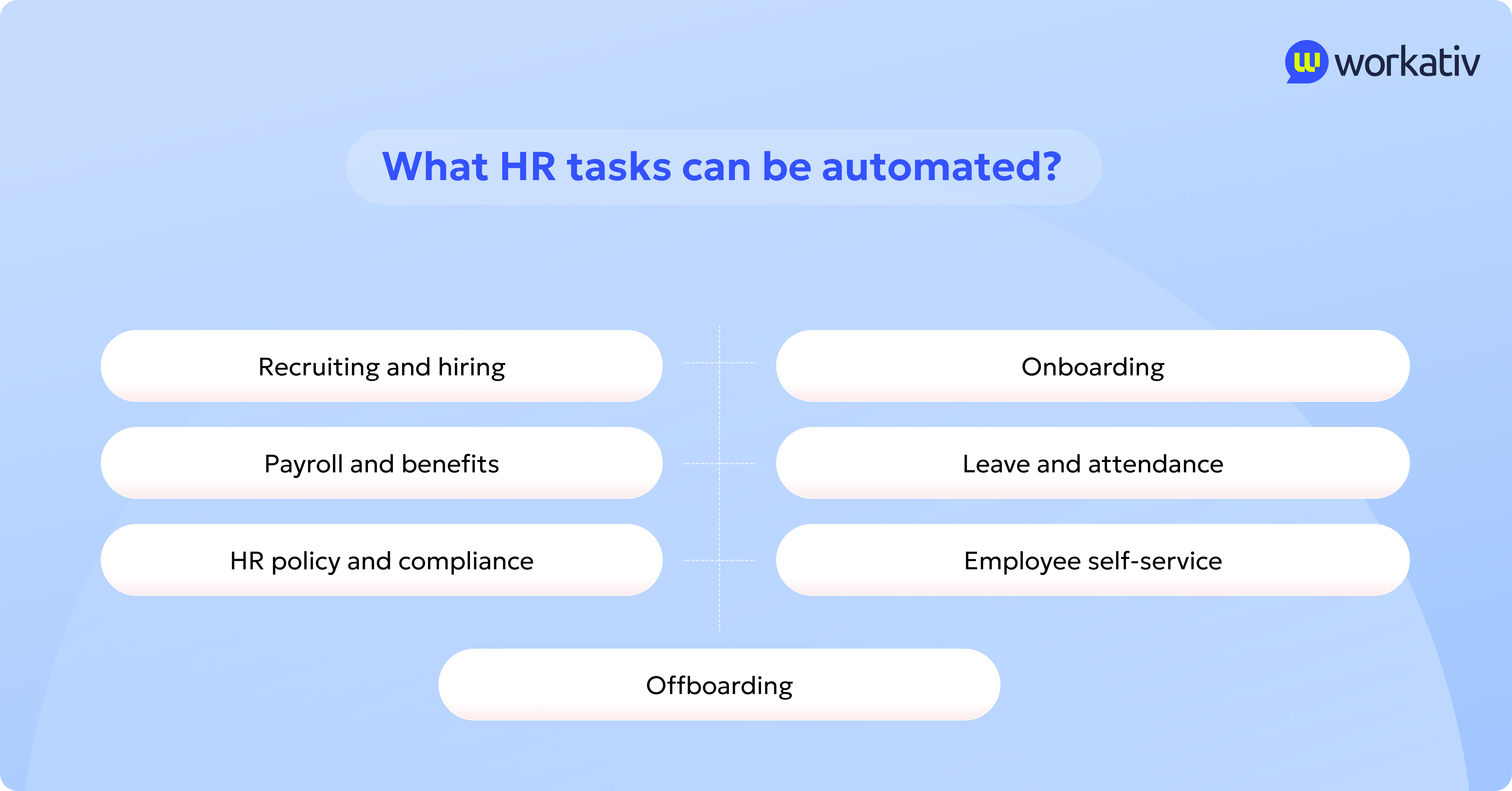
HR automation software can automate many repetitive HR tasks across the employee lifecycle, from recruiting and onboarding to payroll, compliance, employee self-service, and offboarding.
The best place to start is with tasks that are high-volume, repeatable, rules-based, and easy to standardize. These are usually the workflows that consume HR time every week but do not always require human judgment.
Here are the main HR processes that can be automated.
1. Recruiting and hiring
Recruiting automation helps hiring teams move candidates through the hiring process faster and with fewer manual follow-ups.
HR automation tools can help automate:
Job requisition approvals
Candidate screening
Interview scheduling
Candidate communication
Offer workflows
Hiring analytics
For example, a recruiting workflow can automatically route a job requisition for approval, send interview reminders, update candidate status, and notify hiring managers when feedback is pending.
This helps talent teams reduce delays, improve candidate experience, and keep hiring workflows consistent.
2. Onboarding
HR automation for onboarding helps new hires move from offer acceptance to day-one readiness with less confusion.
Onboarding workflows can automate:
Welcome messages
Document collection
Policy acknowledgements
Equipment requests
IT access requests
Manager reminders
Training assignments
First-week checklists
For example, once a candidate accepts an offer, HR automation software can trigger a new hire checklist, collect documents, notify IT about laptop setup, send policy acknowledgements, and remind the manager about first-week tasks.
This creates a more guided onboarding experience for employees and reduces coordination work for HR.
3. Payroll and benefits
HR automation for payroll and benefits helps reduce repetitive questions, manual updates, and administrative errors.
Payroll and benefits workflows can automate:
Payroll processing
Payslip access
Benefits enrollment reminders
Tax form distribution
Payroll FAQs
Benefits FAQs
Open enrollment support
For example, employees can use employee self-service automation to ask about payslips, benefits eligibility, tax forms, or open enrollment deadlines without waiting for HR to respond manually.
This improves payroll support while giving HR and finance teams fewer repeated queries to handle.
4. Leave and attendance
Leave and attendance automation help employees request time off, check balances, and complete approval workflows faster.
HR workflow automation software can automate:
PTO balance checks
Leave requests
Manager approvals
Attendance tracking
Return-to-work workflows
Absence notifications
For example, an employee can ask for their PTO balance, submit a leave request, and have it routed to the appropriate manager for approval. Once approved, the system can automatically update the HRIS or attendance tool.
This reduces back-and-forth communication and helps HR maintain accurate leave records.
5. HR policy and compliance
HR automation for compliance helps teams deliver consistent answers, track acknowledgments, and escalate sensitive issues when needed.
Compliance-related workflows can automate:
Policy Q&A
Handbook acknowledgements
Mandatory training reminders
Compliance checklists
Certification tracking
Audit trails
Escalation for sensitive issues
For example, an employee may ask about remote work, parental leave, workplace conduct, or reimbursement policies. AI HR automation software can answer from approved HR knowledge and escalate the issue to HR if the request is sensitive or requires human review.
This helps HR teams improve consistency without losing control over compliance-heavy processes.
6. Employee self-service
HR automation for employee self-service helps employees get answers and complete routine HR tasks without submitting every request to HR.
Employee self-service workflows can automate:
HR FAQs
Request status checks
Document requests
HR ticket creation
Workflow routing
Knowledge search
Human handoff
For example, employees can ask questions inside Slack, Microsoft Teams, or a web chat experience and receive answers from approved HR knowledge. If the request needs action, the system can create a ticket, trigger a workflow, or route the case to the right HR team.
This is where AI agents and workflow automation layers can add value. They help employees move from question to action without needing to know which HR system owns the process.
7. Offboarding
Offboarding automation helps HR, IT, payroll, and managers handle employee exits in a structured, compliant way.
Offboarding workflows can automate:
Exit checklists
Access removal requests
Equipment return
Final payroll steps
Exit surveys
Knowledge transfer reminders
For example, when an employee's exit is confirmed, HR automation software can revoke access, notify payroll, assign equipment return tasks, send an exit survey, and remind the manager to complete knowledge transfer steps.
This reduces risk, improves audit readiness, and helps HR avoid missed steps during employee transitions.
The best HR automation strategy starts with repeatable workflows that create the least friction for HR teams and employees. Once those processes are automated, HR can spend less time chasing tasks and more time on strategic people work.
The 10 best HR automation software tools to consider
There is no single “best” HR automation software for every company.
The right choice depends on the HR problem you need to solve first. A small business looking to automate payroll will not need the same platform as an enterprise managing global HR service delivery. A company struggling with repetitive employee questions may need an AI employee support layer, while a team with scattered employee records may need a stronger HRIS.
That is why it is more useful to compare HR automation tools by category rather than as identical competitors.
Some tools help HR teams manage employee data. Some automate payroll, recruiting, onboarding, or case management. Others connect apps, move data between systems, or help employees get answers and complete HR tasks through AI-powered employee self-service.
The following 10 HR automation software options are grouped by the HR workflow type they best support. Use this list to understand where each platform fits, what it can help automate, and which tool category matches your business needs.
Workativ — best for AI employee support and HR workflow automation

Workativ is best for HR teams that want to automate HR support without replacing their existing HR systems.
Most companies already have a legacy HR tech stack that includes an HRIS, payroll software, ticketing tools, document repositories, onboarding systems, and communication channels. The problem is not always the lack of HR software. The bigger issue is that employees still need to search across too many systems, ask HR the same questions, and wait for manual follow-ups.
Workativ works as an AI-powered HR automation layer across that stack.
Instead of replacing systems like Workday, BambooHR, SAP SuccessFactors, ADP, Gusto, ServiceNow, or other HR tools, Workativ connects with them to make employee support faster and easier.
Key features:
AI agents for HR support: Automate employee questions, HR helpdesk requests, and routine HR workflows.
Knowledge AI: Answer HR FAQs from approved policies, handbooks, benefits documents, and internal knowledge sources.
Workflow automation: Trigger actions across connected HRIS, payroll, ITSM, ticketing, and communication tools.
Omnichannel employee support: Support employees through Slack, Microsoft Teams, web chat, and other workplace channels.
Human handoff: Escalate sensitive, complex, or unresolved requests to HR with conversation context.
Approval routing: Route leave requests, onboarding tasks, payroll queries, and other approvals to the right person.
HR ticket creation: Convert employee questions into trackable HR tickets when a request needs follow-up.
Analytics and visibility: Track repeated questions, unresolved requests, escalation trends, and workflow gaps.
Enterprise controls: Support guardrails, permissions, integrations, audit visibility, and controlled AI responses.
Budget-friendly pricing: Session-based pricing helps teams automate HR support without paying per employee.
Pros
Works as an HR automation layer across the existing HR tech stack
Helps HR teams automate support without replacing HRIS, HCM, payroll, or ATS tools
Reduces repetitive HR questions and manual follow-ups
Improves employee self-service inside familiar channels like Slack and Microsoft Teams
Connects HR knowledge with workflow execution
Supports human escalation for sensitive HR issues
Useful for onboarding, offboarding, policy Q&A, payroll inquiries, benefits support, and HR helpdesk automation
More budget-friendly for teams that want enterprise-grade HR automation without heavy platform costs
Cons
Requires integration planning – Organizations must connect existing HR and enterprise systems to unlock full workflow orchestration capabilities.
Not a standalone payroll or HR data platform – Workativ focuses on workflow automation and orchestration rather than core HR data management.
What Workativ helps automate:
Workativ can help HR teams automate:
HR FAQs
Policy Q&A
Leave and PTO questions
Benefits questions
Payroll inquiries
Employee self-service
HR ticket creation
Onboarding and offboarding workflows
Approval routing
Human handoff
Slack, Microsoft Teams, and web-based employee support
AI agentic capabilities and key features:
Workativ adds agentic AI capabilities to HR automation by helping employees move from question to action.
Instead of only answering FAQs, Workativ can understand employee intent, retrieve answers from approved HR knowledge, guide employees through the next step, and trigger workflows across connected systems.
Key capabilities include:
AI agents for HR workflows
Approved HR knowledge-based answers
Conversational employee self-service
Workflow automation across HR tools
HRIS, ITSM, payroll, and ticketing integrations
Slack, Microsoft Teams, and web chat support
HR ticket creation and routing
Approval workflow automation
Human handoff for sensitive or unresolved requests
Visibility into repeated questions, unresolved requests, and process gaps
For example, an employee can ask about PTO, benefits, payroll, onboarding, or company policy. Workativ can provide the answer, start the right workflow, create a case if needed, route the request to the right approver, or bring in HR when the request needs human judgment.
How Workativ fits into the HR tech stack
Employees can ask questions in Slack, Microsoft Teams, or web chat.
Workativ can then:
Answer from approved HR knowledge sources
Guide employees to the right next step
Trigger workflows in connected HR systems
Create HR tickets when a request needs tracking
Route approvals to managers or HR teams
Escalate sensitive issues with full conversation context
Give HR leaders visibility into repeated questions and process gaps
Why Workativ is best as an HR automation layer
Workativ is useful because it sits between employees and the legacy HR tech stack.
Employees do not need to know which system owns the answer or workflow. They can simply ask a question or start a request. Workativ can connect the question to the right knowledge source, system, workflow, approval path, or HR team.
For HR teams, that means fewer repetitive questions, fewer manual handoffs, faster employee support, and better control over how routine requests move across systems.
For employees, that means less portal searching and more guided support.
Workativ is a strong fit for HR teams looking to automate support across existing tools rather than buying another system that adds complexity.
Benefits for HR teams and employees
Workativ helps HR teams improve service delivery without forcing employees to use another portal.
Key benefits include:
Reduced manual follow-ups for HR teams
Better employee self-service adoption
More consistent answers from approved HR knowledge
Fewer repetitive HR helpdesk requests
Faster onboarding and offboarding support
Better routing for approvals and escalations
Stronger visibility into support trends and workflow gaps
Less dependency on employees knowing which HR system to use
For HR leaders, Workativ can help turn scattered HR support into a more guided, measurable, and automated experience.
Industry adoption
Workativ is especially relevant for industries where HR teams support large, distributed, or fast-moving workforces.
Common use cases can apply across:
Healthcare, where employees need fast HR support without weakening compliance controls
Retail and frontline workforces, where employees may not spend time inside traditional HR portals
Technology companies, where onboarding, access requests, and employee support often span HR and IT systems
Professional services, where HR teams need consistent answers and faster request handling across locations
Manufacturing and operations-heavy businesses, where shift-based employees need simple access to HR support
For HR teams that need enterprise-level automation without replacing their existing HR stack, Workativ gives you an AI-powered layer to connect employee questions, HR knowledge, workflows, approvals, and human support.
Think of it as a workflow automation layer built specifically for HR and employee support. Employees can ask questions in Slack, Microsoft Teams, or web chat, and Workativ can respond from approved HR knowledge, trigger actions in connected systems, create HR tickets, route approvals, and escalate sensitive requests to HR with full context.
For teams using legacy HR systems, Workativ is especially useful because it does not force a rip-and-replace approach. Instead of asking employees to navigate multiple portals or guess which system owns the answer, Workativ helps them move from question to action across the HR tech stack.
Workativ also brings enterprise-grade controls into HR automation, including AI guardrails, app workflows, knowledge-based answers, integrations, permissions, and human handoff. That means HR teams can automate employee support while keeping visibility and control over sensitive requests.
Pricing is another advantage. Workativ is designed to be more budget-friendly than many enterprise HR automation tools because it uses session-based pricing instead of charging per employee. Teams can start small, prove value with high-volume HR support workflows, and scale usage as automation expands.
Workativ pricing: Starter plan from $99/month, Business plan from $349/month, and custom Enterprise pricing for larger organizations with complex workflows, higher usage, custom integrations, and advanced support needs.
Ready to automate HR support without replacing your HR stack? Try Workativ to give employees instant answers, guided workflows, and AI-powered HR support inside the channels they already use.
2. BambooHR — best for core HR and HRIS automation
BambooHR is an HR automation software platform built primarily for small and mid-sized businesses that need a central place to manage employee records, PTO, documents, onboarding, and basic HR workflows.
The platform centralizes employee data, automates onboarding tasks, and streamlines core HR processes within an easy-to-use cloud-based system. It is a strong fit for growing HR teams that want to move away from spreadsheets, emails, and scattered employee documents.
BambooHR focuses on simplifying administrative HR operations while giving teams structured automation for everyday HR work.
Key features:
Onboarding automation tools – BambooHR automates new hire paperwork, task assignments, e-signatures, and onboarding checklists to streamline employee setup.
HR data automation – The platform centralizes employee records, maintains digital files, and automates updates to personal and job-related information.
Time-off automation workflows – BambooHR enables automated leave requests, approval routing, PTO balance tracking, and time-off reporting.
Document management – HR teams can store, manage, and organize employee documents in one central system instead of relying on email threads or shared folders.
Pros:
User-friendly interface – BambooHR offers an intuitive experience that is easy for HR teams, managers, and employees to adopt.
Well-suited for SMBs – The platform provides core HR automation capabilities without the complexity of enterprise HCM systems.
Cons:
May need another automation layer – Companies that want to automate employee questions, complex approvals, HR helpdesk requests, or workflows across multiple systems may still need an AI HR automation software layer.
Add-on pricing for advanced capabilities – Payroll, time tracking, performance management, and other advanced features may require additional modules beyond the base plan.
Pricing:
BambooHR does not publicly list fixed pricing tiers. It typically offers two primary plans, Essentials and Advantage, with pricing based on company size and selected features.
Payroll, performance management, and time tracking are often available as add-ons. Organizations need to request a custom quote for detailed pricing.
3. Workday — best for enterprise HCM automation
Workday is an enterprise HCM and HR automation software platform designed for large organizations that need to manage global HR operations, workforce planning, talent management, employee data, payroll, and reporting at scale.
The platform helps enterprises centralize workforce data and automate structured HR processes across regions, teams, and business units. It is best suited for companies with complex employee lifecycle operations and a need for strong governance, reporting, and compliance support.
Choose Workday if your organization needs an enterprise-grade HCM system to manage HR operations across a large, distributed, or global workforce.
Key features:
Core HR process automation – Workday automates employee data management, hiring, onboarding, job changes, workforce transitions, and other core HR workflows.
Workforce planning and analytics – The platform provides reporting, workforce insights, and analytics to help HR leaders plan headcount, monitor trends, and support strategic decisions.
Talent and performance management – Workday supports performance reviews, goal tracking, career development, succession planning, and talent mobility workflows.
Global HR and compliance support – The system helps large organizations manage HR processes across multiple regions with structured controls, reporting, and compliance workflows.
Pros:
Comprehensive enterprise HR coverage – Workday combines core HR, talent, workforce planning, reporting, and employee lifecycle management in one enterprise platform.
Strong fit for complex organizations – It is well-suited for large companies that need centralized workforce data, global process consistency, and scalable HR governance.
Cons:
Complex implementation process – Workday deployments can require significant planning, configuration, integrations, and change management.
May need an employee support layer – Employees may still need a simpler conversational experience to ask HR questions, trigger workflows, and avoid portal friction.
Pricing:
Workday does not publicly list fixed pricing on its website. Pricing is typically customized based on company size, selected modules, implementation scope, regions, and enterprise requirements.
Organizations need to contact Workday for a custom quote. For many businesses, Workday is better suited to enterprise budgets than small-business HR automation needs.
4. Rippling — best for HR, IT, and employee lifecycle automation
Rippling is an HR automation software platform designed for companies that want to connect HR, IT, payroll, app access, device management, and employee lifecycle workflows in one system.
It is especially useful for teams where HR processes are closely tied to IT operations. For example, when a new employee joins, Rippling can help manage onboarding tasks, payroll setup, app provisioning, device assignment, benefits administration, and employee data syncing from a centralized platform.
Rippling is a strong fit for companies that want to reduce manual coordination between HR and IT during onboarding, offboarding, role changes, and workforce administration.
Key features:
Employee lifecycle automation – Rippling supports onboarding, offboarding, employee changes, payroll updates, benefits administration, and related HR workflows.
App and access provisioning – The platform helps automate employee access to apps and systems based on role, department, location, or employment status.
Device management – Rippling supports device assignment and management, making it useful for companies that need HR and IT workflows to move together.
Payroll and workforce data automation – Rippling connects employee data with payroll, benefits, time, and other workforce processes to reduce duplicate manual updates.
Pros:
Strong HR and IT connection – Rippling is useful when employee lifecycle workflows involve payroll, app access, devices, and system permissions.
Modular platform structure – Companies can add HR, IT, payroll, finance, and other modules based on their operational needs.
Cons:
Can become broader than some HR teams need – Teams looking only for HR FAQs, employee self-service, or HR helpdesk automation may not need the full HR and IT platform depth.
Costs can increase with added modules – Since Rippling is modular, the final cost depends on the core platform, selected products, employee count, and implementation needs.
Pricing:
Rippling uses a modular pricing model that typically starts around $8 per user per month for core HR functionality, with additional costs for payroll, IT management, and advanced features. Final pricing depends on selected modules, company size, and geographic coverage.
5. Gusto — best for payroll and benefits automation for small businesses
Gusto is an HR automation software platform built for small businesses that need to simplify payroll, benefits, tax filing, contractor payments, and basic employee administration.
The platform is best suited for companies where payroll and benefits are the biggest HR administrative burden. It helps teams automate payroll processing, manage tax forms, provide employee payroll access, and support benefits administration from one cloud-based system.
Choose Gusto if your business needs an approachable payroll and benefits automation tool rather than a full enterprise HCM platform.
Key features:
Payroll processing – Gusto supports full-service payroll, including employee payments, contractor payments, deductions, and payroll reporting.
Tax filing and compliance support – The platform helps automate payroll tax calculations, filings, and compliance tasks for small businesses.
Benefits administration – Gusto supports benefits management, including health benefits, retirement options, and employee benefits enrollment.
Employee self-service – Employees can access payslips, tax documents, benefits information, and basic payroll details without needing HR to respond manually.
Pros:
Strong payroll and benefits focus – Gusto is useful for small businesses that want to automate payroll, taxes, benefits, and contractor payments in one system.
Easy to use for smaller teams – The platform is designed for small business HR and finance teams that need payroll automation without enterprise-level complexity.
Cons:
Limited broader HR workflow automation – Gusto is strong for payroll and benefits, but it is not designed to automate every HR workflow, approval, or employee support request across the HR stack.
Advanced needs may require additional tools – Companies that need AI employee support, complex HR service delivery, or cross-system workflow automation may need another layer alongside Gusto.
Pricing:
Gusto offers tiered pricing plans, typically starting around $40 per month plus $6 per employee per month for the Simple plan. Higher-tier plans, such as Plus and Premium, include additional HR features and expanded support, with pricing that varies based on selected services and company size.
6. ADP Workforce Now — best for payroll, workforce management, and HR administration
ADP Workforce Now is an HR automation software platform designed for mid-sized and growing businesses that need payroll, benefits, time, talent, compliance, and workforce administration in one system.
The platform is useful for HR teams that need more than basic payroll automation. It brings payroll, HR, time and attendance, benefits, talent, and reporting into a connected environment, making it a strong fit for businesses that want mature workforce management and HR administration capabilities.
Choose ADP Workforce Now if your HR team needs a proven payroll and workforce management platform that can support HR operations beyond payroll alone.
Key features:
Payroll and tax automation – ADP Workforce Now supports payroll processing, tax filing, compensation administration, and payroll compliance workflows.
Benefits administration – The platform helps manage employee benefits, enrollment workflows, eligibility, and benefits-related administration.
Time and attendance management – ADP Workforce Now supports time tracking, attendance workflows, scheduling, and time-off management connected to payroll.
Talent and workforce reporting – The system includes tools for talent management, workforce analytics, employee data management, and HR reporting.
Pros:
Strong payroll and compliance foundation – ADP is well-suited for businesses that need payroll accuracy, tax support, benefits administration, and compliance workflows in one HR platform.
Broad workforce management coverage – ADP Workforce Now supports payroll, HR, time, benefits, talent, and reporting, making it useful for growing companies with expanding HR operations.
Cons:
May need an employee support layer – ADP Workforce Now can manage many HR administrative processes, but employees may still need a simpler way to ask questions, get answers, and trigger workflows across systems.
Pricing and setup can vary by need – Costs and implementation effort depend on company size, selected modules, integrations, and support requirements.
Pricing:
ADP Workforce Now does not publicly list fixed pricing. ADP provides custom pricing based on company size, selected capabilities, payroll needs, benefits requirements, time tracking, talent modules, and service options.
Organizations need to contact ADP for a quote based on their workforce size and HR automation requirements.
7. SAP SuccessFactors — best for global enterprise HR and compliance automation
SAP SuccessFactors is a global HR automation software platform designed for enterprises that need to manage workforce operations, talent strategy, employee data, and compliance across multiple regions.
As part of SAP’s cloud HCM suite, SAP SuccessFactors supports structured HR automation across the employee lifecycle. It is best suited for multinational organizations that need standardized HR processes, centralized governance, and regulatory control across countries, business units, and employee groups.
Choose SAP SuccessFactors if your organization needs an enterprise-grade HR automation platform for global workforce management, compliance-heavy HR operations, and integrated talent processes.
Key features:
HR onboarding automation – SAP SuccessFactors supports onboarding workflows, documentation, task coordination, compliance tracking, and new hire enablement across global teams.
Performance management automation – The platform enables goal setting, performance reviews, continuous feedback, succession planning, and structured talent workflows.
Compliance-driven HR process automation – SAP SuccessFactors supports regulatory reporting, audit trails, workforce controls, and governance workflows for complex HR environments.
Global workforce management – The platform helps manage multi-country employee data, organizational structures, workforce planning, and HR process standardization.
Pros:
Strong global compliance capabilities – SAP SuccessFactors is well-suited for multinational enterprises operating across complex regulatory environments.
Integrated talent management suite – The platform combines onboarding, performance, workforce planning, and employee lifecycle automation within a unified HCM framework.
Cons:
Complex enterprise configuration – Implementations can require extensive customization, integration planning, certified partner support, and change management.
Enterprise-focused cost structure – SAP SuccessFactors is generally better suited for larger organizations than SMBs with simpler HR automation needs.
Pricing:
SAP SuccessFactors does not provide simple fixed pricing for every deployment because costs depend on the selected modules, employee count, regions, implementation scope, integrations, and enterprise requirements.
Organizations need to contact SAP sales or request a quote to get accurate pricing for their specific HR automation needs.
8. Enboarder — best for onboarding journey automation
Enboarder is an HR automation software platform focused on employee onboarding, preboarding, and lifecycle journey automation.
It is best suited for companies that want to improve new hire experience, manager coordination, and onboarding consistency. Instead of treating onboarding as a checklist alone, Enboarder helps HR teams build guided journeys that involve new hires, managers, IT, learning teams, and other stakeholders.
Choose Enboarder if your new hire experience feels inconsistent, manual, or too dependent on managers remembering every step.
Key features:
Preboarding automation – Enboarder helps HR teams engage new hires before day one with welcome messages, forms, reminders, and guided communication.
Onboarding journey orchestration – The platform supports structured onboarding flows, task coordination, manager nudges, and first-week or first-month workflows.
Manager reminders and nudges – Enboarder helps managers stay involved with timely prompts, check-ins, and action reminders during onboarding.
Employee engagement workflows – The platform supports personalized employee journey moments across onboarding, transitions, learning, and offboarding.
Pros:
Strong onboarding experience focus – Enboarder is useful for companies that want onboarding to feel guided, engaging, and consistent across teams.
Good for cross-functional coordination – It helps HR involve managers, IT, learning teams, and other stakeholders in the new hire journey.
Cons:
Specialist onboarding focus – Enboarder is not a full HRIS, payroll, or HR service delivery platform, so it may need to work alongside other HR systems.
May not solve broader HR support automation – Teams that need employee self-service, HR helpdesk automation, or policy Q&A across the full HR stack may need an additional AI support layer.
Pricing:
Enboarder does not provide one-size-fits-all public pricing. Its pricing page states that quotes are tailored based on company goals and requirements.
Organizations need to request pricing from Enboarder or contact its sales team for a custom quote.
9. ServiceNow HR Service Delivery — best for HR case management and service delivery automation
ServiceNow HR Service Delivery is an enterprise HR automation software platform built for large HR shared services teams that manage high volumes of employee requests, HR cases, knowledge articles, SLAs, and escalations.
It helps HR teams move employee service requests out of scattered emails and into a structured case management environment. Employees can use a centralized service experience to find information, submit HR requests, and track progress, while HR teams can manage cases, route work, standardize responses, and monitor service performance.
Choose ServiceNow HR Service Delivery if your HR team needs enterprise-grade case management, workflow governance, knowledge management, and service delivery automation.
Key features:
HR case management – ServiceNow HRSD helps HR teams create, route, track, and resolve employee cases across categories such as benefits, payroll, employee data, HR systems, and general HR requests.
Knowledge management – The platform enables HR teams to maintain knowledge articles, standardize answers, and support employee self-service through approved HR content.
Employee service requests – Employees can submit requests, search for information, and access HR services through a centralized employee service experience.
SLA and workflow tracking – HR teams can manage service levels, monitor case progress, track escalations, and improve HR shared services operations over time.
Pros:
Strong fit for enterprise HR shared services – ServiceNow HRSD is well-suited for large organizations that need structured HR case routing, knowledge management, SLA tracking, and service governance.
Centralized HR service delivery – The platform helps HR teams standardize how employee inquiries and requests are documented, routed, fulfilled, and measured.
Cons:
Can become portal-heavy for employees – Employees may still avoid the system if they need to search, select request categories, or submit forms manually for every HR question.
Implementation can be complex – Large ServiceNow HRSD deployments often require workflow design, integrations, configuration, governance planning, and change management.
Pricing:
ServiceNow HR Service Delivery pricing is not listed as a fixed public plan. Pricing typically depends on organization size, selected modules, implementation scope, integrations, and enterprise requirements.
Organizations need to contact ServiceNow sales or request a quote to get pricing based on their HR service delivery needs.
10. HiBob — best for modern HR process automation and employee experience
HiBob, also known as Bob, is an HR automation software platform designed for growing and mid-sized companies that want to manage core HR, workflows, employee data, time off, performance, and people analytics in one modern system.
The platform is a strong fit for HR teams that want more than basic employee record management, but do not need the complexity of a large enterprise HCM platform. HiBob helps automate everyday HR processes while also supporting employee experience, engagement, and workforce visibility.
Choose HiBob if your team needs a modern HR platform to automate core HR workflows, manage employee data, improve people operations, and support a growing workforce.
Key features:
Core HR workflow automation – HiBob supports employee data management, lifecycle workflows, approvals, document management, and eSign processes.
Time off and attendance tracking – The platform helps HR teams manage leave requests, time off, attendance, and related employee workflows.
Performance and engagement tools – HiBob supports performance reviews, employee feedback, surveys, and engagement-focused HR processes.
People analytics and reporting – The system provides workforce insights, reports, and dashboards to help HR leaders track trends and make better decisions.
Pros:
Modern employee experience – HiBob is designed with a user-friendly interface that can help improve adoption among employees, managers, and HR teams.
Strong fit for growing companies – The platform works well for mid-sized teams that need structured HR automation without moving directly into enterprise HCM complexity.
Cons:
May not cover every enterprise requirement – Large multinational organizations with deep payroll, compliance, and workforce planning needs may require a more advanced HCM platform.
Advanced HR support may need another layer – Teams that need AI employee support, conversational HR helpdesk automation, or cross-system workflow execution may still need an AI HR automation layer.
Pricing:
HiBob does not publish simple fixed pricing for every deployment. Pricing is tailored based on company size, selected modules, and business requirements.
Organizations need to request pricing or contact HiBob sales to get a quote for their specific HR automation needs.
How to choose the right HR automation software
Choosing HR automation software becomes easier when you start with the workflow problem instead of the software category.
The best platform is not always the biggest or most expensive one. It is the tool that helps your HR team reduce manual work, improve employee support, connect systems, and automate the processes that slow the business down most often.
Step 1: Start with the HR problem, not the software category
Use the problem as your starting point:
If your HR challenge is... | Consider... |
|---|---|
Employees keep asking repetitive HR questions | An AI employee support layer like Workativ |
Employee data is scattered | An HRIS like BambooHR |
Enterprise HR operations are complex | An HCM platform like Workday or SAP SuccessFactors |
HR and IT workflows are closely connected | Rippling |
Payroll is the biggest burden for a small business | Gusto |
Payroll, benefits, time, and workforce admin need structure | ADP Workforce Now |
A strong HR automation strategy should match the tool to the process. For example, a payroll issue may need payroll automation, while repeated HR questions may need AI HR automation software for employee self-service.
Step 2: Map your top repetitive HR workflows
Before comparing HR automation tools, list the workflows your team handles again and again.
Common examples include:
PTO balance questions
Leave request approvals
Payroll questions
Benefits questions
Policy lookups
New hire onboarding
Employee document requests
HR ticket creation
Offboarding checklists
Training reminders
For each workflow, map the basics:
Workflow detail | What to define |
|---|---|
Trigger | What starts the request? |
Requester | Who raises it? |
Approver | Who needs to review it? |
Systems involved | HRIS, payroll, ITSM, ATS, or ticketing tools |
Data required | Employee details, dates, documents, or approvals |
Knowledge source | Policy, handbook, benefits guide, or internal document |
This helps HR teams choose HR workflow automation software based on real process needs, not vendor messaging alone.
Step 3: Separate automation from human judgment
Not every HR process should be fully automated.
Good tasks to automate include:
Repetitive questions
Status checks
Simple approvals
Notifications
Document collection
Form routing
HR ticket creation
Knowledge lookup
Human review should remain for:
Employee relations
Disciplinary issues
Legal interpretation
Sensitive complaints
Policy exceptions
Compensation decisions
Workplace conflict
Complex accommodations
HR automation should reduce repetitive work, not remove human judgment from moments that need care, context, or compliance review.
Step 4: Evaluate integrations
HR automation software becomes more useful when it connects with the systems your team already uses.
Check whether the platform integrates with:
HRIS
Payroll
ATS
ITSM
Identity management
Document storage
Slack
Microsoft Teams
Email
Ticketing systems
Strong integrations help automate HR administrative tasks across the tech stack instead of creating another disconnected tool.
Step 5: Evaluate employee experience
The best HR automation platform should be easy for employees to use.
Ask:
Can employees get help without learning another portal?
Can they ask questions naturally?
Can the system guide them to the next step?
Does it work inside Slack or Microsoft Teams?
Can it support mobile or frontline employees?
Can it escalate to HR when needed?
HR automation for employee self-service works best when employees can get answers and complete requests in the channels they already use.
Step 6: Evaluate AI and knowledge accuracy
For AI-powered HR automation, accuracy and control matter.
Check for:
Approved HR knowledge sources
RAG-based retrieval
Source grounding
Role-based answers
Permissions
Policy version control
Guardrails
Human handoff
Audit logs
AI HR automation software should answer from trusted HR content, respect access rules, and escalate sensitive issues instead of guessing.
Step 7: Evaluate reporting and ROI
A good HR automation platform should help HR leaders measure impact.
Track:
HR hours saved
Ticket reduction
Automated resolution rate
Average resolution time
Approval cycle time
Employee satisfaction
Escalation rate
Reopened requests
Compliance completion
Cost per request
These metrics help HR leaders prove ROI, find workflow bottlenecks, and decide which HR processes to automate next.
Common mistakes when choosing HR automation software
Choosing HR automation software is not only about comparing features. Many HR teams struggle because they buy the wrong category of tool, automate unclear workflows, or overlook employee adoption.
Avoid these common mistakes before investing in an HR automation platform.
1. Buying a large HR platform when the real problem is employee support
A new HRIS or HCM system may help organize employee data, but it may not solve repetitive HR questions, manual follow-ups, low portal adoption, or disconnected employee support.
If employees mainly need faster answers, guided requests, and help inside Slack or Microsoft Teams, an AI employee support layer may be more useful than replacing the core HR system.
2. Automating broken processes
Automation cannot fix a confusing workflow.
If the approval path is unclear, the policy is outdated, or the handoff between HR, payroll, IT, and managers is poorly defined, automation will only move the confusion faster.
Before choosing HR workflow automation software, define the process, owners, rules, data, escalation paths, and final outcome.
3. Ignoring integrations
HR automation loses value when employees or HR teams still need to copy data manually between systems.
The platform should connect with the tools your team already uses, such as HRIS, payroll, ATS, ITSM, document storage, ticketing systems, Slack, Microsoft Teams, and email.
Strong integrations help HR teams automate administrative tasks across the HR tech stack instead of creating another disconnected system.
4. Treating AI as a shortcut for HR knowledge
AI HR automation software needs more than a chatbot interface.
It should answer from approved HR knowledge sources, respect permissions, use guardrails, show reliable responses, and escalate sensitive issues when needed.
Without clean knowledge, role-based access, and human review paths, AI can create more risk than value.
5. Forgetting human handoff
Not every HR request should be fully automated.
Sensitive issues such as employee relations, workplace complaints, policy exceptions, legal concerns, disciplinary matters, and complex accommodations need a clear path to human support.
Good HR automation software should automate routine work while making it easy to bring in HR when judgment or context is required.
6. Measuring only ticket reduction
Ticket reduction is useful, but it should not be the only success metric.
HR leaders should also measure response time, resolution quality, employee satisfaction, HR hours saved, compliance completion, escalation trends, approval cycle time, workflow bottlenecks, and cost per request.
A strong HR automation strategy should improve both operational efficiency and employee experience.
HR automation software selection checklist
Before choosing HR automation software, use this checklist to make sure the platform fits your actual HR needs, employee experience goals, and workflow automation requirements.
The right tool should not only store HR data. It should help HR teams automate administrative tasks, connect systems, improve employee self-service, and measure business impact.
Ask these questions before making a decision:
What HR problem are we solving first?
Which workflows repeat every week?
Which employees are affected by these workflows?
Which systems need to connect?
Does the tool automate actions or only store data?
Can employees use it without learning another portal?
Does it work in Slack, Microsoft Teams, email, or other employee-preferred channels?
Does it support answers from approved HR knowledge?
Can it handle permissions and role-based access?
Can it escalate sensitive issues to HR?
Does it provide audit trails for compliance and governance?
Can HR update workflows without heavy IT dependency?
Can we measure ROI within the first 90 days?
A strong HR automation platform should make work easier for both HR teams and employees. If the software creates more portals, more manual follow-ups, or more disconnected systems, it may not solve the real problem.
The best choice is the platform that helps your team reduce repetitive work, improve response times, automate the right workflows, and keep human judgment available for sensitive HR moments.
Where Workativ fits in the HR automation stack
Most HR teams already use multiple systems. One platform may manage employee records, another may handle payroll, another may support recruiting, another may store HR documents, and another may manage tickets.
Employees do not think in terms of systems. They do not care whether a request belongs in the HRIS, the payroll tool, the ticketing system, or the document repository. They just want the right answer and the next step.
Workativ helps HR teams add an AI-powered employee support and workflow automation layer across the HR stack.
Instead of replacing existing HR automation software, Workativ helps those systems work better together. Employees can ask questions in Slack, Microsoft Teams, or web chat. Workativ can respond using approved HR knowledge, guide employees through next steps, trigger workflows, create HR tickets, route approvals, and escalate sensitive requests to HR with conversation context.
For HR teams, Workativ helps automate HR support without forcing a rip-and-replace approach. It connects employee questions, HR knowledge, workflows, approvals, and human handoff into one guided support experience.
Workativ is useful when your HR stack is strong but the employee experience is weak
A company may already have the right HR systems in place, but employees can still struggle to get help. That usually happens when information is scattered, processes are unclear, or HR requests depend on too many manual handoffs.
Signs you may need Workativ include:
Employees ask HR the same questions repeatedly
HR policies are scattered across documents and portals
Employees do not know which HR tool to use
HR requests require manual follow-ups
HR teams spend too much time answering basic questions
Employees prefer Slack or Microsoft Teams over HR portals
HR wants automation without replacing existing systems
Workativ is especially useful for HR automation for employee self-service. It helps employees get approved answers, start routine requests, and complete common workflows without searching through multiple portals.
At the same time, HR keeps control over sensitive issues through permissions, approved knowledge sources, workflow rules, audit visibility, and human escalation.
The future of HR automation is guided execution, not more software
HR automation software should not create another layer of complexity for employees or HR teams.
The goal is not to buy more tools, add more portals, or make employees figure out which system owns a request. The goal is to make HR work easier to complete, easier to track, and easier to improve.
Real value comes from connecting HR knowledge, systems, approvals, workflows, and human support into one guided experience.
A strong HR automation strategy starts with reliable systems of record. But employee experience improves when those systems are supported by an automation layer that helps people get answers, start requests, complete workflows, and reach HR when human judgment is needed.
For HR teams, that means fewer repetitive questions, fewer manual handoffs, better compliance visibility, and more time for strategic people work.
For employees, it means faster support, clearer next steps, and less time searching through portals, policies, and disconnected tools.
The future of HR automation will not belong to the software that stores the most data. It will belong to the platforms that help HR work move faster, safer, and with less effort from everyone involved.
Want to automate HR questions and workflows without replacing your HR stack? Try Workativ to give employees instant answers, guided requests, and workflow automation inside the channels they already use.
FAQs
What is HR automation software?
HR automation software helps HR teams automate repetitive tasks, employee requests, approvals, notifications, data updates, and workflows across the employee lifecycle. It can support recruiting, onboarding, payroll, leave, compliance, employee self-service, HR ticketing, and offboarding.
What HR tasks can be automated?
Common HR tasks that can be automated include PTO questions, leave approvals, onboarding checklists, payroll inquiries, benefits reminders, policy lookups, document collection, HR ticket creation, training reminders, and offboarding workflows.
What is the best HR automation software?
The best HR automation software depends on the problem you need to solve. Workativ is suited for AI employee support and HR workflow automation, BambooHR for core HR, Workday and SAP SuccessFactors for enterprise HCM, Gusto for small-business payroll, ADP Workforce Now for payroll and workforce administration, Enboarder for onboarding, and ServiceNow HRSD for HR case management.
How do I choose the right HR automation software?
Start with the HR problem rather than the software category. Map the workflows that repeat most often, identify the systems involved, define where human approval is needed, and compare tools based on integrations, employee experience, security, reporting, and implementation effort.
What is the difference between HR automation software and an HRIS?
An HRIS primarily stores and manages employee data, documents, leave records, and other core HR information. HR automation software focuses on moving work forward through workflows, approvals, notifications, integrations, employee self-service, and automated actions. Many companies use both.
Can HR automation software replace HR teams?
No. HR automation software reduces repetitive administrative work, but human judgment is still essential for employee relations, legal interpretation, disciplinary matters, policy exceptions, compensation decisions, workplace complaints, and complex accommodations.
How does AI improve HR automation?
AI helps employees ask questions naturally, retrieve answers from approved HR knowledge, receive guided next steps, and trigger workflows across connected systems. AI HR automation software can also route requests, create tickets, and escalate sensitive issues to HR when human support is required.
What is HR workflow automation software?
HR workflow automation software connects the steps, systems, approvals, and people involved in an HR process. For example, it can route a leave request to a manager, update the HRIS after approval, notify payroll, and create an audit trail without HR manually coordinating every step.
What are the benefits of HR automation software?
The main benefits include reduced manual work, faster employee support, fewer errors, more consistent processes, improved compliance, better employee self-service, shorter approval cycles, and greater visibility into workflow bottlenecks.
Is HR automation software useful for small businesses?
Yes. Small businesses can use HR automation software to simplify payroll, onboarding, leave management, employee records, policy questions, and routine approvals. The right platform can help a small HR team support more employees without adding unnecessary complexity.
What should enterprises look for in HR automation software?
Enterprises should evaluate role-based access, audit trails, security controls, global compliance, integration depth, workflow governance, regional policies, reporting, scalability, and human escalation. Employee experience also matters, especially when workers need support across multiple HR systems.
How can HR teams automate employee self-service?
HR teams can automate employee self-service by giving employees one place to ask questions, find approved HR information, submit requests, check status, and start workflows. Support can be delivered through Slack, Microsoft Teams, web chat, or an employee portal.
Where does Workativ fit in HR automation?
Workativ fits as an AI-powered employee support and HR workflow automation layer across the existing HR tech stack. It helps employees ask questions, receive answers from approved HR knowledge, trigger workflows, create tickets, route approvals, and escalate complex requests to HR without replacing the company’s HRIS, payroll, HCM, or recruiting systems.
Can HR automation software integrate with legacy HR systems?
Yes. Many HR automation platforms can connect with legacy HRIS, payroll, ITSM, ticketing, document, and communication systems through APIs, connectors, and workflow integrations. Integration quality should be reviewed carefully before selection.
How should HR teams measure the ROI of automation?
Track HR hours saved, ticket reduction, automated resolution rate, average response time, approval cycle time, employee satisfaction, escalation rate, compliance completion, reopened requests, and cost per request. A 90-day pilot can provide early evidence of business impact.
'%3e%3cpath%20d='M11.5732%2031.7068L19.2977%2022.7433L11.5732%2011.5366H17.4664L22.6245%2018.942L29.0522%2011.5366H30.7788L23.4029%2020.0985L31.4127%2031.7086H25.4997L20.1231%2023.9069L13.3197%2031.7068H11.5732ZM16.6519%2012.8366H13.9536L26.354%2030.4462H28.9926L28.8265%2030.1576L16.6519%2012.8366Z'%20fill='%230C0C0C'/%3e%3c/g%3e%3cdefs%3e%3cclipPath%20id='clip0_505_14364'%3e%3crect%20width='19.7681'%20height='20.2432'%20fill='white'%20transform='translate(11.573%2011.5365)'/%3e%3c/clipPath%3e%3c/defs%3e%3c/svg%3e)

'%3e%3cpath%20d='M25.2175%2011.7557L26.9132%2011.911V15.0496C26.0135%2015.1444%2024.1746%2014.7452%2023.5821%2015.5947C23.4908%2015.726%2023.3291%2016.1592%2023.3291%2016.3091V19.002H26.7392L26.3346%2022.5281H23.3291V31.5952H19.707V22.5863L19.649%2022.5281H16.6628V19.002H19.707C19.7813%2017.4024%2019.4664%2015.7042%2020.1132%2014.1986C20.6748%2012.8902%2021.7857%2012.0974%2023.1666%2011.8435L23.7151%2011.7557H25.2183H25.2175Z'%20fill='%230C0C0C'/%3e%3c/g%3e%3cdefs%3e%3cclipPath%20id='clip0_505_14375'%3e%3crect%20width='10.2695'%20height='19.8027'%20fill='white'%20transform='translate(16.658%2011.7567)'/%3e%3c/clipPath%3e%3c/defs%3e%3c/svg%3e)
About the Author
Deepa Majumder

Senior content writer
Deepa Majumder is a writer who nails the art of crafting bespoke thought leadership articles to help business leaders tap into rich insights in their journey of organization-wide digital transformation. Over the years, she has dedicatedly engaged herself in the process of continuous learning and development across business continuity management and organizational resilience.
Her pieces intricately highlight the best ways to transform employee and customer experience. When not writing, she spends time on leisure activities.
Auto-resolve 60% of Your Employee
Queries With AI Agents & Automation
- No credit card required
- Setup in minutes
- Cancel Anytime