
Solutions
Features
Integrations
Pricing
Resources
How to create an HR chatbot: step-by-step development guide
A complete guide on how to build an HR chatbot. Learn the HR chatbot development process, automation use cases, and how to deploy an AI HR chatbot.


Modern HR teams start their day with a long list of employee questions.
An employee wants to know their leave balance before planning a vacation. Another asks about benefits eligibility during open enrollment. Someone else needs clarity on payroll timelines, while a new hire is looking for onboarding instructions and HR policy details.
Individually, these questions seem simple. But when hundreds of employees ask similar questions each week, HR teams spend much of their time responding to repetitive requests.
Manual HR support simply cannot scale with growing organizations.
This is why many companies are turning to AI HR chatbots. These intelligent assistants help automate employee support, answer HR questions instantly, and streamline HR workflows.
In this guide, you will learn:
How to create an HR chatbot
How the HR chatbot development process works
How to build HR chatbots for employee self-service
How to deploy AI HR chatbots across HR systems
We will also explore how modern no-code AI platforms like Workativ enable HR teams to launch HR chatbots in days rather than months, without complex development or extensive IT involvement.
What is an HR chatbot?
An HR chatbot is an AI-powered assistant that helps employees interact with HR services via natural-language conversations. Instead of sending emails or creating HR tickets, employees can simply ask questions in chat and receive instant responses.
HR chatbots are designed to support employee self-service by providing quick answers to common HR questions and guiding employees through HR processes. By automating repetitive requests, HR chatbots reduce HR teams' workload and improve the overall employee experience.
As organizations look for ways to improve efficiency, many are exploring building an HR chatbot to automate employee support and streamline HR operations.
What HR chatbots automate
HR chatbots can automate a wide range of routine HR interactions, including:
HR helpdesk queries: Employees can ask common HR questions without submitting tickets or waiting for HR responses.
HR policy guidance: Chatbots help employees quickly find answers related to company policies, compliance guidelines, and HR procedures.
Employee onboarding support: New hires can receive step-by-step guidance for onboarding tasks, training resources, and required documentation.
Benefits and payroll questions: Employees can ask about insurance coverage, payroll schedules, benefits eligibility, and enrollment processes.
Open enrollment and life event changes: Chatbots assist employees during open enrollment periods and help them understand how life events such as marriage or relocation affect their benefits.
Leave management assistance: Employees can check leave balances, understand leave policies, and request time off directly through the chatbot.
Why organizations are building HR chatbots
As organizations grow, HR teams must support an increasing number of employee requests related to policies, benefits, payroll, and leave management. Handling these requests manually becomes time-consuming and difficult to scale. This is one of the main reasons many companies are exploring how to create an HR chatbot to improve HR operations and employee support.
Reduce HR helpdesk workload
HR teams spend a large portion of their time answering repetitive employee questions about policies, benefits, and leave balances. AI HR chatbots help reduce this burden by automatically resolving common HR inquiries, allowing HR teams to focus on more strategic tasks.
Improve employee self-service
Employees expect quick answers when they need HR information. Instead of waiting for HR teams to respond to emails or tickets, employees can simply ask the HR chatbot and receive instant responses. This improves employee experience while enabling effective self-service.
Scale HR support globally
Organizations with distributed teams often struggle to provide consistent HR support across different locations and time zones. AI HR chatbots can provide 24/7 support, helping employees access HR information anytime, from anywhere.
Automate HR workflows
Modern HR chatbots do more than answer questions. They can also automate HR workflows by triggering tasks such as:
leave requests
benefits enrollment
document submission
onboarding checklists
By combining conversational support with automation, HR chatbots help organizations streamline HR processes and improve operational efficiency.
Common HR chatbot use cases
HR chatbots can automate a wide range of employee support tasks, especially those related to benefits, policies, and HR service requests. Instead of employees submitting tickets or waiting for HR responses, chatbots provide instant answers and guide employees through HR processes. These capabilities make HR chatbots a key part of the HR chatbot development process for organizations looking to improve employee self-service.
1. Health insurance support
Employees often ask about deductibles, co-pays, in-network providers, prescription coverage, and mental health benefits. HR chatbots can instantly retrieve answers from benefits documentation and help employees understand their coverage.
2. Open enrollment guidance
During open enrollment, employees need help comparing plans, understanding coverage options, and meeting enrollment deadlines. HR chatbots guide employees step by step through the enrollment process and help them confirm their selections.
3. FSA and HSA balance inquiries
Employees frequently check flexible spending account (FSA) or health savings account (HSA) balances. HR chatbots can provide real-time balance lookups, explain eligible expenses, and guide employees through claim submission processes.
4. 401(k) and retirement plan support
HR chatbots can answer common questions related to retirement plans, including contribution limits, vesting schedules, employer matching programs, and fund selection guidance.
5. PTO, leave, and FMLA management
Employees can use HR chatbots to check PTO balances, understand leave policies such as parental leave or FMLA, and submit leave requests directly through the chatbot.
6. Life event benefit changes
Major life events such as marriage, childbirth, divorce, or adoption require employees to update their benefits. HR chatbots can guide employees through the required steps and trigger the correct enrollment updates.
7. COBRA and offboarding benefits guidance
When employees leave the organization, HR chatbots can explain COBRA coverage options, benefits continuation timelines, and other offboarding-related benefit questions.
8. Wellness programs and employee perks
HR chatbots can also help employees discover available wellness programs, employee assistance programs (EAP), gym stipends, tuition reimbursement, and other company benefits that employees may not be aware of.
By automating these common HR support scenarios, organizations reduce HR helpdesk workload while improving employee experience. This is one of the main reasons companies explore building HR chatbots to support HR automation and employee self-service.
Platforms like Workativ support a wide range of HR benefits use cases by enabling organizations to automate employee benefit inquiries, guide employees through enrollment workflows, and provide instant access to HR benefits information. This helps HR teams manage benefits support more efficiently while improving employee self-service across the organization.
HR chatbot development process (step-by-step)
Building an effective HR chatbot requires a structured approach that combines HR knowledge, automation workflows, and system integrations. Understanding the HR chatbot development process helps organizations design chatbots that automate employee support while maintaining accuracy and compliance.
Step 1 - Identify HR chatbot use cases
The first step in the HR chatbot development process is identifying the HR workflows that generate the highest volume of employee requests. Starting with common HR inquiries ensures faster adoption and measurable ROI.
Typical starting points include:
HR policy questions
leave management
payroll inquiries
benefits guidance
onboarding questions
By focusing on high-frequency HR queries, organizations can quickly reduce HR helpdesk workload.
Step 2 - Build an HR knowledge base
An HR chatbot relies on structured knowledge sources to answer employee questions accurately. This knowledge base typically includes:
HR policies
employee handbook
benefits documentation
onboarding guides
compliance documentation
Modern AI chatbots use retrieval augmented generation (RAG) to retrieve relevant information from these sources and generate accurate responses for employee queries.
Step 3 - Design conversational flows
HR chatbots should support both knowledge-based queries and workflow automation.
For knowledge queries, employees ask questions and receive instant answers. Example: “What is the maternity leave policy?”
For workflow automation, employees trigger HR actions through conversation. Example: “Apply for leave tomorrow.”
Designing clear conversational flows ensures employees can interact with HR services naturally.
Step 4 - Integrate HR systems
To automate HR tasks, the chatbot must integrate with key HR platforms such as:
HRIS systems
payroll platforms
benefits platforms
HR helpdesk tools
These integrations allow the chatbot to retrieve employee data, process requests, and execute HR workflows automatically.
Step 5 - Train the HR chatbot
Training the HR chatbot involves preparing it to understand employee queries and respond accurately. This typically includes:
uploading HR knowledge documents
defining HR workflows
configuring conversational responses
testing employee queries
Modern AI platforms simplify this process by offering no-code training interfaces, allowing HR teams to train chatbots without heavy developer involvement.
Step 6 - Test HR chatbot responses
Before deploying the chatbot, organizations must validate its responses and workflows. Testing should include:
HR policy answers
workflow automation scenarios
edge cases and unusual employee queries
escalation to HR teams when needed
Proper testing ensures the chatbot delivers accurate information and minimizes response errors.
Step 7 - Deploy the HR chatbot
Once the chatbot is tested and validated, it can be deployed across employee communication channels, including collaboration tools, intranet portals, and HR support platforms. Deploying the chatbot across these channels ensures employees can access HR support whenever they need it.
How to build an HR chatbot without coding
In the past, building an HR chatbot required significant engineering effort and complex chatbot development frameworks. Today, modern AI platforms allow HR teams to build HR chatbots without coding, making it easier for organizations to automate employee support.
No-code AI chatbot platforms enable HR teams to design, train, and deploy HR chatbots through simple configuration interfaces rather than writing code. This approach significantly accelerates the HR chatbot development process while reducing reliance on IT teams.
Use no-code AI chatbot platforms :No-code AI platforms allow HR teams to create chatbots using visual builders and pre-configured workflows. This makes it possible to design HR support automation without needing developers.

Upload HR knowledge and documentation : To train the chatbot, HR teams upload knowledge sources such as HR policies, employee handbooks, FAQs, and benefits documentation. The chatbot uses this information to answer employee questions accurately.
Configure HR automation workflows : HR chatbots can automate common HR processes by configuring workflows for tasks such as leave requests, onboarding activities, benefits inquiries, and HR approvals.
Test chatbot interactions : Before launching the chatbot, HR teams should test employee interactions to ensure the chatbot responds correctly to common HR questions and executes workflows properly.
Deploy the chatbot : Once testing is complete, organizations can deploy the AI HR chatbot across employee communication platforms such as collaboration tools, intranet portals, and HR helpdesk systems, enabling employees to access HR support instantly.

How to deploy an AI HR chatbot
Once the chatbot is trained and tested, the next step is to deploy the AI HR chatbot across the platforms employees use every day. Deploying the chatbot across multiple channels ensures employees can easily access HR support without switching tools or submitting HR tickets.
Deploy HR chatbot in Microsoft Teams : Organizations can deploy HR chatbots inside Microsoft Teams, allowing employees to ask HR questions, check leave balances, or access HR policies directly within their collaboration workspace.
Deploy HR chatbot in Slack : HR chatbots can also be deployed in Slack to provide instant HR assistance through chat conversations. Employees can quickly ask questions related to benefits, payroll, or HR policies without leaving Slack.
Deploy HR chatbot in employee intranet portals : Many organizations embed HR chatbots inside employee self-service portals or intranet platforms such as SharePoint, enabling employees to access HR support while browsing internal resources.
Deploy HR chatbot in HR helpdesk portals : HR chatbots can act as the first layer of HR support in helpdesk systems by answering common employee questions and automating HR service requests before escalating issues to HR teams.
Key features to look for in an HR chatbot platform
When evaluating solutions during the HR chatbot development process, it is important to choose a platform that supports both conversational support and HR automation. The right HR chatbot platform should help organizations answer employee questions, automate workflows, and integrate with existing HR systems securely.
Conversational AI and natural language understanding : A modern HR chatbot should allow employees to ask questions in natural language, such as checking leave balances or understanding HR policies, without requiring predefined commands.
HR workflow automation : HR chatbots should automate common HR processes such as leave requests, onboarding steps, document submissions, and HR approvals, reducing manual HR workload.
HR system integrations : A strong HR chatbot platform should integrate with HRIS systems, payroll platforms, and benefits management tools to retrieve employee data and automate HR actions.
Multi-channel employee support : The platform should enable organizations to deploy HR chatbots across employee communication channels, including Slack, Microsoft Teams, web portals, and employee intranets.
Enterprise security and compliance : Since HR chatbots handle sensitive employee data, the platform must support enterprise-grade security, data protection, and compliance standards to safeguard HR records and employee information.
How Workativ simplifies HR chatbot development
For many organizations, the biggest challenge in the HR chatbot development process is the time and complexity involved in implementation. Traditional enterprise HR chatbot deployments can take three to six months, requiring extensive development, integrations, and configuration.
Workativ simplifies this process dramatically. Instead of long implementation cycles, organizations can build and deploy an AI HR chatbot in just a few simple steps.
Step 1: Upload your HR knowledge
The first step is training the chatbot on your organization’s HR knowledge. With Workativ, HR teams can upload HR documents directly or connect knowledge sources such as SharePoint, Google Drive, or Confluence.
This allows the chatbot to learn from real company data, including HR policies, employee handbooks, benefits documentation, and onboarding materials. When employees ask questions, the AI retrieves accurate answers from these sources instantly, enabling reliable HR self-service.
Step 2: Connect your HR systems and apps
To automate HR processes, the chatbot needs to interact with the systems employees and HR teams already use. Workativ provides codeless integrations with HR and enterprise tools, allowing organizations to connect platforms like BambooHR, Workday, Office 365, and other HR systems.
These integrations allow the chatbot to retrieve employee data, automate HR workflows, and trigger actions such as leave requests or benefits inquiries directly within HR platforms.

Step 3: Deploy and go live quickly
Once the chatbot is trained and connected to HR systems, organizations can deploy it across employee communication channels in just a few clicks. Workativ supports deployment across tools such as Slack, Microsoft Teams, employee portals, and web applications.
This ensures employees can access HR support directly within the tools they already use, making HR assistance faster and more accessible.
Step 4: Measure and optimize performance
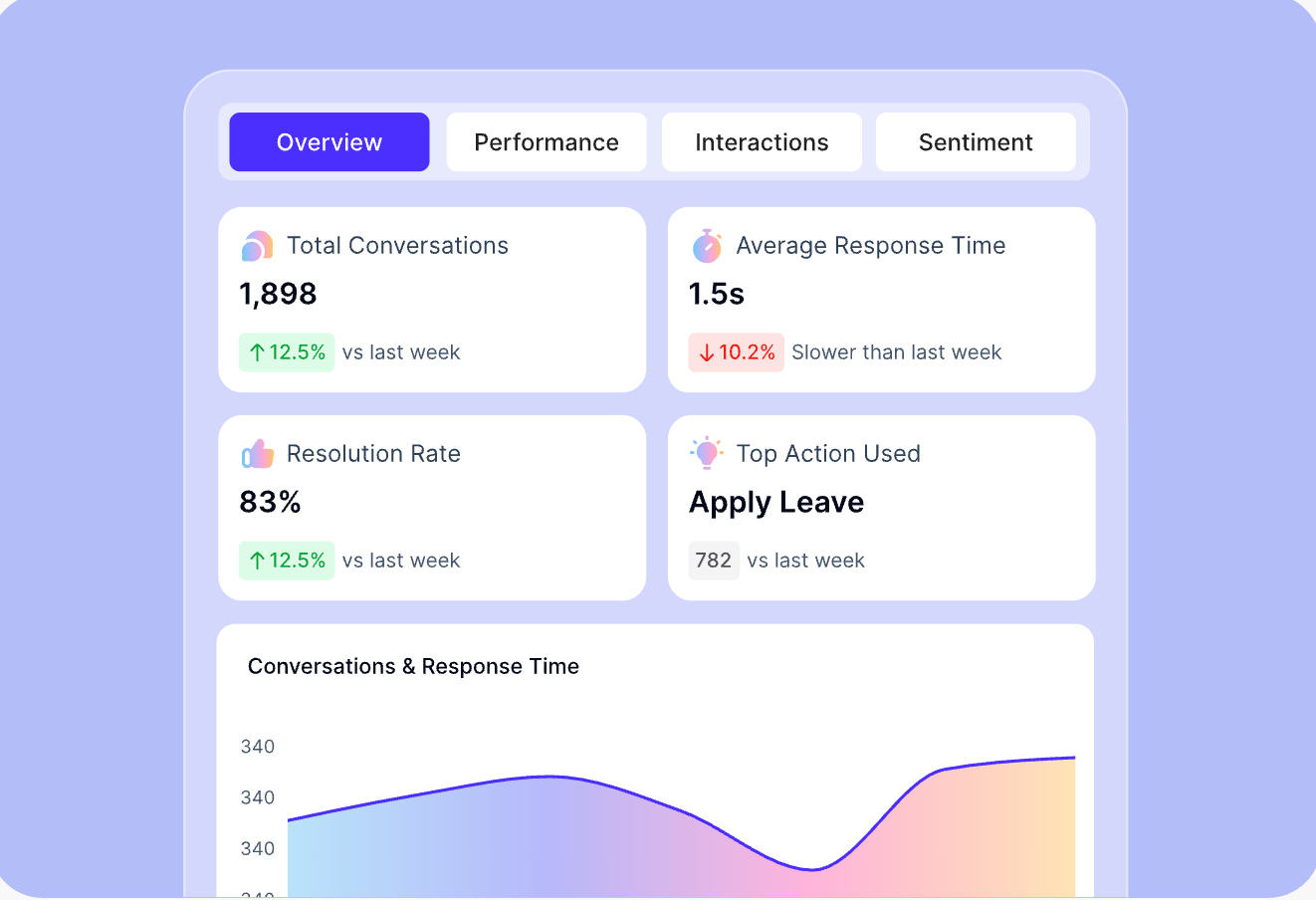
After deployment, Workativ provides built-in analytics to help HR teams monitor chatbot performance. HR leaders can track metrics such as conversation volume, response times, and resolution rates to understand how the chatbot is supporting employees.
These insights help organizations continuously improve HR automation and refine their chatbot experience over time. Workativ also ensures that the development of HR chatbots is friction-free. Some seamless and smooth features to speed up the chatbot development include.
Industry-ready HR templates
To accelerate deployment, Workativ provides industry-ready HR automation templates designed for common HR use cases. These templates cover scenarios such as onboarding support, HR helpdesk automation, benefits assistance, and employee self-service, allowing organizations to launch HR chatbots much faster.
Enterprise security and AI guardrails
Because HR chatbots handle sensitive employee data, security and governance are critical. Workativ includes enterprise-grade AI guardrails such as role-based access controls, PII protection, and prompt injection protection. The platform also supports compliance with standards like SOC 2, ISO 27001, and GDPR, ensuring employee data and HR records remain secure.
Analytics and continuous optimization
After deployment, Workativ provides built-in analytics to help HR teams monitor chatbot performance. Organizations can track metrics such as resolution rates, common employee queries, and response times. These insights allow HR teams to continuously improve the chatbot and optimize employee support.
Faster deployment
While many enterprise HR chatbot implementations take several months, Workativ enables organizations to build and deploy HR chatbots in just a few days. This allows HR teams to quickly automate employee support, reduce HR helpdesk workload, and improve employee self-service across the organization.
Start your free trial or book a demo with Workativ to build and deploy your HR chatbot today.
Best practices for building HR chatbots
Implementing an HR chatbot successfully requires more than just deploying AI technology. Organizations should follow a few best practices to ensure the chatbot delivers accurate responses, improves employee self-service, and supports long-term HR automation goals.
Start with high-volume HR queries : Begin by automating the most common HR requests such as leave balance checks, HR policy questions, benefits inquiries, and onboarding support. Focusing on high-frequency queries helps organizations quickly reduce HR helpdesk workload and demonstrate value.
Maintain an updated HR knowledge base : An HR chatbot relies on accurate information to provide reliable answers. Organizations should regularly update HR policies, employee handbooks, benefits documentation, and onboarding guides to ensure the chatbot always delivers correct responses.
Use human escalation when needed : While HR chatbots can automate many employee interactions, some situations require human intervention. Complex or sensitive HR issues should be escalated to HR representatives to ensure employees receive the appropriate support.
Monitor chatbot performance : After deployment, organizations should track chatbot performance metrics such as resolution rates, response times, and frequently asked questions. Monitoring these insights helps HR teams improve chatbot responses and optimize the overall employee support experience.
Building an HR chatbot is easier than you think
AI HR chatbots are helping organizations automate employee support, reduce HR workload, and improve the employee experience. From answering HR policy questions to guiding employees through benefits and leave requests, chatbots enable faster and more scalable HR support.
As we explored in this guide, the process of creating an HR chatbot involves identifying the right use cases, building a knowledge base, integrating HR systems, and deploying the chatbot across employee channels.
With modern platforms like Workativ, organizations can build and deploy HR chatbots quickly without complex development. Using no-code tools, integrations, and built-in automation capabilities, HR teams can launch AI-powered employee support in a matter of days rather than months. Book a demo today.
FAQs
How do you create an HR chatbot?
To create an HR chatbot, organizations typically follow a structured process that includes identifying HR use cases, building a knowledge base with HR policies and documentation, designing chatbot conversations, integrating HR systems, training the chatbot, and deploying it across employee communication channels. Modern platforms make it easier to create an HR chatbot without coding.
What is the HR chatbot development process?
The HR chatbot development process usually involves defining HR support use cases, preparing HR knowledge sources, designing conversation flows, integrating HR systems such as HRIS and payroll platforms, testing chatbot responses, and deploying the chatbot for employees to use across collaboration tools and portals.
How long does it take to build an HR chatbot?
Traditional HR chatbot implementations can take several months if they require custom development and integrations. However, with modern no-code AI platforms, organizations can build an HR chatbot in days instead of months by uploading HR knowledge, configuring workflows, and deploying the chatbot across employee channels.
Where can organizations deploy an AI HR chatbot?
Organizations can deploy an AI HR chatbot across multiple employee platforms such as Microsoft Teams, Slack, employee intranet portals, HR helpdesk platforms, and internal web portals. This ensures employees can access HR support directly within the tools they already use.
What are the benefits of using an HR chatbot?
HR chatbots help organizations automate employee support, reduce HR helpdesk workload, improve employee self-service, provide instant HR assistance, and streamline HR workflows such as leave requests, onboarding tasks, and benefits inquiries.
'%3e%3cpath%20d='M11.5732%2031.7068L19.2977%2022.7433L11.5732%2011.5366H17.4664L22.6245%2018.942L29.0522%2011.5366H30.7788L23.4029%2020.0985L31.4127%2031.7086H25.4997L20.1231%2023.9069L13.3197%2031.7068H11.5732ZM16.6519%2012.8366H13.9536L26.354%2030.4462H28.9926L28.8265%2030.1576L16.6519%2012.8366Z'%20fill='%230C0C0C'/%3e%3c/g%3e%3cdefs%3e%3cclipPath%20id='clip0_505_14364'%3e%3crect%20width='19.7681'%20height='20.2432'%20fill='white'%20transform='translate(11.573%2011.5365)'/%3e%3c/clipPath%3e%3c/defs%3e%3c/svg%3e)

'%3e%3cpath%20d='M25.2175%2011.7557L26.9132%2011.911V15.0496C26.0135%2015.1444%2024.1746%2014.7452%2023.5821%2015.5947C23.4908%2015.726%2023.3291%2016.1592%2023.3291%2016.3091V19.002H26.7392L26.3346%2022.5281H23.3291V31.5952H19.707V22.5863L19.649%2022.5281H16.6628V19.002H19.707C19.7813%2017.4024%2019.4664%2015.7042%2020.1132%2014.1986C20.6748%2012.8902%2021.7857%2012.0974%2023.1666%2011.8435L23.7151%2011.7557H25.2183H25.2175Z'%20fill='%230C0C0C'/%3e%3c/g%3e%3cdefs%3e%3cclipPath%20id='clip0_505_14375'%3e%3crect%20width='10.2695'%20height='19.8027'%20fill='white'%20transform='translate(16.658%2011.7567)'/%3e%3c/clipPath%3e%3c/defs%3e%3c/svg%3e)
About the Author
Deepa Majumder

Senior content writer
Deepa Majumder is a writer who nails the art of crafting bespoke thought leadership articles to help business leaders tap into rich insights in their journey of organization-wide digital transformation. Over the years, she has dedicatedly engaged herself in the process of continuous learning and development across business continuity management and organizational resilience.
Her pieces intricately highlight the best ways to transform employee and customer experience. When not writing, she spends time on leisure activities.
Auto-resolve 60% of Your Employee
Queries With AI Agents & Automation
- No credit card required
- Setup in minutes
- Cancel Anytime
